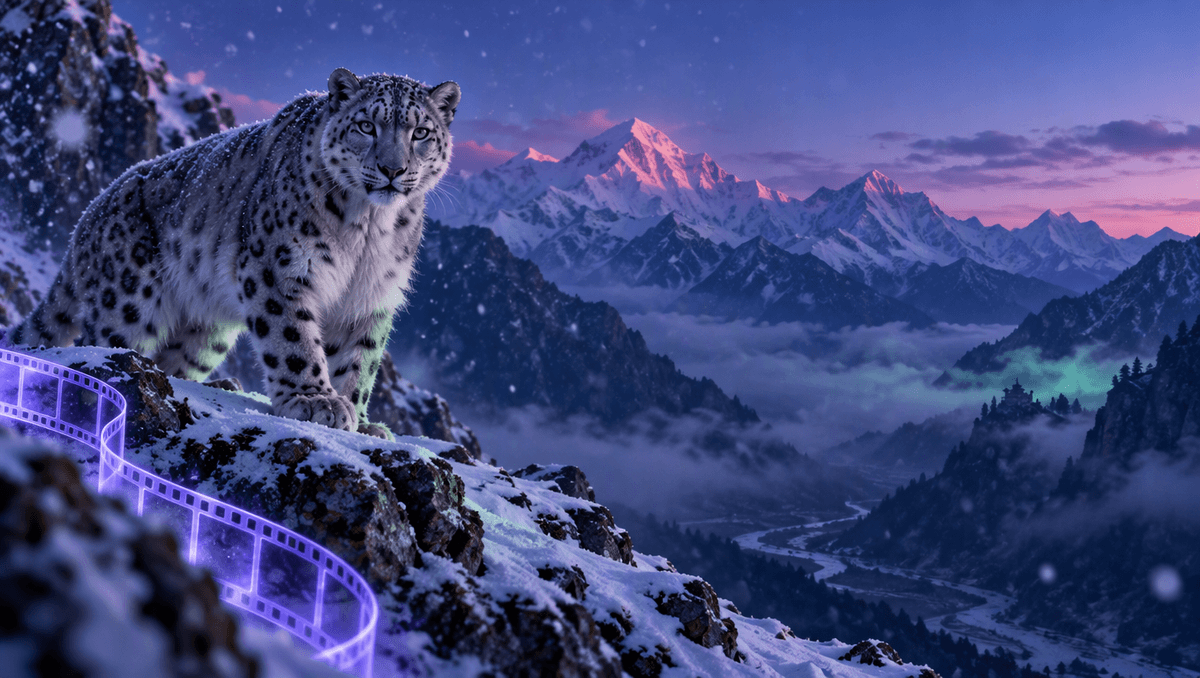
A great wildlife photo freezes one perfect second. A great wildlife clip lets you feel the next one: the snow leopard turns its head, blinks, and looks straight at you while the wind moves across the ridge. With a few well written AI wildlife video prompts you can make that kind of clip from one picture and one sentence, no telephoto lens, no weeks in a hide and no editing software. This guide shares the exact prompts we used tonight, explains why each part is there, and gives you a template and a list of animal scenes you can copy.
Everything below was made on Kenerate AI in one sitting: one image prompt for the scene, then one motion prompt that turned it into a 5 second clip with its own sound.
Why animal clips work so well
Animals are made of small movements. A blink, a twitching whisker, an ear turning toward a sound, a tail flicking in the snow. Those tiny details are what make people stop scrolling, because our brains are wired to watch living things move. A still photo shows you the animal. A short clip makes you feel like it noticed you.
A good wildlife clip only needs three things:
- One animal, one place. A clear subject in its real habitat, with light that tells you the time of day.
- One small behaviour. A head turn, a yawn, a stretch, a step forward. One is plenty for 5 seconds.
- The sound of the place. Wind, rain, birds, water, the crunch of snow. Sound is what puts the viewer on the mountain with the animal.
Step 1: describe the animal as a photograph
Start with the picture, not the video. Describe it the way a wildlife photographer would: which animal, where it is, what time it is, what the light is doing and which lens you are using. This is the prompt we used:
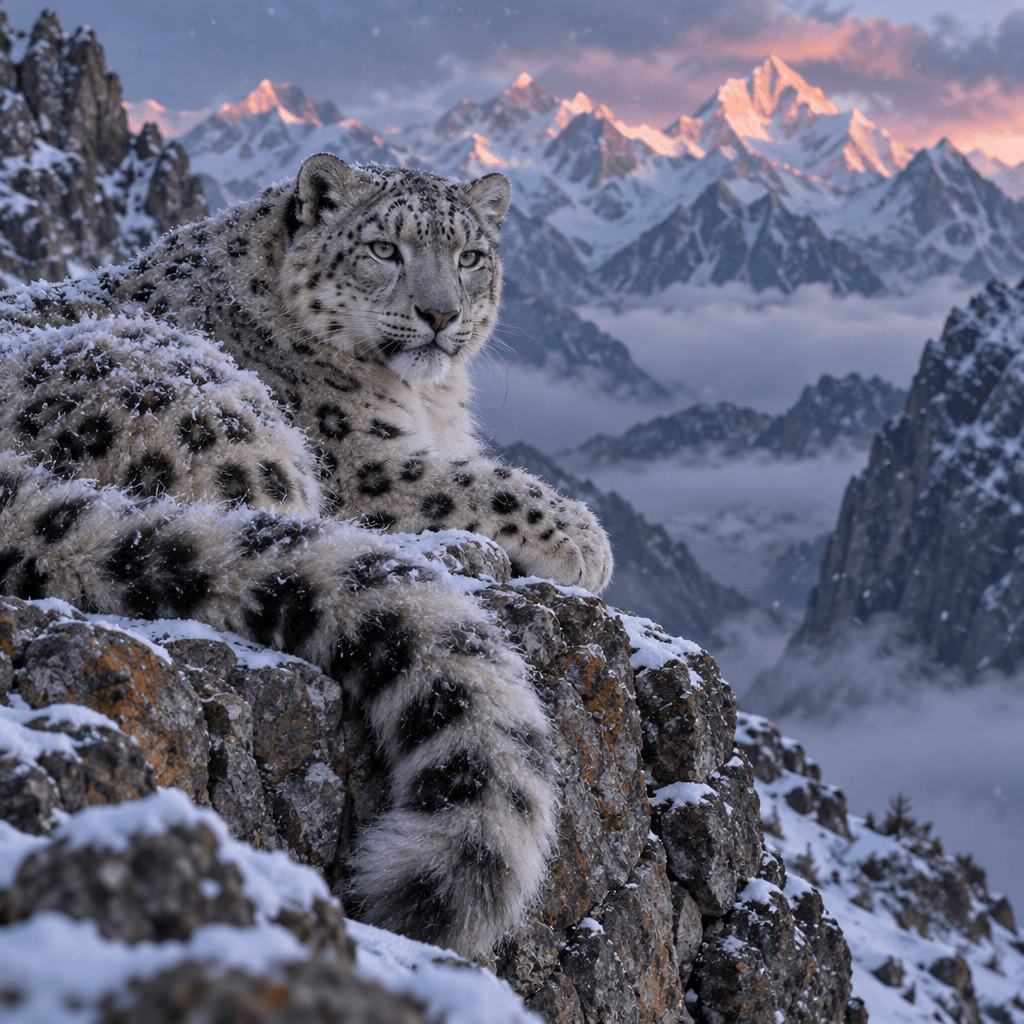
Square wildlife photo: a snow leopard resting on a rocky Himalayan ridge at blue hour, thick spotted fur dusted with snow, pale green eyes looking just past the camera, long tail curled over the rock, light snow falling, distant jagged peaks catching the last pink light, soft mist in the valley below, telephoto lens, crisp detail, cinematic documentary style, no text.
Why it works:
- "Blue hour" with "last pink light" gives cold blue shadows and warm peaks in the same frame. That contrast is what makes nature footage look expensive.
- "Eyes looking just past the camera" leaves room for the video step. If the animal already stares at you, there is nowhere for the moment to go. Looking away first lets it turn and look at you in the clip.
- "Telephoto lens" compresses the mountains behind the animal and blurs the background slightly, which is how real wildlife photos look.
- Texture words like "thick spotted fur dusted with snow" give the picture detail that catches light when it starts to move.
- "No text" keeps random letters out of the frame.
If you have your own photo of a pet, a bird in your garden or an animal from a trip, you can skip this step and start from that photo instead.
Step 2: write the motion prompt
Now attach the picture and describe only what moves. Do not describe the animal or the mountains again; the picture already holds them. This is the motion prompt we used:
The snow leopard slowly turns its head and looks straight into the camera, blinks, its whiskers twitch, snow keeps falling softly and drifts across the ridge, the tail tip flicks, mist rolls through the valley, very slow push-in. Sound: cold mountain wind, soft snowfall, a low quiet breath.
<video src="https://localcdn.t3.tigrisfiles.io/video/6a683840cf8c6907df9e9f00/6ae8f032b0426b3043a792c7/1793650844784_c6p8t.mp4" controls playsinline></video>
The structure is simple and you can reuse it for any animal:
- One main behaviour: the head turn and the look into the camera.
- One or two tiny details: the blink, the whiskers, the tail tip.
- One background movement: falling snow and drifting mist.
- One slow camera move: a very slow push-in.
- The sound: wind, snowfall and a quiet breath.
That is the whole formula. It is short on purpose. Animals look most real when they move a little, slowly.
Photo vs video: what actually changes
We put the still photo and the finished clip on top of each other to see what the motion step adds. The photo is beautiful, but your eye scans it and moves on. In the clip, the moment the leopard's eyes meet yours, the scene feels personal. The snow and mist add depth, so the mountains feel kilometres away instead of painted on.
This is why AI wildlife video prompts should focus on eye contact and small details. Big actions like running or hunting are hard to show in 5 seconds and easy to get wrong. A head turn and a blink look natural every time.
8 AI wildlife video prompts to copy
Each of these is written as a pair: the scene for the picture, then the motion for the video. Swap the animal or the place for your own.
1. Fox in fresh snow Scene: a red fox sitting in deep fresh snow at the edge of a pine forest, morning sun low behind it, breath visible in the cold air. Motion: the fox tilts its head, its ears turn toward a sound, then it pounces nose-first into the snow, still camera. Sound: crunching snow, quiet forest, a distant crow.
2. Owl at dusk Scene: a snowy owl perched on a fence post in an open field at dusk, golden sky, soft focus grass. Motion: the owl rotates its head slowly toward the camera and blinks its yellow eyes, feathers ruffle in the wind, slow push-in. Sound: wind over the field, a soft hoot.
3. Elephant family at a waterhole Scene: a mother elephant and her calf drinking at a waterhole on the savanna at golden hour, dust in the air. Motion: the calf splashes water with its trunk, the mother flaps her ears and steps closer, slow sideways slide. Sound: splashing water, low rumble, birds.
4. Hummingbird at a flower Scene: a green hummingbird beside a bright red flower in a garden, soft green background, morning light. Motion: wings blur as it hovers and dips its beak into the flower, then darts out of frame, still camera. Sound: fast wing hum, garden birdsong.
5. Sea turtle in clear water Scene: a sea turtle swimming above a coral reef in clear turquoise water, sun rays from the surface. Motion: the turtle glides forward with slow flipper strokes, small fish scatter, light ripples across its shell, slow tracking shot. Sound: underwater hush, soft bubbles.
6. Wolf on a ridge at night Scene: a grey wolf standing on a rocky ridge under a full moon, silver light on its fur, pine forest below. Motion: the wolf lifts its head and its breath clouds in the cold air, its fur moves in the wind, slow tilt up toward the moon. Sound: wind, a distant howl.
7. Panda eating bamboo Scene: a giant panda sitting in a misty bamboo forest, holding a bamboo stalk, soft green light. Motion: the panda chews slowly and looks up at the camera, leaves sway, mist drifts, very slow push-in. Sound: bamboo crunching, rain on leaves.
8. Your own pet as wildlife Scene: your dog or cat photographed like a wildlife subject, low angle, in tall grass at golden hour, telephoto look. Motion: it turns toward the camera, ears perk up, grass sways, slow push-in. Sound: wind in the grass, birds.
A fill-in template
Use this when you want to write your own AI wildlife video prompts from scratch.
Scene: [animal] [resting / sitting / standing] in [its real habitat] at [blue hour / golden hour / morning]. [2 texture details: fur, feathers, breath, snow, water]. [The light]. [Lens: telephoto or low angle], documentary style, no text.
Motion: [one behaviour: turns its head, blinks, yawns], [one tiny detail], [one background movement: snow, mist, grass], [one slow camera move]. Sound: [2 to 3 real sounds of that place].
Mistakes that ruin animal clips
- Too much action. Running, jumping and fighting in 5 seconds often bends legs and bodies. Start with small, slow behaviours.
- Describing the animal again in the motion prompt. It can change the markings or the face between the picture and the video. Describe only the motion.
- Fast or spinning cameras. Orbits and quick zooms blur fur and feathers. A slow push-in feels like a patient photographer.
- Flat midday light. Wildlife looks best at dawn, dusk or blue hour, when the light has colour and direction.
- Silence. A silent nature clip feels like a screensaver. Name the wind, the water or the birds.
Where to use your wildlife clips
- Reels and Shorts: a 5 second eye-contact moment loops perfectly and gets rewatched.
- Nature and travel pages: a clip to open a post about a place, a trip or a conservation story.
- Presentations and lessons: a living animal on screen holds a classroom better than a still photo.
- Your phone wallpaper or a website header: a slow, quiet loop works muted too.
If you want animal still images first, our AI pet portrait generator and animal hybrid generator pages have ideas you can then bring to life with the same motion prompts.
Settings we used
- Scene: one image prompt, square frame (vertical works the same for Reels).
- Video: image to video, 5 seconds, native sound on.
- Editing: a short title in the first two seconds and an end card. Nothing else.
More than 202,000 creators have made over a million images, videos and sounds on Kenerate AI. Turning a single animal photo into a living moment is one of the easiest ways to start.