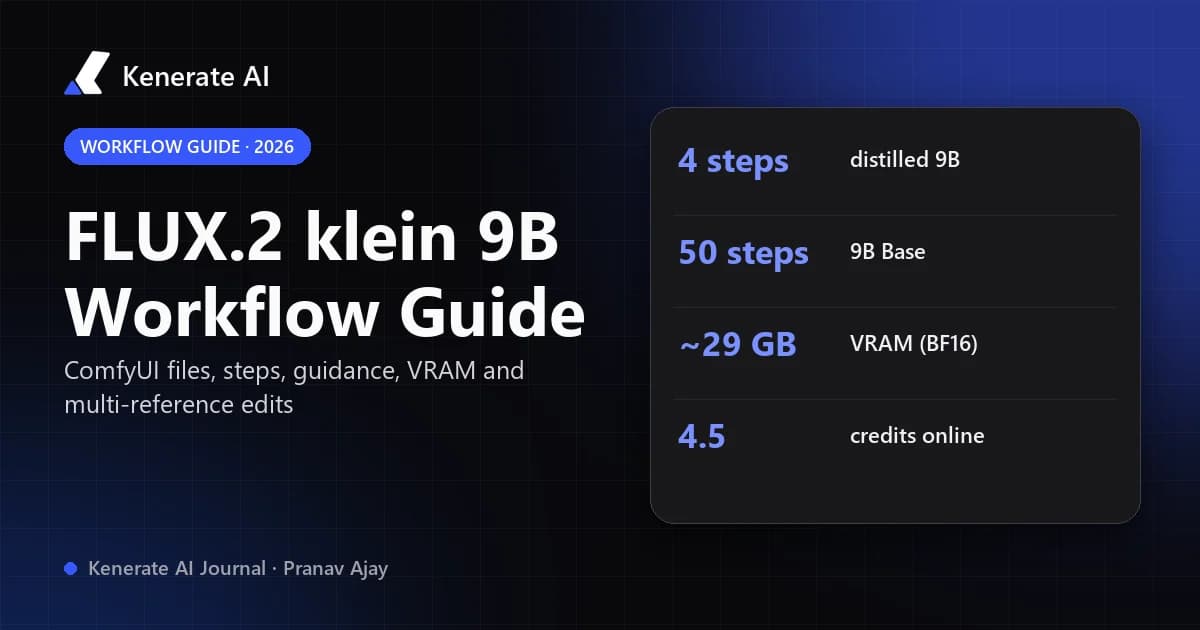
A working FLUX.2 [klein] 9B workflow has four parts: the 9B diffusion model, the Qwen 3 8B text encoder, the FLUX.2 VAE and a sampler set to the right steps and guidance. Use the distilled 9B at 4 steps and guidance 1.0 for speed, or the undistilled 9B Base at about 50 steps and guidance 4.0 for control, LoRA work and maximum variety. If you don't have a GPU with roughly 29 GB of VRAM, you can run the 9B Base online on Kenerate AI for 4.5 credits per image.
This guide walks through the official ComfyUI templates, the settings Black Forest Labs publishes on its model cards, what the "sub-second" claim really means, and how to do multi-reference edits. Everything below is checked against the Hugging Face model cards, the BFL launch post and the ComfyUI docs as of 18 October 2026.
What is FLUX.2 [klein] 9B?
FLUX.2 [klein] is the small, fast branch of Black Forest Labs' FLUX.2 family, released on 15 January 2026. The 9B model is a 9-billion-parameter rectified flow transformer paired with an 8B Qwen3 text embedder. One model handles three jobs: text to image, single-reference editing and multi-reference generation.
The family has four open-weight checkpoints, and picking the wrong one is the most common reason a workflow looks "broken":
| Checkpoint | Hugging Face ID | Distilled? | Recommended steps / guidance | Licence | Best for |
|---|---|---|---|---|---|
| FLUX.2 [klein] 9B | black-forest-labs/FLUX.2-klein-9B | Yes (step-distilled) | 4 steps · guidance 1.0 | FLUX Non-Commercial | Fast drafts, interactive work |
| FLUX.2 [klein] 9B Base | black-forest-labs/FLUX.2-klein-base-9B | No | 50 steps · guidance 4.0 | FLUX Non-Commercial | Fine-tuning, LoRA, research, control |
| FLUX.2 [klein] 4B | black-forest-labs/FLUX.2-klein-4B | Yes (step-distilled) | 4 steps | Apache 2.0 | Commercial use, smaller GPUs |
| FLUX.2 [klein] Base 4B | black-forest-labs/FLUX.2-klein-base-4B | No | More steps (undistilled) | Apache 2.0 | Commercial fine-tuning |
Steps and guidance for the 9B models come from the Diffusers examples on each Hugging Face model card. BFL notes it renamed the "FLUX [dev] Non-Commercial License" to the FLUX Non-Commercial License with no material changes, so commercial use of either 9B checkpoint needs a licence from BFL. The 4B checkpoints are Apache 2.0.
Which files does the ComfyUI workflow need?
The ComfyUI documentation lists the exact files and folders for the 9B templates. Download them into your ComfyUI/models/ folder:
| File | Folder | Notes |
|---|---|---|
flux-2-klein-9b-fp8.safetensors | diffusion_models/ | Distilled 9B (fast) |
flux-2-klein-base-9b-fp8.safetensors | diffusion_models/ | Undistilled 9B Base |
qwen_3_8b_fp8mixed.safetensors | text_encoders/ | Text encoder for both 9B models |
flux2-vae.safetensors | vae/ | Shared FLUX.2 VAE |
You must accept Black Forest Labs' licence agreement on the Hugging Face repo before the diffusion model will download. The 4B workflows use a different text encoder (qwen_3_4b.safetensors), so don't mix the 4B encoder with a 9B model.
How do you set up the FLUX.2 klein 9B text-to-image workflow in ComfyUI?
ComfyUI ships official templates for both 9B text to image and 9B image editing. The quickest route is to load the template rather than wire nodes by hand.
- Update ComfyUI. The ComfyUI docs warn that missing nodes usually mean an outdated install or a stable release without the new core nodes.
- Open the template browser and pick Flux.2 [Klein] 9B: Text to Image. The official text-to-image template uses the distilled model.
- Check the loaders. Point the diffusion model loader at
flux-2-klein-9b-fp8, the CLIP/text encoder loader atqwen_3_8b_fp8mixedand the VAE loader atflux2-vae. - Set the sampler. For the distilled 9B, keep 4 steps and guidance 1.0. Raising steps doesn't add much to a step-distilled model; it mostly costs time.
- Set the resolution. BFL's own examples and benchmarks use 1024×1024. Start there before going larger.
- Write the prompt in the multiline text node and queue it. Fix the seed once you like a composition so you can iterate on wording alone.
What changes for the 9B Base workflow?
Swap the diffusion model to flux-2-klein-base-9b-fp8, then raise the sampler to around 50 steps with guidance 4.0, the settings in the Base model card's Diffusers example. Because the Base model is not guidance-distilled, guidance has a strong effect on the result. RunComfy's LoRA workflow notes make the same point: with the undistilled 9B, the guidance scale strongly affects quality, so test a small range (3–5) rather than leaving it at the distilled default of 1.0.
Some hosted APIs ship the Base model with lower defaults. Wiro's model documentation, for example, lists 30 steps and guidance 4. That is a reasonable speed/quality trade-off, but it is a provider default, not BFL's recommendation.
How do you do multi-reference editing with Klein 9B?
Editing is built into the same model, so there is no separate "edit checkpoint". The ComfyUI edit templates (Flux.2 [Klein] 9B: Image Edit, in Base and distilled versions) add two LoadImage nodes, which is how you feed more than one reference into a single generation.
A reliable editing workflow:
- Load the edit template (Base for careful edits, distilled for speed).
- Put the main subject in the first LoadImage node and the second reference (a style, product, outfit or background) in the second.
- Describe only the change and what must stay, for example: "Put the mug from image 2 on the table in image 1, keep the lighting and camera angle of image 1."
- Keep the output resolution close to the input so the model doesn't have to invent detail.
- Run a few seeds and keep the most faithful one.
Prompt style matters. The 9B model card lists, as a known limitation, that prompt following depends heavily on prompting style, and that text rendered inside images may be inaccurate or distorted. Short, concrete instructions beat long, poetic ones for edits.
Is FLUX.2 klein 9B really sub-second?
Yes, but only under specific conditions. BFL's launch post says images can be generated or edited in under 0.5 seconds on modern hardware, and the speed chart's caption states it was measured on an NVIDIA GB200 in bf16. That is data-centre hardware running the distilled 4-step model.
On consumer GPUs, the only official timing in the ComfyUI docs is for the 4B model on an RTX 5090: about 1.2 seconds for the distilled 4B (8.4 GB VRAM) and about 17 seconds for the 4B Base (9.2 GB VRAM). The docs do not publish a 9B timing, so expect the 9B to be slower than those figures, and the 9B Base (50 steps) to be much slower than the distilled 9B (4 steps).
Even a competitor article titled around sub-second 9B generation states plainly that its own test set was not a measured sub-second result. Treat "sub-second" as a best case for the distilled model on top-end hardware, not what a typical local setup will see.
How much VRAM does FLUX.2 klein 9B need?
| Setup | VRAM | Source |
|---|---|---|
| 9B or 9B Base, BF16 | ~29 GB (RTX 4090 and above) | Hugging Face model cards |
| 4B, BF16 | ~13 GB (RTX 3090 / 4070 and above) | BFL launch post |
| FP8 versions | Up to 40% less VRAM, up to 1.6× faster | BFL launch post (NVIDIA benchmark) |
| NVFP4 versions | Up to 55% less VRAM, up to 2.7× faster | BFL launch post (NVIDIA benchmark) |
| Diffusers CPU offload | Lower peak VRAM, slower | enable_model_cpu_offload() in the model card |
BFL says the FP8 and NVFP4 quantizations were built with NVIDIA for RTX GPUs and keep the same licences. The speed-ups were benchmarked on RTX 5080/5090 at 1024×1024 text to image. The FP8 files are what the ComfyUI templates download by default, which is why many people run the 9B on cards smaller than a 4090.
FP8 vs BF16: which should you use?
Use FP8 in ComfyUI unless you have a specific reason not to: it is the default in the official templates and the main way to fit the 9B on a 16–24 GB card. Use BF16 when you're fine-tuning or training a LoRA on the Base model, or when you have the VRAM and want the reference precision the model card uses.
Should you use the distilled 9B or the 9B Base?
Pick by what you need, not by which sounds bigger:
- Distilled 9B — 4 steps, guidance 1.0. Fastest 9B, good for drafts, live art direction and batches of variations.
- 9B Base — ~50 steps, guidance 4.0. BFL describes the Base models as having higher output diversity and being meant for fine-tuning, LoRA training, research and custom pipelines where control matters more than speed.
- 4B (either) — choose this if you need commercial rights without a BFL licence (Apache 2.0) or have less than ~16 GB of VRAM.
If you're training a LoRA, train and run it on the Base model. LoRAs trained on Base are typically run with Base-style settings; using them on the distilled model with 4 steps can give results that don't match training.
How can you run FLUX.2 klein 9B online without a GPU?
If your card can't hold the model, or you just want results without installing ComfyUI, Kenerate AI runs the undistilled FLUX.2 [klein] 9B Base in the browser. As of 18 October 2026, from our model config:
| Model on Kenerate | Text to image | Edit | References | Sizes | Plan |
|---|---|---|---|---|---|
| Flux 2 Klein Base 9B | 4.5 credits | 6.3 credits | Up to 3 | 8 presets up to 1536×1536 | Paid credits |
| Flux 2 Klein Base 4B | 3 credits | 4.5 credits | Up to 3 | 8 presets up to 1536×1536 | Paid credits |
| Flux 2 Klein (4B) | 3 credits | Supported | Up to 3 | 8 presets up to 1536×1536 | Included on the free plan |
Credit packs start at $15 for 1,300 credits, so a 9B Base image costs roughly 5 cents. Kenerate does not currently offer the distilled 9B; the 9B option is the Base model, which suits people who want its extra detail and variety. You can't load your own LoRA there, so local ComfyUI is still the right tool for custom fine-tunes.
To use it:
- Open the AI image studio and pick Flux 2 Klein Base 9B from the model list.
- Choose a size preset (Square 1024×1024 is the closest match to BFL's examples).
- Type your prompt, optionally set a seed, and generate.
- To edit, upload up to 3 reference images and describe the change, the same way you would with the ComfyUI edit template.
The FLUX.2 [klein] 9B Base model page shows real outputs and the full spec, and the Flux 2 family page compares all nine Flux 2 versions Kenerate runs, from Dev and Klein to Max. For edits with other models, the AI image editor and image-to-image tool cover the same reference-based workflow.
What are the most common FLUX.2 klein 9B workflow mistakes?
| Symptom | Likely cause | Fix |
|---|---|---|
| Washed-out or noisy images on Base | Guidance left at 1.0 or too few steps | Use ~50 steps, guidance around 4.0 |
| Slow generations on the distilled model | Steps raised to 20–50 | Keep 4 steps, guidance 1.0 |
| Red "missing node" boxes | Outdated ComfyUI | Update ComfyUI, reload the template |
| Garbled output or load errors | 4B text encoder with a 9B model | Use qwen_3_8b_fp8mixed for 9B |
| Out of memory | BF16 on a 16–24 GB card | Use FP8 files, or CPU offload in Diffusers |
| LoRA looks wrong | LoRA trained on Base, run on distilled | Run it on the 9B Base with Base settings |
| Text in image is misspelled | Known model limitation | Keep on-image text short, or use a text-focused model |
Can you use FLUX.2 klein 9B commercially?
Not under its default licence. Both 9B checkpoints use the FLUX Non-Commercial License, and the model card requires agreeing to it and to BFL's Acceptable Use Policy before downloading. The licence also requires inference filters for the 9B model. If you need open weights for a commercial product without negotiating a licence, use the 4B models, which are Apache 2.0. Check BFL's licensing page for current terms before shipping anything.
Bottom line
For most people the best FLUX.2 [klein] 9B workflow is the official ComfyUI template with FP8 files: distilled at 4 steps and guidance 1.0 for speed, Base at ~50 steps and guidance 4.0 for control and LoRAs, and two LoadImage nodes for multi-reference edits. If you don't have the VRAM, the 9B Base runs online for a few cents an image, which is often faster than setting up a local install for occasional use.
Sources: Hugging Face — FLUX.2-klein-9B model card, Hugging Face — FLUX.2-klein-base-9B model card, Black Forest Labs — FLUX.2 [klein] launch post, ComfyUI docs — FLUX.2 Klein tutorial, RunComfy — FLUX.2 Klein 9B LoRA inference.