To turn a photo into a full-body Funko Pop-style figure with AI, upload a clear head-to-toe photo of yourself to an image model that accepts reference images, such as Nano Banana 2.1 or GPT Image 2.5 on Kenerate AI. Then ask for "a full-body stylized vinyl collectible figure with an oversized head, small body, solid black round eyes and a glossy finish," and say which features to keep, like your hair, glasses or outfit. One render takes under a minute. As of 24 October 2026, it costs about 12–21 credits per image on Kenerate.
This guide covers the exact prompts, which photo works best, how to get the full body instead of a cropped bust, how to make a boxed version, and where the legal line sits with a trademarked toy brand.
Quick note on the name: Funko and Pop! are trademarks of Funko, Inc. This post uses "Funko Pop-style" only to describe the look (big head, tiny body, vinyl finish). AI tools, Kenerate included, make original fan-style art, not official Funko products. If you want a real, official figure of yourself, Funko sells its own Pop! Yourself service (more on that below).
What makes a picture look "Funko Pop style"?
The style is easy to recognise because it is so simplified. Describing these traits in your prompt matters more than writing the brand name:
| Trait | What to write in the prompt |
|---|---|
| Head-to-body ratio | "oversized square-ish head, small compact body, roughly 1:1 head to body" |
| Eyes | "solid black round button eyes, no pupils" |
| Face | "minimal face, tiny or no nose, no visible mouth" |
| Material | "glossy vinyl plastic, smooth matte-gloss finish, soft specular highlights" |
| Pose | "standing straight, arms close to the body, feet on a small round base" |
| Scale | "4-inch collectible figure, product photo" |
| Lighting | "studio product shot, soft front light, white or gradient backdrop" |
Brand-wiki descriptions of the figures note the same set of features: a large head, black circular eyes, minimal facial detail and a vinyl body about 4 inches (10 cm) tall. If your result looks "off", one of these seven lines is usually missing.
Which AI model should you use?
You need an image-editing (reference) model, not a plain text-to-image model. The model has to see your photo to keep your hair, glasses and clothes. Here are the two that suit this job best on Kenerate, with real prices from our credit calculator as of 24 October 2026:
| Model | Best for | References | Cost per image (1K) | Max resolution |
|---|---|---|---|---|
| Nano Banana 2.1 | Keeping your likeness and outfit across several shots | up to 14 | 21 credits (2K: 31.5, 4K: 42) | 4K |
| GPT Image 2.5 Sunburst | Clean box text, name plates, fine detail | up to 16 | 7.2 credits at medium + 4.5 per reference ≈ 11.7 | 4K |
| GPT Image 2.5 Flare | Fast, cheap drafts to test ideas | up to 16 | same price table as Sunburst | 4K |
Our rule of thumb: draft with GPT Image 2.5 at medium quality, then make the keeper with Nano Banana 2.1 at 2K if the face drifts. If you want the packaging text ("YOUR NAME", a number, a sticker) to be readable, finish on GPT Image 2.5, which renders text more cleanly. New accounts start with 25 free credits, enough for one or two tries before you need a plan.
How do you turn your photo into a Funko Pop-style figure? (step by step)
- Pick the right photo. Full body, standing, good light, plain-ish background, nothing covering your face. A mirror selfie works if the phone is not covering your face (and you can ask the model to remove the phone).
- Open the image studio. Go to Kenerate's image-to-image tool or the studio at kenerateai.com/app/image, and choose Nano Banana 2.1 or GPT Image 2.5.
- Upload the photo as a reference. Add a second reference (a close-up of your face, or a pet) if you want extra likeness.
- Paste the base prompt (below), then add one line that lists what must stay the same.
- Set the shape. Use 2:3 or 3:4 portrait for a standing figure, 1:1 for a social post, 4:5 for Instagram.
- Generate 2–3 versions and keep the one with the best face.
- Refine one thing at a time. For example: "same figure, change the jacket to red" or "same figure, add a skateboard accessory." Changing many things at once makes the face drift.
- Upscale the keeper to 2K or 4K if you want to print it.
Copy-paste prompts
The base prompt (full body)
Turn the person in image 1 into a full-body stylized vinyl collectible figure in the classic big-head toy style: oversized head, small compact body, solid black round eyes, minimal face with no mouth, glossy vinyl finish. Keep their hairstyle, hair colour, glasses and outfit from the photo. Show the entire figure from head to feet, standing on a small round black base, centred, studio product photo, soft front lighting, plain light-grey background. 4-inch collectible toy.
Keep-the-likeness add-on
Preserve: dark curly hair, round gold glasses, green bomber jacket, white sneakers. Do not change the outfit colours.
Swap the details for your own. The more specific this line is, the more the figure looks like you.
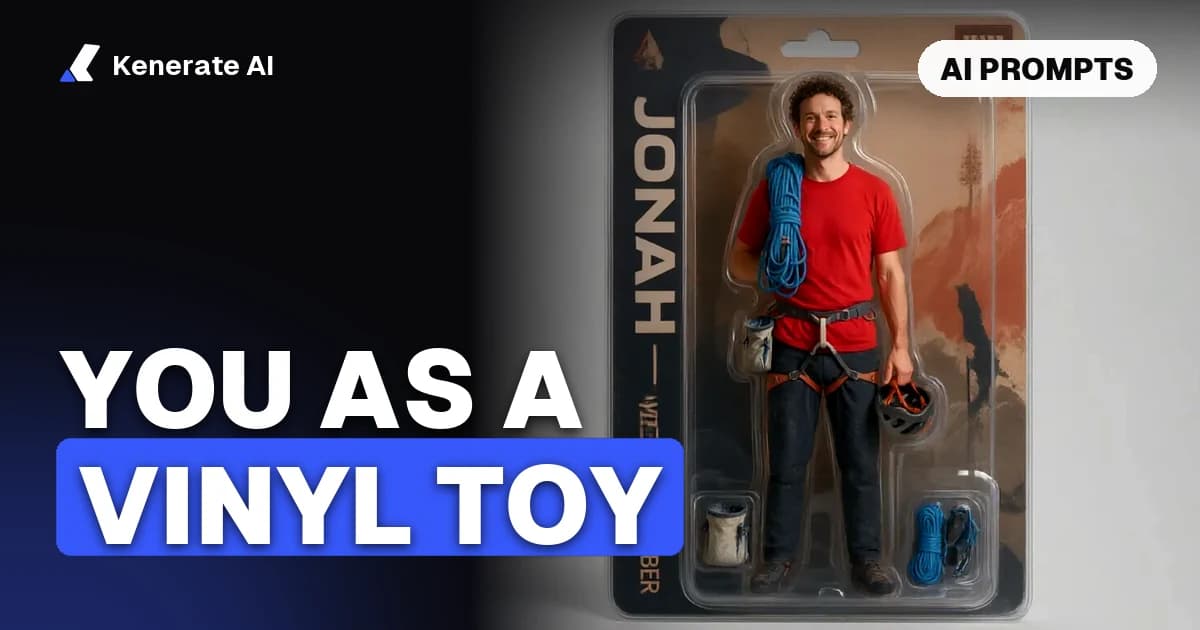
In the box (window-box packaging)
Show the same figure inside a collectible window box with a clear plastic front. Original packaging design (not an official brand layout): the name "MAYA" on the top panel in bold white letters, the number "07" in a circle on the upper right, a small "Special Edition" sticker. Product photo, three-quarter angle.
Use your own name and an invented series name. Do not copy an official logo or box layout (see the legal section).
With a pet buddy
Add a matching small vinyl figure of the dog in image 2 standing next to the person figure, same big-head style, same base.
Hobby and job variants
- Gamer: "holding a tiny game controller, wearing headphones around the neck, LED-blue gradient background."
- Chef: "white chef jacket and hat, holding a tiny wooden spoon, kitchen-shelf background, shallow depth of field."
- Graduate: "cap and gown, holding a rolled diploma with a red ribbon."
- Runner: "running vest with a race bib reading '42', standing on a tiny finish-line base."
- Couple: upload two photos and ask for "two matching figures side by side on one wide base."
Fix-it prompts
- Cropped at the knees → "zoom out, show the whole figure including feet and base, leave empty space around it."
- Looks like a realistic person → "more toy-like: bigger head, simpler face, solid black eyes, plastic material."
- Wrong outfit → "keep everything else identical, change only the jacket to match image 1."
- Phone in hand → "remove the phone; the figure's hands rest at its sides."
How do you make sure you get the full body?
This is the most common problem behind searches like "make this picture a full body Funko Pop style." Models frame the head tightly because the head is the biggest part of the figure. Three things fix it:
- Start from a full-body photo. If your photo is a headshot, the model has to invent your clothes and legs. You can extend it first. Our guide on how to make a picture full body with AI shows how to outpaint the rest of the body before you stylise it.
- Say "head to feet", "entire figure" and "standing on a round base". The base forces the model to show the feet.
- Use a tall aspect ratio (2:3 or 3:4) and ask for "empty space around the figure."
Can you make a 3D or printable version?
The images above are 2D renders. If you want something you can hold:
- A 3D model: run your best render through Kenerate's image-to-3D converter. A clean front view on a plain background converts best. Note that 3D generation needs a paid plan.
- A printed figure: our 3D-printed action figures page explains how to go from an AI render to a printable mesh, and what to check before you send it to a printer.
- A different toy style: for an articulated, blister-pack look instead of the big-head vinyl style, try the AI action figure generator.
Is it legal to make Funko Pop-style images with AI?
The general rules below are not legal advice:
- Personal, non-commercial fan art of yourself is the normal use. Making a big-head vinyl-style picture of yourself for your profile photo or a group chat is what most people do.
- Don't sell it as "Funko". "Funko" and "Pop!" are trademarks. Using the name, logo or official box design on products you sell can infringe them. Even competitors' tool pages, such as getimg.ai's, state they are not affiliated with Funko and tell users to avoid official branding.
- A paid plan's commercial rights do not cover someone else's brand or characters. A licence to use your AI output does not give you rights to a third party's trademark, characters or product design.
- Only use photos of yourself, or of people who agreed. Don't make figures of celebrities or of anyone who hasn't agreed. Kenerate's terms also ban any explicit or exploitative content involving minors. Keep it to you, your friends (with their OK) and your pets.
AI render vs official Pop! Yourself: which should you pick?
| AI render (Kenerate) | Official Funko Pop! Yourself | |
|---|---|---|
| What you get | Digital image (2D, optional 3D mesh) | Physical vinyl figure in a box |
| Brand | Original fan-style art, not affiliated | Official Funko product |
| Customisation | Anything you can describe | Choose from the builder's options |
| Price | About 12–21 credits per image | About $30 in the US plus shipping, per press coverage (check funko.com for current pricing) |
| Time | Under a minute | Shipping time |
If you want a real figure on your shelf, buy the official one. If you want a profile picture, a gift mock-up, a sticker or a hundred hobby variants, AI is faster and cheaper.
Tips for better results
- Light matters more than resolution. A sharp 1080p phone photo in daylight beats a dark 4K one.
- Remove clutter first. Busy backgrounds leak into the figure. Use a background remover, or ask for a "plain studio background."
- One change per edit. This keeps the face consistent. Nano Banana 2.1 is especially good at holding a subject steady across edits.
- Use a related style if you prefer cute over boxy. The chibi AI generator gives a softer, anime-style big-head look.
- Keep a "character sheet". Save your best render and reuse it as a reference for later variants.
Sources
- getimg.ai, "Make your own Funko Pop" use-case page (affiliation and trademark notes): https://getimg.ai/use-cases/make-your-own-funko-pop
- Xataka On, "Funko Yourself: How to Use ChatGPT to Create a Funko Version of Yourself" (25 Apr 2025): https://www.xatakaon.com/basics/funko-yourself-how-to-use-chatgpt-to-create-a-funko-version-of-yourself
- Spielwarenmesse, "Funko launches Pop! Yourself across Europe": https://www.spielwarenmesse.de/en/mag/toy-market-news/funko-launches-pop-yourself-across-europe/
- Slashfilm, "Turn Yourself Into A Funko POP: Custom Figures Now Available To Order Online": https://slashfilm.com/1373194/custom-funko-pop-figures-now-available-order-online
- Kenerate credit prices: Kenerate AI image credit calculator, as of 24 October 2026.
Updated 24 October 2026. Funko and Pop! are trademarks of Funko, Inc. Kenerate AI is not affiliated with or endorsed by Funko.