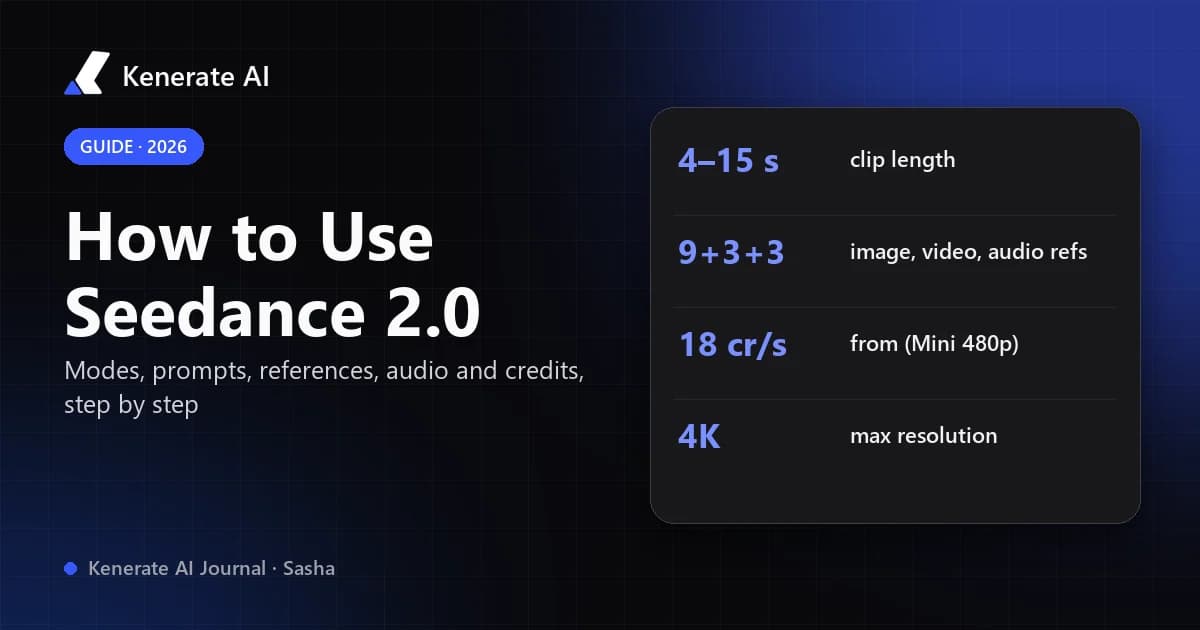
To use Seedance 2.0, pick a mode (text-to-video, image-to-video or reference-to-video), write one short scene with one subject, one action and one camera move, set the length (4–15 seconds), resolution and aspect ratio, then generate and revise one thing at a time. On Kenerate AI it runs in the video studio from 36 credits per second at 480p, with sound on by default. This guide walks through every step, the prompt structure that works, how references and audio behave, and which Seedance 2.0 variant to choose — as of 18 October 2026.
What is Seedance 2.0?
Seedance 2.0 is ByteDance Seed's audio-video generation model, officially launched on 12 February 2026. According to ByteDance's launch post, it generates video and sound together in one pass and accepts four kinds of input at once: text, images, audio and video. A single request can combine up to 9 images, 3 video clips and 3 audio clips plus a written instruction, and the output is up to 15 seconds of multi-shot video with stereo audio (music, ambience and voices on parallel tracks). It also supports editing an existing clip and extending a shot.
ByteDance is open about its limits: the same post says the model is "still far from perfect", naming detail stability, multi-subject consistency, text rendering and occasional audio distortion as open problems. Keep that in mind when a generation goes wrong — often it is the model, not your prompt.
What can you do with Seedance 2.0 on Kenerate?
Kenerate runs the full Seedance 2.0 family. The table below comes straight from the app's model configuration (video-models.ts) as of 18 October 2026.
| Seedance 2.0 | Seedance 2 Fast | Seedance 2.0 Mini | Seedance 2 Turbo | |
|---|---|---|---|---|
| Modes | Text, image, reference to video · edit · extend | Text, image, reference to video · edit · extend | Text, image, reference to video · edit · extend | Text and reference to video |
| Length | 4–15 s | 4–15 s | 4–15 s | 4–15 s |
| Resolutions | 480p, 720p, 1080p, 4K | 480p, 720p, 1080p, 4K | 480p, 720p, 1080p, 4K | 720p, 1080p |
| Credits per second (480p / 720p / 1080p / 4K) | 36 / 72 / 180 / 360 | 30 / 60 / 150 / 300 | 18 / 36 / 90 / 180 | — / 42 / 48 / — |
| References | 9 images, 3 videos, 3 audio (15 s each type) | Same | Same | Same |
| Aspect ratios | 16:9, 9:16, 4:3, 3:4, 1:1, 21:9 | Same | Same | Same |
| Sound | On by default, can be switched off | Same | Same | Same |
Kenerate prices at 300 credits per US dollar, and video needs a paid plan: the smallest is $15 for 1,300 credits, and the next is $29 for 2,700 credits (see pricing). The 25 credits new accounts get are for images only. If you want to know whether you can try it without paying, our honest breakdown of Seedance 2.0 free options covers every route.
How do you use Seedance 2.0 step by step?
Here is the workflow we recommend on Kenerate. The same logic applies on any host that runs the model.
- Open the video studio and pick the model. Go to /app/video and choose Seedance 2.0 (or Mini for cheap drafts).
- Choose a mode. Text to video if you have nothing but an idea; image to video if you already have the exact first frame; reference to video if you want to lock a character, product, camera move or sound from files you upload.
- Write one small scene. One subject, one action, one camera move. Aim for roughly 60–100 words (more on this below).
- Set length, resolution and ratio. Start at 5 seconds and 480p or 720p. Use 9:16 for Reels, Shorts and TikTok, 16:9 for YouTube, 1:1 for feeds. In image-to-video the clip follows the shape of your start image, so crop the image first.
- Decide on sound. Leave audio on and describe the sounds you want, or switch it off for silent b-roll.
- Check the credit quote and generate once. The studio shows the price before you spend. A 5-second Seedance 2.0 clip at 720p costs 360 credits; the same clip on Mini costs 180.
- Review and revise one variable. If the motion is right but the camera is wrong, change only the camera line. Rewriting everything makes it impossible to learn what helped.
- Upscale or re-render the keeper. Once a draft works, render it at 1080p, or use extend to add seconds to it.
How do you write a good Seedance 2.0 prompt?
Most Seedance 2.0 guides converge on the same structure. A practical version, as described in this prompt guide, uses five slots:
- Subject — who or what, with one or two concrete details ("a grey-haired chef in a white apron").
- Action — one verb chain with a physical result ("flips a pancake that lands back in the pan").
- Scene — place and light in one sentence ("a small café kitchen, morning sun through steam").
- Camera — one main move, optionally with an end point ("slow push-in, ending on the pan").
- Style and audio — the look plus named sounds ("warm 35mm film look; sizzling butter, quiet café chatter, no music").
How long should a Seedance 2.0 prompt be?
Around 60–100 words. Long prompts are not better: requirements near the end get ignored more often, so put the things you can't compromise on first. If a prompt misbehaves, cutting it under 100 words is usually the first fix.
Example prompt you can copy
A grey-haired chef in a white apron flips a pancake in a cast-iron pan; it spins once and lands cleanly. Small café kitchen, morning sun through rising steam. Slow push-in from waist height, ending on the pan. Warm 35mm film look, shallow depth of field. Sound: sizzling butter, a soft clink of the spatula, quiet café chatter, no music.
That is 64 words, one subject, one action, one camera move, and the audio is spelled out.
How do you make multi-shot videos?
Seedance 2.0 can cut between shots inside one clip. Label them ("Shot 1: … Cut to Shot 2: …"), keep one camera move per shot, and don't cram more locations into the clip than its length can carry — three locations in five seconds tends to smear. For clips over about 8 seconds, writing a rough timeline ("0–4 s … 4–9 s …") helps the model pace the action.
How do references work in Seedance 2.0?
References are the reason many people choose Seedance 2.0 over simpler models. In reference-to-video mode you can attach up to 9 images, 3 video clips and 3 audio clips. The key rule from every serious guide: give each file a job in the prompt. An attached clip with no instructions leaks everything — its lighting, framing and subject — into your shot.
Good ways to assign roles:
- "The woman in image 1 is the main character; keep her face, hair and jacket."
- "Use video 1 for camera movement only, not for the subject or setting."
- "Cut on the beats of audio 1."
Reference image vs start frame: what's the difference?
A start frame (image-to-video) is the first frame of your clip — composition, lighting and all. A reference image only guides how something should look inside a new scene. On Kenerate, Seedance 2.0 image-to-video also accepts an optional end frame, so you can pin both where the shot starts and where it lands. If your product or face must stay exactly as photographed, make the perfect still first (for example with an image model) and use image to video.
Do reference clips cost extra?
Yes, but at a lower rate. Kenerate bills Seedance 2.x like this: with no reference clips you pay output seconds × the output rate; with reference clips you pay (clip seconds + output seconds) × the lower reference rate — 45 credits per second at 720p for Seedance 2.0. So a 10-second clip guided by a 5-second motion reference at 720p costs (5 + 10) × 45 = 675 credits, versus 720 credits for 10 seconds with no clip. Reference images and audio don't add to that formula. Trim reference clips to just the motion you need — it saves credits and gives cleaner results.
Can you use photos of real people?
Be careful. ByteDance's launch post says using real human portraits as character references requires identity verification or prior legal authorization, and hosts often block identifiable real faces. Use generated or illustrated characters, or footage and photos you have the rights to — and never put a real person in a clip without their consent.
How does audio and lip-sync work?
Seedance 2.0 makes sound in the same pass as the picture. That has one big consequence: if you say nothing about audio, you still get audio — often music you didn't want. Always name the sounds, and write "no music" when you want only ambience.
For dialogue, put the spoken line in quotes and keep it short: "She looks up and says, 'We're open.'" Long speeches fall apart; split them across shots or clips. Seedance 2.0 is one of the stronger models for short talking shots, but if you need a long voice track matched to a face, a dedicated lip-sync tool is more reliable. To drive cuts to a song, attach it as an audio reference. If you don't need sound at all, switch audio off in the studio.
Which Seedance 2.0 version should you use?
| If you want… | Use | 5 s at 720p |
|---|---|---|
| Cheap drafts and prompt testing | Seedance 2.0 Mini | 180 credits |
| A middle ground on price and speed | Seedance 2 Fast | 300 credits |
| Full Seedance 2.0 quality | Seedance 2.0 | 360 credits |
| Text or reference video at a flat rate up to 1080p | Seedance 2 Turbo | 210 credits |
| Clips longer than 15 s (up to 30 s) | Seedance 2.5 | 540 credits |
A sensible routine: draft on Mini at 480p (a 4-second test is 72 credits), then render the winning prompt on Seedance 2.0 at 720p or 1080p. We wrote more about that preview workflow in our Seedance 2.0 Mini guide. Seedance 2.5 is the newer model in the family with clips up to 30 seconds; its output rate is 108 credits per second at 720p.
What are common Seedance 2.0 mistakes and fixes?
| Problem | Likely cause | Fix |
|---|---|---|
| Half your instructions ignored | Prompt too long | Cut to 60–100 words, put key points first |
| Shaky or drifting camera | Several camera moves in one shot | One move per shot; add a "cut to" for the next |
| Reference clip's look bleeds in | No role given to the reference | Say "camera movement only" or "character only" |
| Unwanted music | Audio left unspecified | Name sounds and add "no music" |
| Garbled on-screen text | Long or mixed-language text | Short text in one language, or add it in an editor |
| Morphing, smeared scenes | Too much action for the length | Fewer locations per clip, or a longer clip |
| Character changes between clips | No consistent reference | Reuse the same reference images, or the best clip as a video reference |
The Magic Hour guide makes a point worth repeating: re-generating the same prompt does not guarantee continuity, so plan separate shots and cut between them in an editor rather than chaining extensions forever.
How much does a typical Seedance 2.0 project cost on Kenerate?
Worked examples from the app's billing rules (18 October 2026):
- One vertical social clip: Mini 480p, 4 s test (72) + Seedance 2.0 720p, 10 s final (720) = 792 credits.
- A 15-second 1080p hero shot: Seedance 2.0, 15 × 180 = 2,700 credits.
- Three 5-second product shots at 720p with two Mini drafts each: 6 × 5 × 36 (1,080) + 3 × 360 (1,080) = 2,160 credits.
The $15 pack (1,300 credits) covers the first example with room for a few more drafts; the $29 pack (2,700 credits) covers the 1080p hero shot.
Where else can you use Seedance 2.0?
ByteDance's launch post links to its own Dola app and the BytePlus playground, and many third-party platforms resell access. Prices, limits and which variants are available differ a lot between hosts, so compare the per-second cost at the resolution you actually need. If you also want other models in the same place — Kling, Veo, Wan and more for text to video — an aggregator saves switching accounts.
Sources
- ByteDance Seed — Official Launch of Seedance 2.0 (12 February 2026)
- heyuan110.com — Seedance 2.0 Prompt Guide: Best Practices & Failure Modes
- Magic Hour — How to Use Seedance 2.0
- Kenerate AI model configuration and pricing (
video-models.ts,pricing.ts), checked 18 October 2026