The best Kie.ai alternative depends on what you use Kie.ai for. If you call image and video models from your own code, the closest swaps are fal.ai and Replicate, both pay-per-use APIs with job IDs and webhooks. If what you actually want is to make images and videos from a chat with Claude, ChatGPT or Cursor without writing integration code, Kenerate's MCP server is a different and often simpler route.
This guide explains what Kie.ai is (as of 18 October 2026), why people look for alternatives, and how the main options compare on billing, model access and integration effort. We build Kenerate, so we say plainly where it fits and where it does not.
What is Kie.ai?
Kie.ai describes itself as a unified AI API: one account and one API that reaches video, image, audio and chat models from several providers. Its homepage lists models such as Veo 3.1, Kling 3.0 and Seedance 2.5 for video, GPT Image 2, Nano Banana 2 and Seedream 5.0 Pro for images, Suno for music, and chat models from the big labs.
Facts stated on Kie.ai's own site when we checked on 18 October 2026:
- Billing: a credit wallet. Each model is priced per image, per second, per video or per million tokens. Example list prices: GPT Image 2 at 1K for $0.03 per image, Veo 3.1 Quality 1080p at $1.275 per video.
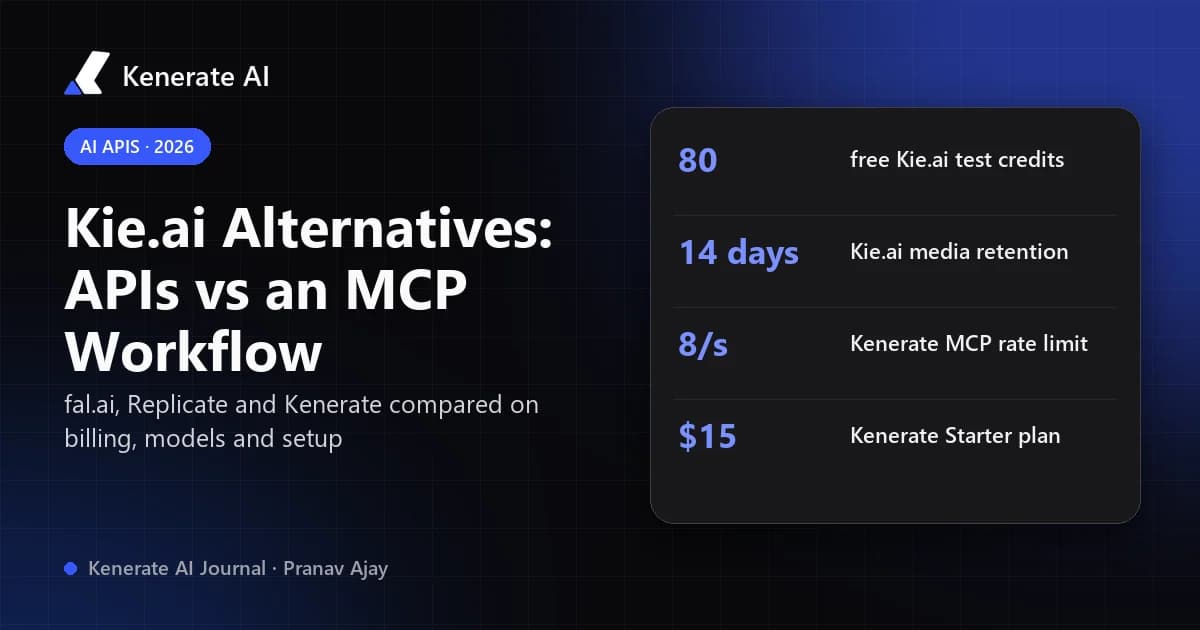
- Credits: they "do not expire", and new users get 80 free credits for testing.
- Failed tasks: not charged.
- Delivery: asynchronous tasks, with results by webhook or polling.
- Rate limit: 20 new requests every 10 seconds by default, with higher limits on request.
- Retention: generated media is kept for 14 days and logs for 2 months.
Kie.ai also claims savings of "up to 88%" versus official APIs. That figure comes from Kie.ai's own marketing, not an independent test, so check it against the specific model you need.
Why do people look for a Kie.ai alternative?
Most switches come from a specific job or workflow, not general dissatisfaction. The common reasons that show up in developer comparisons (from CometAPI, WaveSpeedAI and similar vendor-written posts) are:
- A model you need is missing or changed. Aggregators add and remove models as upstream terms shift. One CometAPI post says Kie.ai removed Midjourney. That is a competitor's claim, so check Kie.ai's current model list yourself.
- Pricing visibility. Some reviewers say you need to sign in to see detailed per-model pricing. The homepage now shows example prices, but your exact settings can still change the cost.
- Result handling. The way your app hears about a finished job (webhook payload fields, retries, how long files are kept) matters more in production than the headline price. Kie.ai's 14-day media retention means you must copy outputs to your own storage.
- You don't want to write code at all. Many people who search "Kie.ai alternative" just want cheap access to Veo, Kling or Nano Banana, not an API. For them a studio or an agent connector is a better fit.
Note: almost every "best Kie.ai alternatives" article, including this one, is written by a company that sells an alternative. Read the claims with that in mind and test before you migrate.
How do the main Kie.ai alternatives compare?
The table below compares how each option works, not which one makes "better" images. Upstream models like Seedance or Nano Banana are the same models wherever you call them. What changes is price, parameters, delivery and limits.
| Option | What it is | How you pay | Best for | Integration effort |
|---|---|---|---|---|
| Kie.ai | Unified multi-provider API | Credit wallet, per-model unit prices; credits don't expire | Cheap programmatic access to many models | Write API code (async tasks, webhooks/polling) |
| fal.ai | Model API + serverless GPU platform | Per output unit (image, megapixel, video second); GPUs per hour | Fast diffusion inference, deploying your own models | Write API code; SDKs available |
| Replicate | Run public and private models via API | Per second of hardware, or per output for official models | Open-source models, fine-tunes, custom models | Write API code; predictions with IDs and webhooks |
| WaveSpeedAI | Image/video inference API | Priced per model (check its site) | Media-focused API workloads | Write API code; prediction IDs |
| Kenerate (studio + MCP) | Creative studio plus an MCP server for AI agents | Monthly plans in credits; same prices in app and MCP | Making images, video, music and 3D from a browser or from Claude/ChatGPT/Cursor | None for chat clients; sign in or paste a key |
Prices on fal.ai's pricing page as of 18 October 2026 include Nano Banana 2 at $0.08 per image and an H100 GPU at $4.50 per hour list. Replicate's pricing page lists flux-dev at $0.025 per output image and an H100 at $0.001525 per second ($5.49 per hour).
When is fal.ai the right swap?
Pick fal.ai if you need a REST API with low latency for image and video models, or if you want to deploy your own model on serverless GPUs next to hosted ones. Billing is per output unit, so a 1080p clip costs more than a 480p one. Compare the specific endpoint, because parameter names can differ from the same model on Kie.ai.
When is Replicate the right swap?
Pick Replicate if you work with open-source or fine-tuned models, or want to push your own model with Cog. Most public models are billed by the second on the hardware they run on. Official models show a per-output price. Private deployments are billed while they are online, including idle time, so watch that cost.
When does Kenerate fit better?
Kenerate is not a drop-in REST gateway for Kie.ai's endpoints. If your product calls Kie.ai from a backend, fal.ai or Replicate is the realistic migration. Kenerate fits a different group: people who used an API only because it was the cheapest way to reach top models, and who would rather make content directly.
What does Kenerate offer instead of an API gateway?
Kenerate is a creative studio with the same kinds of models people use Kie.ai for, plus an MCP server so AI agents can use them. These facts come from our own code and pages as of 18 October 2026:
- One account, one balance. The Kenerate MCP uses "the same account, the same credits and the same prices as the app." Results land in your Kenerate history.
- Works in the AI apps you already use. Claude, ChatGPT, Cursor, VS Code, Claude Code, Codex and Gemini CLI can connect with a browser sign-in (OAuth). No key is needed for those. The server URL is
https://mcp.kenerateai.com/mcp. - Keys for scripts. For clients without sign-in, or for scripts and servers, you create a key that starts with
ken_. It is shown once and only a hash is stored. You can keep up to 10 keys. - Rate limit: 8 calls a second per account, across all keys.
- Cost checks before spending. Agents can call
estimate_costandget_balancebefore they make anything. - Plans: the Starter plan is $15 for 1,300 credits, and Creator is $29 for 2,700 credits (see pricing). Video and 3D need a paid plan.
What do common models cost on Kenerate?
Credits per output, from Kenerate's model configuration on 18 October 2026:
| Model | Type | Credits |
|---|---|---|
| GPT Image 2.5 Sunburst | Image | 7.2 per image (medium, 1K) |
| Seedream 5.0 Pro | Image | 13.5 per image (1K) |
| Nano Banana 2.1 | Image | 21 at 1K, 31.5 at 2K, 42 at 4K |
| Wan 3.0 | Video | 15/s at 480p, 30/s at 720p, 60/s at 1080p (2–30 s clips) |
Credit prices aren't directly comparable to Kie.ai's dollar list prices, because your effective cost per credit depends on your plan. Work out your own per-output cost from the plan you would buy. For a one-off job, compare one real generation on each service.
How do you switch from Kie.ai to an MCP workflow?
If you used Kie.ai mostly to make assets by hand or through small scripts, here is how to move that work into a chat client with Kenerate:
- Open the MCP page and pick your client (Claude, ChatGPT, Cursor, VS Code, Codex and others).
- Connect. In Claude.ai, add a custom connector with the server URL. In ChatGPT, add a developer-mode app. Then sign in to Kenerate and click Allow. For apps without sign-in, create a
ken_key and paste it in. - Check the connection. Ask your agent to call
get_balance. If it returns your credits, you're connected. - Ask for the asset. For example: "Make a 5-second 9:16 product clip with Wan 3.0 at 720p from this image." The agent picks a model, can estimate the cost first, and waits for the job.
- Keep the files. Results stay in your Kenerate history, so you don't need to copy outputs within 14 days the way you do with Kie.ai's media retention.
If you'd rather click than chat, the same models are in the browser studio: the AI video generator and the AI image generator.
How do you choose the right Kie.ai alternative?
Use your real workload, not a feature list:
- You ship a product that calls an API from a backend: shortlist fal.ai and Replicate. Run the same three jobs (one image, one short video, one failure case) on each, and check webhook payloads, retries and where the final file lands.
- You need open-source or fine-tuned models: Replicate, or fal.ai serverless.
- You want the models without writing integration code: Kenerate's studio or MCP server.
- Kie.ai already works for you: keep it. As WaveSpeedAI's own comparison points out, moving is only worth it when a specific requirement isn't met. You can also move one job type and leave the rest.
Before any commercial use, read the provider's terms and the upstream model's licence. Content rules also differ between services. Kenerate, for example, always refuses content involving minors, sexual content of real people and illegal content, in the app and through MCP.
Sources
- Kie.ai homepage: pricing model, free credits, rate limits, retention (checked 18 October 2026)
- fal.ai pricing: billing units and example prices
- Replicate pricing: per-second hardware billing and official model prices
- WaveSpeedAI: best Kie.ai alternatives for image and video APIs: decision criteria (vendor-written)
- CometAPI: best Kie.ai alternatives: reported model changes (vendor-written)