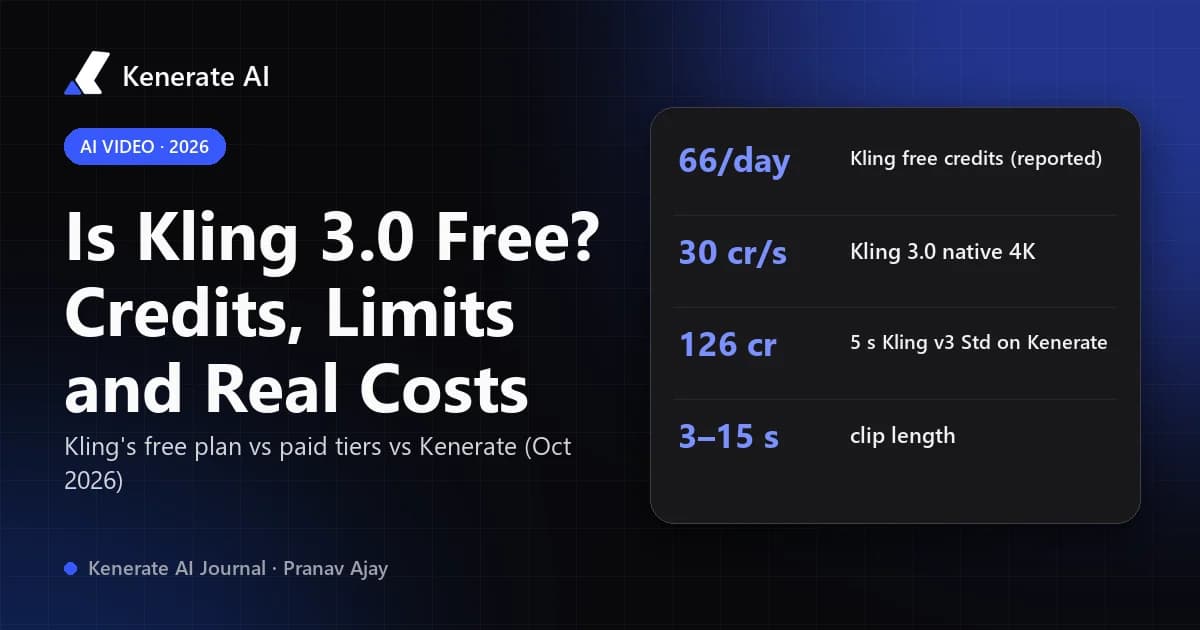
Yes, you can try Kling 3.0 for free, but only through Kling's own app, and only in a limited way. Kling's free Basic plan costs $0. Third-party guides report that it comes with a small daily login allowance (66 credits a day), 720p output, a watermark and no commercial rights. That covers roughly one or two short 3.0 clips a day. Third-party sites that promise "unlimited free Kling 3.0" are resellers, and none of them has an official free tier. On Kenerate, Kling 3.0 is a paid feature: the cheapest real clip (5 seconds, Standard, no sound) costs 126 credits.
This guide breaks down what "free" really gets you as of 18 October 2026, what a clip costs once you start paying, and how to keep that cost as low as possible.
Is Kling 3.0 actually free?
Kling VIDEO 3.0 is Kuaishou's flagship video model. Kling's own user guide, dated 6 February 2026, lists 3–15 second clips at 720p or 1080p, Multi-Shot and Custom Multi-Shot, start and end frames, and native audio in Chinese, English, Japanese, Korean and Spanish (Kling VIDEO 3.0 user guide). Its Basic plan is listed as "$0; free forever" (Kling credit cost guide, 28 July 2026).
There are three ways people try to use it "for free", and they are not equal:
| Route | What you get | Watermark | Commercial use | Catch |
|---|---|---|---|---|
| Kling app, Basic plan | Daily login credits (reported as 66/day, no rollover) | Yes | No | 720p cap, long free queues at peak times |
| Paid Kling plan trial pricing | 660 credits/month from $6.99 first month | No | Yes | Subscription; renews at a higher price |
| Third-party "free Kling 3.0" sites | A few signup credits on a reseller | Varies | Varies | Not official; terms and quality vary |
| Kenerate | 25 signup credits for images only | No | Per plan terms | Video, including Kling 3.0, needs a paid credit pack |
So the honest answer is: free to try in Kling's app, not free to use seriously anywhere.
How many free credits does Kling give you?
Kling's official plan page says the Basic tier has "No monthly Credits", which means you do not get a monthly bundle. Independent guides describe a separate daily allowance instead. Shhots (9 August 2026) and Atlas Cloud both report 66 credits that refresh every 24 hours and do not roll over, with free output capped at 720p and watermarked (Shhots Kling pricing breakdown, Atlas Cloud Kling pricing guide). Atlas Cloud's July article calls the same 66 credits monthly, so sources don't agree on how often it refreshes. Open the Kling app and look at your balance before you plan around it.
What does a Kling 3.0 clip cost in Kling credits?
Kling's own guide confirms that native 4K costs 30 credits per second. Shhots lists the other VIDEO 3.0 rates:
| Kling 3.0 mode (Kling app) | Credits per second | 5-second clip |
|---|---|---|
| 720p, no audio | 6 | 30 |
| 1080p, no audio | 8 | 40 |
| 720p, native audio | 9 | 45 |
| 1080p, native audio | 12 | 60 |
| Native 4K | 30 | 150 |
The 45-credit figure for a 5-second 720p clip with sound also appears in Atlas Cloud's guide, so the table holds up across sources. On a 66-credit day that buys two silent 5-second 720p clips (60 credits) or one 720p clip with sound (45 credits). Free accounts can't use 1080p or 4K.
What can't you do with free Kling 3.0?
Three limits matter more than the credit count:
- Watermark. Free clips carry Kling's watermark. That's fine for testing a prompt, but not for a client or an ad.
- No commercial use. Both third-party guides say free-tier output isn't licensed for commercial work. Paid memberships add commercial rights.
- Resolution and queue. Free output is capped at 720p, and reviews describe long free-tier queues at peak hours.
Watch out for "free unlimited Kling 3.0" pages too. Shhots notes that Kling has no unlimited tier and that pages advertising one are mostly third-party resellers. Read their terms before you upload anything.
How much is Kling 3.0 once you pay?
Kling's official plan prices on 28 July 2026, first subscription month:
| Kling plan | First month | Renews at | Credits / month |
|---|---|---|---|
| Standard | $6.99 | $8.80 | 660 |
| Pro | $25.99 | $32.56 | 3,000 |
| Premier | $64.99 | $80.96 | 8,000 |
| Ultra | $127.99 | $159.99 | 26,000 |
At Shhots' rates, 660 Standard-plan credits work out to about 16 silent 1080p 5-second clips (40 credits each), or 11 with sound (60 each). Kling plans are monthly subscriptions, so check how unused credits are handled on your plan before you buy a big tier.
How do you use Kling 3.0 on Kenerate, and what does it cost?
Kenerate runs Kling 3.0 in three tiers inside the video studio. You don't need a Kling account or an API key. Every tier makes 3–15 second clips from text or an image in 16:9, 9:16 or 1:1, and Standard and Pro let you turn native sound on or off. Prices below come from Kenerate's live model config as of 18 October 2026:
| Kenerate model | Silent | With sound | 5 s silent | 5 s with sound | 10 s with sound |
|---|---|---|---|---|---|
| Kling v3 Standard | 25.2 cr/s | 37.8 cr/s | 126 | 189 | 378 |
| Kling v3 Pro | 33.6 cr/s | 50.4 cr/s | 168 | 252 | 504 |
| Kling v3 4K | — | 126 cr/s (sound included) | — | 630 | 1,260 |
Kenerate is honest about the free plan: video isn't included. New accounts get 25 credits, and those are for images. The video API refuses free-plan requests until you buy a pack. Packs start at $15 for 1,300 credits (Starter) and $29 for 2,700 (Creator), per the pricing page. For scale:
- 1,300 credits ≈ 10 silent 5-second Standard clips (126 each) or 6 with sound (189 each).
- 2,700 credits ≈ 21 silent Standard clips, or 10 Pro clips with sound.
Is Kling's own app cheaper per clip? For a budget user on a 720p-only workflow, usually yes. Kenerate makes sense when you also want other models in the same place, such as Seedance, Veo, Wan and image models, all paid from one credit balance, plus tools like image to video and Kling motion control.
How do you get the most out of free or cheap Kling 3.0 credits?
Most wasted credits come from re-running a long clip because the first idea didn't work. This workflow avoids that:
- Write the shot, not the vibe. Put subject, action, camera and light in one or two sentences, like "a barista pours latte art, close-up, slow push-in, warm morning window light". Vague prompts take more re-rolls.
- Start from an image when you can. Image-to-video keeps the subject and framing locked, so fewer attempts go wrong. Make or pick the frame first.
- Draft short and silent. Use 3–5 seconds, no audio, at the cheapest tier (720p in Kling's app, Standard on Kenerate). Sound adds 50% on Kling 3.0 in both places.
- Only add sound once the motion is right. Re-run the winning prompt with audio on, then extend the duration if you need it.
- Go to Pro or 4K last. Upgrade only the final take. On Kenerate a 5-second 4K clip is 630 credits, five times a silent Standard draft.
- Consider an older model for drafts. On Kenerate, Kling v2.6 Standard costs 12.6 credits a second (63 for a silent 5-second clip), about half of v3 Standard. It only does image-to-video, at 5 or 10 seconds, but that's enough to test how a start frame moves.
Is there a free Kling 3.0 alternative?
If what you need is "good AI video without paying", the honest options are other models' free tiers, or cheaper models on a pay-as-you-go site. On Kenerate, lower-cost video models (Wan 3.0 at 480p is 15 credits a second, for example) make cheap drafts before you spend Kling credits. Our Kling AI alternatives page compares the field, and the Kling AI video generator page covers every Kling version Kenerate runs. To compare Kling 3.0's specs with Seedance, Veo and Wan, see the 2026 model comparison.
Bottom line
- Free in the Kling app: yes, as a small daily trial at 720p, watermarked and non-commercial.
- Free on Kenerate: no. Video needs a credit pack, and the 25 signup credits cover images only.
- Cheapest useful clip on Kenerate: 126 credits (5 s, Kling v3 Standard, silent). With sound it's 189.
- Before you pay anywhere: check the provider's current page. Kling's credit rates and plan prices have changed several times in 2026.
Prices and plan terms as of 18 October 2026. Kling figures come from kling.ai and the third-party guides linked above. Kenerate figures come from Kenerate's model configuration and pricing page.