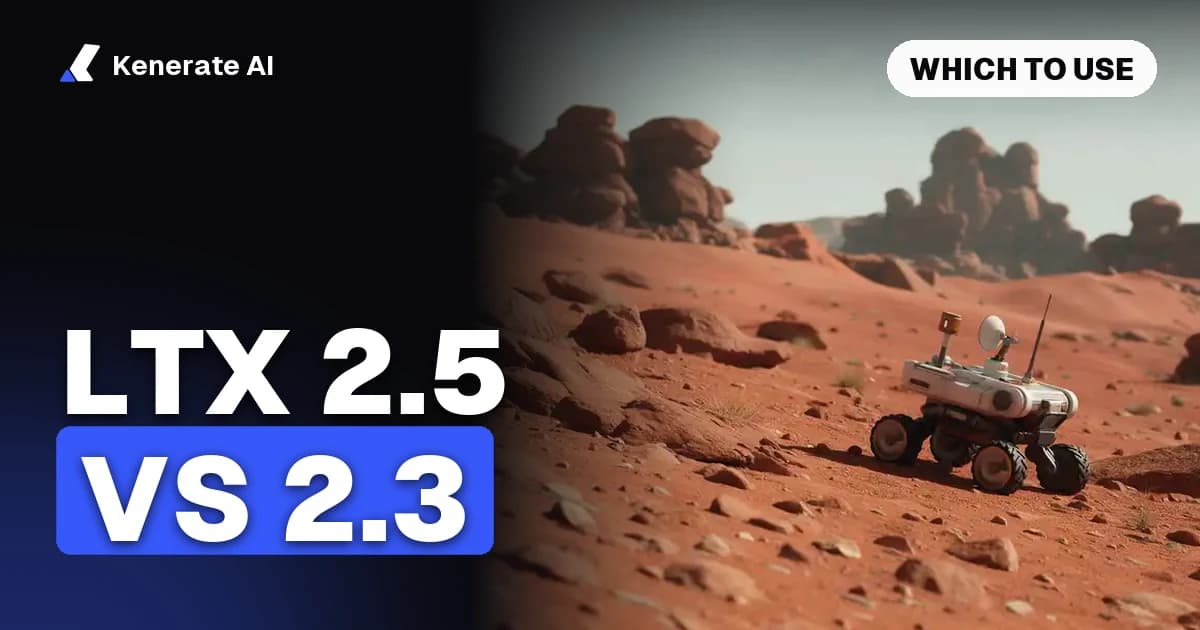
LTX 2.5 is the better model and LTX 2.3 is the better value. Lightricks' LTX-2.5 (released 11 August 2026) adds native multi-shot scenes, a new diffusion video decoder and a Gemma 4 12B text encoder, and on Kenerate it renders up to 4K with a start and end frame. LTX 2.3 (March 2026) tops out at 1080p and takes only a start frame, but it costs 9 credits a second at 720p against 30 for LTX 2.5, and it is the only one of the two that can extend a clip.
That's the short answer, as of 20 October 2026. The rest of this post covers what actually changed between the versions, what each one costs per clip, where LTX 2 still fits, how to prompt LTX 2.5, and how it compares with MiniMax H3.
What changed from LTX 2.3 to LTX 2.5?
Both are open-weight, ~22B-parameter diffusion transformers from Lightricks that generate video and audio in one pass. The checkpoint names on Hugging Face (ltx-2.3-22b-… and the LTX-2.5 22B files) put them in the same size class, so the jump is about architecture and features, not raw scale.
The LTX-2.5 model card lists what is new:
- Native multi-shot generation. Earlier LTX versions produced one continuous shot. LTX-2.5 can render several connected shots in one generation and keep characters, setting, lighting, voice and style consistent across the cuts.
- A diffusion video decoder. It replaces the VAE reconstruction stage that LTX-2.3 used, which is where much of the fine-detail gain comes from.
- "Diffusion fidelity" rendering, which spends more compute on complex parts of a scene.
- A custom Gemma 4 12B text encoder for long, complex prompts, plus an optional prompt enhancer.
- An optional duration predictor, so the model can choose a clip length that fits the prompt.
- A much-improved distilled model (fixed 8-step schedule, CFG 1) for faster local runs.
The LTX-2.3 card, by comparison, describes 2.3 as an update over LTX-2 with better audio and visual quality and better prompt adherence. It shipped as a dev checkpoint, an 8-step distilled checkpoint (with a 1.1 revision that improved audio), distilled LoRAs and 2× spatial and temporal upscalers.
Both use the LTX-2.x Community License. Commercial use is free for organisations under $10M annual revenue, and larger companies need a paid agreement.
Is LTX 2.5 a big upgrade or a small one?
For single-shot clips, the main differences you'll see are sharper detail and better prompt following. The bigger change is multi-shot: a 2.5 prompt can describe a short edit (a wide shot, then a close-up, then a reaction) instead of one camera setup. If your work is one shot at a time, 2.3 still holds up. If you're building scenes, 2.5 is a different tool.
LTX 2.5 vs LTX 2.3 vs LTX 2: specs and credits on Kenerate
All three run in the Kenerate video studio from text or a start image, in 16:9 or 9:16, for 5–20 seconds in whole-second steps. A prompt is required on all three. The table below comes from Kenerate's model config as of 20 October 2026.
| LTX 2.5 | LTX 2.3 | LTX 2 | |
|---|---|---|---|
| Released (Lightricks) | 11 Aug 2026 | March 2026 | Before 2.3 |
| Modes on Kenerate | Text to video, image to video | Text to video, image to video, extend | Text to video, image to video |
| Frames | Start + optional end frame | Start frame only | Start frame only |
| Length | 5–20 s | 5–20 s (extend adds 1–20 s) | 5–20 s |
| Resolutions | 720p, 1080p, 2K, 4K | 480p, 720p, 1080p | 480p, 720p, 1080p |
| Aspect ratios | 16:9, 9:16 | 16:9, 9:16 | 16:9, 9:16 |
| Credits per second | 30 / 42 / 63 / 99 | 6 / 9 / 12 | 3.6 / 4.8 / 7.2 |
| 5 s clip at 720p | 150 credits | 45 credits | 24 credits |
| 5 s clip at 1080p | 210 credits | 60 credits | 36 credits |
| Best for | Final renders, 2K/4K, clips that must land on a set shot | Everyday clips, drafts that you extend | Lowest cost per second |
A few worked prices:
- 20 seconds of LTX 2.5 at 720p: 600 credits. At 4K: 1,980 credits.
- 20 seconds of LTX 2.3 at 1080p: 240 credits.
- Extending an LTX 2.3 clip: 30 credits per added second (the extension keeps the source resolution).
- 5 seconds of LTX 2 at 480p: 18 credits, the cheapest LTX render on the site.
Credits come in one-time packs, starting at $15 for 1,300 credits, with no subscription. Video isn't on the free plan, so any pack unlocks all three models.
What the open model does that Kenerate doesn't expose
Kenerate runs the core text-to-video and image-to-video modes. It doesn't offer LTX audio-to-video, video-to-video, LoRAs, HDR/EXR export, step or CFG settings, or a switch for multi-shot or auto duration. If you need those, run the weights yourself in ComfyUI (Lightricks lists a CUDA 12.7+ and Python 3.12+ setup on the model card; NVFP4 builds need a Blackwell GPU) or use a host that exposes the full parameter set.
Which should you pick: LTX 2.5 or LTX 2.3?
Pick by what the clip is for, not by version number.
Use LTX 2.5 when:
- The clip is a final deliverable and you need 2K or 4K.
- You have a start image and an end image and the clip must finish on the second one (product reveals, before/after, a logo landing).
- Your prompt describes more than one shot.
- Fine texture matters: hair, fabric, water, foliage.
Use LTX 2.3 when:
- You're testing prompts and want many takes for the price of one 2.5 render (a 720p 2.3 clip is under a third of the cost).
- 1080p is enough for the platform (most social feeds).
- You want to extend an existing clip instead of re-rendering it.
Use LTX 2 when:
- You need volume at the lowest price per second and the content is simple: b-roll, backgrounds, motion tests.
A workflow that works: draft the motion with LTX 2.3 at 480p or 720p, lock the prompt, then render the keeper once with LTX 2.5 at the resolution you need.
How do you use LTX 2.5 and LTX 2.3 on Kenerate?
- Open the video studio and pick LTX 2.5 or LTX 2.3 in the model list (they sit in the LTX family together with LTX 2).
- Choose Text to video, or Image to video and upload a start image. On LTX 2.5, add a second image if you want an end frame.
- Write the prompt (see the next section). In image to video, describe the motion, not the picture.
- Set the length (5–20 s), resolution and aspect ratio. The credit cost updates before you generate.
- Generate. On LTX 2.3 you can then extend the result if the action needs more time.
For a broader look at the options, see the image to video AI and text to video AI pages, which compare LTX with the other video models on the site.
LTX 2.5 prompt guide: how should you write prompts?
Lightricks' model card says prompt following is "heavily influenced by the prompting style," and that detailed, well-structured prompts materially improve results. The most practical public write-up is fal's LTX-2.5 guide. Its main points, adapted for Kenerate:
- Write one flowing paragraph, not a keyword list. Cover the shot type, subject, action, camera, setting, lighting and sound.
- Describe sound. LTX models generate audio with the picture. If you leave sound out, the model invents it. Name sounds that have a visible source ("rain on the tin roof", "footsteps on gravel") rather than mood words.
- Show emotion physically. "Her shoulders drop and she exhales" works better than "she feels relieved".
- Trim scene dressing first when a prompt gets crowded. Keep the subject and action.
- Avoid on-screen text and signs. Short text still renders unreliably and flickers between frames.
- For dialogue, put the line in quotation marks, name the language and accent, and give the character a beat of stillness before speaking.
How do you write a multi-shot prompt?
Keep it as one chronological paragraph with no shot list or screenplay headings. At each cut, name the transition ("cut to a close-up"), re-establish the angle and light, and re-identify returning characters with the same descriptors. The fal guide reports Lightricks' working range of two to four shots per generation and recommends stopping at three, because each extra shot leaves less runtime per shot.
Note that Kenerate has no multi-shot switch for LTX 2.5, so treat multi-shot prompts as an experiment there. Single-shot prompts are the reliable path.
Example prompt (works on both versions)
Wide tracking shot of a small white rover rolling across a red desert under a pale sky, dust trailing behind its wheels. The camera moves alongside at wheel height, then slowly rises to reveal rock towers on the horizon. Soft late-afternoon light, long shadows. Sound: the whine of electric motors and gravel crunching under the wheels, light wind.
For image to video with a start frame of the rover, drop the description of the scene and keep only the motion, camera and sound sentences.
Do LTX 2.3 and LTX 2.5 make sound on Kenerate?
The open models generate audio and video together, and the LTX 2.3 example clips on our LTX 2.3 video generator page came out with sound. Neither model has a separate sound toggle in the Kenerate studio, so put the sounds you want in the prompt and check the result.
LTX 2.5 vs MiniMax H3: which is better?
MiniMax H3 (announced 31 July 2026) is the other new video model people compare with LTX 2.5. They're built for different jobs.
| LTX 2.5 | MiniMax H3 | MiniMax H3 Pro | |
|---|---|---|---|
| Modes on Kenerate | Text, image to video | Text, image, reference to video | Text, image, reference to video |
| Length | 5–20 s | 3–15 s | 4–15 s |
| Max resolution | 4K | 768p | 2K |
| Aspect ratios | 16:9, 9:16 | 7 ratios incl. 1:1 and 21:9 | 6 ratios incl. 1:1 and 21:9 |
| References | Start + end frame | Up to 9 images, 3 videos, 3 audio clips | Up to 9 images, 3 videos, 3 audio clips |
| Credits per second | 30–99 | 10 (480p) / 20 (768p) | 30 (768p) / 42 (2K) |
Pick MiniMax H3 when you need a character or product to stay consistent from several reference images, a square or ultrawide frame, or reference video and audio. Pick LTX 2.5 for the highest resolution, longer single clips (up to 20 s) and a precise end frame. On price, H3 at 768p (20 credits a second) sits between LTX 2.3 and LTX 2.5.
Bottom line
LTX 2.5 is a real step up: multi-shot, a new decoder, a stronger text encoder and, on Kenerate, 2K/4K output with an end frame. But at 30–99 credits a second, it's a finishing model. LTX 2.3 at 6–12 credits a second, with extend, is still the one to iterate with. Read the full spec sheet on the LTX 2.5 model page, or see how the LTX family compares with Lightricks' own app on our LTX Studio alternative page.
Sources: Lightricks/LTX-2.5 on Hugging Face, Lightricks/LTX-2.3 on Hugging Face, fal: How to use LTX-2.5, ComfyUI Wiki: LTX-2.5 open-weights release. Kenerate specs and credit prices are from the live model config as of 20 October 2026.