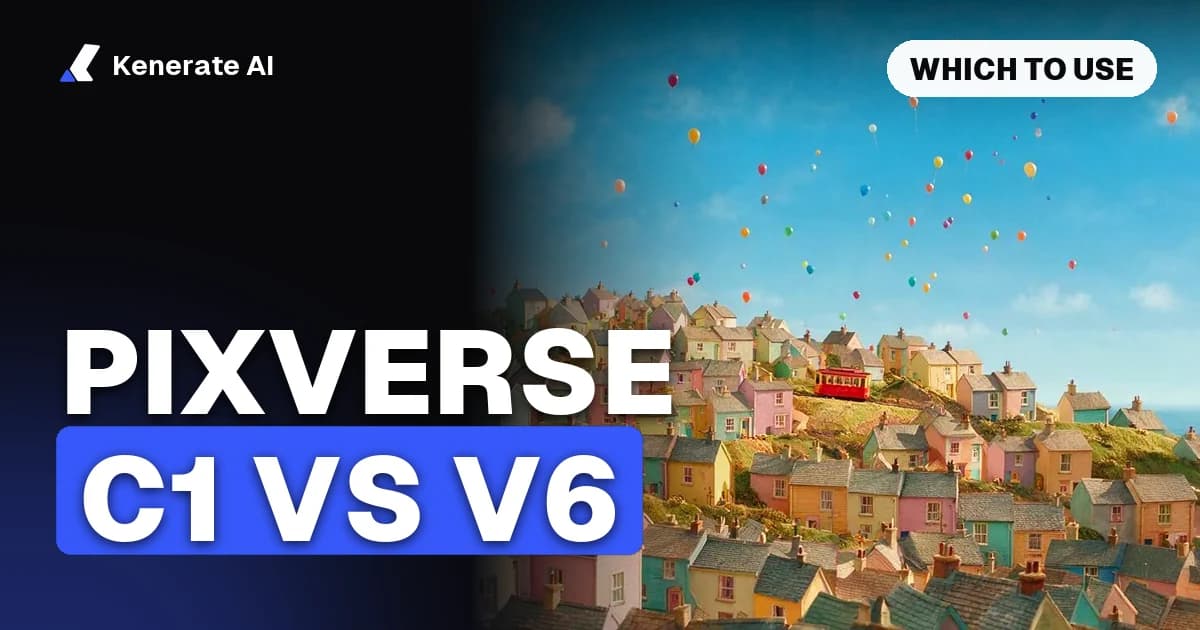
PixVerse C1 is the better pick for action, fights, VFX and storyboard-to-video; PixVerse V6 is the better pick for everything else: ads, product shots, dialogue, social clips and shots that need reference videos. Both make 1–15 second clips at up to 1080p with optional native sound, so the real differences are what each model is tuned for, what references it accepts, and price: on Kenerate AI, V6 costs 13.5 credits a second at 720p silent and C1 costs 15, as of 20 October 2026.
That is the short verdict. The rest of this post gives the side-by-side specs, the credit cost for common clip lengths, which shots belong to which model, and prompt examples you can paste into the Kenerate video studio to test both yourself.
What are PixVerse C1 and PixVerse V6?
PixVerse is an AI video company that ships two current-generation models a week apart:
- PixVerse V6 was announced on 30 March 2026 as PixVerse's flagship. The launch post highlights multi-shot short films with native audio from one prompt, more accurate tracking shots and camera reveals, steadier character expressions across scene changes, more realistic collisions, and multilingual on-screen text. PixVerse aims it at commercial work: product ads, localised video and automated pipelines.
- PixVerse C1 was announced on 7 April 2026 as PixVerse's first model purpose-built for film production. PixVerse describes it as an action engine, a VFX system and multi-panel storyboarding in one model: close-combat choreography with physical weight, particle, lighting and fluid effects, and storyboard layouts turned into continuous video with automatic scene segmentation.
In other words, V6 is the generalist and C1 is the specialist. They are not old and new versions of the same thing; C1 did not replace V6.
PixVerse C1 vs V6: side-by-side specs
The table below combines PixVerse's own launch posts with how the two models are set up in Kenerate AI's studio (src/lib/video-models.ts, checked 20 October 2026).
| Spec | PixVerse V6 | PixVerse C1 |
|---|---|---|
| Announced | 30 March 2026 | 7 April 2026 |
| Positioning | General flagship: ads, product, social, narrative | Film production: action, VFX, storyboards |
| Modes on Kenerate | Text, image and reference to video | Text, image and reference to video |
| Clip length | 1–15 s, any whole second | 1–15 s, any whole second |
| Resolutions | 360p, 540p, 720p, 1080p | 360p, 540p, 720p, 1080p |
| Aspect ratios | 8 (16:9, 9:16, 1:1, 4:3, 3:4, 2:3, 3:2, 21:9) | Same 8 |
| Reference images | Up to 10 | Up to 7 |
| Reference videos | Up to 2 clips, 15 s total | Not supported |
| Native sound | Yes, toggle on/off | Yes, toggle on/off |
| Thinking mode (prompt reasoning) | Yes | No |
| End frame | No (start frame only) | No (start frame only) |
| 720p price, silent / sound | 13.5 / 18 credits per second | 15 / 19.5 credits per second |
Two practical takeaways from the table: V6 accepts more references (10 images plus up to 2 video clips), and it is about 10% cheaper per second. C1's advantage is not on the spec sheet at all; it is in the kind of motion it was trained to get right.
How much do C1 and V6 cost per clip?
Both models bill per second on Kenerate AI, with a higher rate when sound is on. The per-second rates come straight from the app's pricing code (300 credits per US dollar), and the clip total is rounded up to the next whole credit.
Per-second rates (credits):
| Resolution | V6 silent | V6 with sound | C1 silent | C1 with sound |
|---|---|---|---|---|
| 360p | 7.5 | 10.5 | 9 | 12 |
| 540p | 10.5 | 13.5 | 12 | 15 |
| 720p | 13.5 | 18 | 15 | 19.5 |
| 1080p | 27 | 34.5 | 28.5 | 36 |
What common clips cost (credits):
| Clip | V6 | C1 |
|---|---|---|
| 5 s, 720p, silent | 68 | 75 |
| 5 s, 720p, with sound | 90 | 98 |
| 10 s, 1080p, silent | 270 | 285 |
| 10 s, 1080p, with sound | 345 | 360 |
| 15 s, 1080p, with sound | 518 | 540 |
One exception for V6: when you attach reference video clips in reference-to-video mode, the clip follows the length of your reference footage and is billed at twice the normal rate. Reference images do not change the price on either model.
For scale, the $15 Starter plan on Kenerate AI includes 1,300 credits, which is roughly 19 five-second V6 clips or 17 five-second C1 clips at 720p without sound. Plans and credit packs are on the pricing page.
Which is better for action, fights and VFX?
C1. This is the job it was built for. PixVerse's C1 announcement focuses on three things that general models tend to smear or float through:
- Close-combat and fast motion: punches, sword clashes, chases and impacts with consistent spatial relationships between bodies and believable weight.
- VFX: particles, sparks, magic, smoke, fluids and lighting changes, in both realistic and stylised looks.
- Storyboard to video: lay out several beats and C1 segments them into shots on its own, based on the structure of your prompt or a multi-panel storyboard image.
Third-party guides agree on the split. Yotta Labs' API comparison recommends C1 when a shot has fast motion, physical contact, effects or a crowd. invideo's PixVerse explainer lists fight choreography, fantasy VFX, anime and short drama as C1's best uses, and notes two known weak spots: foot sliding during fast ground movement, and confusion when storyboard panels look too similar.
Which is better for ads, product shots and social clips?
V6. It is cheaper per second, takes more references, and its launch post is aimed squarely at commercial output: camera moves, character performance, product ads and multilingual on-screen text. invideo reports that PixVerse's own C1 review still steers simple product and social clips to V6.
V6 also has two input advantages that matter for brand work:
- Up to 10 reference images to lock a product, logo, outfit or set.
- Up to 2 reference video clips (15 seconds total) to borrow motion or camera movement from existing footage. C1 takes images only.
And V6 has a thinking mode toggle in the Kenerate studio, which lets the model reason over and expand your prompt before generating. That helps with short or vague prompts.
Which should you use for dialogue and talking characters?
V6 for most dialogue scenes. PixVerse highlights facial expressions and body language that hold steady through scene changes, and its native audio generates speech, ambience and effects with the picture. C1 also generates native audio, but its tuning is about motion, not performance. If the scene is two people talking at a café table, use V6; if it is two people fighting across the café table, use C1.
For lip-syncing your own recorded voice to a clip, Kenerate also runs a separate PixVerse Lipsync model, which is a different tool from either C1 or V6.
How do you test PixVerse C1 vs V6 yourself?
The fairest comparison is the same prompt, same length, same resolution, on both models. In Kenerate AI's studio that takes a few minutes:
- Open the video studio and pick Pixverse v6 from the model list.
- Choose a mode: text to video, image to video (upload a start frame) or reference to video.
- Set length (start with 5 s), resolution (540p or 720p for drafts) and aspect ratio, and decide whether sound is on.
- Paste your prompt and generate.
- Switch the model to Pixverse C1, keep every other setting the same, and generate again.
- Compare motion, effects and faces. Re-run the winner at 1080p for the final cut.
Drafting at 540p silent keeps a 5-second test at 53 credits on V6 and 60 on C1, so you can try both for about the price of one 1080p clip.
What prompts show the difference between C1 and V6?
Use prompts that play to one model's strength, then run them on both. A few to start with:
Action (expect C1 to win):
Two martial artists spar on a rain-soaked rooftop at night, fast exchange of kicks and blocks, one is knocked back into a puddle, water splashing, handheld camera tracking the action, neon signs reflecting in the wet floor.
VFX (expect C1 to win):
A sorceress raises her hands in a dark forest clearing, glowing blue particles swirl into a vortex around her, wind whips leaves through the air, light pulses across the trees, slow push-in.
Storyboard (C1):
Shot 1: a courier sprints through a crowded market. Shot 2: close-up of his feet vaulting over a fruit stall. Shot 3: wide shot as he leaps across a gap between two rooftops at sunset.
Product (expect V6 to win):
A matte black wireless earbud case rotates slowly on a white marble surface, soft studio lighting, shallow depth of field, the lid opens to reveal the earbuds, clean commercial look.
Dialogue (expect V6 to win):
A barista smiles and says "Your usual, oat flat white?" to a customer at the counter, warm morning light, coffee machine hissing in the background, medium shot.
Tip: for both models, describe camera movement and lighting explicitly. For C1 storyboards, give each shot a clearly different framing or location, because similar-looking beats are where the scene segmenter gets confused.
Can you use C1 and V6 together?
Yes, and for longer projects that is usually the best answer. A common workflow, also suggested in Yotta Labs' comparison, is:
- V6 for establishing shots, product shots, dialogue and anything that needs a reference video.
- C1 for the action beat, the effects shot or the storyboarded sequence in the middle.
Because both models share the same lengths, resolutions and aspect ratios, clips cut together cleanly. Generate each shot as its own clip, then join them in your editor.
What are the alternatives to PixVerse C1 and V6?
If neither model nails a shot, Kenerate AI runs other video families in the same studio with the same credits: Seedance, Kling, Wan, Veo, Hailuo, Grok Imagine and more. The AI video models overview compares them, and the PixVerse alternative guide covers which non-PixVerse models fit which job. Older PixVerse versions (v5.6, v5.5, v5 and v4.5) are also available and are priced per clip rather than per second, which you can see on the PixVerse AI video generator page.
Verdict: PixVerse C1 or V6?
| If your shot is… | Use |
|---|---|
| A fight, chase, stunt or impact | C1 |
| Magic, particles, fire, smoke or fluid effects | C1 |
| A storyboard you want split into several shots | C1 |
| An ad, product reveal or e-commerce clip | V6 |
| Dialogue or a character performance | V6 |
| Guided by a reference video | V6 (C1 can't take video) |
| More than 7 reference images | V6 |
| Budget-sensitive, high-volume social clips | V6 |
Neither model is "better" overall. V6 is the safer, cheaper default for most everyday video; C1 earns its slightly higher price on the shots where motion and effects matter most. For the full C1 spec sheet, see the PixVerse C1 model page.
Sources
- PixVerse, "PixVerse introduces C1, AI video model for film production" (7 April 2026): https://pixverse.ai/en/blog/pixverse-introduces-c1-ai-video-model-for-film-production
- PixVerse, "PixVerse launches V6" (30 March 2026): https://pixverse.ai/en/blog/pixverse-launches-v6-advancing-ai-video-generation
- Yotta Labs, "PixVerse V6 vs C1: differences and API": https://www.yottalabs.ai/post/pixverse-v6-vs-c1-differences-api-2026
- invideo, "PixVerse AI video models explained": https://invideo.io/blog/pixverse-ai-video-generator/
- Kenerate AI model config and pricing (
video-models.ts,pricing.ts), checked 20 October 2026.