

PixVerse, the AI video company behind the V-series models (V5, V5.5, V5.6, V6)
PixVerse C1
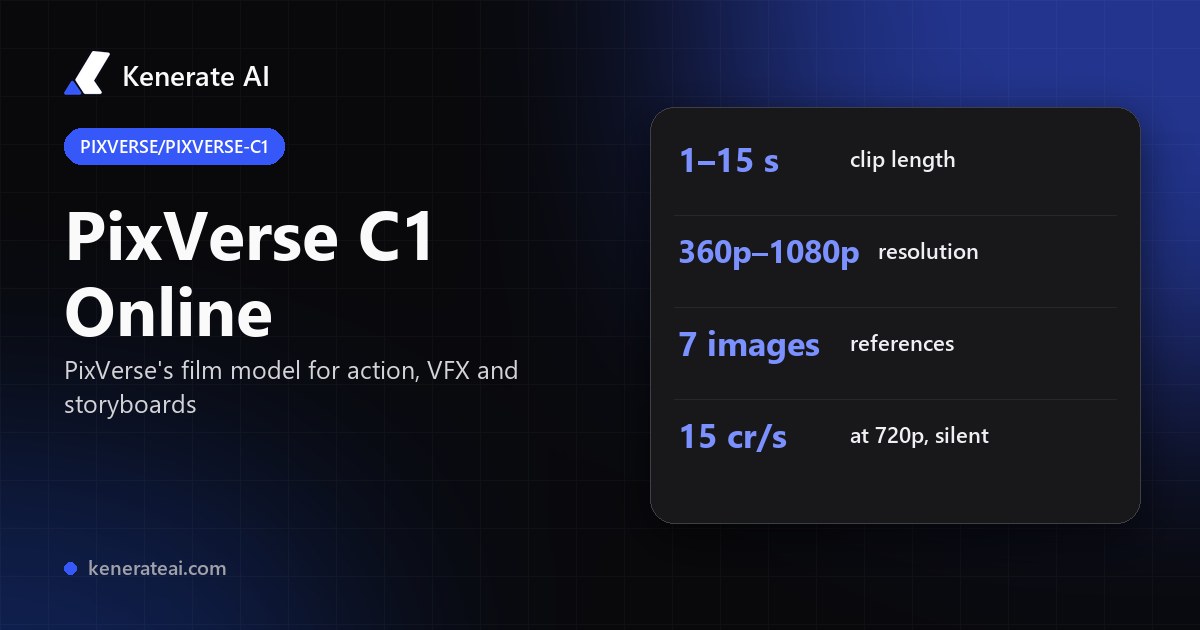
PixVerse's film-production model in your browser: 1–15 second clips with optional sound from text, a start image or up to 7 reference images, 360p to 1080p — built for action, fights, VFX and storyboards. No PixVerse account.
- Release
- Announced 7 April 2026 as PixVerse's first model purpose-built for film production, a week after V6
- What it's tuned for
- Close-combat choreography and fast motion with physical weight, VFX (particles, lighting, fluid dynamics, atmosphere), and storyboard-to-video with automatic scene segmentation
- Modes on Kenerate
- Text to video, image to video (start frame) and reference to video with up to 7 images
- Length
- 1 to 15 seconds per clip, in whole seconds
- Resolution and ratio
- 360p, 540p, 720p or 1080p; 16:9, 9:16, 1:1, 4:3, 3:4, 2:3, 3:2 or 21:9
- Sound
- Native audio generated with the video; switch it off for a silent, cheaper clip
- Real specs
- Official sources
- Free to start
- No watermark
Updated by the Kenerate AI team




On this page
What is PixVerse C1?

What is PixVerse C1?
PixVerse C1 is PixVerse's first video model built for film production, announced on 7 April 2026: it targets close-combat action, VFX such as particles, fluids and lighting, and turning storyboards into multi-shot video, with native audio, up to 15 s and 1080p. On Kenerate AI it runs from text, a start image or up to 7 reference images, at 15 credits a second at 720p silent or 19.5 with sound — about 75 or 98 credits for 5 seconds.
Key facts
- Official name
- PixVerse C1
- Model ID
- pixverse/pixverse-c1
- Maker
- PixVerse
- Announced
- 7 April 2026
- Built for
- Action, VFX, storyboards
- Clip length
- 1–15 s
- Resolution
- 360p · 540p · 720p · 1080p
- Aspect ratios
- 8, from 21:9 to 9:16
- References
- Up to 7 images
- Sound
- Native, toggle
Models
PixVerse C1 on Kenerate
Every version in the generator, and what each is good at.
PixVerse
PixVerse C1
- Reference images
- 7 images
- Output
- 1–15 s · 360p–1080p
Open PixVerse C1Best for
Film model — action, VFX, storyboards
PixVerse
PixVerse v6
- Reference images
- 10 images · 2 clips
- Output
- 1–15 s · 360p–1080p
Open PixVerse v6Best for
General model, slightly cheaper, takes clips
PixVerse
PixVerse v5.6
- Reference images
- Start frame
- Output
- 5–10 s · 360p–1080p
Open PixVerse v5.6Best for
Older, priced per clip
From our tests
Strengths and limits
Good at

- Made for motion that other models smear: fights, chases, impacts and effects-heavy shots, per PixVerse.
- Storyboard to video: lay out the shots in your prompt or reference images and C1 splits them into scenes.
- Fine-grained length: any whole number from 1 to 15 seconds, so you pay for exactly the shot you need.
- Eight aspect ratios, including 21:9 cinema widescreen and 2:3 / 3:2, and sound you can switch off to save about a quarter.
Limits
- No real PixVerse C1 clips on this page yet — we only show a model's own outputs, so run a short 540p test first.
- Not on Kenerate's free plan: video needs any one-time credit pack (from $15 for 1,300 credits).
- No end frame and no reference video clips — for clip references use PixVerse v6.
- Tops out at 1080p and 15 seconds; for 4K or longer clips pick another model.
How to
How to use PixVerse C1 on Kenerate
Step 1
Open the video studio
Go to /app/video and pick Pixverse C1 (the button on this page selects it). Video needs any one-time credit pack.
Step 2
Choose the mode
Text to video, image to video with a start image, or reference to video with up to 7 images of your characters, props or storyboard frames.
Step 3
Describe the action
Write the shots in order — who moves, how they hit or react, the camera and the effects. A prompt is required in every mode.
Step 4
Pick length, resolution, ratio and sound
Choose 1–15 seconds, 360p to 1080p, one of eight ratios, and sound on or off. The credit cost shows before you generate.
See it in the app

Open Video Studio in Text to Video mode and write the shot — subject, action, camera move and light.


Watch the tour · 1:19
Text, image & reference to video, models, edit, extend & chat
Chapters
FAQ
PixVerse C1 questions
10 questions

What is PixVerse C1?
PixVerse C1 is an AI video model from PixVerse, announced on 7 April 2026 as the company's first model purpose-built for film production. It focuses on action and combat choreography, VFX such as particles, fluids and lighting, and turning storyboards into continuous multi-shot video, with native audio at up to 1080p and 15 seconds.
Link to this answerPixVerse C1 vs V6 — which is better?
Neither is better at everything. V6 is PixVerse's general model: on Kenerate it's slightly cheaper (13.5 vs 15 credits a second at 720p, silent) and takes up to 10 images plus 2 video clips as references. C1 is tuned for action, fights, VFX and storyboarded scenes and takes up to 7 images. Use V6 for social, product and dialogue clips; try C1 when the shot is about motion and effects.
Link to this answerHow much does PixVerse C1 cost on Kenerate?
It's billed per second: 9, 12, 15 or 28.5 credits at 360p, 540p, 720p or 1080p without sound, and 12, 15, 19.5 or 36 with sound. A 5-second 720p clip is 75 credits silent or 98 with sound; a 15-second 1080p clip with sound is 540. Credits come in one-time packs from $15 for 1,300.
Link to this answerIs PixVerse C1 free?
Not on Kenerate's free plan — video needs any one-time credit pack, with no subscription. The cheapest C1 clip is 1 second at 360p without sound, for 9 credits; a 5-second 360p test is 45.
Link to this answerHow long can PixVerse C1 videos be?
1 to 15 seconds per clip, in whole seconds, at every resolution. PixVerse lists 15 seconds as C1's maximum.
Link to this answerWhat resolution and aspect ratios does PixVerse C1 support?
360p, 540p, 720p and 1080p, in 16:9, 9:16, 1:1, 4:3, 3:4, 2:3, 3:2 or 21:9. Test at 360p or 540p, then re-run the keeper at 1080p.
Link to this answerDoes PixVerse C1 have sound?
Yes. C1 generates audio with the video — effects, ambience and voices from your prompt. On Kenerate sound is a toggle, and turning it off cuts the price by about a quarter (15 instead of 19.5 credits a second at 720p).
Link to this answerHow does PixVerse C1 reference to video work?
Upload up to 7 images — characters, costumes, props, locations or storyboard frames — and describe in the prompt how they appear. PixVerse says the references keep characters and scenes consistent across shots and transitions. C1 on Kenerate doesn't take reference video clips; PixVerse v6 does.
Link to this answerCan PixVerse C1 turn a storyboard into video?
That's one of its headline features: PixVerse says C1 turns static storyboard layouts into continuous video and splits scenes automatically from the structure of your prompt. Describe each shot in order, or add the storyboard panels as reference images.
Link to this answerWhat is pixverse/pixverse-c1?
It's the model ID API platforms use for PixVerse C1, with separate endpoints for text, image and reference to video. On Kenerate you don't need a PixVerse account or API key — the same model runs in the browser as kenerate/pixverse-c1.
Link to this answerIn depth
PixVerse C1, in depth
Background, how to prompt it, and when to pick something else.
On this page
PixVerse C1 vs V6 on Kenerate
C1 and V6 share lengths (1–15 s), resolutions (360p–1080p), aspect ratios and a sound toggle, and both list at 1080p with native audio [1][2]. They differ in focus, references and price — per 5-second clip at 720p on Kenerate:
- PixVerse C1 — 75 credits silent, 98 with sound. Up to 7 reference images. Action, combat, VFX, storyboard-driven scenes.
- PixVerse v6 — 68 silent, 90 with sound. Up to 10 images and 2 video clips (clip references double the rate), plus thinking mode. Social, marketing, product and general shots.
Prompting C1 for action and VFX
PixVerse built C1 around physical contact and motion with weight [1]. Write the beat-by-beat action — who strikes, how the other reacts, where the camera is — rather than a mood. Name the effect and what it does ("sparks scatter off the blade", "dust rolls across the floor"). For multi-shot scenes, number the shots in the prompt and keep each to one action; add reference images of each character so faces and costumes hold across cuts.
PixVerse C1 on Kenerate vs PixVerse's own app
PixVerse offers C1 on its web app and through an enterprise API [1]. On Kenerate you run it without a PixVerse account, pay per second from one credit balance shared with Seedance, Kling, Veo, Wan and LTX, and buy one-time packs instead of a subscription. Don't use real people's likenesses or copyrighted characters without permission.
By the Kenerate AI teamLast updated and reviewed
We run these models in the Kenerate generator. Model facts come from the makers' own pages; specs and limits were checked against our code; the examples are our own outputs.
Sources: PixVerse introduces C1, an AI video model for film production — PixVerse · PixVerse AI video models explained: V5 to V6, C1 — invideo · PixVerse AI video generator review — Atlas Cloud
