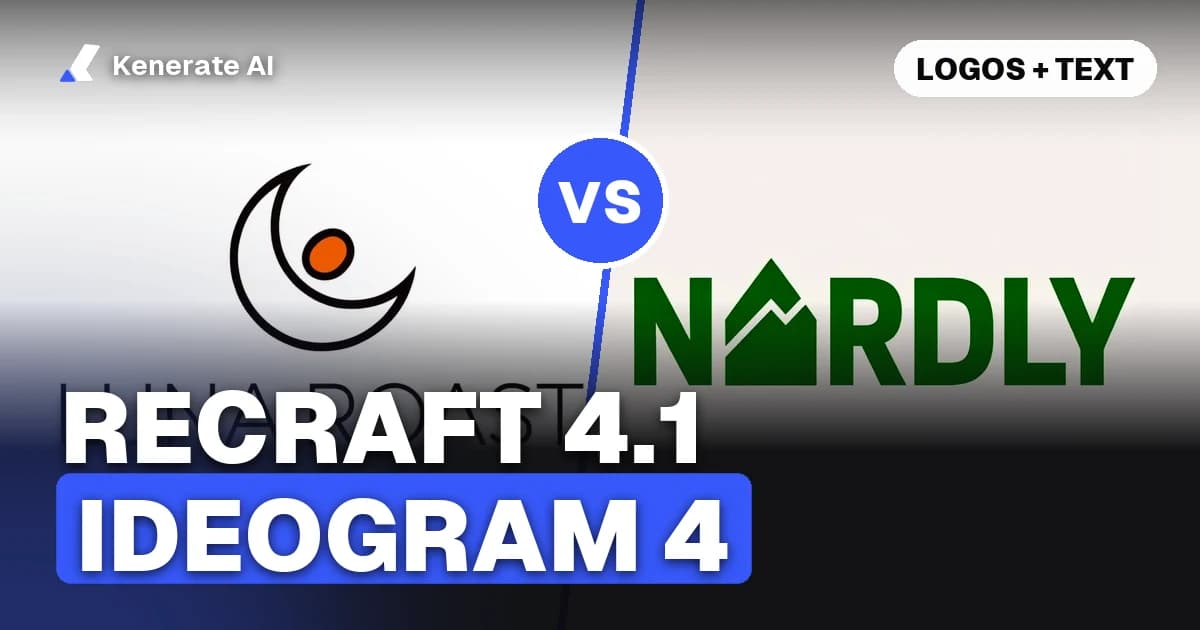
Pick Recraft V4.1 if you're making logos, packaging and brand graphics, or if you need SVG vectors (those come from Recraft's own site). Pick Ideogram v4 if you want precise layout control or open weights you can run yourself. On Kenerate AI, Recraft V4.1 costs 12 credits per image and Ideogram v4 costs 15. If your image has long text, like a full headline, a date or a list, GPT Image 2.5 Sunburst handled it more reliably than Ideogram v4 in our tests.
This guide compares the two models on what we can actually check, as of 31 October 2026: vendor specs, prices, output options, licences and our own runs on Kenerate. We did not run a formal head-to-head benchmark, so we don't name a single overall winner. We tell you which model fits which job.
What are Recraft V4.1 and Ideogram v4?
Both models are built for design work, and both treat text inside the image as a core feature. They come from very different places, though.
Recraft V4.1 is Recraft's design model. It came out in May 2026 (the API snapshot is dated 14 May 2026) and is the default model in Recraft's API. Recraft makes it in several variants. The standard 1K raster model and the 2K Pro model run on Kenerate. Recraft's own platform also has Vector versions that return editable SVG, plus Utility versions that favour flat lighting and front-facing mockups. V4.1 Flash is a separate, much faster and cheaper raster model.
Ideogram v4 (Ideogram 4.0) is Ideogram's first open-weight foundation model, released on 3 June 2026. Ideogram describes it as a 9.3-billion-parameter diffusion transformer trained only on structured JSON captions. That design lets it take bounding boxes to place each element and typed text elements that hold the exact string to render. The code is Apache-2.0, but the weights use an "Ideogram 4 Non-Commercial" licence, according to the GitHub repo.
How do Recraft V4.1 and Ideogram v4 compare side by side?
Here are the facts that matter when you choose between them. Kenerate prices come from our model configuration. At the app rate of 30 credits = $0.10, a 12-credit image works out to about $0.04.
| Recraft V4.1 | Ideogram v4 | |
|---|---|---|
| Maker | Recraft | Ideogram |
| Released | May 2026 (14 May snapshot) | 3 June 2026 |
| Price on Kenerate | 12 credits (Pro 75, Flash 2.4) | 15 credits |
| Vendor API price | $0.035 per image (Pro $0.21, Vector $0.08) | Not listed on the model page we read |
| Resolution on Kenerate | 1K (Pro 2K) | About 1 MP |
| Aspect ratios on Kenerate | 1:1, 3:4, 9:16, 4:3, 16:9 | 1:1, 3:4, 9:16, 4:3, 16:9 |
| SVG vector output | Yes on Recraft's site; raster on Kenerate | No, raster only |
| Layout control | Prompt only; no curated styles or negative prompt | Bounding boxes and JSON prompts (in the open model) |
| Vendor text claim | Accurate typography for design work | 0.97 X-Omni English OCR (Ideogram's figure) |
| Open weights | No | Yes, under a non-commercial licence |
| References on Kenerate | None | None |
| Free plan on Kenerate | No | No |
Two quick notes on that table. First, on Kenerate both models are text-to-image only: neither one takes reference images or does edits there. Second, the OCR score is Ideogram's own benchmark, published in its launch post. Recraft doesn't publish a comparable number for V4.1, so the two can't be compared one to one.
Which is better for logos?
For logos, Recraft V4.1 is the safer default. There are three reasons.
- Vectors. A logo needs to scale. Recraft is the only one of the two that makes editable SVG (the V4.1 Vector variants, $0.08 per image in Recraft's API). Kenerate returns raster images, so the workflow is to draft and pick concepts on Kenerate, then rebuild the final mark as a vector in Recraft or a vector editor.
- Our runs. On our Recraft V4.1 model page we show real V4.1 outputs: a coffee-brand logo, a tea box, a poster and others. When we checked them on 31 October 2026, every brand name was spelled correctly. V4.1 Flash also spelled the same coffee logo prompt right, at 2.4 credits instead of 12.
- Cheap drafts. Flash costs a fifth of V4.1, so you can explore 10 directions for the price of two finals.
Ideogram v4 also handles short wordmarks well. In our Ideogram 4 tests, the "NORDLY" outdoor-brand wordmark came out clean. If your logo is one or two short words, both models are worth a try. Our AI logo generator page and the 46 AI logo prompts guide have prompts you can run on either one.
Which renders text in images more accurately?
Neither model is perfect. The amount of text is what decides how well they do.
- Short words (1–3 words): both are strong. Ideogram v4 rendered "LESS IS MORE", "MAISON LOUISE" and "OPEN LATE" cleanly in our runs.
- Longer lines, dates and lists: Ideogram v4 slipped in our tests. A five-step sleep infographic came out with garbled lines, a concert poster's date "12.09.2027" was garbled, and a badge lost a letter. Two images (one of them a packaging shot) also drew a fake checkerboard "transparent" background instead of a real one.
- Recraft V4.1: the eight V4.1 outputs we published spelled every name right. They were mostly short brand names and labels, though, not dense paragraphs. We haven't run the infographic prompt on Recraft, so we won't claim it would pass.
If the image has to carry a lot of exact text, like a menu, an invitation or an infographic, our advice is to use GPT Image 2.5 Sunburst. In our tests it spelled long text more reliably than Ideogram v4. It costs 7.2 credits at medium quality and 1K, takes up to 16 reference images and can edit.
Why can test results differ from vendor benchmarks?
Benchmarks like X-Omni OCR use fixed prompts and automatic text readers. Real design prompts mix text with style, layout and objects, so the model has more to get right in one pass. Kenerate also runs Ideogram v4 through a hosted endpoint that takes an aspect ratio but not the full JSON layout prompt. The bounding-box control Ideogram advertises works best when you run the open model with structured prompts.
Which is cheaper?
On Kenerate, per image:
| Model | Credits | About |
|---|---|---|
| Recraft V4.1 Flash | 2.4 | $0.008 |
| GPT Image 2.5 Sunburst (medium, 1K) | 7.2 | $0.024 |
| Recraft V4.1 | 12 | $0.04 |
| Ideogram v4 | 15 | $0.05 |
| Recraft V4.1 Pro (2K) | 75 | $0.25 |
So at the standard tier, Recraft V4.1 costs a bit less than Ideogram v4. Flash is the cheapest way to draft design ideas. Pro only pays off when you need 2K detail for print, such as posters and packaging.
Ideogram's open weights add one more option. Ideogram says the nf4 checkpoint fits on a single 24 GB GPU, so you could run it on your own hardware. The weights licence is non-commercial, though, so check it before you use the outputs in client or paid work.
Which should you choose for each job?
| Job | Pick | Why |
|---|---|---|
| Logo concepts | Recraft V4.1 Flash, then V4.1 | Cheap drafts, clean finals, SVG later on Recraft |
| Logo for print or scaling | Recraft V4.1 Vector (on Recraft) | Only one of the two that outputs SVG |
| Packaging and label mockups | Recraft V4.1 or V4.1 Pro | Labels laid out on the product; 2K with Pro |
| Short sign or neon text in a photo | Ideogram v4 or Recraft V4.1 | Both handle 1–3 words well |
| Posters with dates, lists, infographics | GPT Image 2.5 Sunburst | Most reliable on long text in our runs |
| Exact element placement by coordinates | Ideogram v4 (open model) | Bounding boxes and JSON prompts |
| Self-hosting | Ideogram v4 | Open weights (non-commercial) |
| Editing an existing image | GPT Image 2.5 or Nano Banana 2.1 | Neither Recraft nor Ideogram edits on Kenerate |
How do you test both on the same prompt?
The best way to choose is to run your real brief on both models. On Kenerate it takes a few minutes.
- Open the image studio at kenerateai.com/app/image and sign in on a paid plan (neither model is on the free plan).
- Write one prompt that names the deliverable first, puts every word that must appear in quotes, and limits the palette. For example: Minimal logo for a fictional coffee brand 'LUNA ROAST' with a crescent moon and coffee bean, flat vector, two colours, white background.
- Pick Recraft V4.1 Flash and generate. At 2.4 credits, this is your cheap baseline.
- Switch to Recraft V4.1, keep the same prompt and aspect ratio, and generate again (12 credits).
- Switch to Ideogram v4 and generate once more (15 credits).
- Zoom in on the text. Check every letter, the date formats and the background. Look out for checkerboard patterns where you asked for a plain one.
- Keep the winner and, for a logo, rebuild it as a vector before you use it on a product.
That's 29.4 credits (about $0.10) for three takes on the same brief. Prompt tips for Recraft: it has no negative prompt or style presets, so describe what you want ("two colours, white background") instead of listing what to avoid.
What do the vendors say about each other?
Recraft has published its own comparison, "Recraft vs Ideogram" (2 April 2026). It covers Recraft V4 and Ideogram 3.0, not the newer V4.1 and Ideogram 4. It credits Ideogram with strong text accuracy for templated social graphics and print-on-demand, and pitches Recraft for campaign visuals, brand systems and vector output. It's a vendor article, so read it as Recraft's view, not as an independent test.
Ideogram's launch post compares Ideogram 4.0 with GPT Image 2 and Nano Banana 2 in a designer-preference test. It doesn't include Recraft at all. So as of 31 October 2026, we know of no independent benchmark that compares V4.1 and Ideogram 4 head to head on text.
The bottom line
- Brand work, logos, packaging, vectors: Recraft V4.1, drafted with Flash.
- Short text in photos and posters, layout control, self-hosting: Ideogram v4.
- Lots of exact text: neither. Use GPT Image 2.5 Sunburst.
Want to see more options? Our Recraft model hub covers V3's 18 styles and V4, and the Ideogram alternatives page lists other models that render text well.