

OpenAI (launched with ChatGPT Images 2.5, 8 September 2026)
GPT Image 2.5
OpenAI's newest image model in your browser, in both API versions: Flare for fast everyday images and Sunburst for precise, detailed work and edits. Five quality tiers, 1K to 4K, up to 16 reference images — no ChatGPT subscription or API key.
- Versions
- Flare — the fast default for everyday generation; Sunburst — precision for detailed creative work and tight edits, with longer generation times
- Abilities
- Text to image, image edits and inpainting; text and image in, image out
- Quality
- Five tiers — low, medium, high, xhigh, max — plus auto in OpenAI's API
- On Kenerate
- kenerate/gpt-image-2.5-flare and kenerate/gpt-image-2.5-sunburst — 15 aspect ratios, 1K / 2K / 4K, 5 quality tiers, up to 16 references, PNG, JPEG or WebP output
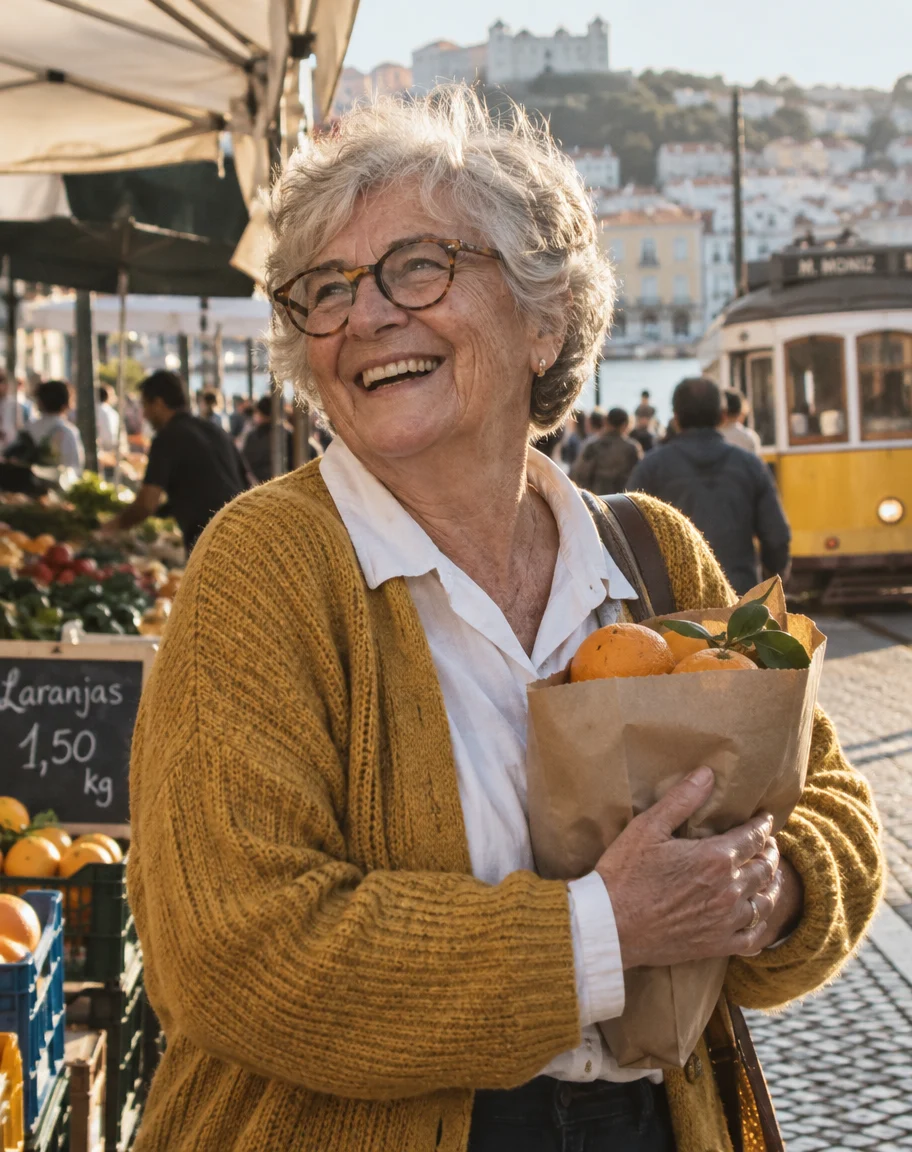
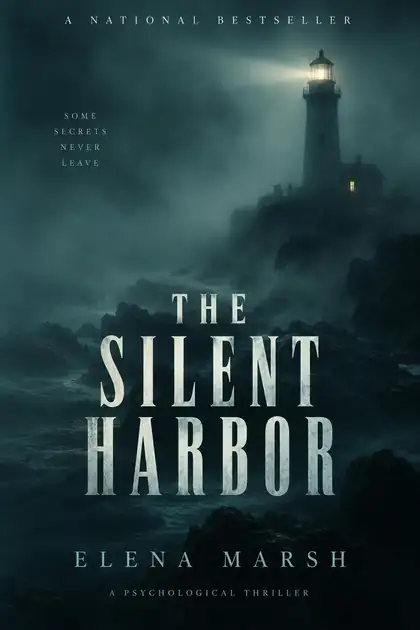

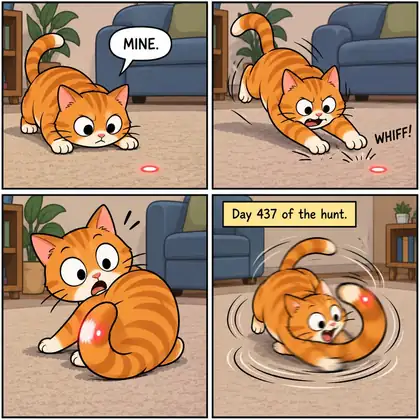
- Real outputs
- Official sources
- Free to start
- No watermark
Updated by the Kenerate AI team
Made with Kenerate

On this page
What is GPT Image 2.5?
What is GPT Image 2.5?
GPT Image 2.5 is OpenAI's image model released on 8 September 2026, the model behind ChatGPT Images 2.5. The API has two versions: GPT-Image-2.5 Flare, OpenAI's fastest model for everyday images, and GPT-Image-2.5 Sunburst, its most capable model for detailed work and precise edits, with longer generation times. On Kenerate AI both run in the browser with five quality tiers, 1K to 4K and up to 16 reference images, from 7.2 credits at medium quality and 1K.
Key facts
- Official name
- GPT-Image-2.5 Flare · GPT-Image-2.5 Sunburst
- API IDs
- gpt-image-2.5-flare · gpt-image-2.5-sunburst
- Maker
- OpenAI
- Released
- 8 September 2026
- Quality tiers
- Low · medium · high · xhigh · max
- Output
- 1K, 2K or 4K · 15 aspect ratios
- References
- Up to 16
- Free plan
- No
- Weights
- Closed (API only)
Gallery
GPT Image 2.5 examples
Real outputs made on Kenerate. Open any image to copy its prompt and run it yourself.
Same prompt
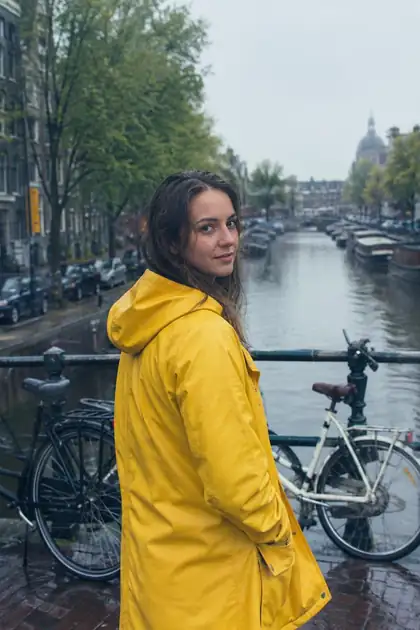
GPT Image 2.5 Sunburst vs Flare
The same prompt on both GPT Image 2.5 versions on Kenerate, at medium quality and 1K — the same price for each.
PromptPhotorealistic portrait of a woman in a yellow raincoat on a rainy canal bridge with bicycles, soft overcast light, 35mm
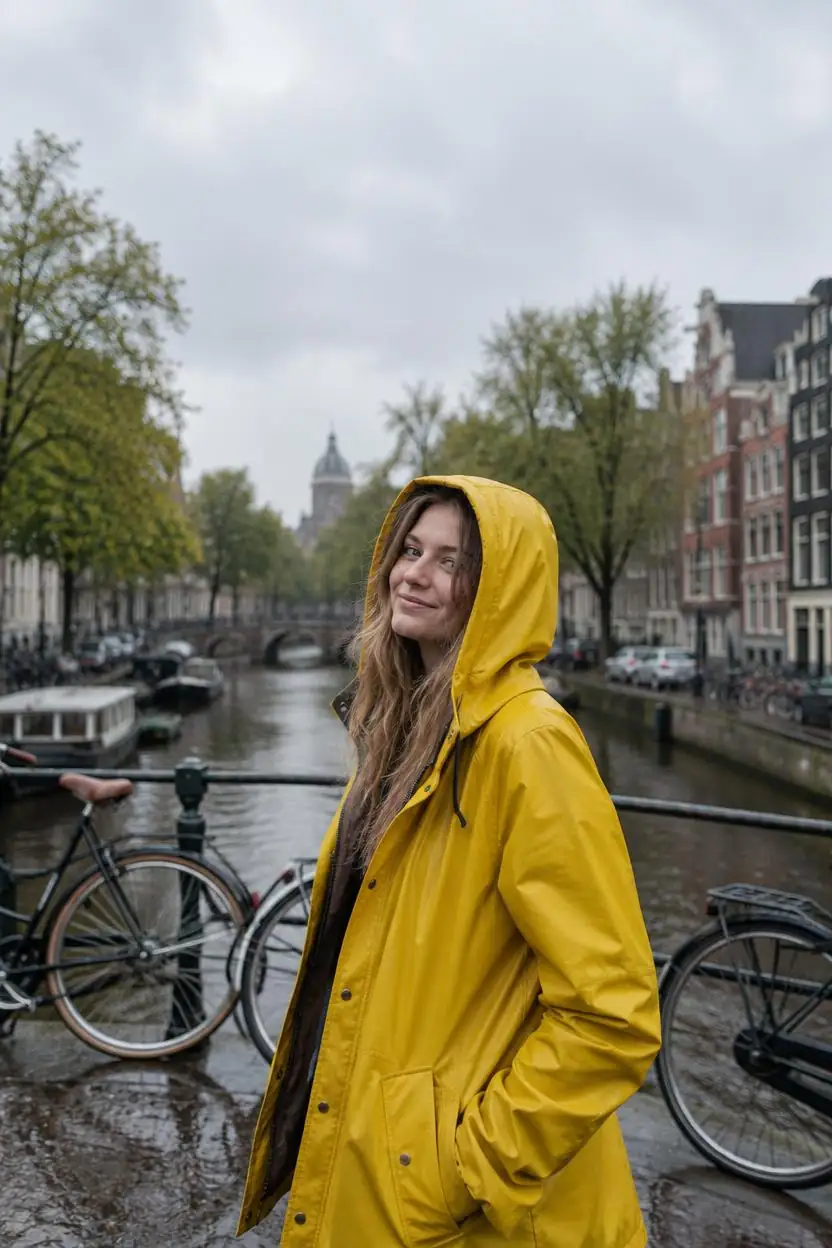 GPT Image 2.5 SunburstPrecision, slower
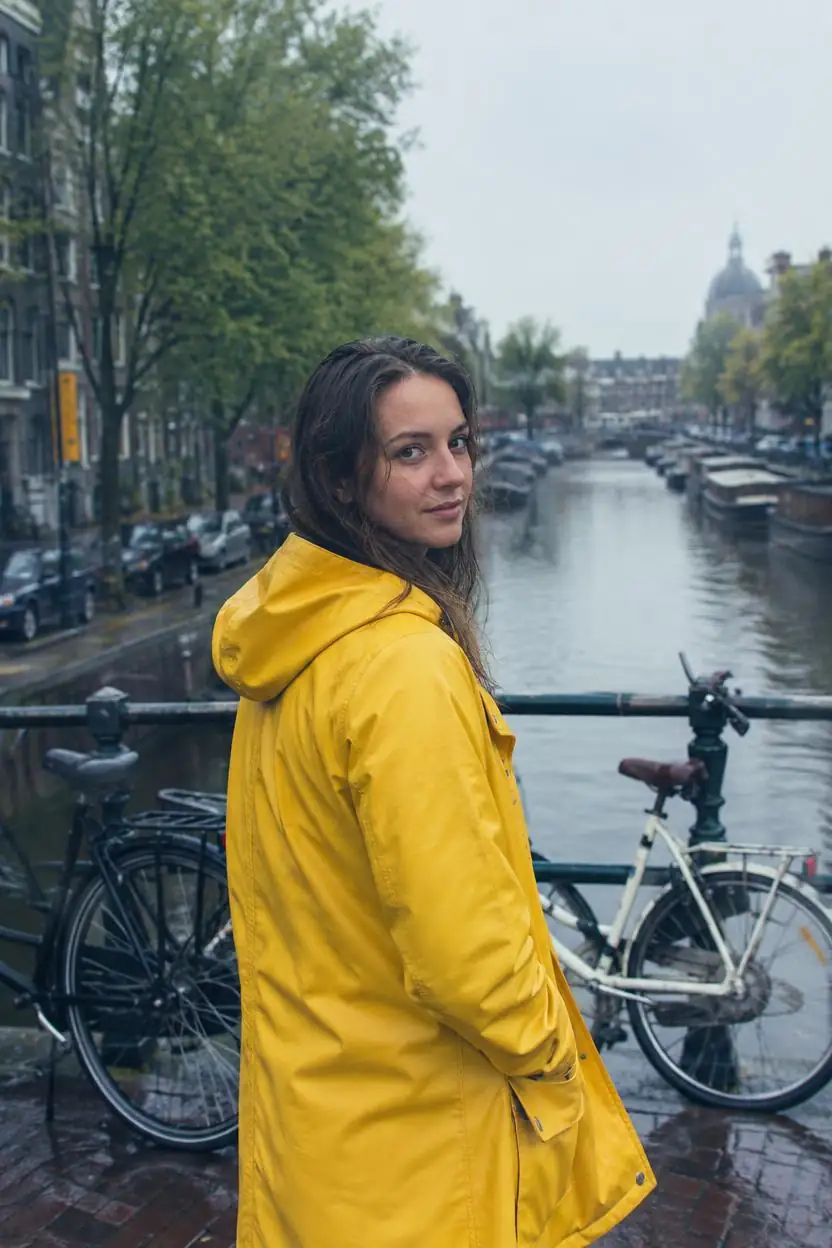 GPT Image 2.5 FlareFast, everyday
Models
GPT Image 2.5 on Kenerate
Every version in the generator, and what each is good at.

OpenAI
GPT Image 2.5 Sunburst
- Reference images
- Up to 16
- Output
- 1K to 4K
Open GPT Image 2.5 SunburstBest for
Precision — longer per image
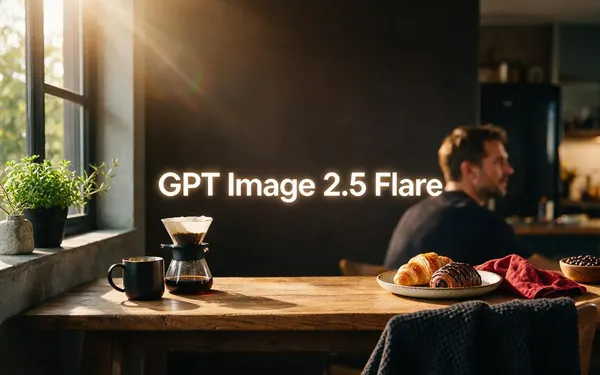
OpenAI
GPT Image 2.5 Flare
- Reference images
- Up to 16
- Output
- 1K to 4K
Open GPT Image 2.5 FlareBest for
Fast everyday generation

OpenAI
GPT Image 2
- Reference images
- Up to 16
- Output
- 1K to 4K
Open GPT Image 2Best for
Previous generation, 3 tiers
Google
Nano Banana 2.1
- Free plan

Alibaba
Qwen Image 3.0
- Reference images
- Up to 3
- Output
- 1K or 2K
Open Qwen Image 3.0Best for
Free-plan option
From our tests
Strengths and limits
Good at
- Text that is spelled right: Sunburst set every title and author correctly across six book-cover genres, and every detail on six invitations.
- Readable comic lettering — speech bubbles and caption boxes came out legible in our comic tests.
- Photographic people on the first try: all five portraits on our AI human page, including the Lisbon market scene with a yellow tram.
- Cheaper than GPT Image 2 at the same tier: 7.2 credits at medium 1K versus 18, with the same 16 references.
Limits
- It adds things you didn't ask for: Sunburst put an unprompted wall sign with a slogan and a flag behind the woodworker, and real-looking shop names in a street scene.
- Not on Kenerate's free plan — use Qwen Image 3.0 for free drafts.
- No seed control, so you can't repeat an exact image; describe what must stay and edit instead.
- High tiers get expensive fast: max quality at 4K is 300 credits an image — draft at low or medium first.
How to
How to use GPT Image 2.5 on Kenerate
Step 1
Open the model
Go to /app/image and pick GPT Image 2.5 Sunburst or GPT Image 2.5 Flare (the button on this page selects Sunburst). Sign in free to get started.
Step 2
Write the prompt
Say the format, subject, setting, light and camera in plain sentences. Put every word that must appear in the image in quotes.
Step 3
Pick quality, size and ratio
Choose one of 15 aspect ratios, 1K, 2K or 4K, and a quality tier. Draft at low (3 credits) or medium (7.2 at 1K), then re-run the keeper at high or max.
Step 4
Edit with references
Upload up to 16 images and describe only the change and what must stay. Each reference adds 4.5 credits.
See it in the app

Open Image Studio and type what you want to see — subject, style, lighting and mood.


Watch the tour · 1:23
Prompts, styles, references, edit, Arena & chat
Chapters
FAQ
GPT Image 2.5 questions
9 questions
What is GPT Image 2.5?
GPT Image 2.5 is OpenAI's image generation and editing model, released on 8 September 2026 alongside ChatGPT Images 2.5. In the API it comes as two models, gpt-image-2.5-flare and gpt-image-2.5-sunburst. OpenAI describes Flare as its fastest model for high-quality, everyday image generation and Sunburst as its most capable model, for work where editing precision matters most.
Link to this answerGPT Image 2.5 Flare vs Sunburst — what's the difference?
Flare is the fast default for everyday images and edits. Sunburst adds precision for detailed creative work and takes longer per image, according to OpenAI's announcement. Both take the same inputs and cost the same on Kenerate — 7.2 credits at medium quality and 1K — so draft on Flare and switch to Sunburst for dense text, fine detail or many rounds of edits. Compare them on the same prompt above.
Link to this answerIs GPT Image 2.5 free?
Not on Kenerate's free plan. New accounts get 25 credits on sign-up, enough for a few medium 1K images at 7.2 credits each, and more come from one-time packs with no subscription. In ChatGPT, Images 2.5 is rolling out to all ChatGPT, ChatGPT Work and Codex users. For free drafts on Kenerate, use Qwen Image 3.0.
Link to this answerHow much does GPT Image 2.5 cost?
On Kenerate both versions share one price list. Low quality costs 3, 6 or 9 credits at 1K, 2K or 4K; medium 7.2, 12 or 21; high 27, 45 or 81; xhigh 48, 81 or 144; and max 108, 180 or 300. Edits add 4.5 credits per reference image. In OpenAI's API it is billed by tokens: $30 per million image-output tokens, the same rate as GPT Image 2.
Link to this answerWhat is the difference between GPT Image 2 and GPT Image 2.5?
GPT Image 2.5 is the newer generation, with two versions instead of one and five quality tiers instead of three (xhigh and max are new). OpenAI says it improves detail, editing precision and consistency across edits. On Kenerate it is also cheaper at the same tier — 7.2 credits at medium 1K versus 18 for GPT Image 2 — and both take up to 16 references and go up to 4K.
Link to this answerHow many reference images can GPT Image 2.5 use?
Up to 16 on Kenerate, for both Flare and Sunburst — the most of any image model on the site, alongside GPT Image 2. Upload them in /app/image and describe what changes and what stays; each reference adds 4.5 credits to the image.
Link to this answerWhat resolution does GPT Image 2.5 support?
On Kenerate you choose 1K, 2K or 4K and one of 15 aspect ratios from 1:3 to 3:1, including 9:16 for stories and 21:9 for cinema banners. OpenAI's API also accepts custom sizes within its limits.
Link to this answerCan I use GPT Image 2.5 without ChatGPT Plus or an API key?
Yes. Kenerate AI runs both GPT Image 2.5 versions in the browser: sign in, pick GPT Image 2.5 Sunburst or Flare in /app/image and pay per image with credits. There is no OpenAI account, API key or ChatGPT subscription involved.
Link to this answerHow good is GPT Image 2.5 at text?
Very good in our tests: Sunburst spelled every title and author right across six book covers and every detail on six invitations, and lettered readable comic bubbles. It sometimes adds text you didn't ask for — a slogan on a wall sign, shop names on a street — so say “no other text” when the scene must stay clean.
Link to this answerIn depth
GPT Image 2.5, in depth
Background, how to prompt it, and when to pick something else.
On this page
Flare or Sunburst: which GPT Image 2.5 to use
OpenAI ships GPT Image 2.5 as two API models with the same inputs, quality tiers and token prices [1][2]. The difference is how much time each spends on an image [3].
- Flare — OpenAI's fastest model for high-quality everyday images; the default for drafts, social posts and quick edits [1].
- Sunburst — OpenAI's most capable model, for dense text, fine detail and edits that must stay precise over many rounds; slower by design [2][3].
- On Kenerate both cost the same per tier, so the choice is speed versus precision, not price.
Quality tiers and what they cost
GPT Image 2.5 adds two tiers above high — xhigh and max [1]. On Kenerate the price rises with tier and size: medium is 7.2 credits at 1K and 21 at 4K, while max is 108 at 1K and 300 at 4K. Draft at low or medium, then re-run only the final image at a higher tier.
Prompting GPT Image 2.5 for text and layouts
Name the format first (book cover, invitation, four-panel comic), put every word that must appear in quotes, and describe the type style. If the scene must have no other words, say so — in our tests Sunburst sometimes added signs and shop names on its own. For edits, describe only the change and what must stay the same.