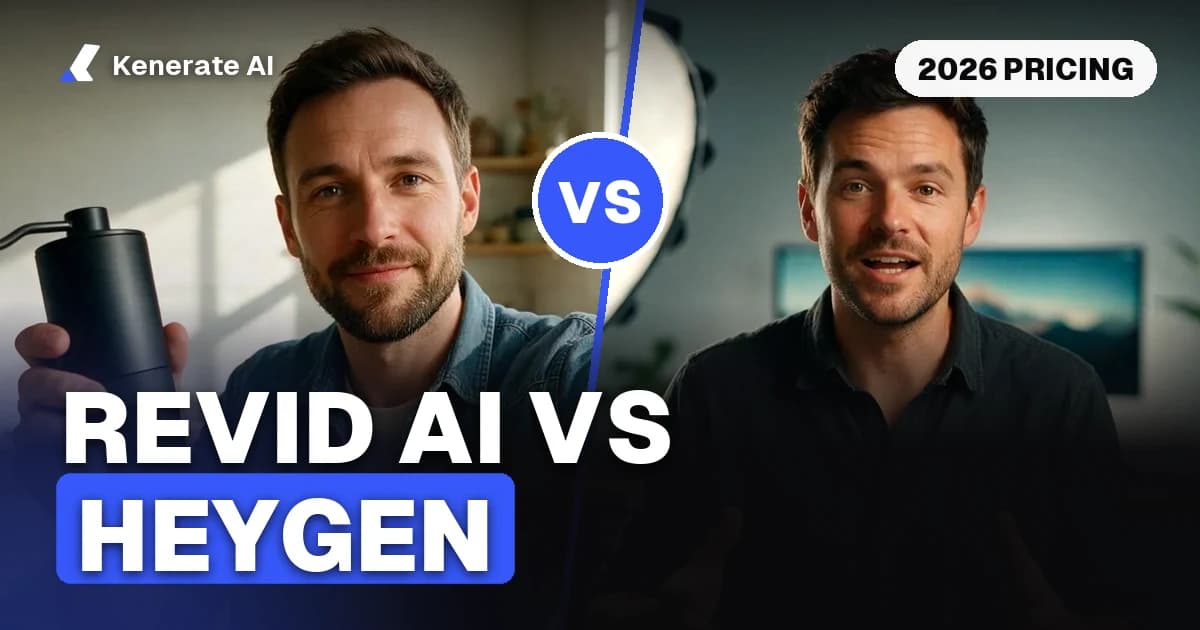
Revid AI and HeyGen solve two different problems. Revid AI is built for volume: short-form social videos, faceless clips, UGC-style ads and auto-publishing to TikTok, Instagram, YouTube and X, with plans from $39/month (2,000 credits). HeyGen is built for presenter-led video: realistic talking avatars, a custom digital twin of you, and translation into 175+ languages, with paid plans from $29/month (600 credits) and a genuinely useful free tier of 3 watermarked videos a month. As of 28 October 2026, pick Revid AI if you need many social clips per week, and HeyGen if you need one polished spokesperson video that looks like a human filmed it.
This comparison goes through what each tool actually is, what the plans cost today (checked on both pricing pages), where each one wins, and when a credit-based generator like Kenerate AI is the cheaper third option.
What is Revid AI?
Revid AI is a short-form video platform aimed at creators and performance marketers. You give it a text idea, a script or a link, and it assembles a finished vertical video: AI visuals or stock footage, an AI voiceover (70+ languages), captions and music. Around that core it has grown an automation layer — scheduled publishing straight to TikTok, Instagram, YouTube and X, "Auto-Mode" workers that keep producing videos on a schedule, channel watching to remix what's already going viral, and API/MCP/CLI access on every paid plan.
Under the hood Revid runs third-party video models (its Growth plan lists Seedance 2.5 up to 4K among its "100+ AI video tools"), so output quality tracks the model you pick, and heavier models burn more credits per second.
What is HeyGen?
HeyGen is an avatar-first video platform aimed at marketing, sales and training teams. Its core product is a talking presenter: 500+ stock avatars, or a custom video avatar cloned from footage of you, speaking any script with tight lip sync. Its best-known second act is video translation — it can re-voice and re-lip-sync an existing video into other languages, with 175+ languages and dialects on paid plans.
HeyGen bills in credits that map roughly to finished video minutes. The free plan allows 3 videos a month, up to 1 minute each, with a watermark — enough to judge the avatar quality before paying. We covered that tier in detail in Is HeyGen free?
Revid AI vs HeyGen: pricing compared
Both pricing pages were checked on 28 October 2026. Both companies change plans often, so treat this as a snapshot and confirm on their sites before buying.
| Revid AI | HeyGen | |
|---|---|---|
| Free tier | Trial credits on signup, no card required | 3 videos/month, ≤ 1 min, watermarked |
| Entry paid plan | Growth — $39/mo ($32/mo annual), 2,000 credits | Creator — $29/mo ($24/mo annual), 600 credits |
| Mid plan | Elite — $89/mo, 5,000 credits | Pro — from $49/mo, 1,000 credits, 4K export |
| Top self-serve plan | Ultra — $199/mo, 12,000 credits, voice cloning | Business — $149/mo + $20/seat, 1,500 credits |
| What a credit buys | ~40–80 credits per 30-sec video with voiceover (Revid's own FAQ), so 2,000 credits ≈ 25–50 videos | Roughly 1 credit ≈ 1 minute of finished avatar video |
| Max video length | Short-form focus | 30 min (Creator), 60 min (Business) |
| Auto-publishing | TikTok, Instagram, YouTube, X on Growth+ | No native social auto-posting; integrations via Zapier/Make on Business |
| API access | API + MCP + CLI included on every paid plan | API priced separately from subscriptions |
Two things stand out. First, the entry prices look close ($39 vs $29) but buy different things: Revid's 2,000 credits are sized for dozens of short clips, while HeyGen's 600 credits are sized for a handful of polished avatar minutes. Second, automation economics differ — Revid bundles its API and posting into the subscription, while HeyGen sells API access separately, which matters if you plan to generate programmatically.
Which tool makes better avatar videos?
HeyGen, clearly. Avatars are its entire product: lip sync stays accurate at normal speech speed, custom avatars trained on your own footage look like you, and the translation pipeline re-syncs lips to the dubbed audio instead of leaving a mismatch. Independent comparisons (including crepal.ai's week-long side-by-side test published in early 2026) consistently found HeyGen's lip sync tighter and its custom avatars more lifelike, while Revid's avatars read as more templated and its lip sync drifted on fast or non-English speech.
Revid treats the avatar as one format among many — fine for a UGC-style ad where slight imperfection even helps, not what you want for a CEO announcement or a training course.
Which tool is better for short-form and faceless content?
Revid AI. It starts from the clip you want to post, not from a presenter: hook templates, trending-sound awareness, caption styles, channel watching and remixing, and direct publishing so the video never touches your downloads folder. Its Auto-Mode workers (3 on Growth, 10 on Ultra) can keep a faceless channel fed on a schedule. HeyGen can export vertical video, but you schedule and post it elsewhere, and its fixed avatar scenes are a poor match for the fast-cut b-roll style that performs on TikTok.
When should you pick which?
Pick Revid AI if:
- You post short-form video daily and want generation, captions and publishing in one place.
- You run UGC-style paid ads and iterate on dozens of variants.
- You want API/MCP automation without a separate API contract.
Pick HeyGen if:
- A realistic human presenter is the product — sales outreach, onboarding, training, explainers.
- You need one video in many languages with correct lip sync.
- You want a custom digital twin of a real spokesperson (with their consent).
Pick neither if you mostly need raw AI video generation — cinematic clips, product shots, image-to-video — rather than a packaged social or avatar workflow. Both tools resell underlying video models with a subscription wrapped around them; a credit platform gives you the same models without the monthly commitment.
Where does Kenerate AI fit?
Kenerate AI is the third option when what you actually want is the video models themselves, priced per second instead of per subscription. It covers both halves of this comparison:
- Avatar side: the AI avatar video generator runs a lineup of talking-avatar and lip-sync engines (Kenerate Avatar, InfiniteTalk, Kling Avatar 2, Sync Lipsync 3, LongCat and more). Kenerate Avatar costs 7.5 credits per second at 720p and handles clips up to 10 minutes — a 1-minute talking-head video is 450 credits.
- Short-form side: the same credits run Seedance 2.5 (up to 30 s, up to 4K), Wan 3.0 (from 15 credits/second at 480p), Veo 3.1, Sora 2 Pro and Kling for b-roll, ads and UGC-style videos.
- Pricing: credit packs start at $15 for 1,300 credits; the $29 Creator pack is 2,700 credits — at 7.5 credits/second that's six minutes of 720p avatar video, versus roughly 600 avatar credits for the same $29 on HeyGen's entry plan. There's no auto-posting layer, though: Kenerate generates the video, you publish it.
If you're actively comparing alternatives to either tool, we keep dedicated breakdowns for both: Revid AI alternative and HeyGen alternative.
How to run a fair trial of both in one afternoon
- Write one real 30-second script you'd actually publish — not a demo script.
- Generate it on HeyGen's free plan (3 videos/month, watermarked) with a stock avatar.
- Generate the same script on Revid's free trial credits as a faceless short with voiceover and captions.
- Post both as unlisted/limited uploads and compare retention after 48 hours.
- Price the winner at your real monthly volume: videos per month × credits per video against the plan's credit allowance — that's where the two tools separate far more than the sticker price suggests.
FAQs
Is Revid AI or HeyGen cheaper?
It depends on volume and format. For short social clips, Revid's $39 Growth plan (2,000 credits, roughly 25–50 videos by Revid's own estimate) is cheaper per video. For avatar minutes, HeyGen's $29 Creator plan is the cheaper entry, but costs climb quickly past its 600 credits. Prices checked 28 October 2026.
Does Revid AI have a free plan?
Revid lets you sign up without a credit card and gives new accounts trial credits to test generation, but ongoing creation needs a paid plan. Its pricing page doesn't publish the exact trial credit amount.
Does HeyGen have a free plan?
Yes — 3 videos per month, up to 1 minute each, with a watermark, including access to stock avatars. It's a real test tier, not just a demo. Details in our Is HeyGen free? breakdown.
Can Revid AI post directly to TikTok and Instagram?
Yes. Publishing to TikTok, Instagram, YouTube and X, plus post statistics, is included from the Growth plan ($39/month) upward. HeyGen has no native social auto-posting; on its Business plan you can wire it up through Zapier, Make or n8n.
Which has better lip sync, Revid AI or HeyGen?
HeyGen. Avatar lip sync is its core product and stays accurate at conversational speed and across its supported languages. Side-by-side tests found Revid's lip sync drifts on faster speech, especially outside English. For a pure lip-sync task on your own footage, compare the dedicated tools in our AI lip sync tools guide.
Can HeyGen make faceless TikTok videos?
It can export vertical video, but it isn't built for faceless content — no trending-template library, no channel watching, no auto-posting. Revid AI or a general video model (Seedance 2.5, Wan 3.0 on Kenerate) suits faceless channels better.
Do Revid AI and HeyGen use their own video models?
Mostly no. Revid openly lists third-party models like Seedance 2.5 among its tools, and HeyGen's Pro plan advertises access to models such as VEO 3.1 — their value is the workflow around the models. If you only want the models, a per-credit platform like Kenerate runs them without the subscription wrapper.
Can I use both tools together?
Yes, and some teams do exactly that: HeyGen for hero spokesperson and multilingual content, Revid for high-volume social cutdowns and ad variants. At a combined ~$68/month minimum it only makes sense once video is a primary channel.
Sources
- Revid AI pricing — plans and credit allowances, checked 28 October 2026
- HeyGen pricing — plans, free tier and credit tiers, checked 28 October 2026
- Revid AI's own HeyGen comparison — feature positioning, facts checked August 2026 (vendor source)
- CrePal: Revid AI vs HeyGen — independent side-by-side test, early 2026