A good UGC video prompt describes a specific creator, a real setting, one clear action with the product, phone-camera style cues, and the exact line they say, then lists what to avoid (studio light, perfect composition). Below are 15 copy-paste UGC prompt templates for hooks, product demos, talking-head reviews, unboxings and before/after clips, plus the settings and credit costs to run them on Kenerate AI as of 20 October 2026.
If you'd rather not write prompts at all, Kenerate's AI UGC video generator builds the prompt for you from a UGC style, an AI creator and your product photos. The templates here are for when you want full control in the video studio.
What makes a good UGC video prompt?
UGC (user-generated content) ads work because they look like a person filmed them on a phone, not like an ad. AI video models default to the opposite: clean light, centred framing, glossy skin. Your prompt has to pull the model back toward "real".
Luma's guide to UGC-style prompts breaks a prompt into five parts it calls S.C.E.N.E.: Subject, Context, Event, Nuance and Exclusions. That structure maps cleanly onto every model Kenerate runs, so the templates below use it:
| Part | What to write | Example |
|---|---|---|
| Subject | Who is on screen: age range, look, clothing, where they hold the camera | "Woman in her late 20s, messy bun, oversized grey hoodie, holding the phone at arm's length" |
| Context | Place, light, time of day | "Small apartment kitchen, morning window light" |
| Event | One action with the product, in order | "Picks up the bottle, turns the label to camera, takes a sip" |
| Nuance | Camera and style cues | "Handheld selfie video, slight shake, 9:16 vertical, shot on a phone" |
| Exclusions | What the model must not do | "No studio lighting, no text on screen, no logo distortion" |
| Line (talking clips) | The exact words, in quotes | She says: "Okay, I did not expect this to actually work." |
Two more rules make the biggest difference in practice:
- Name the creator, not "a person". "A woman holding a bottle" gives you a stock-photo face. Age, hair, clothing and mood give you a believable creator.
- One action per clip. A 5–10 second clip can hold one beat: a reaction, a demo step, a reveal. Chain beats across clips instead of cramming them into one prompt.
Which settings should you use for UGC prompts?
Every template below assumes 9:16 vertical, 5–10 seconds, and sound on when someone talks. Here is what that costs on Kenerate AI, calculated from the app's own pricing config (video-models.ts and avatar-models.ts) on 20 October 2026:
| Model | Best for | Length range | 10 s at 720p | 9:16 |
|---|---|---|---|---|
| Wan 3.0 | Cheap drafts, testing many hooks, talking clips from a photo | 2–30 s | 300 credits (30/s) | Yes |
| Seedance 2.0 Fast | Faster Seedance drafts | 4–15 s | 600 credits | Yes |
| Seedance 2.0 | Default UGC look, image-to-video, dialogue and lip sync | 4–15 s | 720 credits | Yes |
| Kling v3 Standard | Natural hand and body motion | 3–15 s | 378 credits (with sound) | Yes |
| Seedance 2.5 | Longer, multi-shot, cinematic clips | 4–30 s | 1,080 credits | Yes |
| Kenerate Avatar | Long talking-head scripts from one photo + audio | up to 10 min | 75 credits (7.5/s) | Follows the photo |
Wan 3.0 at 480p is 15 credits per second, so a 10-second hook test costs 150 credits. A sensible budget pattern: draft three to five hooks on Wan 3.0 at 480p or 720p, then re-render the winner on Seedance 2.0. Video generation needs a paid plan or a one-time credit pack; the pricing page lists current packs.
Text-to-video or image-to-video?
Use image-to-video whenever the product has to look exactly like yours. Generate or upload a still of your creator holding the product first, then use it as the start frame. Text-to-video invents the packaging, and logos and labels drift. Our AI product video generator walks through the photo-first workflow.
How do you write a UGC hook prompt?
The hook is the first one to three seconds. In a prompt, that means the clip should open on the strongest moment, not build up to it.
Template 1: The "wait, what" reaction
Handheld selfie video, 9:16 vertical. A man in his early 30s with a short beard and a black t-shirt stands on a city sidewalk in late-afternoon light. He looks into the phone camera, raises his eyebrows and holds up [PRODUCT] close to the lens. He says: "Nobody told me [PRODUCT] could do this." Slight camera shake, natural street noise, shot on a phone. No studio lighting, no on-screen text.
Template 2: The problem-first hook
Vertical phone video, selfie angle. A woman in her mid 20s with curly hair, no makeup, sits on her bed in soft morning light. She looks tired and says to camera: "If your [PROBLEM] looks like mine every morning, keep watching." She lifts [PRODUCT] into frame at the end. Casual, unpolished, slight handheld wobble. Avoid perfect composition and glossy skin.
Template 3: The point-of-view hook
POV shot from the creator's phone held at chest height, 9:16. Their hand reaches into a tote bag on a café table and pulls out [PRODUCT], turning it so the label faces the camera. Warm indoor light, background café chatter. A voice off-camera says: "POV: you finally found a [CATEGORY] that fits in your bag." No faces distorted, no extra products, label stays readable.
What prompts work for product demo UGC?
Demo clips show the product doing its one job. Keep the action physical and simple so the model can render it cleanly.
Template 4: The 10-second demo
Handheld phone video, 9:16. A woman in her 40s with short grey hair, wearing a denim shirt, stands at a kitchen counter in daylight. She holds [PRODUCT] up to the camera, then uses it once: [ONE ACTION, e.g. presses the pump and rubs the cream into her hand]. She says: "That's it. That's the whole routine." Natural kitchen sounds, slight camera movement. No studio lighting, no text overlay.
Template 5: The tutorial step
Vertical selfie video. A man in his late 20s in a home office, lit by a window on the left. He looks at the camera and says: "Step one, [STEP]." He demonstrates the step with [PRODUCT] on the desk in front of him, keeping it in frame. Casual tone, phone-camera look, minor shake. Keep the product shape and logo unchanged.
Template 6: The in-hand close-up
Close-up phone footage, 9:16. A hand with natural, unpolished nails holds [PRODUCT] in front of a bathroom mirror. The hand slowly rotates the product to show the front, side and back. Soft overhead bathroom light, slight focus breathing like a phone camera. No hands with extra fingers, no warped text on the label.
How do you prompt a testimonial-style talking head?
Talking heads are where honesty matters most. The creator is AI-generated, so they cannot have used your product. Write the line as a description of the product, not a personal experience claim, and disclose that the person is AI-generated (more on that below).
Template 7: The sit-down "here's what it does"
Selfie video, 9:16, phone propped on a desk. A woman in her early 30s with straight black hair and a cream sweater sits in a bright living room. She talks directly to camera in a relaxed voice: "Here's what [PRODUCT] actually does: [FEATURE 1], [FEATURE 2], and it's [PRICE OR OFFER]." Natural room tone, slight auto-exposure flicker. No studio lighting, no on-screen captions.
Template 8: The car talk
Vertical phone video filmed in a parked car, daylight through the windshield. A man in his mid 30s wearing a baseball cap holds the phone in one hand and [PRODUCT] in the other. He says: "Quick one. If you [USE CASE], [PRODUCT] is worth a look." Muffled outside traffic, handheld shake. Avoid cinematic depth of field and lens flares.
Template 9: Long script with an avatar
For anything over about 15 seconds, a talking avatar is cheaper and more stable than a video model. Write the script, generate the voice, then animate one photo:
AI Prompt RecipeFlux.1 Pro16:9“Photo prompt: Natural phone selfie of a woman in her late 20s, freckles, hair tied back, plain white t-shirt, sitting by a window, soft daylight, looking straight at the camera, 9:16. Script: "Three things I'd want to know before buying [PRODUCT]. One, [FACT]. Two, [FACT]. Three, [FACT]. Link's below if you want to check it out."”
What are good unboxing UGC prompts?
Unboxings sell anticipation. Prompt the reveal, not the whole unpacking.
Template 10: The doorstep unboxing
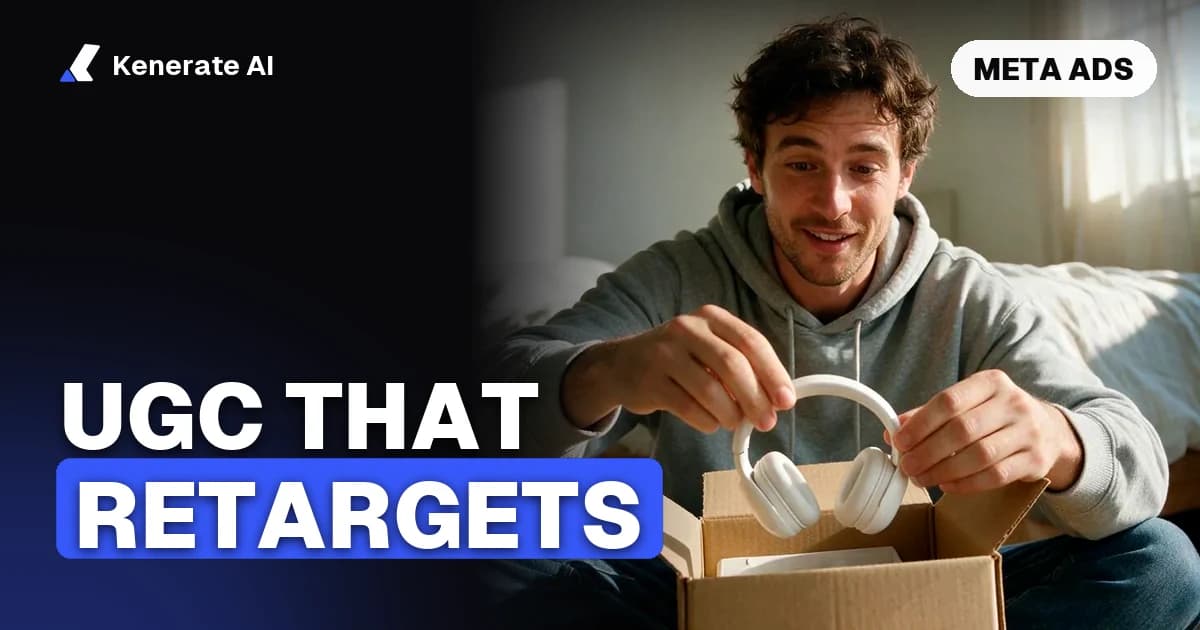
Handheld phone video, 9:16. A woman in her 20s sits cross-legged on a hallway floor in afternoon light, with a cardboard box in front of her. She pulls back the flap, lifts out [PRODUCT] and gasps softly, then turns it toward the camera. She says: "Okay, the packaging alone." Natural floor-level angle, slight shake, no text on screen. Keep the product design exactly as in the reference image.
Template 11: The desk ASMR unboxing
Top-down phone shot, 9:16. Two hands open a small box on a wooden desk, peel back tissue paper and lift out [PRODUCT]. Close, crisp paper and cardboard sounds, no music. Soft daylight from the side. No voice. Avoid floating objects and changing packaging.
How do you prompt before/after UGC?
Before/after clips are the riskiest format for honesty: an AI clip shows what a model rendered, not a real result. Use them for visual, non-medical changes (a tidy room, a styled outfit, an organised drawer), and never for health, skin or weight claims.
Template 12: The room transformation
Vertical phone video in two beats. Beat 1: a cluttered home desk with cables everywhere, phone held by the creator, dull overhead light. Beat 2: the same desk, tidy, with [PRODUCT] holding the cables, warm lamp light. A man's voice off-camera says: "Ten minutes and one [PRODUCT]." Handheld, slight wobble, same camera angle in both beats.
Template 13: The outfit try-on
Mirror selfie video, 9:16, in a bedroom with daylight. A woman in her early 30s holds the phone up to a full-length mirror wearing a plain t-shirt, then spins, and the clip cuts to her wearing [GARMENT]. She says: "Same jeans, totally different look." Phone-camera grain, natural light, no fashion-shoot lighting. Keep the garment's colour and pattern exactly as in the reference image.
Which prompts help you test hooks fast?
The point of AI UGC is cheap variation. These two templates are built to swap one variable at a time.
Template 14: Same creator, five hooks
Keep everything fixed: [CREATOR DESCRIPTION], [SETTING], handheld selfie video, 9:16, phone-camera look, no studio lighting.
Only change the line:
A: "Here's the truth about [PRODUCT]."
B: "Don't buy [CATEGORY] until you've seen this."
C: "Three reasons [AUDIENCE] keep asking about this."
D: "This is the [PRODUCT] everyone's been asking me about."
E: "Stop scrolling if you [PROBLEM]."
Template 15: Same hook, three settings
Keep the line fixed: "[HOOK LINE]". Keep the creator fixed: [CREATOR DESCRIPTION].
Variant 1: kitchen, morning window light.
Variant 2: parked car, daylight.
Variant 3: city sidewalk, golden hour, street noise.
All: handheld selfie video, 9:16, slight shake, no on-screen text.
Run these on Wan 3.0 at 480p first. Five 5-second variants cost 375 credits at 480p (15 credits per second), versus 1,800 credits for the same five on Seedance 2.0 at 720p.
How do you run these prompts on Kenerate AI?
- Make the start frame. In the image studio, generate your creator holding the product, or upload your own photo of it. Keep it 9:16.
- Open the video studio and pick image-to-video on Wan 3.0 for drafts.
- Paste a template, replace every
[BRACKET]and put the spoken line in quotes. Turn sound on for talking clips. - Generate at 480p or 720p, 5 seconds. Check that the label is readable and the hands look right.
- Re-render the winner on Seedance 2.0 at 720p, or extend it to a longer cut.
- Add captions and the AI disclosure, then export.
Prefer a form instead of a prompt? The Marketing Studio's UGC styles (Review, Unboxing, Try-on, Tutorial and more) write the prompt for you; see AI UGC ads.
What mistakes ruin AI UGC prompts?
- Studio words. "Professional", "cinematic", "4K", "perfect lighting" push the model toward a commercial look. Leave them out.
- Too many actions. "Opens the box, applies the cream, smiles, walks away" in 5 seconds gives you mush. One beat per clip.
- No product reference. Text-to-video invents your packaging. Use image-to-video with a real product photo.
- Lines that are too long. At normal speaking speed, about two to three words per second fit. A 5-second clip holds roughly one short sentence.
- Fake experience claims. "I've used this for six months" from an AI creator is a claim nobody made. Rewrite it as a product statement.
- No exclusions. Without "no on-screen text, no distorted logo", models add gibberish captions and warp labels.
Do you have to disclose AI-generated UGC creators?
In the US, the FTC's Endorsement Guides say an endorsement must reflect the honest opinion of the endorser, and an endorser can't describe experiences they haven't had. The 2023 update to the Guides counts virtual influencers, including AI-generated avatars, as endorsers, so advertisers are responsible for what they say (as summarised by BakerHostetler). The FTC's 2024 rule on fake reviews and testimonials also bans testimonials attributed to people who don't exist or who never used the product.
In practice for AI UGC:
- Label the creator as AI-generated in the caption or on screen.
- Keep scripts to facts about the product (features, price, what's in the box), not personal results.
- Follow each ad platform's own AI-labelling rules.
This isn't legal advice; check with counsel for your market. Our full guide to AI UGC video ads covers the rules in more detail.
Can an AI tool write UGC prompts for you?
Yes. That's what people usually mean by a "UGC prompt generator": you give it a product and an angle, it writes the scene and the line. You can do this two ways on Kenerate AI:
- Marketing Studio: choose a UGC style, add product photos, and leave the hook or script empty; the writer fills it in.
- Any chat LLM: paste the S.C.E.N.E. table above and ask for five variants of one template with different hooks. Then check every line for claims your product can't back up before you render.
Whichever you use, the prompt is only half the job. The other half is testing: render cheap, change one thing at a time, and keep the clip that wins.