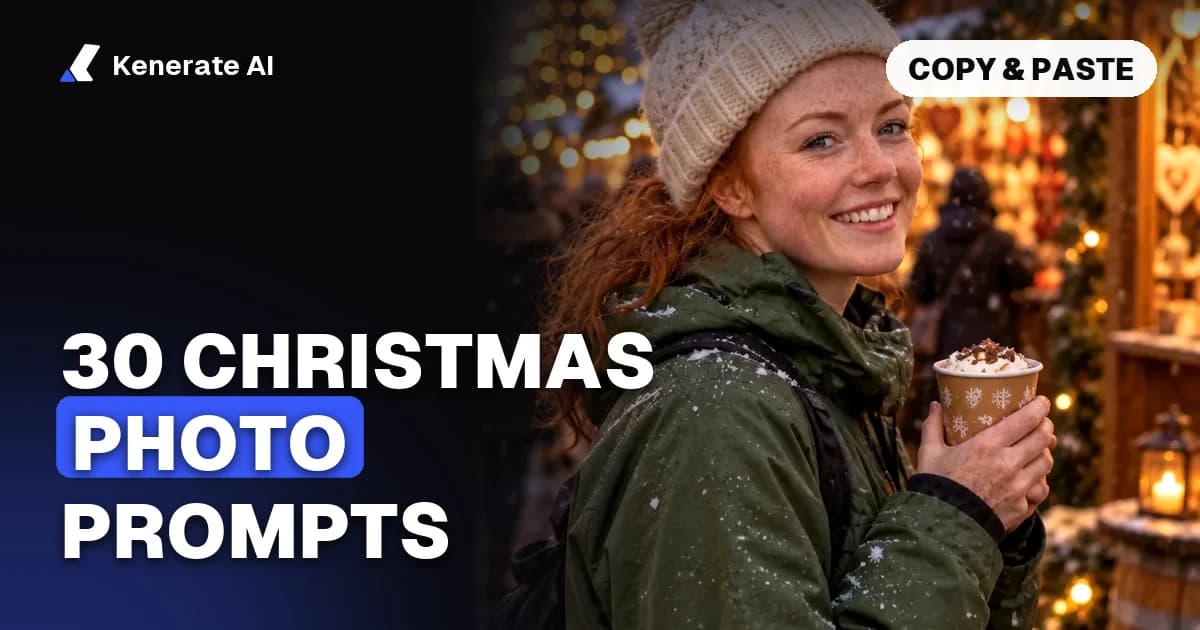
To make an AI Christmas photo, upload a clear photo of yourself, paste a prompt that names a festive outfit, a setting and a light source, and finish with a line telling the model to keep your face, pose and framing. Below are 30 copy-paste AI Christmas photo prompts for Gemini, ChatGPT and Kenerate's image editor, grouped by style: cosy portraits, families, couples, pets, flat-lays, snowy villages, card layouts and background-only edits. Updated as of 21 October 2026.
How do you make AI Christmas photos from your own picture?
You edit a real photo instead of generating a stranger from text. That keeps the result looking like you. The steps are the same in any tool that edits images:
- Choose a good source photo. Front-facing or three-quarter angle, even daylight, no sunglasses, and at least your shoulders in frame. For group shots, use one photo that already has everyone in it, or one photo per person.
- Upload it to an editor. In Gemini or ChatGPT, attach the photo in the chat and ask for an edit. In Kenerate, open the AI image editor, upload the photo and pick an edit model such as Nano Banana 2.1 or GPT Image 2.5 Sunburst.
- Paste a prompt and keep the "keep" line. Every prompt below ends with an instruction to preserve faces, pose and framing. Guides that tested the trend, such as The Bridge Chronicle's Gemini walkthrough (December 2025), use the same trick: ask for facial features that match the uploaded photo.
- Change one thing at a time. If the sweater is right but the room is too dark, re-run with only the lighting phrase changed.
- Download at full size. Phone wallpapers and social posts are fine at the default size; for printed cards, export at 2K or upscale the keeper.
What makes a Christmas prompt work?
Strong prompts follow one order: subject + outfit or props + setting + light source + style + composition + mood. Compare:
- Weak: "Make me Christmassy."
- Strong: "Put the person in a cream cable-knit sweater, sitting by a stone fireplace with stockings on the mantel, lit by the fire and warm fairy lights, 35mm film look, waist-up, cosy. Keep the face, expression and pose exactly the same."
The two details people skip are the light source and the keep line. "Festive lighting" is vague. "Warm fairy lights behind, soft window light from the left" is a picture. Christmas photos almost always look better with two light colours: warm (candles, fire, string lights) on the face and cool (snow, blue hour) in the background.
30 AI Christmas photo prompts you can copy
Swap the bracketed words for your own details. Each prompt assumes you uploaded a photo first.
Cosy Christmas portrait prompts
- Fireplace portrait. "Put the person in a cream cable-knit sweater sitting on a rug in front of a stone fireplace, stockings hanging from the mantel, a decorated tree out of focus on the right. Lit by the fire and warm fairy lights. 35mm film look, waist-up. Keep the facial features, expression, pose and framing exactly the same."
- Window with snow. "Seat the person by a large frosted window holding a mug of hot chocolate with marshmallows. Snow falling outside at blue hour, warm lamp light inside on the face, cool blue light from the window. Soft and quiet. Keep the face and pose."
- Fairy light bokeh close-up. "Make a close-up portrait of the person in a [red / forest green] knit scarf, with large soft golden bokeh from fairy lights filling the background. Shallow depth of field, gentle smile kept from the original. Keep identity and framing."
- Tree decorating. "Show the person hanging a glass ornament on a tall decorated Christmas tree in a warm living room, tinsel and wrapped presents on the floor. Natural candid moment, evening light from lamps. Keep the face, hair and body position."
- Christmas market at night. "Place the person at a European-style Christmas market at night: wooden stalls with string lights, steam rising from a cup of mulled cider in their hand, light snow. Wearing a wool coat and beanie. Keep face and framing."
- Holiday sweater studio. "Change the person's top to a bold, original holiday sweater with reindeer and snowflake patterns, plain deep-red studio background, soft front light, playful catalogue look. Keep the face, expression and pose."
- Snowy forest walk. "Put the person on a snowy path through a pine forest at golden hour, in a long camel coat and a red knit hat, snowflakes catching the light. Cinematic, slightly low angle. Keep identity and pose."
Family Christmas photo prompts
Upload one photo with the whole family, or ask the tool to combine separate photos. Edit only photos of people who agreed, and keep children's photos private.
- Matching pyjamas. "Dress everyone in this photo in matching red-and-white plaid Christmas pyjamas, sitting together on a sofa in front of a lit tree, laughing. Warm, cosy, bright-flash family photo look. Keep each person's face and position."
- Classic studio card portrait. "Turn this into a classic Christmas card studio portrait: everyone in coordinated cream and burgundy knitwear, standing in front of a softly lit backdrop with a garland and a small tree. Keep all faces, heights and positions."
- Christmas morning presents. "Change the scene to Christmas morning: the family sitting on the living-room floor surrounded by wrapped presents and torn wrapping paper, the tree glowing behind them, soft morning light from a window. Keep everyone's faces and poses."
- Baking cookies. "Place the family in a warm kitchen decorating gingerbread cookies at a wooden table, flour on the counter, aprons on, fairy lights along the cabinets. Keep faces and positions."
- Snow day outside. "Put the family outside in fresh snow in front of a small cabin with lit windows, wearing colourful winter coats and hats, a snowman beside them. Bright overcast light. Keep each face and pose."
Couple Christmas photo prompts
- Under the mistletoe. "Place the two people under a sprig of mistletoe in a candlelit doorway, smiling at each other, wearing cosy knit sweaters. Warm amber light, soft background. Keep both faces and their positions."
- Ice skating. "Put the couple on an outdoor ice rink at night holding hands, wearing scarves and gloves, a giant lit Christmas tree and string lights behind them. Motion in the background, faces sharp. Keep both identities."
- Cabin getaway. "Seat the couple wrapped in one plaid blanket on the porch of a snowy log cabin, steaming mugs in hand, pine trees and soft snowfall around. Blue hour with warm light from the cabin windows. Keep faces and poses."
Pet Christmas photo prompts
- Dog in a Santa hat. "Put a small red Santa hat and a green knit scarf on this dog, sitting in front of a lit Christmas tree with wrapped presents. Keep the breed, markings, eye colour and expression."
- Cat in a gift box. "Place this cat peeking out of an open gift box with a red ribbon, surrounded by crumpled wrapping paper and fairy lights. Keep the fur pattern, eye colour and pose."
- Reindeer costume. "Dress this dog in soft reindeer antlers and a tiny bell collar, standing in snow at dusk with a lit cottage behind. Keep markings and pose."
- Pet by the fireplace. "Show this pet curled up on a plaid blanket in front of a crackling fireplace, stockings on the mantel, one with the pet's name [NAME] stitched on it. Warm firelight. Keep the animal's look exactly."
The AI pet portrait generator has more styles built for pets if your animal is the star of the card.
Flat-lay and product-style prompts
These are text-to-image prompts, so no upload is needed.
- Gift-wrapping flat-lay. "Top-down flat-lay on a white wooden table: kraft-paper gifts tied with red ribbon, pine sprigs, cinnamon sticks, dried orange slices, scissors and twine. Soft daylight, clean Scandinavian style, empty space in the centre for text."
- Cookies and cocoa. "Overhead shot of a plate of iced gingerbread cookies, two mugs of hot chocolate with marshmallows, a knitted napkin and fairy lights on a dark wood table. Warm, moody food photography."
- Ornament close-up. "Macro shot of a single glass ornament hanging on a pine branch, reflecting the lights of a cosy living room, heavy golden bokeh. Photorealistic."
Snowy village and scenery prompts
- Snowy village at night. "A small alpine village at night after fresh snowfall: timber houses with glowing windows, a lit tree in the square, a church steeple, smoke from chimneys, stars above. Peaceful, cinematic wide shot."
- Cabin in the woods. "A lone log cabin in a snowy pine forest at blue hour, warm light spilling from the windows, a wreath on the door, a path of footprints leading up to it. Soft falling snow."
- Christmas phone wallpaper. "A 9:16 phone wallpaper of a quiet snowy street on Christmas Eve: lamp posts wrapped in garland, lit shop windows, light snowfall, empty sky at the top for a clock."
Christmas card layout prompts
- Photo card with space for text. "Turn this photo into a Christmas card front: the person or family centred, a frame of pine branches, red berries and soft snow around the edge, a clear cream area at the bottom for a greeting. Keep all faces."
- Illustrated card version. "Redraw this photo as a hand-painted watercolour Christmas card illustration, soft edges, muted reds and greens, light snow, white border. Keep each person recognisable."
- Card with a short greeting. "Make a minimal Christmas card: the uploaded photo inside a rounded frame, deep green background with small gold stars, and the words 'Merry Christmas from the [Family Name]s' in elegant gold lettering below. Keep faces exactly."
Short greetings work best. Image models still misspell long lines of text, so keep it to a few words or add the message afterwards in a design tool. The AI Christmas card generator is set up for exactly this layout.
"Put me in a Christmas scene" background edits
- Background swap only. "Keep the person exactly as they are, including clothes and hair. Replace only the background with a cosy living room on Christmas Eve: lit tree, fireplace, fairy lights. Match the lighting on the person to the new room."
- Snow globe. "Place the person, shrunk to miniature size, inside a glass snow globe on a wooden shelf, with tiny pine trees and swirling snow around them, warm room light outside the glass. Keep the face and outfit recognisable."
Want a one-click version instead of writing prompts? The AI Christmas photo generator has the main styles ready to go.
Which AI tool should you use for Christmas photos?
Gemini, ChatGPT and Kenerate can all do the trend. The differences are cost, how many reference photos they accept and how well they keep faces across several edits.
| Tool | How you use it | Reference photos | Cost (as of 21 Oct 2026) |
|---|---|---|---|
| Gemini app | Upload photo, type prompt in chat | Several per chat | Free tier with daily limits; paid tiers for more |
| ChatGPT | Upload photo, ask for an edit | Several per chat | Free tier with limits; paid plans for more |
| Kenerate · Nano Banana 2.1 | /app/edit, AI Edit | Up to 14 | 21 credits per image at 1K, 31.5 at 2K |
| Kenerate · GPT Image 2.5 Sunburst | /app/edit, AI Edit | Up to 16 | 11.7 credits with one photo at 1K (medium quality) |
| Kenerate · Seedream 5.0 Pro | /app/edit, AI Edit | Up to 10 | 13.5 credits at 1K, 27 at 2K |
Kenerate prices come from the app's credit calculator. New accounts get 25 free credits, enough for one Nano Banana 2.1 edit or two GPT Image 2.5 Sunburst edits, and the $15 pack adds 1,300 credits. GPT Image 2.5 Sunburst adds 4.5 credits for each extra reference photo, so a family shot built from four separate photos costs 25.2 credits at 1K. Gemini and ChatGPT free-tier limits change often, so check each app before planning a big batch.
Which Kenerate model fits which prompt?
- Nano Banana 2.1 is the pick for families and couples built from several photos (up to 14) and for keeping the same face across a whole series of cards. See the Nano Banana image editor.
- GPT Image 2.5 Sunburst follows long prompts closely and handles short text in the image, which suits the card-greeting prompts.
- Seedream 5.0 Pro is a good value choice for painted and illustrated looks such as the watercolour card and the snowy village scenes.
Why does an AI Christmas photo stop looking like me?
Faces drift for predictable reasons, and most have simple fixes.
| Problem | Likely cause | Fix |
|---|---|---|
| Face looks like a stranger | Text-only prompt, or no keep line | Upload the photo as an edit and end with "keep the facial features exactly the same" |
| Eye or hair colour changes | Style words overpower the reference | Name them: "keep brown eyes and dark curly hair" |
| One family member is missing | Too many people from too few photos | Upload one photo per person or reduce the group |
| Kids look older or different | Model "beautifies" faces | Add "do not change age or face shape"; better still, keep children's edits private |
| Text on the card is misspelled | Long greeting | Cut it to 2–4 words or add text afterwards |
| Plastic, over-smooth skin | "8K, ultra detailed" stacking | Ask for "natural skin texture, 35mm film look" instead |
Is it OK to edit other people into Christmas photos?
Only with their permission. Editing your own family photo for your own card is the normal use. Don't edit photos of strangers, public figures or other people's children, and think twice before posting kids' photos publicly. Google's Gemini policy guidelines and similar policies in other tools restrict content that misrepresents real people, so the same rules apply whichever editor you use.
Tips for better AI Christmas photos
- Leave room for the greeting. Ask for "empty space at the top" or "a clear area at the bottom" so the card has somewhere for text.
- Zoom in before you print. Check hands, ears, glasses and ornament reflections. Extra fingers and melted glasses are the usual giveaways.
- Make copied prompts your own. Change the outfit colour, the room or the pet's accessory so your card doesn't match everyone else's.
- Start early. Christmas Day 2026 is Friday 25 December. If you're printing cards, give yourself time for a few rounds of edits plus print and post time.
For other occasions, the prompt library has prompts sorted by style and model.
The short version
Upload a clear photo, paste a prompt that names an outfit, a setting and one warm light source, and end it with "keep the facial features, expression, pose and framing". Use Nano Banana 2.1 for groups built from several photos, GPT Image 2.5 Sunburst for cards with short text, and Seedream 5.0 Pro for painted styles. Edit only photos of people who agreed, keep greetings short, and change one detail per re-run until it looks right.