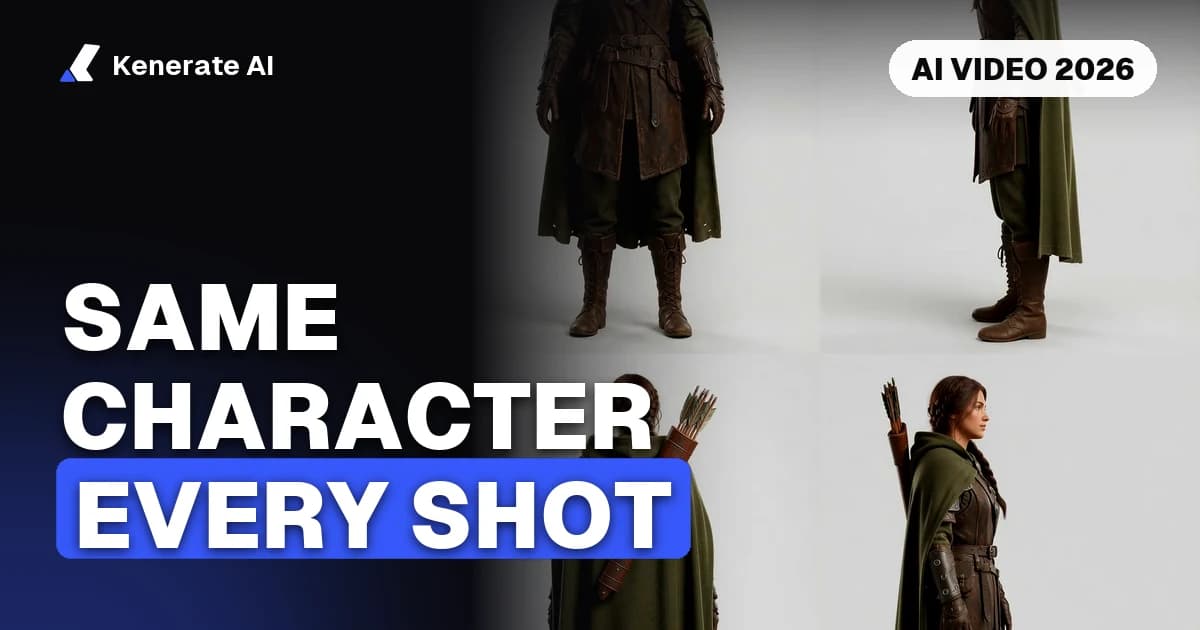
To keep the same character in every AI video shot, design the character once as a still image, turn it into a small reference sheet (front, three-quarter, side, full body), and then generate every shot from those references with image-to-video or reference-to-video instead of from text alone. Keep one fixed description block in every prompt, change only the action, setting and camera, and re-anchor each new clip on the original sheet rather than on the last frame of a clip that has already drifted. As of 22 October 2026, no video model holds a face perfectly across many clips, so plan short shots and a quick review pass.
This guide walks through the full workflow, which models on Kenerate accept reference images (and how many), a copy-and-paste prompt template, and what to do when the face, hair or outfit starts to change between shots.
Why do AI video characters change between shots?
Every generation is a fresh guess. A video model rebuilds the character from whatever you give it on that run: your text, a start frame, or a set of references. If the only input is a text description, "a woman with short silver hair and a green jacket" can come out as a hundred slightly different people, and each new clip picks one.
Drift usually comes from five places:
- The description changes. Rewording "short silver hair" as "silver bob" in the next prompt is enough to change the haircut.
- There is no image anchor. Text-to-video has nothing visual to copy, so identity is re-invented every time.
- Big camera moves. Fast pans, spins and extreme close-ups make the model redraw the face from angles it has never seen.
- Lighting jumps. A warm sunset shot followed by a cold neon shot changes skin tone, hair colour and even apparent age.
- Chaining from drifted frames. Using the last frame of clip 2 to start clip 3 copies clip 2's small errors forward, and they add up.
Magic Hour's 2026 guide makes the same point about chaining: a face that already shifted in one clip is the wrong identity source for the next one. Go back to the master reference instead.
What do you need before you start?
You need three things before you generate a single second of video:
- A master character image — one clean, well-lit picture you are happy with. This is the source of truth.
- A reference sheet — three to six views of the same character in the same outfit and lighting.
- A locked description block — two or three sentences that describe the character and never change.
There is no proven "right" number of references. Vendor guides suggest a front view, a three-quarter view and a side profile as a practical minimum, and an invideo FAQ recommends at least four images per outfit (front, side, back and a fabric close-up) when clothing detail matters. Start with four and add a view only when a shot keeps getting that angle wrong.
How do you build a character reference sheet?
Make the sheet with an image model that accepts several reference images, so every new view is generated from the master picture rather than from text.
- Generate or upload your master image in the OC maker or the image studio.
- Add the master as a reference and ask for one new view at a time: "same character, same outfit, three-quarter view, neutral grey background, soft even light".
- Repeat for the side profile, back view and a full-body shot. A character turnaround generator can lay these out as one sheet.
- Check every view against the master at full size: eye colour, hairline, scars, logos, jewellery, shoe colour.
- Throw away any view that is "almost right". A slightly wrong reference teaches the video model the wrong face.
Neutral backgrounds and flat light matter more than they seem. If the references are lit by a sunset, the video model treats orange skin as part of the character.
Which image models on Kenerate handle multi-reference best?
These limits and prices come from Kenerate's model config as of 22 October 2026 (credits at the lowest resolution tier):
| Image model | Max reference images | Credits per image (1K) | Good for |
|---|---|---|---|
| GPT Image 2.5 Sunburst | 16 | 7.2 (medium quality) | Photoreal people, fine detail, text on clothing |
| Nano Banana 2.1 | 14 | 21 | Keeping the same character or product across many edits |
| Seedream 5.0 Pro | 10 | 13.5 | Illustration, anime, stylised characters |
| Seedream 5.0 Flash | 10 | 8.1 | Fast, cheap drafts of extra views |
Nano Banana 2.1 is a strong default for the sheet because it is built around subject consistency. For anime or painted styles, Seedream tends to keep line work and palette steadier.
Image-to-video or reference-to-video: which should you use?
Both keep a character far more stable than text-to-video. They solve slightly different problems.
Image-to-video uses one picture as the first frame of the clip. Whatever is in that frame — face, outfit, framing — is exactly what the clip starts with, so identity is strongest in the first second and can loosen as the character moves. Use it when you can prepare a start frame for every shot. See the image-to-video tool.
Reference-to-video takes several images (and on some models, short clips and audio) as references rather than as a fixed first frame. The model is free to frame the shot and move the camera, but it keeps pulling identity from your sheet. Use it when the shot composition should change but the character must not. See the reference-to-video tool.
A practical rule: reference-to-video for wide, moving and multi-character shots; image-to-video for close-ups, dialogue and any shot where you already made the exact frame you want.
Which AI video models accept reference images?
These are the video models on Kenerate with a reference-to-video mode, from video-models.ts as of 22 October 2026. Credits are per second of output at the listed resolution.
| Video model | Max reference images | Max reference clips | Length | Credits per second |
|---|---|---|---|---|
| Seedance 2.5 | 30 | 3 | 4–30 s | 54 at 480p, 108 at 720p |
| Seedance 2.0 | 9 | 3 | 4–15 s | 36 at 480p, 72 at 720p |
| Wan 3.0 | 10 | 5 | 2–30 s | 15 at 480p, 30 at 720p, 60 at 1080p |
| MiniMax H3 | 9 | 3 | 3–15 s | shown in the studio |
| Pixverse v6 | 10 | 2 | 1–15 s | shown in the studio |
| Grok Imagine 1.5 | 7 | — | 1–15 s | shown in the studio |
| Veo 3.1 | 3 | — | fixed 8 s in reference mode | shown in the studio |
Kling 3.0 is also on Kenerate, but only in text-to-video and image-to-video modes — so with Kling you anchor identity through the start frame, not a reference set. Silent Kling 3.0 Pro costs about 33.6 credits a second, or 50.4 with sound.
Google's own Veo 3.1 announcement describes reference images the same way: up to three images of a character, object or scene to guide the clip. Seedance 2.0's 9-image, 3-clip, 3-audio reference limit is documented by ComfyUI and several API hosts.
How to choose:
- Long, multi-shot scenes with lots of angles: Seedance 2.5 — the most reference slots (30) and up to 30 seconds per clip.
- Short, expressive shots and dialogue: Seedance 2.0 at 4–15 seconds.
- Cheap drafts while you lock the look: Wan 3.0 at 480p. A 5-second draft costs 75 credits, versus 360 for the same draft on Seedance 2.0 at 720p.
Step-by-step: the same character in every shot
- Write a shot list. One line per shot: action, place, camera, length. Keep most shots at 4–8 seconds.
- Lock the description block. Write it once and paste it unchanged into every prompt.
- Attach the sheet. Load the same reference images into every generation. Do not swap in a different "better" picture mid-project.
- Draft cheap. Run each shot at 480p on Wan 3.0 or Seedance 2.0 first. You are checking identity and motion, not detail.
- Review at full size. Pause on the frames where the head turns or the light changes. Those are where drift shows first.
- Re-render the keepers at 720p or 1080p on your final model with the same references and the same prompt.
- Need a new angle? Generate a new still from the master with your image model, check it, then use it as the start frame. Don't pull it from a drifted clip.
- Join and grade. Cut the shots together and apply one colour grade over the whole sequence, which hides small lighting differences between clips.
What prompt template keeps a character consistent?
Split every prompt into a fixed part and a changing part. Only the second half changes from shot to shot.
Fixed (identical in every shot):
Mira, a woman in her early thirties with short silver hair, a thin scar through her left eyebrow, amber eyes, wearing a dark green field jacket, black cargo trousers and white trainers. Same face, hair and outfit as the reference images.
Changing (per shot):
Action: she checks a paper map, then looks up. Setting: rainy street at night, neon signs. Camera: medium shot, slow push-in. Lighting: cool blue key light, soft rim from the signs.
A few habits help:
- Name the character and reuse the name. It gives the model a stable handle when you also attach references.
- Describe one or two distinctive marks (a scar, a pin, a hair clip). They are easy to check and hard for the model to ignore.
- Keep the outfit identical unless the story needs a change — and if it does, build a second sheet for the new outfit.
- Avoid "cinematic" adjectives that imply new looks ("rugged", "glamorous") in the changing part.
How do you fix character drift?
| Symptom | Likely cause | Fix |
|---|---|---|
| Face changes when the head turns | No side or three-quarter reference | Add the missing angle to the sheet and re-render |
| Outfit colour shifts | Lighting differs from the references | Match shot lighting to the sheet, or grade in post |
| Hair length or style changes | Description reworded | Paste the locked block back in, word for word |
| Gets worse each clip | Chaining from previous clip's last frame | Re-anchor on the master reference |
| Face melts in fast action | Camera or motion too aggressive | Slow the camera, shorten the clip, split the action into two shots |
| Two characters swap features | Both share one reference set | Give each character a separate sheet and name |
If one shot still won't hold, change the shot rather than fighting the model: a wider frame, a back view or an over-the-shoulder angle often reads as the same person even when a close-up would not.
What are the limits in 2026?
Reference-based models are a big step up from text-only video, but they are not perfect. Starpoint's mid-2026 guide puts it plainly: no current model keeps a character perfectly consistent across many clips, and small differences in facial features, clothing and proportions are normal. Expect to re-roll some shots and to do light editing.
Two other practical limits:
- Real people. Some providers block uploads that contain realistic human faces, and you should only use photos of people who have agreed to it. Original characters avoid both problems.
- Model switching. Consistency is strongest when every shot comes from the same model. Mixing Seedance shots with Wan shots changes rendering style even with identical references, so finish a scene on one model.
Key points to remember
- Design the character once as a still, then build a 3–6 view reference sheet from it.
- Generate every shot with image-to-video or reference-to-video, never text alone.
- Keep one locked description block; change only action, setting, camera and light.
- Re-anchor on the master reference, not on the last frame of a drifted clip.
- Draft at 480p, review at full size, then render the keepers once.
Sources
- Introducing Veo 3.1 and new creative capabilities in the Gemini API — Google Developers Blog
- Seedance 2.0 is now available in ComfyUI — Comfy blog
- How to keep characters consistent in AI video (2026) — Magic Hour
- Character consistency in AI video — Starpoint
- How many reference images do you need for consistent AI outfits? — invideo