

Original characters · reference sheet · same OC in new scenes
AI OC Maker — design your original character once, keep it everywhere
Describe your OC — look, outfit, personality, style — and get a finished design. Then reuse it as a reference to make a character sheet with expressions and drop the same character into new scenes for your story, roleplay or comic.
- Anime or realistic
- Reference sheet + expressions
- Same OC in new scenes
- No watermark
Updated by the Kenerate AI team
Made with Kenerate
On this page
Quick answer
How do you make an original character (OC) with AI?
An AI OC maker turns a description of your original character into finished art, then keeps that character the same in every new image. On Kenerate AI you write the OC's look, outfit and style, generate a design you like, and upload it as a reference: Nano Banana 2.1 (up to 14 reference images) redraws the same character as a reference sheet or in a new scene. In our test, one anime sorceress became a front/side/back sheet with four expressions and a library scene, with her hair, eyes and outfit kept.
Key facts
- Steps
- Design → reference sheet → new scenes
- Consistency model
- Nano Banana 2.1 (Google), up to 14 references
- Our test
- 1 OC, 1 sheet, 1 new scene — one try each
- Kept
- Hair, eye colour, dress, cloak, belt, bracers
- Drifted
- Added a small circlet; printed labels on the sheet
- Styles
- Anime, 3D, watercolour, oil and more
- Free start
- 25 starter credits on sign-up
- Watermark
- None
Gallery
One OC: design, sheet, scene and styles
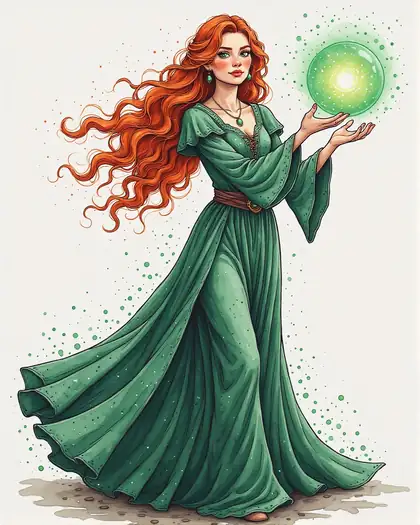
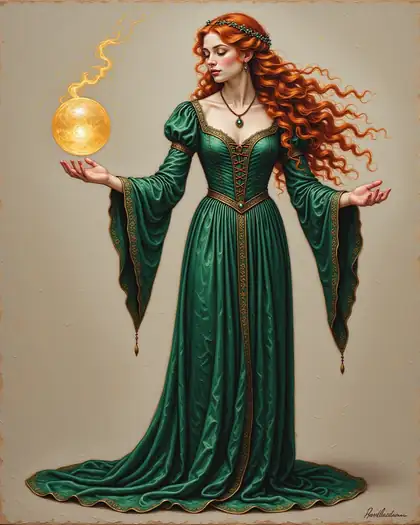
The design and style tiles come from our Chroma style test; the sheet and the library scene are Nano Banana 2.1 edits with the anime design as the only reference, one try each. Open any one to copy the prompt.
Same prompt
The design, then the same OC twice more
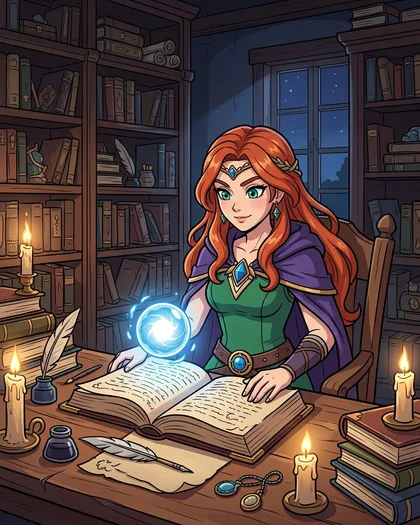
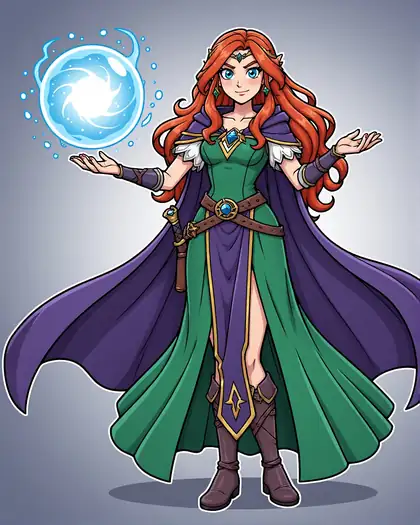
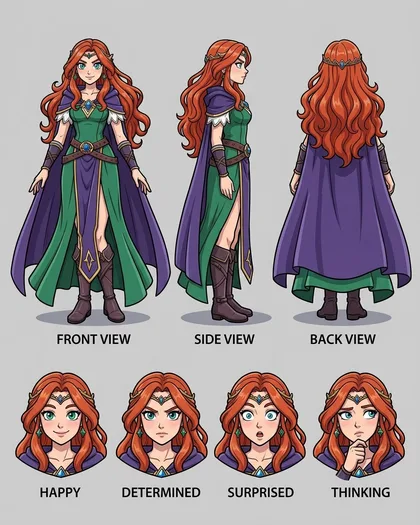
One image in, two new ones out. Hair, green eyes, dress, cloak, belt and bracers carried over. Two things drifted: a small circlet appeared on her head, and the sheet printed view and expression labels although the prompt said no text.
PromptPut this same original character in a new scene … Keep her design identical — same long wavy red hair, green eyes, green dress, purple cloak, brown belt and bracers — and the same anime cel-shaded style.
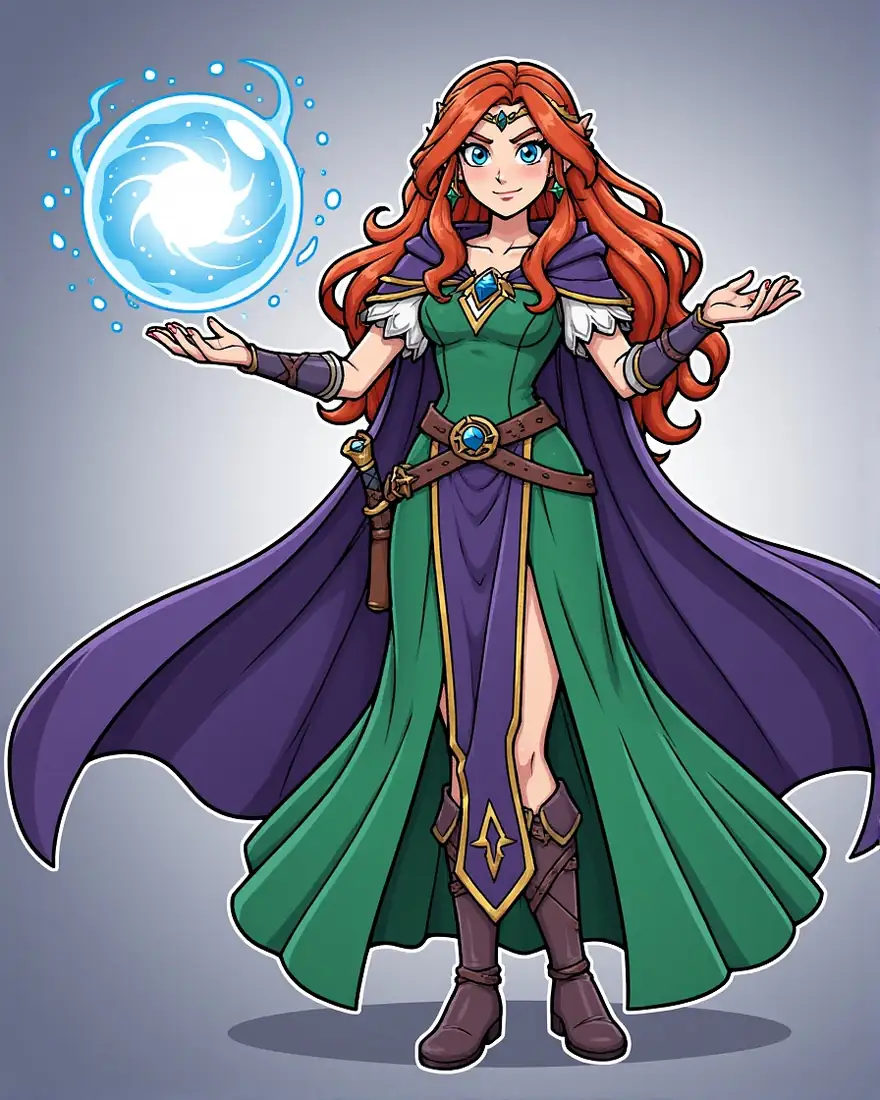 OC designInput
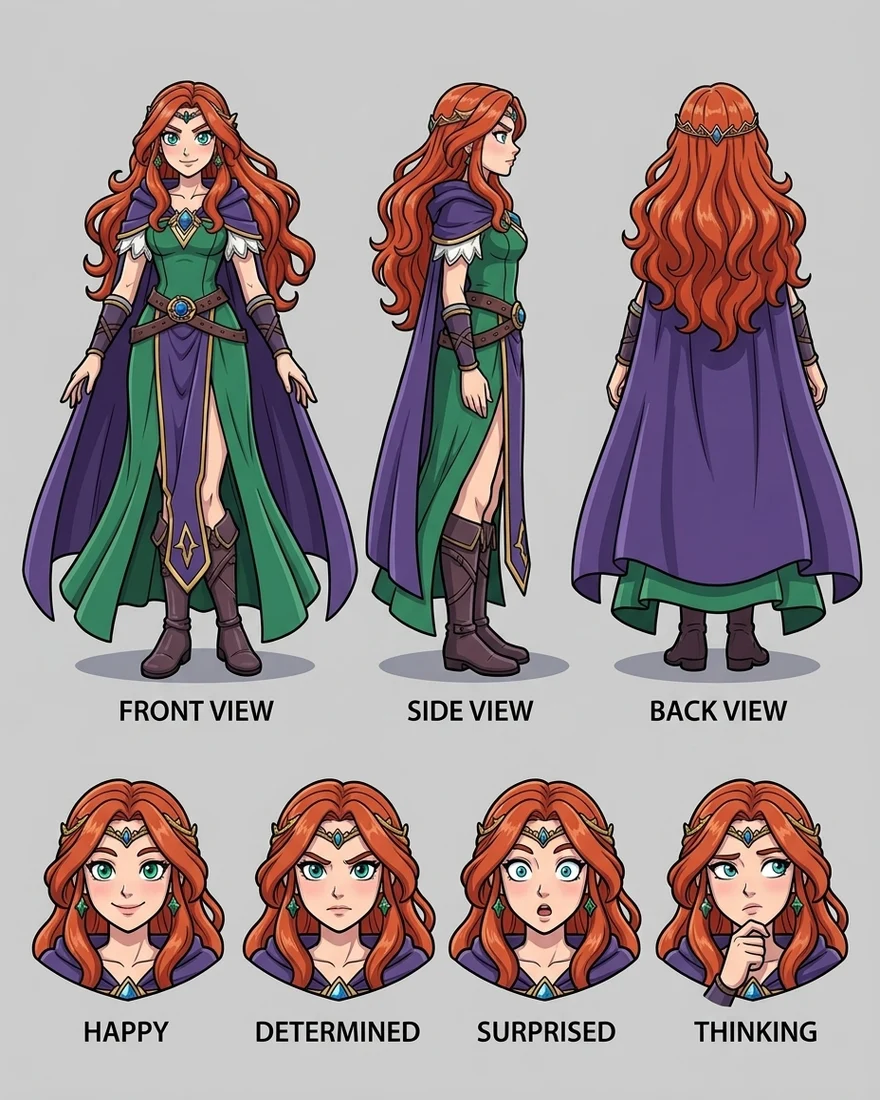 Reference sheetNano Banana 2.1
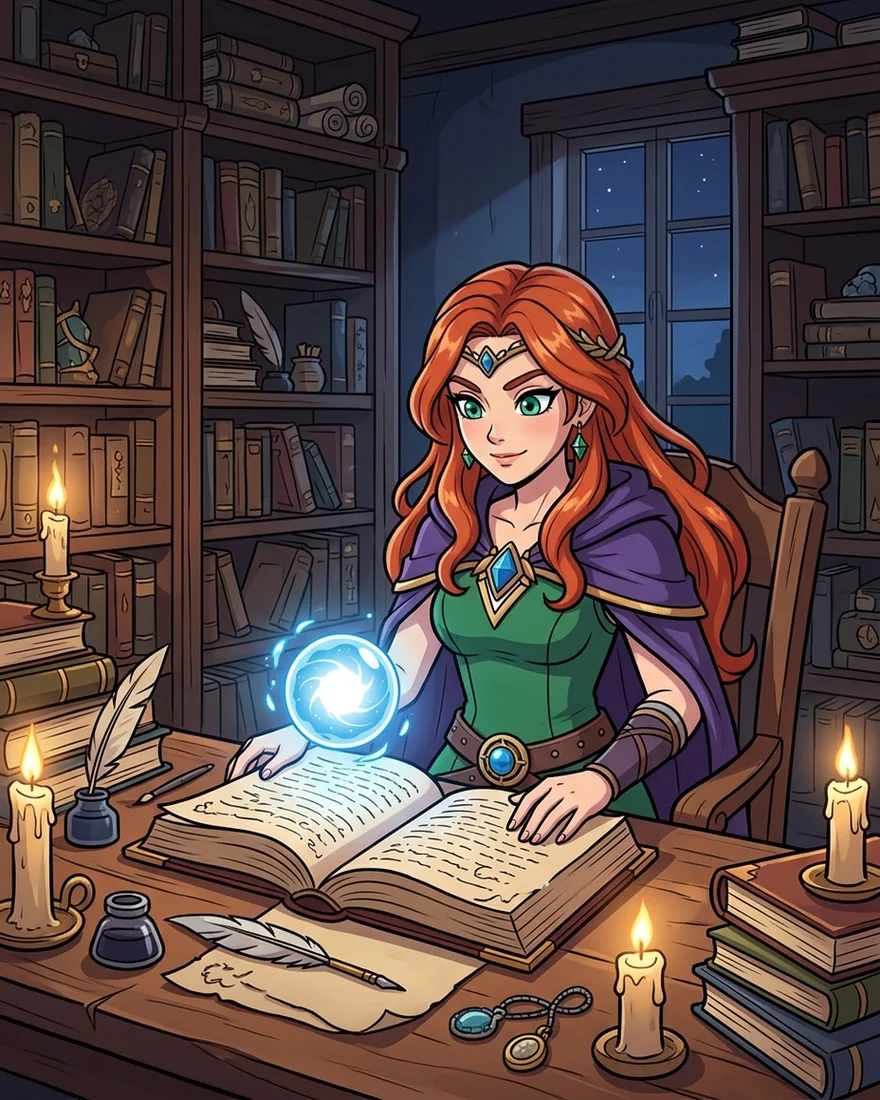 New sceneNano Banana 2.1
How to
How to use the AI oc maker
- Time needed
- Steps
- 4 steps
Step 1
Write your OC
Name, role, look (hair, eyes, build), outfit colours, one or two signature items, and the art style. Sign in free for 25 starter credits.
Step 2
Generate the design
Make a few full-body options on a plain background and keep the one that feels right.
Step 3
Make a reference sheet
Upload the design to Nano Banana 2.1 and ask for front, side and back views plus expressions.
Step 4
Put your OC in scenes
Keep the design as a reference and describe the new scene — the character stays the same.
See it in the app

Open Image Studio and type what you want to see — subject, style, lighting and mood.


Watch the tour · 1:23
Prompts, styles, references, edit, Arena & chat
Chapters
Tips
Keep your OC on-model
What worked in our test, and what to watch for.
Settle the design first: one full-body image, plain background, the whole outfit visible.
Upload that image as a reference for every new picture — don't rely on the text alone.
List the signature details in the prompt: hair, eye colour, outfit colours, accessories.
Say “keep her design identical” and name the art style again (e.g. anime cel-shaded).
Make a reference sheet early, then use it as an extra reference for harder poses.
Check small accessories — models can add or drop them; regenerate or edit if one drifts.
Models
Models for original characters
What each model is good at. Open any one straight in the generator.
Google
Nano Banana 2.1
- Reference images
- Up to 14
- Output
- Up to 4K
Open Nano Banana 2.1Best for
Made our sheet and scene from one reference

ByteDance
Seedream 5.0 Pro
- Reference images
- Up to 10
- Output
- Up to 2K
Open Seedream 5.0 ProBest for
Polished illustration and anime designs

OpenAI
GPT Image 2.5 Sunburst
- Reference images
- Up to 16
- Output
- 1K–4K
Open GPT Image 2.5 SunburstBest for
Most references; good with text on sheets
Neta
Neta Lumina
- Reference images
- Text only
- Output
- 1K
Open Neta LuminaBest for
Anime first designs from a prompt
FAQ
AI OC Maker questions
8 questions
What is an OC maker?
An OC (original character) maker helps you design a character of your own — for a story, roleplay, comic, game or VTuber persona. Dress-up apps let you pick parts from a fixed set; an AI OC maker draws the character from your description in any style, then lets you reuse it as a reference to keep it consistent.
Link to this answerHow do I make an OC with AI?
Write the OC's look, outfit, personality and art style, generate a full-body design on a plain background, and keep the best one. Then upload it as a reference on Nano Banana 2.1 and ask for a reference sheet or a new scene. Our anime sorceress stayed recognisable in both.
Link to this answerHow do I keep my OC consistent across images?
Always attach the design as a reference, repeat the signature details in the prompt (hair, eye colour, outfit colours, accessories), and say “keep her design identical”. Nano Banana 2.1 takes up to 14 references, so you can add the reference sheet and earlier scenes as well. Check small accessories — in our test a circlet appeared that the original didn't have.
Link to this answerCan it make a character reference sheet?
Yes. Ask for front, side and back views plus a row of expressions on a plain background. Our one-try sheet showed three full-body views and four expressions in the same anime style. For an exact four-angle turnaround of one image, the Character Turnaround tool walks the camera around your character in a single run.
Link to this answerCan I make an anime OC, like a Demon Slayer-style OC?
You can make an anime-style OC in a look inspired by a genre — name the art style, era and outfit details in your own words, for example “anime cel-shaded swordsman in a patterned haori”. Design your own character rather than copying an existing one; trademarked characters belong to their owners.
Link to this answerCan I make a realistic OC instead of anime?
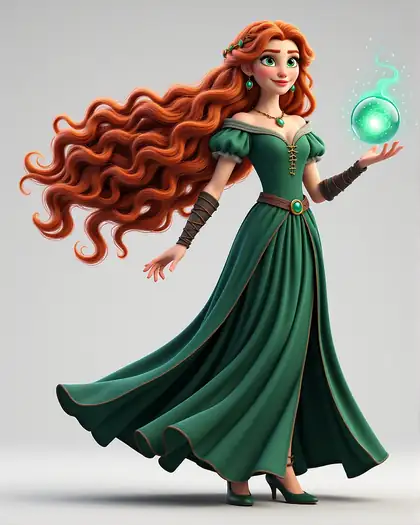
Yes — change the style line. The same sorceress on this page appears as anime, 3D, watercolour and oil painting with only the style changed. Decide the style early, because it changes proportions, line and colour, then keep that style word in every prompt.
Link to this answerIs the OC maker free?
Free to start: a new Kenerate account gets 25 starter credits on sign-up, with no subscription needed. After that, credits come from one-time packs. Downloads carry no watermark.
Link to this answerCan AI write my OC's backstory too?
This page is about the art. Write the backstory yourself or with any chat assistant, then pull the visual details from it — role, home, signature item — into the image prompt so the art matches the story.
Link to this answerIn depth
AI OC Maker, explained
What works, what to avoid, and how to pick a model.
On this page
What goes into an OC prompt
A good OC prompt reads like a character bio boiled down to what the eye can see. Six to ten clear details are enough:
- Art style first: “anime cel-shaded”, “3D animated film”, “watercolour”.
- Role or archetype: sorceress, courier, knight, detective, pilot.
- Look: hair colour and length, eye colour, build, one distinctive feature.
- Outfit: two or three colours and materials, plus accessories.
- A signature item that tells the story: a glowing orb, a battered map, a sword.
- Plain background for the first design, so the outfit is easy to reuse.
Design once, reuse everywhere
The hard part of an OC isn't the first picture, it's the tenth. Text alone drifts: hair changes shade, the outfit gains a pocket, the face shifts. A reference image fixes that, because the model copies the character instead of re-imagining it.
That's why the workflow on this page is design → reference sheet → scenes. The sheet gives you the side and back views you'll want later, and every new scene starts from the same reference.
What we got
One anime sorceress, two Nano Banana 2.1 edits, one try each:
- Reference sheet: front, side and back views and four expressions (happy, determined, surprised, thinking), same hair, eyes, dress, cloak and boots. It added a small circlet and printed labels.
- Library scene: the same character at a candlelit desk with a spellbook and the glowing orb, outfit and face kept, with the same circlet.