You can convert a photo to 4K or 8K, but a "converter" only changes the pixel count: a plain resize stretches the pixels you have, while an AI upscaler predicts new detail to fill the bigger frame. 4K UHD is 3840 × 2160 pixels and 8K UHD is 7680 × 4320, so the scale you need depends on your photo's size and shape. On Kenerate AI, as of 2 November 2026, the Image Upscaler's 4K setting returned about 16.8 megapixels in our measured runs (for example 5461 × 3072 from a 16:9 photo) for 3 credits.
Updated 2 November 2026. Kenerate sizes and prices come from the upscaler's settings in the app's code, which records measured output sizes.
This guide is the practical side of the question: the exact 4K and 8K target for your photo's aspect ratio, how much you need to scale from common starting sizes, which setting gets you there, and how to check the result. If you want the theory first, read Is 8K photo upscaling real? for what AI can and can't add, and How to upres a photo for print DPI in depth.
What does a "4K photo converter" actually do?
There are two very different tools behind the same name:
| Type | What happens | Result on a small photo | Example |
|---|---|---|---|
| Plain resize ("fit", "stretch", "cover") | Draws your pixels into a bigger frame with interpolation | Right size, but soft; no new detail | CodeForgeek's browser tool draws the image into a 3840 × 2160 canvas and says it doesn't reconstruct missing detail |
| AI upscaler (super resolution) | A model predicts the missing pixels from patterns it has learned | Sharper edges and texture, but some detail is guessed | Kenerate Image Upscaler, Kenerate Upscale, Ultimate Upscaler |
| Format converter (HEIC to JPG, PNG to WEBP) | Changes the file type only | Same pixel count; not 4K | Any "convert to JPG" tool |
So the first check is simple: if the tool's result has the same pixel dimensions as your original, it converted the format, not the resolution.
What size is a 4K or 8K photo in pixels?
"4K" means roughly 4,000 pixels across. The consumer standard, 4K UHD, is 3840 × 2160, a 16:9 frame; cinema's DCI 4K is 4096 × 2160. Photos are rarely 16:9, though, so the useful target is "3840 pixels on the long side" for 4K and "7680 on the long side" for 8K. Here's what that means for common photo shapes:
| Photo shape | Typical source | 4K target | 4K megapixels | 8K target | 8K megapixels |
|---|---|---|---|---|---|
| 16:9 | Screenshots, video frames, wallpapers | 3840 × 2160 | 8.3 | 7680 × 4320 | 33.2 |
| 3:2 | DSLR and mirrorless cameras | 3840 × 2560 | 9.8 | 7680 × 5120 | 39.3 |
| 4:3 | Most phone cameras | 3840 × 2880 | 11.1 | 7680 × 5760 | 44.2 |
| 4:5 | Portrait social posts | 3072 × 3840 | 11.8 | 6144 × 7680 | 47.2 |
| 1:1 | Square posts, AI renders | 3840 × 3840 | 14.7 | 7680 × 7680 | 59.0 |
| 9:16 | Phone wallpapers, Stories | 2160 × 3840 | 8.3 | 4320 × 7680 | 33.2 |
If you need an exact 3840 × 2160 file (a TV slideshow or a 16:9 wallpaper) from a 4:3 photo, you'll have to crop or add borders as well as upscale. Upscale first, then crop, so you crop from the larger file.
How much do you need to upscale your photo?
Divide the target long side by your photo's long side. A few common starting points:
| Your photo | Long side | Scale to 4K (3840) | Scale to 8K (7680) | Note |
|---|---|---|---|---|
| Old digital camera, 640 × 480 | 640 | 6× | 12× | Most of the 4K detail is predicted |
| Square social image, 1080 × 1080 | 1080 | 3.6× | 7.1× | Clean source matters most |
| Portrait social image, 1080 × 1350 | 1350 | 2.8× | 5.7× | Under 3× to 4K |
| AI render, 1024 × 1024 | 1024 | 3.75× | 7.5× | No camera noise to amplify |
| Full HD screenshot, 1920 × 1080 | 1920 | 2× | 4× | Smallest jump to 4K |
| 12 MP phone photo, 4032 × 3024 | 4032 | Already 4K | 1.9× | No 4K conversion needed |
The bigger the factor, the more the model has to invent, so judge big jumps at 100% zoom: faces, small text and fine patterns are the first things to go wrong. A photo that's already blurry needs fixing before it needs pixels: use an unblur tool first, then upscale.
How do you convert a photo to 4K with Kenerate?
- Start from the original file, not a screenshot or a chat-app copy. Every re-save throws away detail.
- Open the 4K upscaler (or the Image Upscale tool in the app) and upload your image (up to 25 MB).
- Pick an engine that reaches 4K. The default, Real-ESRGAN, always returns 2048 px, so it does not make a 4K file. Choose Image Upscaler and set 4K, or Kenerate Upscale with a megapixel size (table below).
- Run it and look at the result at 100% zoom: eyes, hair, text, straight edges.
- Crop or resize to the exact frame if you need precisely 3840 × 2160.
- Download as PNG for printing or further editing, JPG or WEBP for the web.
Here's a real conversion from our tests: a 480 px JPEG of a landscape, run through Image Upscaler at the 4K setting.

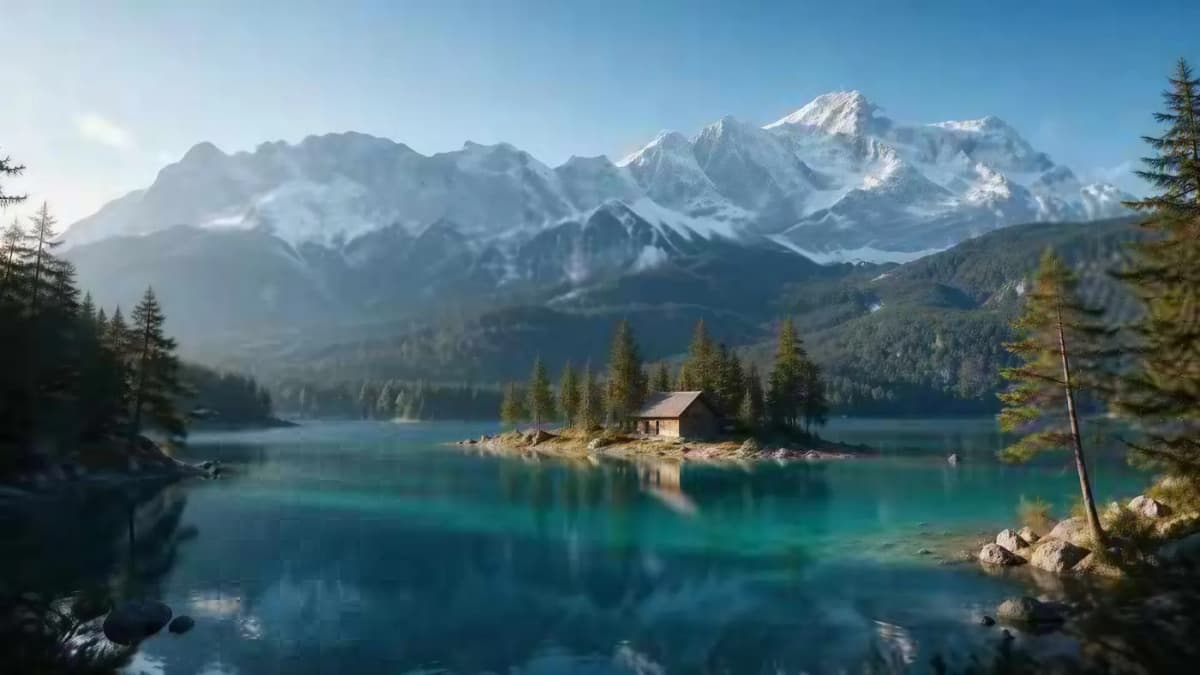
Top: the 480 px input. Bottom: Image Upscaler, 4K setting, 5461 × 3072 output (shown resized for the page).
Which Kenerate setting gives you 4K or 8K?
Kenerate's tools count a "megapixel" as 1,048,576 pixels (2²⁰), so the Kenerate Upscale tiers line up neatly with the TV standards. Sizes below are for a 16:9 photo; other shapes keep their own proportions at the same pixel count. Credits are from the app's upscaler settings, as of 2 November 2026.
| Goal | Engine and setting | Output (16:9 photo) | Credits |
|---|---|---|---|
| About 4K UHD exactly | Kenerate Upscale, 8 MP | About 3862 × 2172 | 3 |
| 4K for 3:2, 4:3 or square photos | Kenerate Upscale, 16 MP | Covers the 4K targets in the first table | 6 |
| Generous 4K, any shape | Image Upscaler, 4K | Measured 5461 × 3072 (4:3: 4730 × 3547; 4:5: 3664 × 4579; 1:1: 4096 × 4096) | 3 |
| About 8K UHD exactly | Kenerate Upscale, 32 MP | About 7724 × 4344 | 12 |
| 8K for 3:2, 4:3 or square photos | Kenerate Upscale, 64 MP | Covers the 8K targets in the first table | 18 |
| 8K, standard setting | Image Upscaler, 8K | At least 8192 px on the long side (measured: a 512 px image came back at 8192 px) | 3 |
| Higher-quality restoration at 4K or 8K | Ultimate Upscaler, 4K or 8K | Same targets as Image Upscaler | 18 |
All of these are "faithful" engines that try to keep your photo as it is. For artwork where you'd welcome new texture, Clarity Pro has a creativity dial (9 credits per output megapixel); keep it low on faces, because higher settings changed age, hair and glasses in our tests. For a one-click tool that turns small phone and social pictures into HD, the HD photo converter covers the common sizes, and the 8K image upscaler page goes deeper on 8K.
Can you convert a photo to 4K or 8K for free?
Plain-resize converters are free but don't add detail. AI converters usually give a small free allowance. On Kenerate, the image upscaler runs on credits rather than a plan lock, and a new account (with a verified email) gets 25 credits: enough for about eight 4K or 8K conversions with Image Upscaler at 3 credits each. After that, credit packs start at $15 for 1,300 credits.
How big will a 4K or 8K photo print?
Printed size is pixels divided by DPI. At 300 DPI, the common standard for prints viewed up close:
| File | Size at 300 DPI | Size at 150 DPI |
|---|---|---|
| 4K, 16:9 (3840 × 2160) | 12.8 × 7.2 in | 25.6 × 14.4 in |
| 4K, 4:3 (3840 × 2880) | 12.8 × 9.6 in | 25.6 × 19.2 in |
| 8K, 16:9 (7680 × 4320) | 25.6 × 14.4 in | 51.2 × 28.8 in |
| 8K, 4:3 (7680 × 5760) | 25.6 × 19.2 in | 51.2 × 38.4 in |
A 4K file already covers most home prints and posters. 8K earns its place for large posters, banners and backdrops viewed from a distance. Check your print lab's own spec sheet, which may ask for extra pixels for bleed.
How big is a 4K or 8K file?
Before compression, an 8-bit RGB image takes 3 bytes per pixel: about 24.9 MB for 3840 × 2160 and about 99.5 MB for 7680 × 4320. The JPG, PNG or WEBP you download is much smaller, by an amount that depends on the picture and the format. PNG keeps every pixel and is larger: Kenerate's upscaler warns that an 8K PNG runs 60 to 100 MB, and its Auto format saves PNG up to 2K or 8 MP and JPEG above that. JPG and WEBP are smaller and fine for screens; WEBP tops out at 16,383 px a side.
What are the most common mistakes?
- Using the default engine and expecting 4K. Real-ESRGAN returns 2048 px. Pick a 4K or 8K setting.
- Upscaling a screenshot of a photo. Compression blocks get treated as detail. Find the original.
- Going straight to 8K from a tiny image. A 12× jump mostly produces guessed texture. Try 4K first and judge.
- Cropping before upscaling. Crop the large file instead, so you keep more pixels.
- Not checking at 100%. Faces, text and patterns can look fine zoomed out and wrong up close.
- Converting the format and calling it 4K. HEIC to JPG doesn't change the resolution.
The bottom line
To convert a photo to 4K, aim for 3840 pixels on the long side (or exactly 3840 × 2160 for a 16:9 frame), and for 8K, 7680. Work out the scale from your original, use an AI upscaler rather than a plain resize, and pick a setting that actually reaches the target: on Kenerate, Image Upscaler at 4K or 8K, or Kenerate Upscale at 8 MP for 4K and 32 MP for 8K on a 16:9 photo. Then check at 100% before you print or publish.