The best GoEnhance AI alternative depends on which part of GoEnhance you actually use. For viral video effects and VFX templates, look at Higgsfield. For the strongest in-house video models and editing, try Runway. For talking avatars and video translation, HeyGen is the specialist. If you want one studio that covers video plus music, voice, avatars, 3D and an AI film agent, Kenerate AI is a solid all-in-one option.
GoEnhance is a capable platform, so this isn't a "GoEnhance is bad" list. Below you'll find what GoEnhance offers today, six alternatives worth testing, a comparison table, and a short test brief you can run on any of them before you move your workflow.
What GoEnhance AI does well in 2026
Before you look for a GoEnhance AI alternative, be clear on what you would be replacing. According to its official site, GoEnhance covers:
- Video generation: text-to-video, image-to-video and video-to-video (style transfer, such as anime conversion).
- Face and avatar tools: face swap, AI talking avatars and character animation, plus lip-sync.
- Enhancement: video upscaling, image upscaling and old-photo restoration.
- Effects: a large library of 100+ video effects and templates built for short-form social clips.
- A multi-model catalog: video models such as Wan 3.0, Kling 3.0, Veo 3.1, Sora 2, Seedance 2.0/2.5 and MiniMax H3, and image models such as GPT Image 2.5, Nano Banana Pro, Seedream 5.0, FLUX.2 and Qwen Image 3.0.
- Audio: an AI music generator for songs or instrumentals, and text-to-speech.
- Developer access: a documented REST API with endpoints for video-to-video, face swap, text-to-image and effects (API docs).
That is a broad toolkit. People usually switch for one of four reasons: they want a different model lineup, a deeper workflow (story, ads, 3D), a different credit model, or a specialist that goes further in one area such as avatars.
GoEnhance AI alternatives at a glance
| Tool | Best for | Own models? | Effects / templates | Audio | Stand-out extra |
|---|---|---|---|---|---|
| Kenerate AI | One studio for video, image, music, voice, avatars and 3D | Yes (Ken 1 video, Ken Music) plus third-party models | Ads and marketing studios | Ken Music, ElevenLabs voice | Director AI film agent, 3D on Pro/Elite |
| Higgsfield | Viral VFX templates and cinematic presets | Third-party models plus own tools | Yes, large VFX library | Not a focus | Cinema Studio, motion transfer |
| Runway | Premium in-house video models and editing | Yes (Gen-4.5, Aleph) | Limited | Audio tools | Developer API, world models |
| OpenArt | Consistent characters and short stories | Third-party models | Some | Music, voiceover, SFX | Director storyboarding, Character Builder |
| Krea | Real-time image generation and heavy upscaling | Yes (Krea 2) plus third-party | No | Not a focus | Upscaling, LoRA training, 3D |
| HeyGen | Talking avatars and video translation | Yes (Avatar V) | No | Voice and dubbing | 175+ languages for translation |
Model lists change fast. Treat the table as a starting point and check each official site before you commit.
The best GoEnhance AI alternatives, tool by tool
1. Kenerate AI — an all-in-one studio beyond video
What it is: Kenerate AI is a single studio for AI image, video, music, voice, avatars and lip-sync, 3D, upscaling, background removal, editing, ads and marketing, plus Director, an AI film agent that plans multi-shot projects.
Best for: creators who use GoEnhance for video but keep paying for separate music, voice or 3D tools.
Strengths:
- Video models: Ken 1 (Kenerate's own model: 1080p, up to 15 seconds, text or image input), Seedance 2.0 / 2.5, Veo 3.1 with native sound, Kling v3 Pro / 4K, Wan 3.0 / Wan 3 Prime, Sora 2 Pro, MiniMax H3 / H3 Pro, Vidu Q3, LTX 2.5, Pixverse v6 and more.
- Image models: Seedream 5.0 Pro, GPT Image 2 / 2.5, Nano Banana 2, Qwen Image 3.0, Flux 2 Pro / Max, Ideogram v4, Recraft V4.1 and others.
- Audio: Ken Music 1 for ~30-second clips and Ken Music 1.5 for full songs with vocals in many languages, plus ElevenLabs-powered narration and video dubbing.
- Avatars and lip-sync: OmniHuman 1.5, Kling Avatar 2 Pro, InfiniteTalk, Sync Lipsync 3 and others in the AI lip-sync generator.
- 3D: Tripo, Meshy, Rodin and Hunyuan 3D models on the Pro and Elite plans.
- Credits: 25 free credits on sign-up, and credits never expire.
Limits: with this many studios and models there's a learning curve, generation requires an account, and 3D generation sits on the Pro and Elite plans.
Where to start: the Kenerate Video Studio.
2. Higgsfield — effects, presets and cinematic camera moves
What it is: Higgsfield describes itself as an AI-native creative suite with video generation, a library of visual-effects templates, Cinema Studio, motion transfer and a creative agent. It gives access to about 30+ third-party models, including Sora 2, Kling 3.0, Veo 3.1 and Seedance 2.5.
Best for: GoEnhance users who mainly use effects and viral templates.
Strengths: a large, trend-driven VFX template library; camera-movement presets; web and mobile apps; an API and an MCP integration for agent workflows.
Limits: music and audio generation are not a focus on its homepage, so plan on a separate tool for soundtracks.
3. Runway — in-house video models and editing
What it is: Runway builds its own models, including Gen-4.5 for video generation and Aleph for video editing, plus research world models. Runway Creative covers video, image and audio, and Runway Dev offers API access.
Best for: filmmakers and agencies who care most about motion quality and editing existing footage.
Strengths: first-party models, editing tools that change existing clips rather than only generating new ones, team plans and a developer platform.
Limits: it is a premium, video-first tool; there's no viral-effects library like GoEnhance's.
4. OpenArt — characters, storyboards and short stories
What it is: OpenArt is an all-in-one platform for image, video, audio and 3D worlds, with a chat-based Director for storyboarding, a Character Builder for reusable characters, and models like Seedance 2.5, Veo 3, Nano Banana Pro, GPT Image 2, Kling 3.0 and Sora 2.
Best for: creators making recurring-character content, short films and music videos.
Strengths: character consistency across scenes, video up to 15 seconds in 4K, voiceovers in 30+ languages with lip-sync, music and sound effects.
Limits: fewer face-swap and novelty effects than GoEnhance. If you want a deeper look, read our OpenArt alternative guide.
5. Krea — real-time generation, upscaling and training
What it is: Krea offers real-time image generation, its own Krea 2 model alongside third-party models (Flux, Veo 3.1, Kling, Runway, Luma, Ideogram and more), image upscaling up to 22K, video upscaling to 8K, LoRA training and text- or image-to-3D.
Best for: designers who use GoEnhance mainly for upscaling or want fast, interactive image work.
Strengths: speed, enhancement tools and custom style training.
Limits: it isn't built around avatars, face swap or viral effects.
6. HeyGen — avatars and video translation
What it is: HeyGen is a specialist for AI presenters. Its Avatar V model focuses on identity consistency, and its translation tool covers 175+ languages and dialects with lip-sync.
Best for: GoEnhance users whose main job is talking-head video, training content or multilingual dubbing.
Strengths: depth in one category, identity-verification safeguards and script-driven delivery controls.
Limits: it's not a general image or cinematic video generator. If avatars are your main use, compare it with our HeyGen alternative page.
How to match an alternative to your GoEnhance workflow
Pick the tool that is strongest at the feature you use most often, not the one with the longest feature list.
| If you use GoEnhance mainly for… | Start with | Why |
|---|---|---|
| Viral effects and templates | Higgsfield | Largest effects-first workflow |
| Anime or style-transfer video-to-video | Runway, Kenerate | Aleph editing; Kenerate's video-edit studio and video-to-video AI |
| Talking avatars and lip-sync | HeyGen, Kenerate | HeyGen for presenters; Kenerate for avatars plus everything else |
| Image-to-video for social posts | Kenerate, OpenArt | Wide model choice, including Seedance and Kling |
| Upscaling and restoration | Krea, Kenerate | Krea for extreme resolutions; Kenerate's AI video upscaler |
| Music for your clips | Kenerate, OpenArt | Built-in music engines next to video |
Run the same test brief on every shortlist tool
The fairest way to compare a GoEnhance AI alternative is to run identical prompts on each platform and judge the results side by side. Use the same source image, the same aspect ratio and the same clip length.
Test 1 — image-to-video motion:
AI Prompt RecipeFlux.1 Pro16:9“Slow dolly-in on a ceramic coffee cup on a wooden cafe table, morning sunlight through the window, steam rising gently, shallow depth of field, warm color grade, 9:16, 5 seconds”
Test 2 — character consistency:
AI Prompt RecipeFlux.1 Pro16:9“A young explorer in a mustard-yellow raincoat walks through a misty pine forest, camera tracks from the side, same character in close-up turning toward camera, cinematic 16:9, soft overcast light”
Test 3 — style transfer:
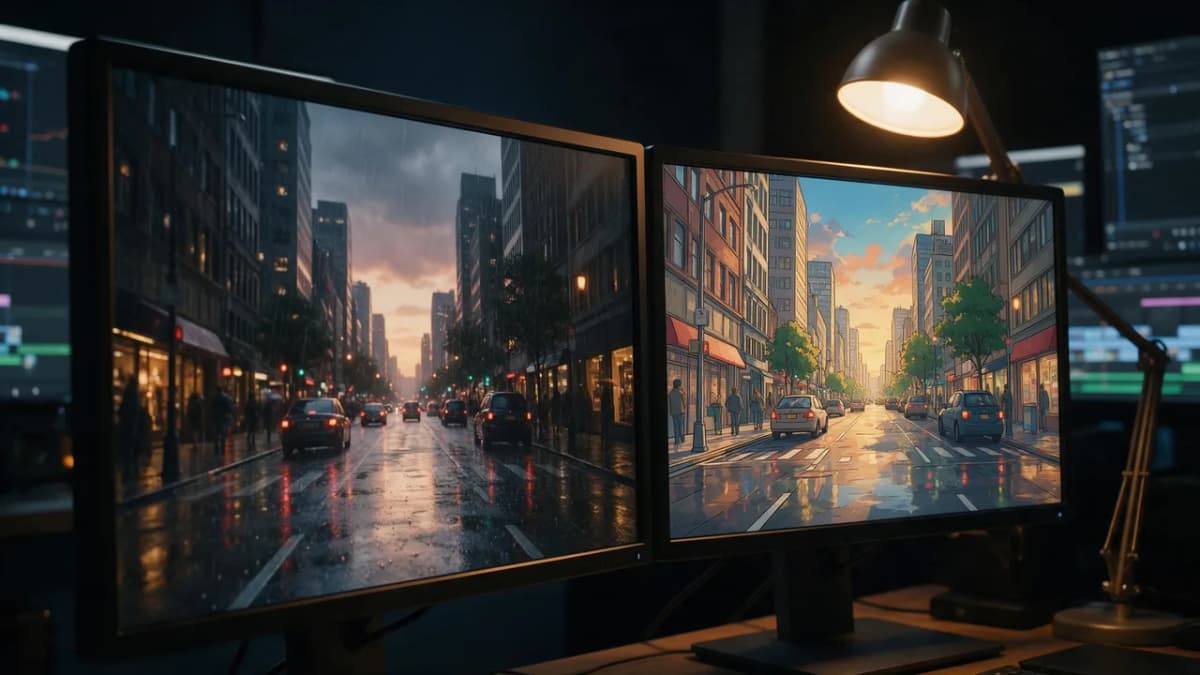
AI Prompt RecipeFlux.1 Pro16:9“Restyle this city street clip as hand-painted 2D anime: clean line art, soft cel shading, pastel sky, keep the original camera motion and timing”
Score each output on motion quality, prompt adherence, artifacts and how many attempts it took. Write the scores down; memory is a poor judge after twenty generations.
What to check before you switch
- Credits and expiry: does the platform reset unused credits monthly, or do they carry over? On Kenerate, credits never expire. For everyone else, read the pricing page.
- Commercial use: read each platform's terms for ownership and commercial rights. Don't rely on a blog summary, including this one.
- Model versions: "Kling" or "Veo" on a pricing page can mean an older version. Check the exact model name in the app.
- Content rules: every platform has a content policy. Read it before you build a client workflow around a feature.
- Export quality: confirm resolution, frame rate and whether downloads carry a watermark on your plan.
Bottom line
GoEnhance AI is a broad, effects-heavy video platform with music, TTS and an API, so the right alternative depends on your main use. Higgsfield fits effects-first creators, Runway suits premium video editing, OpenArt is strong on characters and stories, Krea on speed and upscaling, and HeyGen on avatars. If you want video, image, music, voice, avatars and 3D in one place, with credits that never expire, Kenerate AI is worth testing with the brief above. For a broader view of the market, see our Higgsfield alternatives roundup.