Best Higgsfield Alternatives for AI Image and Video Creation
Higgsfield has become one of the go-to names for cinematic AI video — image-to-video generation, dynamic camera moves, and social-ready clips that made it popular with short-form creators fast. The traction is real: Higgsfield closed an $80 million Series A extension in January 2026 at a $1.3 billion valuation, with backers including Accel, GFT Ventures, and Menlo Ventures, as widely reported at the time.
But most creative work doesn't stop at video. The same afternoon that needs a cinematic clip usually also needs a product shot cleaned up, a background removed, a set of ad variations, or a soundtrack to go under the final cut — and that's usually the point where people start looking for something broader.
A quick warning: Higgsfield dropped its free tier in its late-2025 pricing restructure, so trying it now means picking a paid plan (Starter, Plus, Ultra, or a per-seat Business tier) before you've generated anything. Annual billing is also the default at signup, and credit costs swing a lot between standard and premium models — worth checking before you commit.
🎬 Try Kenerate AI Free — No Card Needed
What a Real Higgsfield Alternative Needs to Cover
- More than just video. A typical creative week involves generating images, editing photos, building product visuals, and animating a still into a clip — often for the same project. A platform that handles all of it in one place cuts out the tool-switching that eats into actual production time.
- Honest pricing, not just a headline number. Credit costs, plan tiers, and whether unused credits roll over matter more than the sticker price. A platform worth trying should let you test the workflow before you're locked into an annual plan.
- A short ramp-up time. Reviews on Higgsfield are split between "clean and quick to learn" and "confusing for newcomers figuring out which mode fits the shot." If you're handing a tool to a new team member, that inconsistency is worth weighing.
- Room for marketing production, not just experimentation. Product ads, social campaigns, and brand visuals need a tool built for repeatable output, not just one-off cinematic effects.
- One account instead of five. Juggling separate logins for image, video, music, and editing tools adds friction that a genuinely all-in-one platform is supposed to remove in the first place.
Best Higgsfield Alternatives
1. Kenerate AI — Best All-in-One AI Image, Video, and Audio Platform
Best for: creators, marketers, and teams who need a full creative workflow instead of one piece of it.
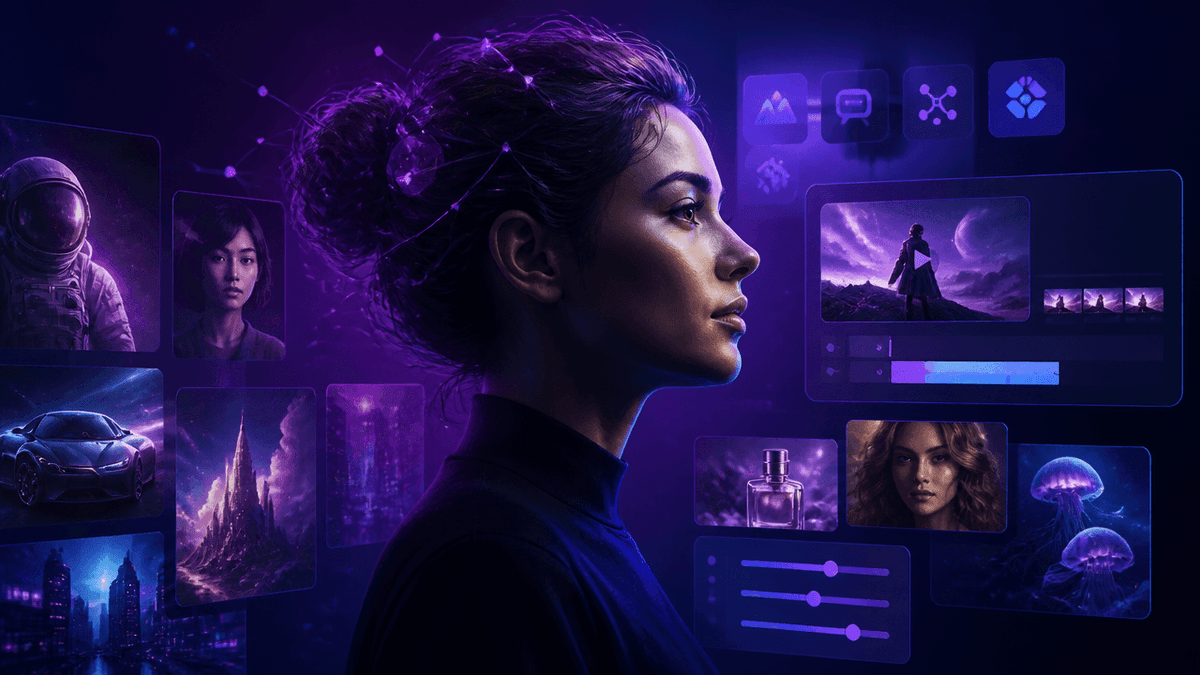
Kenerate AI puts image generation, video generation, music creation, 3D, and ad production behind a single login, with access to 500+ AI models and 50+ tools instead of one narrow feature set. You can generate an image, upscale it, remove the background, turn it into a video, and drop a synced soundtrack under it — all without re-uploading anything or paying for four separate subscriptions. See Kenerate AI Pricing for plan details.
🖼️ Generate Images on Kenerate AI 🎥 Create AI Video on Kenerate AI 🎵 Make an AI Music Video
2. OpenArt — Best for Combined Image and Video Workflows
Best for: creators who want image generation and image-to-video in the same dashboard.
OpenArt covers text-to-image generation, photo editing, and image-to-video conversion under one platform, with a credit-based free tier to start. It's a solid pick if your workflow leans heavily on turning generated images into short clips, though it covers fewer adjacent formats — music, 3D, ad-specific templates — than a broader creative suite.
3. Runway — Best for Professional Video Production
Best for: filmmakers and advanced video editors.
Runway is one of the most established names in AI video, built around text-to-video, image-to-video, and AI-assisted editing on footage you've already shot. If your work is centered specifically on professional video post-production, it's a strong dedicated tool — though it doesn't cover image generation or marketing-asset production the way a broader platform does.
4. Kling AI — Best for Realistic AI Video
Best for: natural motion and cinematic realism.
Kling AI has built a reputation on realistic movement and detailed environments, making it a solid pick for creators whose priority is video realism specifically. It's a narrower tool than an all-in-one platform, focused on one strength rather than a full creative pipeline.
🚀 Explore Kenerate AI's 500+ Models
5. Pika — Best for Quick Social Video Effects
Best for: fast, low-effort social clips.
Pika is built for speed — image animation, short viral-style videos, and quick effects without much of a learning curve. It's a reasonable choice for casual social content, though it trades depth (editing tools, marketing templates, multi-format output) for simplicity.
6. Luma AI — Best for Cinematic Scene Generation
Best for: visual storytelling and scene-level realism.
Luma AI focuses on generating cinematic environments and camera movement for storytelling-driven video. Creators who need that specific look tend to reach for it on its own, then move to a broader platform for everything around the video itself.
How to Get the Most Out of an All-in-One Platform
- Start with the image, then animate it. Generating and refining a still first, then converting it to video, tends to give you more control over the final result than jumping straight to video generation.
- Use built-in editing before you export. Upscaling, background removal, and object cleanup inside the same platform save a round trip through a separate editor.
- Reuse a character or brand asset across formats. If a platform supports consistent character or brand assets, build it once and carry it across image, video, and ad content instead of recreating it per project.
- Check the ads and story tools for repeatable campaigns. A dedicated ads studio or storyboard tool is usually faster for recurring campaign work than assembling one-off generations manually.
What You Can Realistically Create for Free
With a free-to-start credit system, you can reasonably test image generation, basic edits like background removal, and a short image-to-video conversion before deciding on a plan. What you shouldn't expect from any free tier, Kenerate AI included, is unlimited high-resolution renders or bulk campaign production — that's what the paid tiers are for.
Free vs. Paid: When to Upgrade
- You're generating regularly enough to hit a credit wall on a free tier.
- You need 3D assets, story-format content, or ads-studio templates alongside standard image and video generation.
- You want access to premium models without juggling a separate subscription for each one.
Higgsfield's paid plans, along with most single-purpose competitors, run on recurring monthly billing per tool. Kenerate AI runs on a one-time $15 payment for full access to its 500+ models and 50+ tools — no monthly renewal stacking up as you add more formats to your workflow.
Frequently Asked Questions
What is the best free alternative to Higgsfield? Kenerate AI is the strongest starting point if you want to test image, video, and editing tools without committing to a paid plan first — Higgsfield's current pricing structure requires a paid tier from signup.
Can I generate both images and videos in one platform? Yes. Kenerate AI, along with OpenArt, supports generating an image and converting it into a video in the same workflow, without switching tools or re-uploading files.
Is there a one-time payment option instead of a monthly subscription? Kenerate AI offers a one-time $15 payment for its full model and tool library, compared to the recurring monthly plans most single-purpose AI video or image tools charge.
Do these platforms support marketing and ad content, not just creative experiments? Kenerate AI includes a dedicated ads studio and story-format tools built for repeatable campaign output, alongside standard image and video generation.
Which alternative is best for realistic cinematic video specifically? Kling AI and Luma AI are both built around realism and cinematic scene quality if that's your primary need; for a broader workflow that includes image generation, editing, and marketing assets, an all-in-one platform like Kenerate AI covers more ground.