Grok Imagine 2.0 (Imagine Image 2.0) is xAI's second-generation image model, released on 7 August 2026, and it is a clear step up for typography, small text, layout and editing. You can use it on grok.com/imagine and in the Grok apps as "Quality Mode", through the xAI API as grok-imagine-image-2.0, or in the browser on Kenerate AI for 15 credits per image with no Grok subscription. Below: what changed, how to use it step by step, prompts we ran on it, and where it stands against Nano Banana 2.1 and GPT Image 2.5 (as of 29 October 2026).
What is Grok Imagine 2.0?
Grok Imagine is xAI's image generation and editing family. Version 2.0, which xAI calls Imagine Image 2.0, was announced on xAI's news page on 7 August 2026. xAI's pitch is that the model is built to make images "you can use in real work": posters, product shots, headshots, icons and game assets rather than only pretty one-off pictures.
According to xAI, the model:
- follows instructions closely and plans typography and layout "like a designer", so dense layouts hold together and small text stays sharp;
- keeps what you give it (faces, products, logos) consistent across generations and edits;
- adds editing tools: a magic wand that edits only the selected region, segmentation for precise selections and background removal that exports a transparent cutout;
- accepts up to 5 input images in one generation on xAI's own apps;
- includes smart resize, which recomposes one image into other aspect ratios;
- ranked second in the world for both text-to-image and image editing on Arena leaderboards, according to xAI, as of 7 August 2026. That is xAI's claim, not an independent test.
When did Grok Imagine 2.0 come out?
xAI announced Imagine Image 2.0 on 7 August 2026. On launch it became the default "Quality Mode" on grok.com/imagine and in the Grok iOS and Android apps, and it was listed in the xAI API as grok-imagine-image-2.0. Some secondary sites give 8 August because of time zones; the xAI post itself is dated 7 August.
What changed from Grok Imagine 1 to 2.0?
xAI's announcement does not publish a side-by-side changelog, so the table below compares what xAI documents for 2.0 with the earlier Grok Imagine Image model as we run both on Kenerate (settings from our own model config).
| Grok Imagine Image (v1) | Grok Imagine Image 2.0 | Grok Imagine Quality | |
|---|---|---|---|
| Released / role | Original fast model | 7 Aug 2026, xAI's new default Quality Mode | Older quality tier |
| Aspect ratios on Kenerate | 11 (20:9 to 9:20) | 13 (adds 19.5:9 and 9:19.5 phone screens) | 7 |
| Resolution on Kenerate | Default only | 1K or 2K, same price | 1K or 2K |
| Quality setting | — | Low / medium | — |
| Edit references on Kenerate | 1 image | 1 image | Up to 3 images |
| Kenerate price per image | 6.6 credits | 15 credits (edit 18) | 18 credits (24 at 2K) |
| xAI API list price | $0.02 / image | $0.04 / image | $0.05 / image |
API prices from the xAI models page, checked 29 October 2026. Kenerate prices from our model config and credit calculator.
The practical differences you will notice:
- Text and layout. Short headlines, labels and UI-style text come out cleaner, which is the headline improvement in xAI's post.
- Edits that keep things. Ask it to change a background or the lighting and the subject usually stays put.
- More shapes. The 19.5:9 and 9:19.5 ratios match modern phone screens, which is handy for wallpapers and story graphics.
- 2K at the same price on Kenerate. Grok Imagine 2.0 costs 15 credits whether you choose 1K or 2K, low or medium quality.
How do you use Grok Imagine 2.0?
There are three ways in. Pick the one that fits how you work.
Option 1: grok.com/imagine or the Grok app
- Sign in with your X account at grok.com/imagine or open the Grok app.
- Switch to Image mode and choose Quality (this is Imagine Image 2.0).
- Pick an aspect ratio.
- Write your prompt and generate.
- Use the magic wand or segmentation to edit one region, or remove the background to export a cutout.
Free access is limited and the higher caps sit behind X Premium and SuperGrok. We cover the limits in detail in Is Grok Imagine free?.
Option 2: the xAI API
Call the image endpoint with the model ID grok-imagine-image-2.0. The xAI docs list it at $0.04 per generated image as of 29 October 2026. This route suits developers who want to plug it into their own app and handle keys and billing themselves.
Option 3: Kenerate AI in the browser
- Open the Grok Imagine model page or go straight to the image studio and pick Grok Imagine Image 2.0.
- Choose one of the 13 aspect ratios, then 1K or 2K and low or medium quality. The price stays 15 credits either way.
- Type your prompt and generate.
- To edit, upload one image and describe only the change and what must stay (18 credits per edit).
No Grok or X subscription is needed. You pay with the same credits you use for every other model on Kenerate, so you can run the same prompt on Grok, Nano Banana, GPT Image or Seedream and compare. On the Starter plan ($15 for 1,300 credits) that works out to about 86 Grok Imagine 2.0 images.
Grok Imagine 2.0 prompts we ran
These are the prompts behind the real Grok Imagine Image 2.0 outputs on our Grok Imagine page, all at 1K and 15 credits each. Copy them as starting points and change the subject.
| # | Style | Prompt |
|---|---|---|
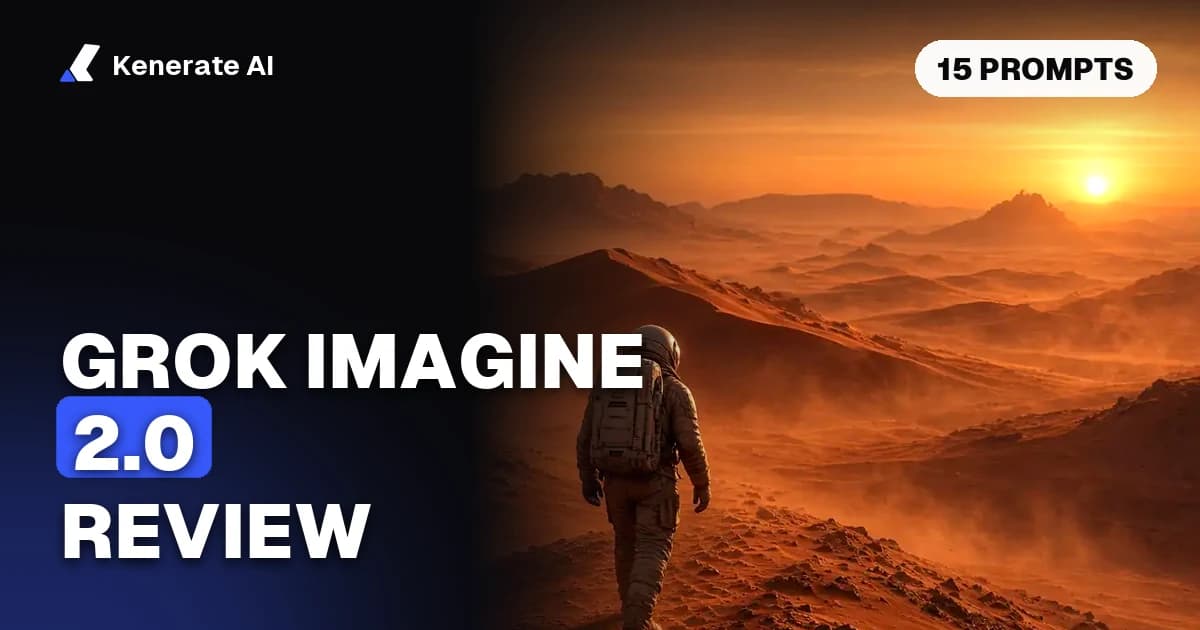
| 1 | Cinematic | Cinematic wide shot of a lone astronaut walking across red Martian dunes at sunset, dust haze |
| 2 | Photo | Photorealistic portrait of a smiling woman with freckles and curly red hair in a sunflower field, golden hour |
| 3 | Photo | Neon-lit street at night in the rain with reflections and taxis, cinematic photo |
| 4 | Fantasy | Giant ancient tree city with glowing lanterns and rope bridges at dusk, fantasy concept art |
| 5 | Photo | Close-up photo of a golden retriever puppy wearing tiny sunglasses at the beach, shallow depth of field |
| 6 | Anime | Anime illustration of a samurai woman standing on a bamboo bridge in the rain, dramatic lighting |
| 7 | Fantasy | Portrait of a female knight in ornate silver armor holding a sword, castle background, detailed, soft light |
| 8 | Edit | Turn this into a warm colour photograph at golden hour, keep the man, the suit, the fedora and the street lamp. |
Here are more prompts in the same pattern, written to lean on what 2.0 does best (layout, short text, products). Treat them as templates rather than tested results:
- Poster: Minimal travel poster for Kyoto, a red pagoda against a pale sky, large bold headline "KYOTO" at the top, small caption "Autumn 2026" at the bottom, flat vector style.
- Product shot: Studio product photo of a matte black water bottle on a light grey plinth, soft box lighting, gentle shadow, clean background for an online store.
- App icon: Rounded square app icon of a paper plane in orange and white, simple flat shapes, centered, no text.
- Wallpaper (9:19.5): Phone wallpaper of a quiet mountain lake at dawn, mist on the water, lots of empty sky at the top for the clock.
- Headshot: Professional headshot of a man in a navy blazer, neutral grey backdrop, soft window light, sharp eyes, LinkedIn style.
- Game asset: Isometric fantasy blacksmith shop, stylised low-poly look, warm forge glow, on a plain background for a game map.
- Infographic card: Clean square social card with three labelled icons in a row, "Plan", "Make", "Share", pastel colours, lots of white space.
How do you write better Grok Imagine 2.0 prompts?
- Direct the scene. A widely shared guide reposted by Elon Musk (Storyboard18, January 2026) suggests five parts: the action, visual style, mood, lighting and camera view. Our prompts above follow that order.
- Put exact text in quotation marks and keep it short. Headlines of one to three words render far more reliably than paragraphs.
- Say where things go. "Headline at the top, caption at the bottom" works better than hoping the model picks a layout.
- For edits, name what stays. "Keep the man, the suit, the fedora and the street lamp" protects the parts you care about.
- Iterate. Start short, look at the result, then add one detail at a time.
Is Grok Imagine 2.0 good? Strengths and limits
Strengths
- Clean short text and poster-style layouts, xAI's main focus for this release.
- Strong photoreal and cinematic results for the price.
- Many aspect ratios, including tall phone formats.
- Flat pricing on Kenerate: 2K costs the same as 1K.
Limits
- Long paragraphs of text, body copy and non-Latin scripts are still weak spots for image models in general; keep text short.
- On Kenerate, 2.0 edits take one reference image. If you need several references (say, a character plus a product plus a background), use Grok Imagine Quality (up to 3), Nano Banana 2.1 (up to 14) or GPT Image 2.5 (up to 16).
- No seed or negative prompt controls, so exact re-runs are not guaranteed.
- The "#2 on Arena" ranking is xAI's own claim from launch day; leaderboards move quickly.
Grok Imagine 2.0 vs Nano Banana 2.1 vs GPT Image 2.5: which costs less?
All three run on Kenerate, so here is the per-image price from our credit calculator as of 29 October 2026.
| Model | 1K | 2K | Edit references | Best for |
|---|---|---|---|---|
| Grok Imagine Image 2.0 | 15 credits | 15 credits | 1 | Posters, short text, cinematic shots, phone formats |
| Nano Banana 2.1 | 21 credits | 31.5 credits | Up to 14 | Same character or product across many shots |
| GPT Image 2.5 (medium) | 7.2 credits | 12 credits | Up to 16 | Dense text, UI, logos, precise edits |
| Seedream 5.0 Pro | 13.5 credits | 27 credits | Up to 10 | Illustration and anime, cheap volume |
Grok Imagine 2.0 is the cheapest of these at 2K apart from GPT Image 2.5 on medium quality, and it is simpler to price because nothing changes with resolution or quality. GPT Image 2.5 costs more at its high tiers, and Nano Banana 2.1 is the pick when consistency across several reference images matters more than price.
Can Grok Imagine 2.0 make videos?
Imagine Image 2.0 makes still images. Grok Imagine's video side is a separate model that animates images or prompts into short clips. You can turn a 2.0 still into a clip with the Grok Imagine video generator, and our post Does Grok AI generate videos? explains the video plans and limits.
Bottom line
Grok Imagine 2.0 is a solid, fairly priced image model whose real upgrade is layout, short text and edits that keep the subject intact. Use it on grok.com if you already pay for SuperGrok, through the API if you are building something, or on Kenerate if you want it at 15 credits next to every other major image model without another subscription.