Making an AI video costs anywhere from about $0.58 for a single 5-second 480p draft to well over $150 for a polished 60-second short with voice-over and music. The price depends on four things: the model's per-second rate, the resolution, how many takes you throw away, and the extras (upscaling, voice, music). Below, every Kenerate number is taken from the app's own pricing code and converted to dollars with the maths shown, as of 2 November 2026.
Other posts on this site answer narrower questions: what each AI video generator subscription costs, the credit rate per second and the cheapest generator. This one prices a finished video, from first draft to final file.
How is the cost of an AI video calculated?
Almost every AI video tool now charges per second of output, in credits or dollars. The formula is:
Cost = seconds generated (including discarded takes) × the model's rate at your resolution + extras
On Kenerate AI, credits are bought in one-time packs that never expire (src/lib/pricing.ts). The smallest pack is $15 for 1,300 credits, so:
- 1 credit = $15 ÷ 1,300 = $0.0115 (about 1.15 cents)
- On the $109 pack (10,900 credits), 1 credit = $0.0100
All dollar figures below use the $15-pack rate unless stated, so they are the most you would pay per credit; the larger packs are up to about 13% cheaper.
How much does each second of AI video cost?
Per-second rates from Kenerate's video-models.ts, as of 2 November 2026. Seedance and Wan rates are the same with or without sound; Kling and Veo charge more with sound, and the table shows the with-sound rate for those.
| Model and resolution | Credits per second | $ per second (at $0.0115) |
|---|---|---|
| MiniMax H3, 480p | 10 | $0.12 |
| Wan 3.0, 480p | 15 | $0.17 |
| Wan 3.0, 720p | 30 | $0.35 |
| Wan 3.0, 1080p | 60 | $0.69 |
| Kling v3 Standard, with sound | 37.8 | $0.44 |
| Veo 3.1 Fast, 1080p, with sound | 45 | $0.52 |
| Seedance 2.0 Fast, 720p | 60 | $0.69 |
| Seedance 2.0, 720p | 72 | $0.83 |
| Seedance 2.5, 720p | 108 | $1.25 |
| Veo 3.1, 1080p, with sound | 120 | $1.38 |
| Seedance 2.5, 1080p | 270 | $3.12 |
Example of the maths: Seedance 2.5 at 720p is 108 credits a second, and 108 × $0.0115 = $1.25 a second. The full model list with specs is on the AI video models page.
What does a 5-second, 15-second and 1-minute AI video cost?
Clip costs for one take, no extras. Each model has a maximum clip length, so a 1-minute video is several clips joined together (the number of clips is in brackets).
| Model | 5 seconds | 15 seconds | 60 seconds |
|---|---|---|---|
| MiniMax H3, 480p | 50 cr ($0.58) | 150 cr ($1.73) | 600 cr ($6.92) (4 clips) |
| Wan 3.0, 480p | 75 cr ($0.87) | 225 cr ($2.60) | 900 cr ($10.38) (2 clips) |
| Wan 3.0, 1080p | 300 cr ($3.46) | 900 cr ($10.38) | 3,600 cr ($41.54) (2 clips) |
| Kling v3 Standard, with sound | 189 cr ($2.18) | 567 cr ($6.54) | 2,268 cr ($26.17) (4 clips) |
| Seedance 2.0, 720p | 360 cr ($4.15) | 1,080 cr ($12.46) | 4,320 cr ($49.85) (4 clips) |
| Seedance 2.5, 720p | 540 cr ($6.23) | 1,620 cr ($18.69) | 6,480 cr ($74.77) (2 clips) |
| Veo 3.1, 1080p, with sound | 600 cr ($6.92) | n/a (max 8 s) | 7,200 cr ($83.08) (8 clips) |
Clip limits from the same file: Wan 3.0 and Seedance 2.5 go up to 30 seconds per clip, MiniMax H3, Seedance 2.0 and Kling v3 up to 15, and Veo 3.1 up to 8 (so a minute is seven 8-second clips and one 4-second clip).
What do real clips at these prices look like?
Three stills from real clips on our site, each labelled with the model, settings and what that exact clip cost at today's rates.

Seedance 2.5, 5 s, 720p, with sound: 540 credits, about $6.23.
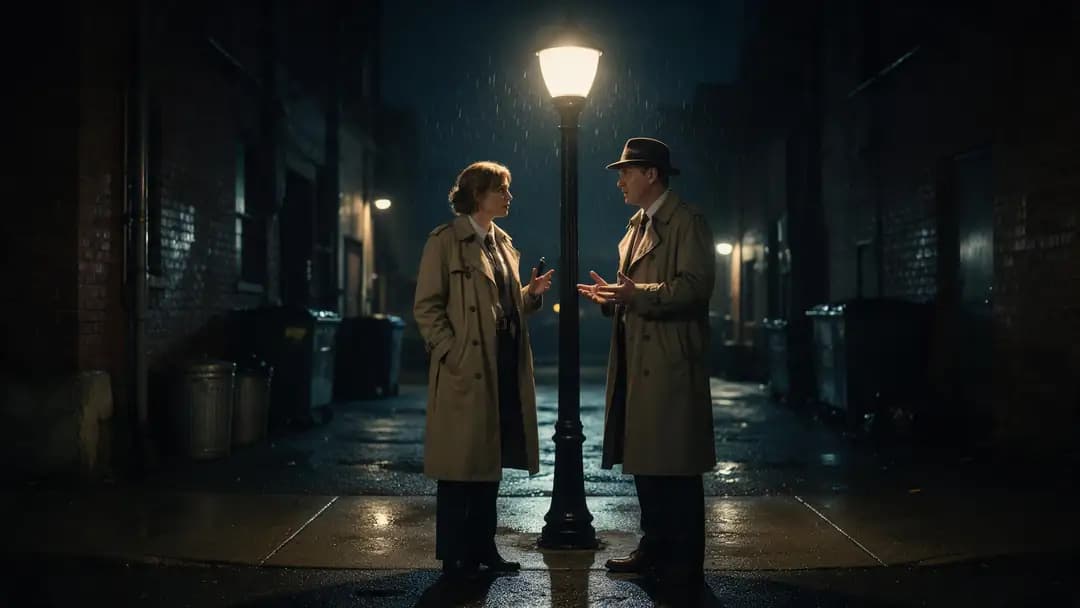
Veo 3.1, 6 s, 720p, with sound: 720 credits (120 per second), about $8.31.

Wan 2.7, 5 s, 720p, with sound: 150 credits, about $1.73.
How much does a finished AI video project cost?
A finished video costs more than one clip, because you rarely keep the first take, and you usually add sound. Here are three worked examples using only rates from the code. The number of takes is our assumption for the example, so adjust it to your own hit rate.
A 15-second silent social clip (Wan 3.0)
- Three drafts at 480p: 3 × 225 = 675 credits
- Upscale the keeper to 1080p with the Video Upscaler (9 credits a second): 15 × 9 = 135 credits
Total: 810 credits = about $9.35 ($8.10 at the $109-pack rate).
A 30-second product ad with voice-over and music (Seedance 2.0)
- Six shots of 5 seconds at 720p, two takes each: 12 × 360 = 4,320 credits
- Voice-over with ElevenLabs Eleven v3 (60 credits per 1,000 characters): a 450-character script = 27 credits
- A music bed with ElevenLabs Music v2.5 (225 credits per started minute): 225 credits
Total: 4,572 credits = about $52.75 ($45.72 at the $109-pack rate).
A 60-second YouTube Short (Seedance 2.5)
- Four 15-second shots, two drafts each at 480p: 8 × 810 = 6,480 credits
- Final render of each shot at 720p: 4 × 1,620 = 6,480 credits
- Upscale the full minute to 1080p: 60 × 9 = 540 credits
- Voice-over of about 900 characters: 54 credits
- Music bed: 225 credits
Total: 13,779 credits = about $158.99 ($137.79 at the $109-pack rate).
The biggest line in every project is discarded takes, not the final render. That is why drafting cheaply matters more than which model you finish on.
How do Kenerate's prices compare with other tools?
Prices from each company's own page, read on 2 November 2026:
| Tool | Published price | Per second, worked out |
|---|---|---|
| Runway Standard plan, Gen-4.5 | $15 a month (monthly billing) for 625 credits; Runway says this equals 52 s of Gen-4.5 (12 credits a second) | $15 ÷ 52 ≈ $0.29 |
| Runway Pro plan, Gen-4.5 | $35 a month for 2,250 credits, or 187 s of Gen-4.5 | $35 ÷ 187 ≈ $0.19 |
| BytePlus API, Dreamina Seedance 2.5 (16:9, no video input) | $0.514 per 5 s video at 480p, $1.156 at 720p, $2.843 at 1080p | $0.103 / $0.231 / $0.569 |
| BytePlus API, Dreamina Seedance 2.0 (16:9) | $0.35 per 5 s at 480p, $0.76 at 720p, $1.87 at 1080p | $0.07 / $0.15 / $0.37 |
| Google Gemini API, Gemini Omni Flash | Billed in output tokens; Google states about $0.10 per second of 720p video | about $0.10 |
Sources: Runway pricing, BytePlus ModelArk pricing, Gemini API pricing. Runway's Standard and Pro monthly credits reset each billing cycle; its yearly plans are cheaper ($12 and $28 a month).
Being straight about it: if you write code and only need one model, buying directly from the model maker's API is much cheaper per second. Seedance 2.5 at 720p is $0.231 a second on BytePlus against about $1.25 on Kenerate's smallest pack. What the higher per-second price buys on Kenerate is no code or API key, dozens of video models (plus image, voice, music and upscaling) on one balance, and credits that never expire. Pick the route that matches how you work.
How can you make an AI video for less?
- Draft at 480p, upscale only the keeper. A 15-second Wan 3.0 clip rendered natively at 1080p costs 900 credits. Drafting at 480p (225) and running the AI video upscaler to 1080p (135) costs 360, a saving of 540 credits on every finished shot.
- Draft on a cheaper model. Test the prompt on MiniMax H3 at 10 credits a second before spending 108 a second on Seedance 2.5.
- Turn sound off where it costs extra. Kling v3 Standard is 25.2 credits a second silent versus 37.8 with sound; Veo 3.1 is 60 versus 120.
- Write tighter prompts. Every discarded take is paid for. Describe one action per shot, the camera move and the light.
- Use longer clips when the model allows. Wan 3.0 and Seedance 2.5 make up to 30 seconds per clip, which means fewer clips to join for a minute of video.
- Buy the pack that fits. At the $109 pack, a credit is about 13% cheaper than at $15. Full pack list on the pricing page.
So, how much should you budget?
As of 2 November 2026, on Kenerate's own rates:
- Testing an idea: under $1 for a 5-second 480p draft on MiniMax H3 or Wan 3.0.
- A short silent social clip: roughly $5 to $10, including a few drafts and an upscale.
- A 30-second ad with voice and music: roughly $50 on Seedance 2.0 at 720p.
- A polished one-minute short: roughly $150 or more on Seedance 2.5, less if you finish at 720p or draft on a cheaper model.
Start with a 5-second draft, check the result, and only then scale up the resolution and length.