To do the AI photo trend, pick the look you want, upload one clear, well-lit photo to an AI image editor, and paste a prompt that names the style and tells the model to keep your face unchanged. Generate a few versions, keep the one that still looks like you, then fix small details with a short follow-up edit. It works in ChatGPT, Gemini or a multi-model studio like Kenerate AI.
"The AI photo trend" is not one thing. It is a rotating set of looks, and this guide covers the ten you are most likely to have seen, as of 4 November 2026, with one copy-paste prompt for each.
What is the AI photo trend right now?
The AI photo trend is the habit of turning an ordinary selfie into a styled image with a reference photo and a written prompt, then posting the result on Instagram, TikTok or X. Each wave has its own look. In 2026 the looks fall into three families:
- Objects: you become a thing, such as a boxed toy, a sticker or a caricature.
- Film and nostalgia: your photo looks like it came from an old camera, such as a Polaroid, a 35mm still or a Y2K snapshot.
- Cinema and editorial: your photo looks professionally lit, such as a Lofi Dusk portrait, a black-and-white magazine shot or a movie poster.
A caution on timing: we found no reliable source showing which single trend is peaking this month. Most coverage dates from February to June 2026, and popularity claims in these guides are rarely backed by numbers. ArtSmart's March 2026 roundup does describe one wider shift: people moving away from overly polished AI images toward grain, light leaks and natural skin. It gives no survey data for that, but it matches how many of the looks below work.
Which AI photo trends can you copy?
| Trend | The look | Best first choice on Kenerate | Credits at 1K |
|---|---|---|---|
| Toy box figure | You in a blister pack | AI Filter, Action Figure | From 10 |
| Caricature | Big head, your job as props | GPT Image 2.5 Sunburst | 11.7 |
| Polaroid | White frame, flash, faded colour | Nano Banana 2.1 | 21 |
| 35mm film still | Grain, halation, muted colour | Qwen Image 3.0 | 9.9 |
| Lofi Dusk | Low light, bloom, rim light | Nano Banana 2.1 | 21 |
| Black-and-white editorial | Hard shadow, magazine pose | GPT Image 2.5 Sunburst | 11.7 |
| Y2K snapshot | On-camera flash, chrome type | AI Filter, Y2K | From 10 |
| Fake movie poster | Title, tagline, you as the lead | Nano Banana 2.1 | 21 |
| Chibi sticker | Tiny body, white die-cut border | AI Filter, Chibi or Sticker | From 10 |
| Scrapbook collage | Torn paper, tape, handwriting | Nano Banana 2.1 | 21 |
Prices come from Kenerate's model settings on the date above and can change. A new account starts with 25 free credits, and Qwen Image 3.0 is on the free plan.
How do you do the AI photo trend, step by step?
- Choose a photo. Use a sharp, front-facing shot in good light. Avoid heavy filters and low-resolution screenshots, because the model copies what it can see.
- Open an editor that accepts reference photos. ChatGPT and Gemini both do. On Kenerate, open the image studio and add your photo as a reference, or use AI Filter if you would rather pick a look than write a prompt.
- Paste a prompt from the list below. Keep the line about your face. It does more for the result than any style word.
- Pick the shape. Use 4:5 for an Instagram feed post or 9:16 for Stories and Reels.
- Make three or four versions. Faces drift from one run to the next, so compare them and keep the closest match.
- Fix with a short follow-up. Ask for one change at a time, such as "make the grain lighter, change nothing else".
- Upscale before printing. A 1K file is fine for a feed, but a print needs more pixels.
What are the best prompts for each trend?
These prompts are starting points written for this guide, and the exact wording is untested. We have run the Polaroid, caricature and poster looks on our own pages, but expect to adjust any of them for your photo.
1. How do you make the toy box figure?
The packaging decides this one. RAXXO's trend guide calls it the most shared style of the year and traces most failures to vague packaging, so describe the box in detail. The action figure AI page does this in one click.
Turn the person in my photo into a collectible action figure inside a clear blister pack on a printed cardboard backer. Keep their face recognisable. Glossy plastic skin, visible joints, two small accessories in the pack: a laptop and a coffee cup. Name on the card: "MAYA". Small barcode in the corner.
2. How do you make the AI caricature?
This was the big early-2026 wave. The Free Press Journal described it in February as a ChatGPT portrait with exaggerated features and details from your job and hobbies. The original prompt leans on your chat history, so if you would rather not share that, write the details in yourself. Our ChatGPT caricature page has more variations.
Draw the person in my photo as a caricature with a big head and a small body, in a polished 3D animated style. Keep their face recognisable. They are a nurse who loves cycling: put them in scrubs next to a bicycle, with a stethoscope and a water bottle. Plain pastel background.
3. How do you create a Polaroid AI photo?
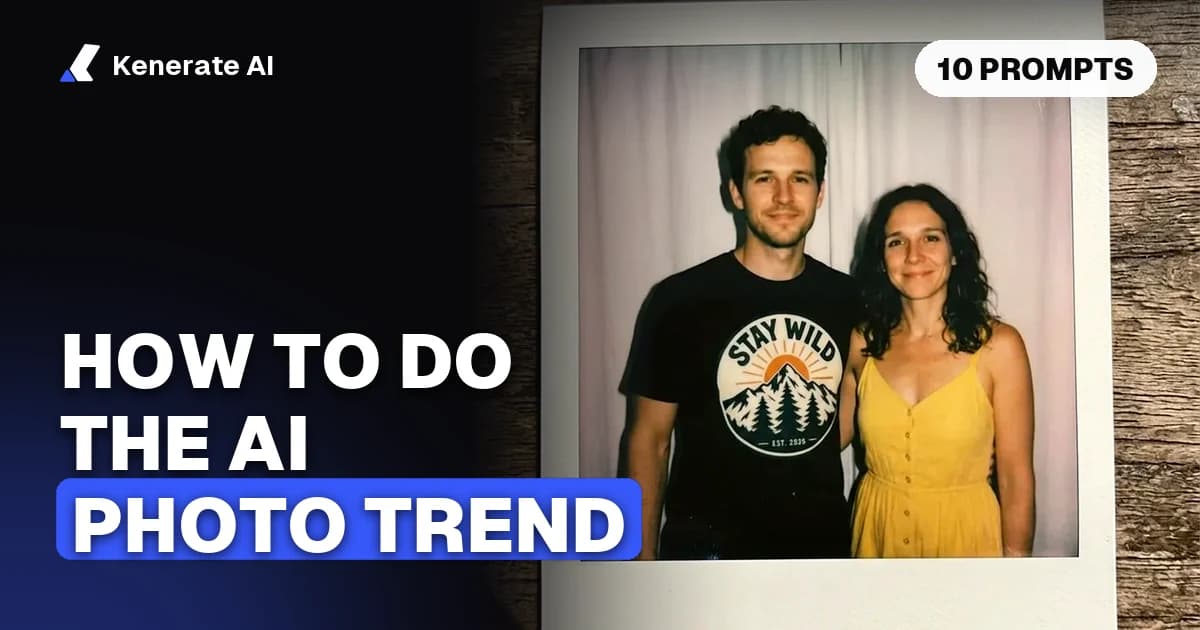
Ask for the whole print, not just the picture: white frame, wider bottom strip, direct flash and faded colour. You can merge two photos into one shot or restyle a single photo. In our tests on the Polaroid AI photo generator, Nano Banana 2.1 kept the faces in both edits, but the flash and blur came out mild, so push those words harder.
Combine the two people from my photos into one candid instant Polaroid of two friends standing side by side. Keep both faces and outfits exactly as they are. Strong direct flash in a dim room, slight motion blur, faded warm colours, light grain, plain white curtain behind them. Show the full print with its white frame and thicker bottom border. No text.
4. How do you make the 35mm film still?
Describe the film more than the person. Grain, soft light and halation, the glow around bright highlights, do most of the work.
Re-render my photo as a still from a 35mm film. Keep my face, hair and clothes unchanged. Fine natural grain, soft window light, muted colour, shallow depth of field, gentle halation around the highlights. No text, no border.
5. How do you make a Lofi Dusk portrait?
Analytics Insight described Lofi Dusk in May 2026 as a low-light, flash-lit analog look with warm skin, bloom, heavy grain and rim light. It suggests starting from an evening or sunset photo with a clean background, and avoiding heavily compressed files.
Turn my photo into a low-light dusk portrait. Keep my face and expression unchanged. Soft flash, warm skin tones, glowing bloom on the lights, heavy film grain, thin rim light on my hair, 85mm lens look, deep blue sky behind me.
6. How do you make the black-and-white portrait?
This one spread on Instagram in March 2026, according to The Free Press Journal, in shadow, fashion and studio versions. Name where the light comes from, or you will get flat grey.
Turn my photo into a dramatic black-and-white editorial portrait. Keep my face unchanged. One hard light from the left, deep shadow across half the face, plain dark background, visible skin texture, magazine fashion pose, high contrast.
7. How do you make the Y2K snapshot?
Name the props. Vague "2000s vibes" prompts give generic results, while specific details sell the look.
Re-render my photo as an early-2000s digital camera snapshot. Keep my face unchanged. Harsh on-camera flash, slight motion blur, low-resolution sharpness, butterfly clips in my hair, a small orange date stamp in the corner.
8. How do you make a fake movie poster?
Specify the layout, not just the image, and put the title in quotes. On the movie poster generator, GPT Image 2.5 Sunburst spelled every word right in our tests, and Nano Banana 2.1 is the pick when you want your own face on it.
Make a theatrical movie poster with the person in my photo as the lead. Keep their face unchanged. Rainy neon city at night, title "LAST TRAIN HOME" in large type at the bottom, tagline "One night. One way out." above it, billing block under the title.
9. How do you make chibi stickers?
Aim for clean shapes that still read at thumbnail size. The white die-cut border is what makes it feel like a sticker. For a full pack, keep the prompt identical and change only the pose.
Turn the person in my photo into a cute chibi sticker: big head, tiny body, clean outlines, flat shading. Keep their hairstyle and glasses. Colours limited to teal, cream and coral. Waving pose, thick white die-cut border, plain background.
10. How do you make the scrapbook collage?
Asking for a "collage" tends to give a flat grid, so name the materials. This look suits a model that takes several references, since you can add a few photos at once.
Arrange my photos into a handmade scrapbook page. Keep every face unchanged. Layered prints with torn paper edges, strips of washi tape, two Polaroid frames, one slightly overexposed flash photo, short handwritten captions in blue pen, cream paper background.
Which tool should you use for the AI photo trend?
| Tool | Good for | Keep in mind |
|---|---|---|
| ChatGPT | Caricatures and posters with text | One family of models |
| Gemini | Figurines and Polaroids, the Nano Banana looks | One family of models |
| Kenerate AI | Trying the same photo on several models | Paid models use credits |
The practical reason to use a multi-model studio is that no single model wins every look. Kenerate runs Nano Banana 2.1 (up to 14 reference photos, 21 credits at 1K, 42 at 4K), GPT Image 2.5 Sunburst (up to 16 references, strong on text) and Qwen Image 3.0 (up to 3 references, free plan). If you would rather skip prompts altogether, AI Filter has 56 one-click looks from 10 credits, including Action Figure, Polaroid, Y2K, Chibi and Film Noir.
Why does the AI photo not look like me?
Face drift is the most common complaint, and it usually has one of these causes:
- The source photo is weak. Sunglasses, side angles and dark or compressed files give the model less to copy.
- The prompt never mentions your face. Add "keep my face unchanged" near the start.
- Too many changes at once. Restyle first, then change the outfit or background in a second edit.
- Bad luck on one run. Results vary, so make several and choose.
Seasonal versions work the same way. For a festive take, see how to do the Christmas AI photo trend.
Is it safe to upload photos for AI trends?
Treat it like any upload to an online service. Read the app's privacy policy, check what it says about storing your images, and leave out anything you would not want kept, such as ID cards or documents in the background. Only use your own photos or photos of adults who have agreed, and do not use these tools to make someone appear to be doing or saying something they did not. Also check what a "based on everything you know about me" prompt can draw on, since it uses your chat history.
Sources
- Analytics Insight: Lofi Dusk Instagram trend, May 2026
- The Free Press Journal: Black & white trend, March 2026
- The Free Press Journal: ChatGPT caricature trend, February 2026
- RAXXO Studios: Viral AI photo trends of 2026
- ArtSmart: AI image trends in 2026, March 2026