Polaroid trend · white frame · flash · curtain backdrop
Polaroid AI Photo Generator — two photos, one instant print
Upload one or two of your own photos and get a candid instant-film Polaroid: white frame, direct flash, soft grain and a plain curtain behind you — with the faces kept as they are.
- Merge two photos into one
- Keeps the faces
- Copy-ready prompts
- No watermark
Updated by the Kenerate AI team
On this page
Quick answer
How do you make a Polaroid AI photo?
A Polaroid AI photo is a picture redrawn to look like an instant-film print: a white frame with a wider bottom strip, direct flash, faded warm colours and grain. The viral version merges two photos into one candid shot in front of a white curtain. On Kenerate AI you upload your photos to Nano Banana 2.1 — Google's model, the one behind the Gemini trend — paste a prompt and get the print for 21 credits. For a one-photo look without a prompt, AI Filter has a Polaroid style from 10 credits.
Key facts
- Polaroids made
- 2 (two friends · beach)
- Faces kept
- Yes, in both
- Model
- Nano Banana 2.1 (Google)
- Photos per edit
- Up to 14
- Watermark
- None
Gallery
Two real Polaroid AI photos
Nano Banana 2.1 edits of our own test photos, one try each. Open either one to copy the prompt.
Same prompt
Two photos in, one Polaroid out
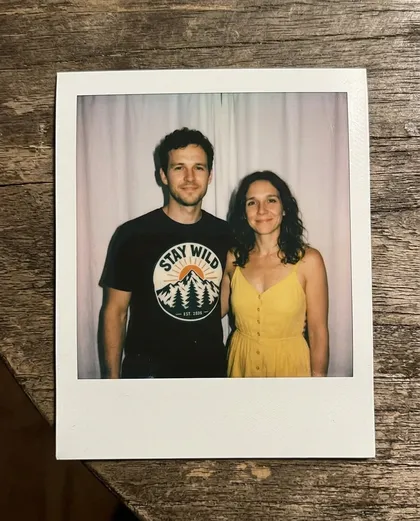
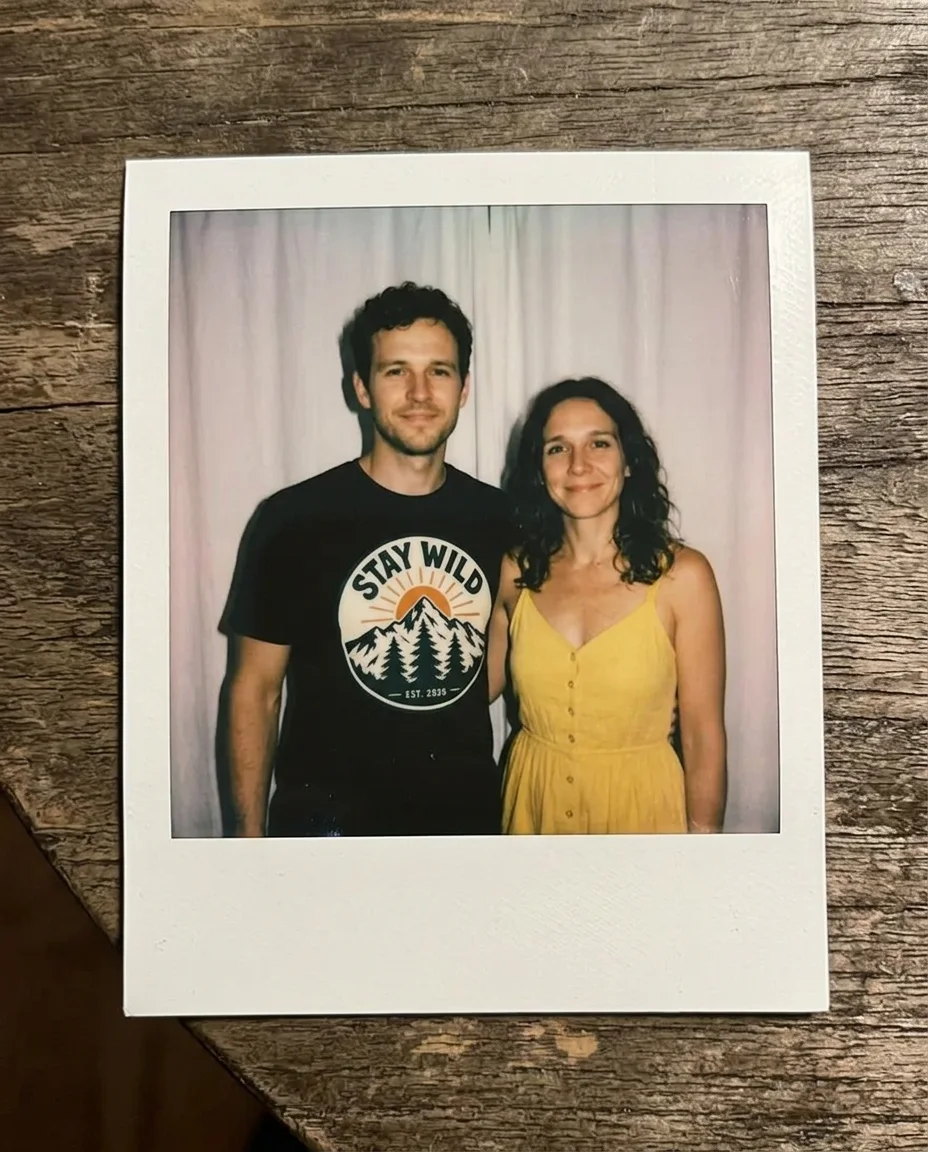
A man on a mountain trail and a woman on a beach, merged into one print in front of a white curtain. Faces, hair, the t-shirt print and the yellow dress all carried over. The flash and blur came out milder than asked — say “harsh flash” if you want more.
PromptCombine the man from image 1 and the woman from image 2 into one candid instant Polaroid photo of two friends standing side by side. Keep both faces, hair and clothing exactly as in their photos. Direct flash, soft focus, faded warm colours, white curtain backdrop, white Polaroid frame.
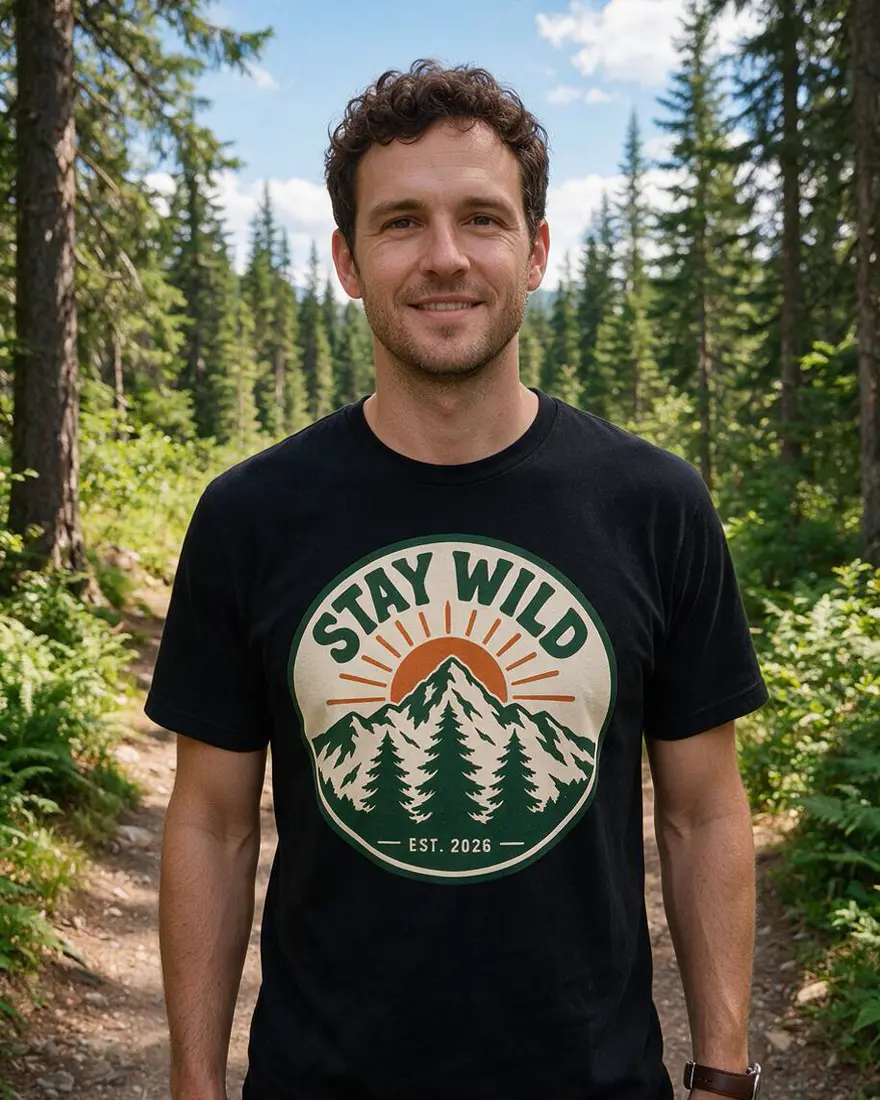 Photo 1Input
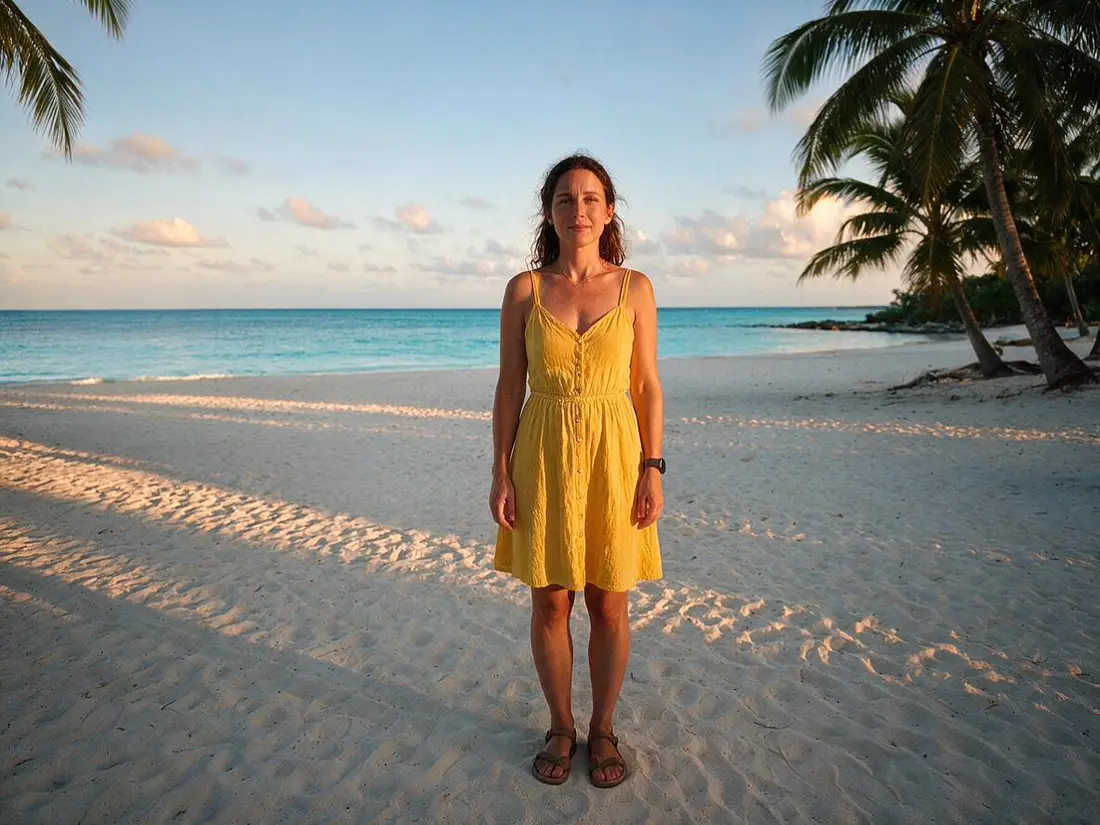 Photo 2Input
- PolaroidNano Banana 2.1
How to
How to use the polaroid AI photo generator
- Time needed
- Steps
- 4 steps
Step 1
Upload your photos
In /app/image, add one or two photos of yourself or people who agreed. Sign in free for starter credits.
Step 2
Pick Nano Banana 2.1
It takes up to 14 photos and kept both faces in our tests.
Step 3
Paste a Polaroid prompt
Who is in the shot, “keep the faces”, direct flash, white curtain, white Polaroid frame.
Step 4
Download
Regenerate if a face is off, then download without a watermark.
See it in the app

Open Image Studio and type what you want to see — subject, style, lighting and mood.


Watch the tour · 1:23
Prompts, styles, references, edit, Arena & chat
Chapters
Tips
Get a Polaroid that looks real
What worked in our tests, and what the trend guides agree on.
Use clear, well-lit photos where each face is easy to see — the model copies faces from them.
Number the photos: “the man from image 1 and the woman from image 2”.
Say “keep both faces, hair and clothing exactly as in their photos”.
Ask for direct on-camera flash — it is what makes it read as an instant photo.
Name the frame: “white frame with a thicker bottom border”; add “show the whole print on a table” for the photographed-print look.
Name a film for the colour: “Polaroid 600” for warm and faded, “SX-70” for softer, older tones.
Models
Models for Polaroid AI photos
What each model is good at. Open any one straight in the generator.
Google
Nano Banana 2.1

OpenAI
GPT Image 2.5 Sunburst
- Reference images
- Up to 16
- Output
- 1K–4K
Open GPT Image 2.5 SunburstBest for
Strong with faces and handwritten captions
- Free plan

FAQ
Polaroid AI Photo Generator questions
8 questions
How do I make a Polaroid AI photo?
Upload one or two photos to Kenerate's Image Studio, pick Nano Banana 2.1 and paste a prompt like “combine the man from image 1 and the woman from image 2 into one candid Polaroid photo, keep both faces, direct flash, white curtain backdrop, white Polaroid frame”. Our two-photo test came back as one print with both faces, the t-shirt print and the yellow dress kept.
Link to this answerWhat is the Polaroid AI trend?
A photo trend that took off with Google Gemini's image model, Nano Banana: people merge two photos — often themselves with a friend, partner or family member — into one candid instant-film shot with flash, soft blur, a white curtain behind and a white Polaroid frame. On Kenerate the same model family, Nano Banana 2.1, runs it.
Link to this answerWhat is the Gemini Polaroid prompt?
The versions shared for the trend ask for the same few things: a picture taken with a Polaroid camera that looks like an ordinary snapshot, a slight blur, one light source like a flash in a dark room, faces left unchanged, and the background swapped for a white curtain. Add who stands where and how — side by side, hugging, laughing — and the white Polaroid frame.
Link to this answerIs there a free Polaroid AI app?
Free to start. A new Kenerate account gets starter credits on sign-up. Qwen Image 3.0 is on the free plan and takes up to 3 photos; AI Filter's one-click Polaroid look costs 10 credits on its default engine. Nano Banana 2.1, used on this page, costs 21 credits at 1K from one-time packs with no subscription. Downloads have no watermark.
Link to this answerCan I turn one photo into a Polaroid without a prompt?
Yes — open AI Filter with the Polaroid look selected and add your photo. It adds a white instant-film frame, soft flash, faded warm tones, light leaks and a handwritten caption strip, and keeps the same person and pose. Use the prompt route when you want to merge two photos or change the backdrop.
Link to this answerWhy don't the faces look exactly the same?
Every image model redraws the picture, so faces can drift. Use clear, front-facing photos, say “keep both faces exactly as in their photos”, and regenerate if one is off. In our tests both faces held; the flash and blur came out softer than the prompt asked.
Link to this answerCan I make an anime or sepia Polaroid?
Yes — change the style words and keep the frame: “anime illustration inside a white Polaroid frame” or “faded sepia tone, soft edges, a 1970s keepsake Polaroid”. The frame and the flash are what make it read as a Polaroid; the picture inside can be any style.
Link to this answerWhose photos can I use?
Only your own, or photos of people who agreed. Don't make Polaroids of celebrities or other real people without their consent, and don't use photos of children. Kenerate keeps results private if you switch on Private.
Link to this answerIn depth
Polaroid AI Photo Generator, explained
What works, what to avoid, and how to pick a model.
On this page
What makes a photo look like a Polaroid
An instant print has a look you recognise before you see what's in it: a square-ish picture inside a white frame with a wider strip at the bottom, the flat hard light of a flash fired straight at the subject, colours that lean warm and faded, and soft grain. Most Polaroid snapshots are also a little imperfect — slightly blurred, slightly overexposed.
The AI trend adds one more ingredient: a plain white curtain behind the people, like a photo booth, which hides whatever backgrounds the original photos had and makes two separate photos look like one moment.
The Polaroid prompt, piece by piece
Most good Polaroid prompts follow this order:
- Who: “the man from image 1 and the woman from image 2”, with the photos attached.
- How they stand: side by side, hugging, laughing, back to back.
- Keep: “keep both faces, hair and clothing exactly as in their photos”.
- Light: “direct on-camera flash in a dim room, slight motion blur, soft focus”.
- Backdrop: “plain white curtain”.
- Print: “white Polaroid frame with a thicker bottom border”, and a film name such as Polaroid 600 or SX-70.
What we got
Two Polaroids, one try each, on Nano Banana 2.1:
- Two photos merged: both faces, the curly hair, the STAY WILD t-shirt print and the yellow dress came through, on a white curtain, as a print on a wooden table. The flash and blur were milder than asked.
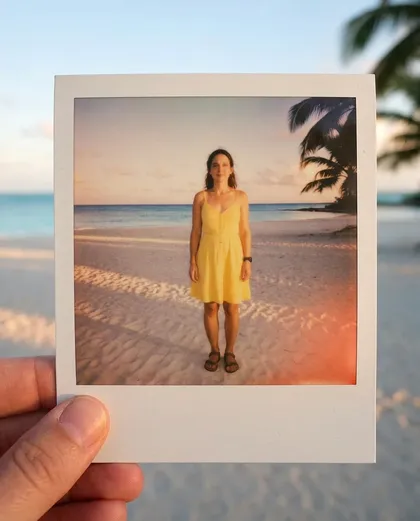
- One photo re-rendered: the same woman and beach inside a white frame held between two fingers, with the warm light leak in the corner we asked for.