Tripo vs Meshy vs Rodin, short answer: Tripo (H3.1) is the best value and the most accurate at copying a shape from a photo. Meshy (7.1 / 7 / 6) is the pick when you need a full production pipeline with smart topology, rigging and animation. Rodin (2.5 / 2) gives you the widest control over mesh density, from 2K to 500K faces, and it is the only one of the three that exports STL directly. All three run side by side in Kenerate's 3D Studio, so you can test the same input on each before you commit.
Updated 23 October 2026. Prices are Kenerate credits from our live 3D Studio config as of today. Benchmarks are cited to their source, and we flag who ran them.
What are Tripo, Meshy and Rodin?
All three are AI 3D generators. They turn a text prompt or one or more photos into a textured mesh you can download and drop into Blender, Unity, Unreal or a slicer.
- Tripo comes from Tripo AI. Kenerate runs two versions: Tripo H3.1, a high-fidelity model that Tripo announced in April 2026 (Programming Insider), and Tripo P2, the pro texturing model.
- Meshy comes from Meshy. Kenerate runs Meshy 7.1 (the newest, with 2K/4K geometry and smart topology), Meshy 7 (with an Ultra detail switch) and Meshy 6 (the classic).
- Rodin comes from Hyper3D (Deemos). Kenerate runs Rodin 2.5 (five quality tiers) and Rodin 2 (a flat-price version). Hyper3D says Gen-2.5 uses research from its SIGGRAPH 2025 work (Scenario help center).
A fourth option, Hunyuan 3D 3.1 Rapid from Tencent, is worth knowing about too. It returns an untextured clay mesh in about a minute, and it is the cheapest engine in the studio. The full lineup is on our AI 3D model generator page.
How do Tripo, Meshy and Rodin compare side by side?
This table uses the settings in Kenerate's 3D Studio as of 23 October 2026. Credits are the default price for one textured model, and add-ons are listed separately.
| Engine | Inputs | Default credits (textured) | Mesh control | Export formats | Rig / animate | Typical wait* |
|---|---|---|---|---|---|---|
| Tripo H3.1 | Text, 1 photo, 2–4 ordered views | 72 (text) / 108 (photo) | Standard or Detailed geometry, optional quads | GLB | No | ~225 s |
| Tripo P2 | Text, 1 photo | 396 | Face limit 5k–50k, quads up to 25k | GLB, FBX | No | ~150 s |
| Meshy 7.1 | Text, 1 photo, 1–4 photos | 432 | Triangles/quads, 1k–300k polys, low-poly, smart topology, 2K/4K geometry | GLB, FBX, OBJ, USDZ | Yes (+72 rig) | ~170 s |
| Meshy 7 | Text, 1 photo, 1–4 photos | 432 | Triangles/quads, 1k–300k polys, low-poly, Ultra detail | GLB, FBX, OBJ, USDZ | Yes (+72 rig) | ~160 s |
| Meshy 6 | Text, 1 photo | 432 | Triangles/quads, 1k–300k polys | GLB, FBX, OBJ, USDZ | No | ~196 s |
| Rodin 2.5 | Text, 1 photo, 2–5 photos | 144 (Extreme high: 288) | 4K–50K quad or 2K–500K triangle | GLB, FBX, OBJ, USDZ, STL | No | ~135 s |
| Rodin 2 | Text, 1 photo, 2–5 photos | 144 | 4K–50K quad or 2K–500K triangle | GLB, FBX, OBJ, USDZ, STL | No | ~100 s |
| Hunyuan 3D 3.1 Rapid | Text, 1 photo | 81 (untextured only) | None, clay draft | GLB | No | ~62 s |
The typical wait is the estimate the studio shows, not a benchmark. Real times depend on the queue and your settings.
Which one makes the best geometry?
The most detailed public head-to-head we found is a June 2026 test of Meshy 6, Tripo v3.1 and Rodin Gen-2.5 on the same prompts (HackerNoon). Keep in mind that a technical artist at Meshy ran it, so it is not neutral. Its reported results:
- Untextured shape accuracy: Tripo ranked first, Rodin second and Meshy third. In blind pairwise votes on single-image input, Tripo beat Rodin 77.9% of the time.
- Textured output: Meshy led on single-image texturing (it beat Rodin 83.9% of the time) and was roughly level with Tripo. Tripo led on multi-view input.
- Quad topology: Tripo was strongest overall. Rodin was strong on fine detail but inconsistent. Meshy sometimes merged nearby parts on complex shapes.
Two caveats apply. The test used Meshy 6, not Meshy 7 or 7.1, and it did not cover rigging or retopology work. Meshy's own comparison page pushes back on the topology point: it says its meshes are watertight and slicer-friendly, and it lists auto-rigging and animation as features Rodin lacks. Both pieces come from a vendor, so treat them as hints, not verdicts.
In practice: for hard-surface props and products shot from a photo, start with Tripo H3.1. For characters you plan to animate, start with Meshy 7.1. For very dense hero meshes or prints, start with Rodin 2.5.
Which is cheapest on Kenerate?
Ranked by the default textured price for one model:
- Tripo H3.1, text-to-3D: 72 credits (36 untextured, 108 with Detailed texture)
- Tripo H3.1, image-to-3D: 108 credits (72 untextured, 144 with Detailed texture)
- Rodin 2 or Rodin 2.5: 144 credits
- Tripo P2: 396 credits (360 untextured, up to 468 at Extreme texture)
- Meshy 7.1, 7 or 6: 432 credits (288 untextured)
- GPT-6 Astra (OpenAI's 3D engine, also in the studio): 2,400 credits
Add-ons change the price. Tripo H3.1 Detailed geometry adds 72 credits, and quad mesh adds 18. Meshy 7.1 2K geometry adds 72 and 4K adds 144, Meshy 7 Ultra detail adds 72, and auto-rig adds 72. Rodin HighPack (4K textures and a denser mesh) adds 288. Rodin 2.5 Extreme high doubles the base price to 288.
Hunyuan 3D 3.1 Rapid costs 81 credits, but it never textures. Use it to block out a shape, then rebuild the keeper on a texturing engine.
Is Tripo better than Meshy?
It depends on what you need from the model.
- Pick Tripo when shape accuracy and price matter most, for example product scans, props, collectibles and quick iterations. The four-view mode in H3.1 (front and left required, back and right optional) is the most precise way to lock a shape from your own reference photos. P2 adds pro texture tiers up to Extreme and FBX export.
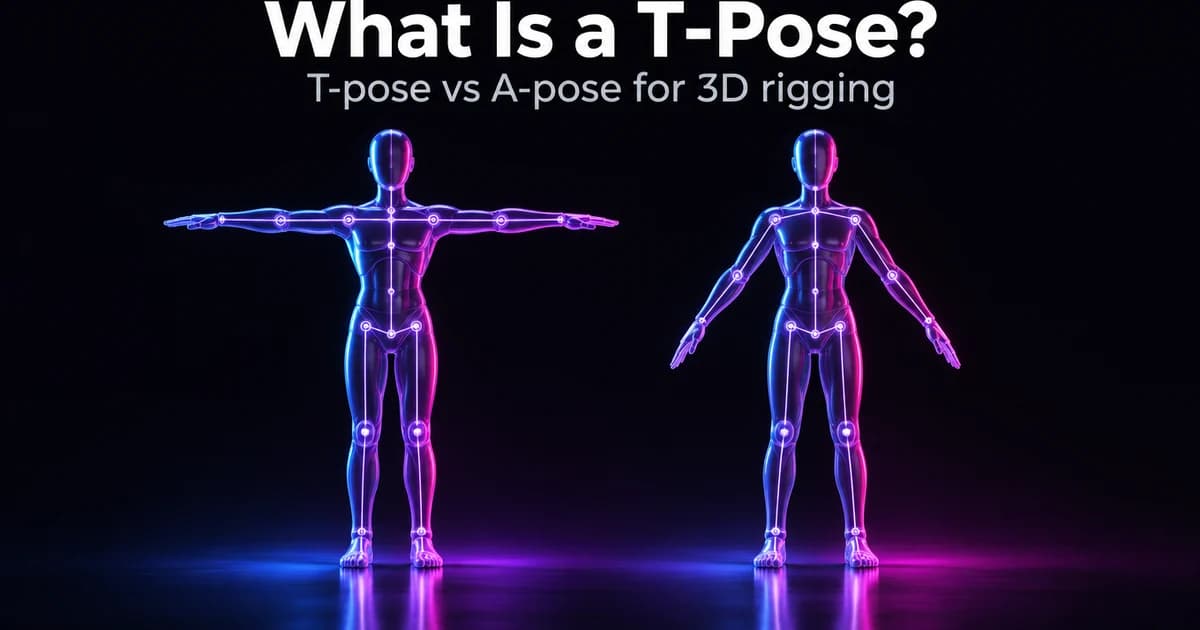
- Pick Meshy when the mesh has to move or ship in a pipeline. Meshy 7.1 is the only engine in the studio with smart topology (artist-like edge flow), 4K geometry, A-pose/T-pose, auto-rigging and preset animations. It also exports OBJ and USDZ, which Tripo does not.
At default settings, Meshy costs about four to six times more per model than Tripo H3.1. Our Tripo model page and Meshy model page have each family's settings in detail.
Meshy 6 vs Meshy 7 vs Meshy 7.1: what changed?
People search for "Meshy 6 vs 7" a lot, so here is how the three versions differ in our config:
| Meshy 6 | Meshy 7 | Meshy 7.1 | |
|---|---|---|---|
| Multi-image input | No | Yes (1–4) | Yes (1–4) |
| Low-poly style | No | Yes | Yes |
| Smart topology | No | No | Yes |
| Extra detail | — | Ultra detail (+72) | 2K (+72) / 4K (+144) geometry |
| Auto-rig / animation | T/A-pose only | Yes | Yes |
| Price (textured) | 432 | 432 | 432 |
All three cost the same at their default settings. If you have no reason to stay on Meshy 6, 7.1 is the better default.
Rodin vs Meshy: which is better for 3D printing?
For printing, you need a closed mesh in a format your slicer accepts. Rodin is the only engine in this comparison that exports STL directly from 3D Studio, alongside GLB, FBX, OBJ and USDZ. Its triangle presets go up to 500K faces, which keeps fine surface detail on figurines and miniatures. Meshy says its meshes are watertight and slicer-ready (Meshy). In our studio, Meshy downloads come as GLB, FBX, OBJ or USDZ, so you would convert to STL first.
How to print an AI model with any of the three engines:
- Generate the model in 3D Studio. Choose Rodin 2.5 with a triangle mesh (150K or 500K) if you want STL straight away.
- Download the file. If it is a GLB, convert it with the 3D model converter.
- Open the file in your slicer, check for non-manifold edges, then scale and orient it.
- Slice and print a small test first.
There are more tips in our AI 3D printing model generator guide.
Which one is best for game assets?
- Mobile or web props: Tripo H3.1 with a quad mesh, or Meshy 7.1 in low-poly mode. Both give you light, clean meshes.
- Characters you will animate: Meshy 7.1 with A-pose or T-pose and auto-rig. It is the only engine here that comes out of the box with a skeleton.
- Hero assets and cinematics: Rodin 2.5 at High or Extreme high, with the HD texture pass and HighPack for 4K textures.
All engines that support it can produce PBR materials (metal, roughness and normal maps), so models light correctly in Unity, Unreal and Godot.
Should I use text-to-3D or image-to-3D?
Image-to-3D almost always gives a more predictable result, because the engine copies a shape instead of inventing one. A good workflow:
- Make a clean reference image first: one object, a plain background, front three-quarter view. Our image generator works well for this.
- Run image-to-3D on Tripo H3.1 (the cheapest textured option) to check the shape.
- If the shape holds, take the same photo to Meshy 7.1 or Rodin 2.5 for the final topology, rig or STL.
- For exact shapes, use multi-view: Tripo H3.1 (2–4 ordered views), Meshy 7/7.1 (1–4 photos) or Rodin (2–5 photos).
The image to 3D converter page explains how to photograph objects for the best results.
How do I compare Tripo, Meshy and Rodin myself?
Every engine runs in the same studio, so a fair test takes a few minutes:
- Open 3D Studio. 3D generation needs a paid plan (pricing).
- Pick a mode (text, image or multi-image) and upload the same input once.
- Run Tripo H3.1, Meshy 7.1 and Rodin 2.5 on it, keeping each engine at its default settings.
- Compare them in the built-in GLB viewer: silhouette, part separation, texture sharpness and polygon count.
- Only turn on paid add-ons (Detailed geometry, 4K, HighPack, rig) for the winner.
Failed jobs refund their credits, so a test that errors out costs nothing.
Verdict: which should you pick?
| If you want… | Pick |
|---|---|
| The lowest price for a textured model | Tripo H3.1 |
| The most accurate shape from photos | Tripo H3.1 (multi-view) |
| A rigged, animated character | Meshy 7.1 |
| Clean, artist-style edge flow | Meshy 7.1 (smart topology) |
| STL for 3D printing | Rodin 2.5 or Rodin 2 |
| The widest polygon range (2K–500K) | Rodin 2.5 |
| A 1-minute clay blockout | Hunyuan 3D 3.1 Rapid |
There is no single "best" engine. Tripo wins on value and shape accuracy, Meshy on pipeline features, and Rodin on mesh range and file formats. Because they sit side by side on one credit balance, the best approach is to draft on Tripo and finish on whichever engine fits the job.