The best Wan 2.2 image-to-video prompts describe motion, not the picture: one subject action, one camera move and a pace, written in one or two plain sentences. Your start frame already fixes the look, lighting and composition, so every word should go to what moves and how the camera behaves. The formula below, plus 18 copy-paste examples, works on Kenerate AI's Wan 2.2 and Wan 2.2 Ultra Fast as of 17 October 2026.
What is Wan 2.2 image-to-video, in short?
Wan 2.2 is an open video model family released by Alibaba's Wan team on 28 July 2025 under the Apache 2.0 license. The image-to-video model (I2V-A14B) uses a Mixture-of-Experts design: a "high-noise" expert lays out the overall motion and composition in early denoising steps, and a "low-noise" expert refines detail in later steps. Each expert has about 14B parameters (27B in total, 14B active per step), and the I2V model supports 480p and 720p output, according to the official Wan 2.2 repository.
That two-stage design matters for prompting. The layout of the motion is decided early, so a clear, single instruction ("the woman turns her head toward the window") gives the high-noise expert something unambiguous to plan around. Vague or crowded prompts get planned vaguely.
Here is what you can set when you run it on Kenerate AI (from our model config, 17 October 2026):
| Setting | Wan 2.2 | Wan 2.2 Ultra Fast |
|---|---|---|
| Modes | Text-to-video, image-to-video | Text-to-video, image-to-video |
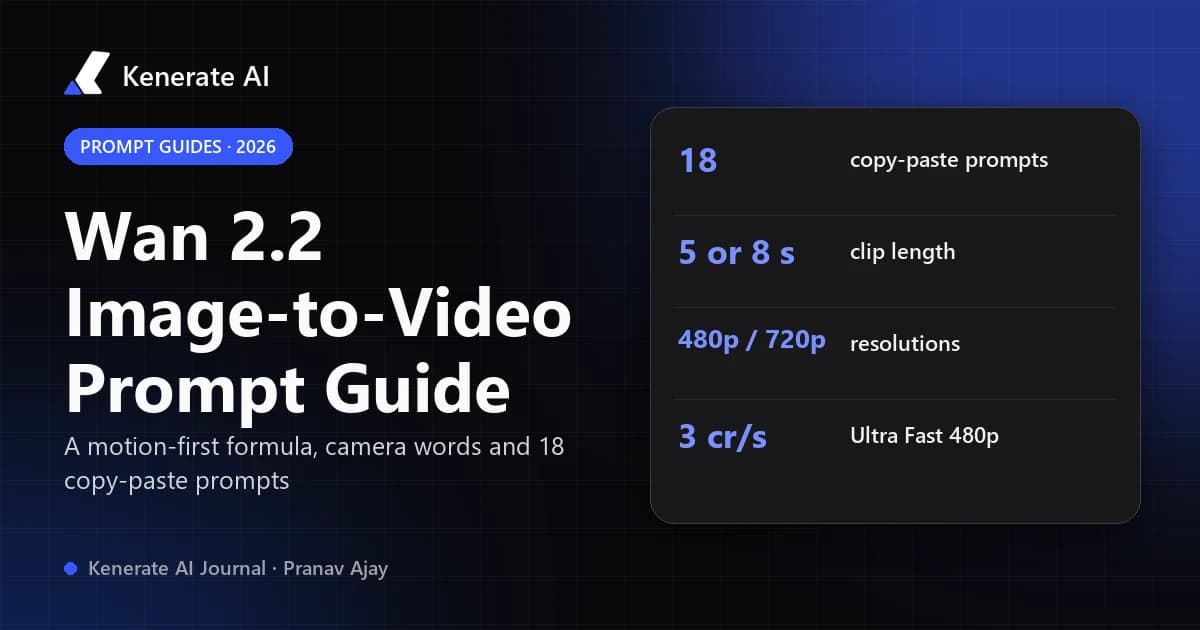
| Clip length | 5 s or 8 s | 5 s or 8 s |
| Resolution | 480p, 720p (default 720p) | 480p, 720p (default 720p) |
| Aspect ratio | 16:9, 9:16 | 16:9, 9:16 |
| Price per second | 9 credits (480p), 18 credits (720p) | 3 credits (480p), 6 credits (720p) |
| 5 s clip | 45 / 90 credits | 15 / 30 credits |
| 8 s clip | 72 / 144 credits | 24 / 48 credits |
| Prompt required | Yes | Yes |
Ultra Fast is the cheapest video model on Kenerate, so it is the right place to test prompts before you spend on the full model. You can try both from the Wan 2.2 page.
What is the Wan 2.2 image-to-video prompt formula?
Use this order:
[Subject] + [one action] + [camera move] + [pace / mood] + (optional) [end state]
Example:
The barista slowly pours milk into the latte, forming a leaf pattern. Static camera, close-up. Calm, gentle pace, steam rising. The pour finishes and her hand pulls away.
Why each part is there:
- Subject – name the thing that moves using the same words a viewer would use for your image ("the barista", "the red car", "the cat on the sofa"). This anchors the motion to the right region of the frame.
- One action – a single verb phrase. Wan 2.2 clips are 5 or 8 seconds; that is room for one clear beat, not a story.
- Camera move – say it explicitly, even if it is "static camera". If you leave it out, the model often invents a slow drift.
- Pace / mood – "slow", "gentle", "energetic", "in slow motion". This controls motion speed more reliably than anything else.
- End state (optional) – "coming to rest", "settles back into place". It stops the motion from looking cut off at the last frame.
What should you leave out of the prompt?
- Re-describing the image. "A beautiful woman with long brown hair in a red dress in a sunlit café" wastes tokens on things the frame already shows. Text-to-image habits are the most common cause of weak results — the Unifically Wan 2.2 guide makes the same point.
- Things that aren't in the picture. If your start frame has no dog, "a dog runs in" usually produces a smeared shape. VEED's Wan 2.2 prompting guide recommends animating only elements visible in the image.
- Several events. "She stands up, walks to the door, opens it and waves" in five seconds produces rushed, rubbery motion. Split it into separate clips.
- Quality spam. "8k, masterpiece, ultra detailed" does nothing for motion; the image decides the detail.
Which camera-motion words does Wan 2.2 understand?
Wan 2.2 responds well to standard film vocabulary. Keep to one camera move per clip.
| You want | Write | Good for |
|---|---|---|
| No camera movement | "static camera", "locked-off shot" | Portraits, product shots, subtle motion |
| Move closer | "slow push-in", "dolly in" | Building focus on a face or object |
| Move away | "slow pull-back", "dolly out" | Reveals, endings |
| Turn sideways | "pan left", "pan right" | Landscapes, wide rooms |
| Turn up/down | "tilt up", "tilt down" | Buildings, waterfalls, full-body shots |
| Circle the subject | "orbit around the subject", "arc shot" | Products, statues, characters |
| Follow the subject | "tracking shot following the runner" | People or vehicles in motion |
| Handheld feel | "subtle handheld camera" | Documentary, street, vlog style |
| Lens zoom | "slow zoom in" | Drama without parallax |
Tip: "push-in" and "zoom in" are not the same. A push-in moves the camera and creates parallax; a zoom changes focal length and keeps the background flat. Wan 2.2 does both, and the difference is visible.
How do you choose a good start frame?
The image does most of the work, so a better frame beats a longer prompt.
- Match the aspect ratio. Kenerate's Wan 2.2 outputs 16:9 or 9:16. Crop your image to the ratio you'll use, or the model has to frame it for you.
- One clear subject. Images with a distinct focal point and an uncluttered background animate more cleanly.
- Leave room for the motion. If the camera will push in, the subject can be mid-frame; if it will orbit, avoid cropping the subject at the edges.
- Avoid tiny details you care about. Small text, logos and fine hands are the first things to wobble. For text and logos, use a static camera.
- Use a sharp, well-lit source. At 480p or 720p output, a noisy source becomes a noisy video.
If you need a start frame first, make one with an image model, then use image-to-video on the result.
Do negative prompts work with Wan 2.2?
In the open-source Wan 2.2 (for example in ComfyUI or the official repo) you can pass a negative prompt, and a short, targeted list helps: "morphing, warping, face deformation, flickering, extra fingers, text overlay". Long generic lists dilute the signal. Our negative prompts guide explains when they still matter in 2026.
On Kenerate AI, the Wan 2.2 video form takes a single prompt — there is no separate negative-prompt field. Write the constraint positively inside the prompt instead:
- Instead of "no camera shake" → "static camera, locked-off shot".
- Instead of "no face distortion" → "her face stays still and natural, only her hair moves".
- Instead of "no extra people" → name the one subject and keep the action on them.
The official repo also offers optional prompt extension (--use_prompt_extend), which uses a Qwen model to rewrite short prompts with more detail. It helps vague prompts but can add motion you didn't ask for; if you run Wan 2.2 locally and need literal control, leave it off.
18 Wan 2.2 image-to-video prompts you can copy
Each prompt assumes your image already shows the subject. Swap the nouns to match your frame.
Portraits and people
- "The woman slowly turns her head toward the camera and smiles softly. Static camera, medium close-up. Gentle breeze moves her hair. Calm pace."
- "The man looks up from his book and glances out of the window. Slow push-in on his face. Warm, quiet mood."
- "The chef tosses vegetables in the pan, flames flick up briefly. Static camera, waist-up shot. Energetic but smooth motion."
- "The dancer raises both arms in one slow, graceful movement, fabric flowing. Slow orbit around the dancer. Soft stage light."
Products and e-commerce
- "The perfume bottle rotates slowly on the pedestal, light gliding across the glass. Static camera. Smooth, premium pace."
- "Camera slowly orbits around the sneaker, revealing the side profile. Clean studio background stays still. Smooth motion."
- "Water droplets run down the cold soda can as condensation forms. Slow push-in. Crisp, refreshing feel."
- "Steam rises gently from the coffee cup. Static camera, close-up. Calm morning mood, minimal motion."
Landscapes and travel
- "Waves roll onto the shore and pull back across the sand. Slow pan right along the beach. Golden-hour light, peaceful pace."
- "Clouds drift across the mountain peaks, shadows moving over the valley. Static wide shot, time-lapse feel."
- "Fog slowly rolls between the pine trees. Slow dolly forward along the path. Quiet, moody atmosphere."
- "City lights flicker on as the evening sky darkens. Slow tilt down from the skyline to the street. Cinematic."
Animals
- "The cat blinks slowly, then stretches and settles back onto the cushion. Static camera, close-up. Cozy, slow pace."
- "The horse gallops across the field, mane flowing. Tracking shot following the horse from the side. Dynamic motion."
- "The bird spreads its wings and takes off from the branch. Static camera. Slow motion."
Anime, illustration and art
- "The anime girl's hair and ribbon sway in the wind as cherry blossom petals drift past. Static camera. Soft, dreamy pace."
- "The painted river begins to flow and the leaves in the painting rustle gently. Static camera. Painterly style preserved."
- "The knight lifts his sword and the cape billows behind him. Slow low-angle push-in. Epic, dramatic mood."
What usually goes wrong, and how do you fix it?
| Problem | Likely cause | Fix |
|---|---|---|
| Face changes or melts | Too much head or body motion, or a small face in frame | Use a closer crop, "subtle" motion, "static camera" |
| Motion feels rushed | Too many actions for 5 s | One action per clip, add "slow" or "gentle", or choose 8 s |
| Camera drifts randomly | No camera instruction | Always state a camera move, even "static camera" |
| Almost nothing moves | Prompt only describes the scene | Add a clear verb: "turns", "pours", "rises", "flows" |
| New objects appear | Prompt mentions things not in the image | Only animate what is visible |
| Hands or text wobble | Fine detail at low resolution | 720p, static camera, keep hands out of the action |
| Clip ends abruptly | Action is still mid-way at the last frame | Add an end state: "and comes to rest" |
| Wrong framing | Image ratio doesn't match output | Crop to 16:9 or 9:16 before uploading |
How do you make a Wan 2.2 video on Kenerate AI, step by step?
- Open the Wan 2.2 page and start the video generator with Wan 2.2 or Wan 2.2 Ultra Fast selected.
- Upload your start frame (cropped to 16:9 or 9:16).
- Write your prompt with the formula: subject + one action + camera + pace.
- Pick 480p and 5 s for a first test (15 credits on Ultra Fast, 45 on Wan 2.2).
- Generate, watch, and change one thing at a time — the verb, the camera, or the pace.
- When the motion is right, re-run at 720p or 8 s for the final clip.
When should you use a different Wan model?
Wan 2.2 is a good fit for short, single-beat clips and cheap testing. For longer clips (up to 30 s), 1080p or more aspect ratios, Wan 3.0 is the newer option; we compare all three in Wan 2.2 vs Wan 2.7 vs Wan 3. If you want to copy the motion of a reference video onto a character instead of describing it, that is a different tool: Wan 2.2 Animate.
Sources
- Wan-Video/Wan2.2 — official GitHub repository (release date, MoE design, resolutions, license, prompt extension)
- VEED — Wan 2.2 Prompting Guide (prompt structure, negative-prompt categories)
- Unifically — Wan 2.2 image-to-video prompt guide (motion-first prompting)
- Kenerate AI model configuration (
video-models.ts), checked 17 October 2026, for clip lengths, resolutions, aspect ratios and credit prices.