AI University 2026 • The Complete Step-by-Step Creator Masterclass
How to Build an AI Influencer from Scratch — The 2026 Master Guide
The complete workflow creator agencies use, without ComfyUI code: persona design, a character reference sheet, consistent images from reference photos, and Wan 3.0 video reels with lip sync.
By Kenerate AIUpdated 4 min read
Try it in Kenerate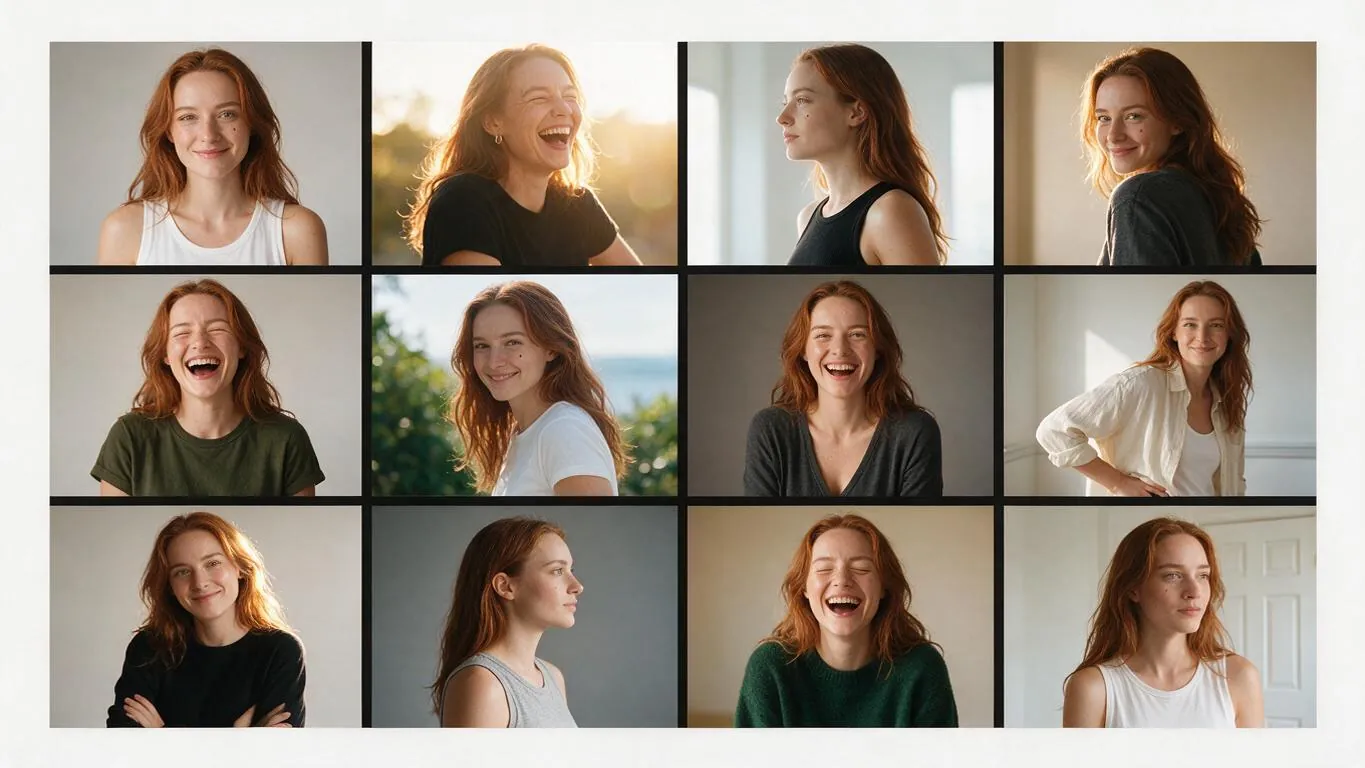
On this page
On this page
Build an AI Influencer Guide
The 5-Stage Virtual Influencer Creation Pipeline
Follow this step-by-step roadmap to build and launch your AI model.
Define Niche, Persona & Aesthetic Hook
Choose a niche (Fitness, Luxury Travel, Gaming, or Fashion). Give your virtual model a name, an adult age (25+), a city and a bio. Design their visual identity (e.g., golden hour skin, amber eyes, effortless casual chic).
Pro Tip: Pick one niche and stay in it
Build a Character Reference Sheet
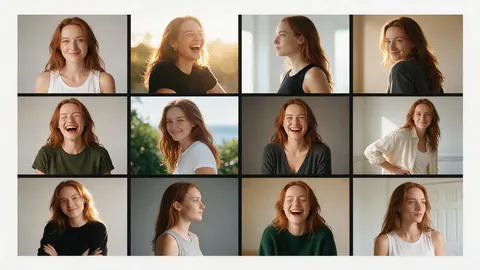
Generate one strong portrait, then make a small reference sheet of the same character from several angles (front, 3/4, side profile) with natural expressions and even lighting. These images become the references for every later scene — no model training needed.
Pro Tip: Keep the face unobstructed in every reference
Keep the Face Consistent with Reference Images
Add your reference sheet to an edit-capable image model and describe the new scene. MiniMax H3 Image accepts up to 9 references and GPT Image 2 up to 16, so the same face carries across scenes, outfits, hairstyles, and lighting setups.
Pro Tip: Re-use the same references for every new scene
Batch Produce Feed Content
Plan a content calendar: casual smartphone-style selfies for Stories, styled photo carousels for Instagram and TikTok, and lifestyle sets around your niche.
Pro Tip: Batch several weeks of content in one session
Animate into Video Reels & Talking Lip Sync
Animate your influencer stills into walking reels with Wan 3.0 image-to-video. For talking clips, use Avatar Talk or a Lip Sync model to sync a voice-over to your character's mouth.
Pro Tip: Post reels alongside stills on Instagram & TikTok
AI Influencer Creation Platforms Compared
Side-by-side comparison of face consistency, hardware requirements and pricing.
| Platform | Face Consistency | Hardware Required | Monthly Pricing |
|---|---|---|---|
| Kenerate AI (Image + Video Studio) | ✅ Reference images (up to 9 on MiniMax H3, 16 on GPT Image 2), no ComfyUI | ✅ No local GPU needed (cloud) | ✅ Free to start; video on one-time packs |
| ComfyUI + Kohya_ss Local | Custom LoRA training (high control) | Local GPU such as an RTX 4090 | Free software |
| Midjourney v6 | Prompt and image references | Cloud | $10.00 to $120.00/mo |
| Make-Influencer.ai | Template LoRA training | Cloud | $29.00 to $89.00/mo |
| ZenCreator | Influencer Studio presets | Web UI | $19.99/mo |
| SoulGen | Basic character generator | Cloud | $9.99 to $29.99/mo |
Prompts
Curated Masterclass Showcases
Compare reference sheets, consistent lifestyle shoots, talking reels, and flowchart blueprints.
Reference Sheet: Multi-Angle Headshot Grid
Character reference sheet grid of one adult woman (25) from several angles and expressions — front, three-quarter and profile — even studio lighting, 16:9.
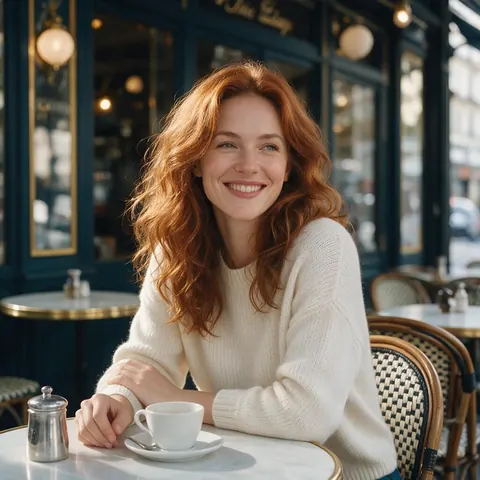
Locked Identity: Paris Cafe Lifestyle Photoshoot
Consistent virtual influencer, adult female model (25), in a stylish Paris cafe smiling at camera, photorealistic 8k, 16:9.
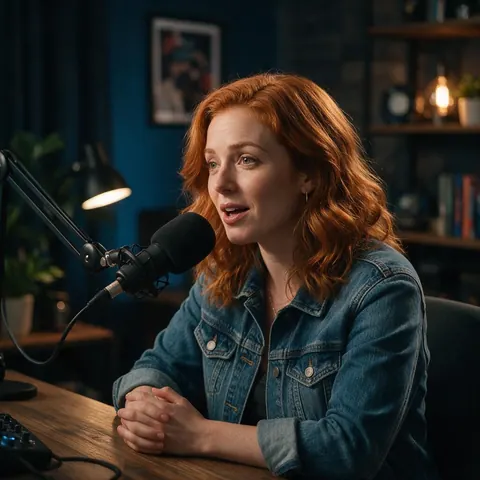
Podcast Studio Talking Reel Animation
Virtual influencer talking reel video still with microphone in home podcast studio, cinematic lighting, 16:9.
Complete 5-Stage AI Influencer Pipeline Blueprint
Infographic flowchart of 5-step AI influencer creation from persona definition to reference sheet and video animation, 16:9.
Real results
Curated Masterclass Showcases
Compare dataset preparation matrices, locked identity lifestyle shoots, talking reels, and flowchart blueprints.
How it works
How it works in the app
Step 1
Describe your image
Open Image Studio and type what you want to see — subject, style, lighting and mood.
Step 2
Pick an image model
Tap the model card to browse every image model, filter by use case and choose one.
Step 3
Set the aspect ratio and size
Open Output to choose a ratio such as 1:1, 9:16 or 16:9 and the resolution you need.
Step 4
Click Create
Choose how many images to make, then press Create — results land in your gallery.
See it in the app

Open Image Studio and type what you want to see — subject, style, lighting and mood.


FAQ
Frequently Asked Questions
7 questions
Do I need a $2,000 gaming PC or RTX 4090 GPU to build an AI influencer in 2026?
No. Cloud platforms like Kenerate AI run the heavy image and video models (Flux 2, Seedream, MiniMax H3 Image, Wan 3.0) on fast cloud GPUs. You can create, manage, and animate your entire AI influencer from any MacBook, standard laptop, or mobile browser.
Link to this answerHow do I keep a consistent face without knowing how to code ComfyUI nodes?
Use reference images instead of nodes. Generate or upload your character's portrait and reference sheet, add them as references in an edit-capable image model — MiniMax H3 Image takes up to 9, GPT Image 2 up to 16 — and describe the new outfit or scene. The model keeps the face, eye shape and jawline from the references, with no training.
Link to this answerCan I generate talking video reels for Instagram and TikTok?
Yes. In Kenerate AI you can take any generated image of your virtual model and turn it into a clip with natural movement and camera pans using Wan 3.0 image-to-video, then add a voice-over with synced mouth motion in Avatar Talk or with a Lip Sync model.
Link to this answerDo credits on Kenerate AI expire at the end of the month?
No! All credits purchased on Kenerate AI remain permanently in your balance with zero expiration dates, allowing you to batch produce content whenever you want.
Link to this answerWhat content rules apply to a virtual influencer?
Swimwear and lifestyle fashion are fine within Kenerate AI's content rules. Your virtual model must be a fictional adult who clearly looks over 18, real people need their consent, and nothing non-consensual or illegal is allowed. It is also good practice to tell your audience the influencer is AI-generated.
Link to this answerIs there a free trial available to build my first virtual influencer?
Free to start, but video needs a one-time credit pack. Sign up and the free credits let you test the Image Studio, reference images and Avatar Talk before you buy anything; Wan 3.0 clips in the Video Studio run on one-time credit packs that never expire, and there is no subscription required.
Link to this answerStart Building Your AI Influencer Free Today
Free to start. No watermark, no subscription required, and credits that never expire.
Tried it? Tell us how it went