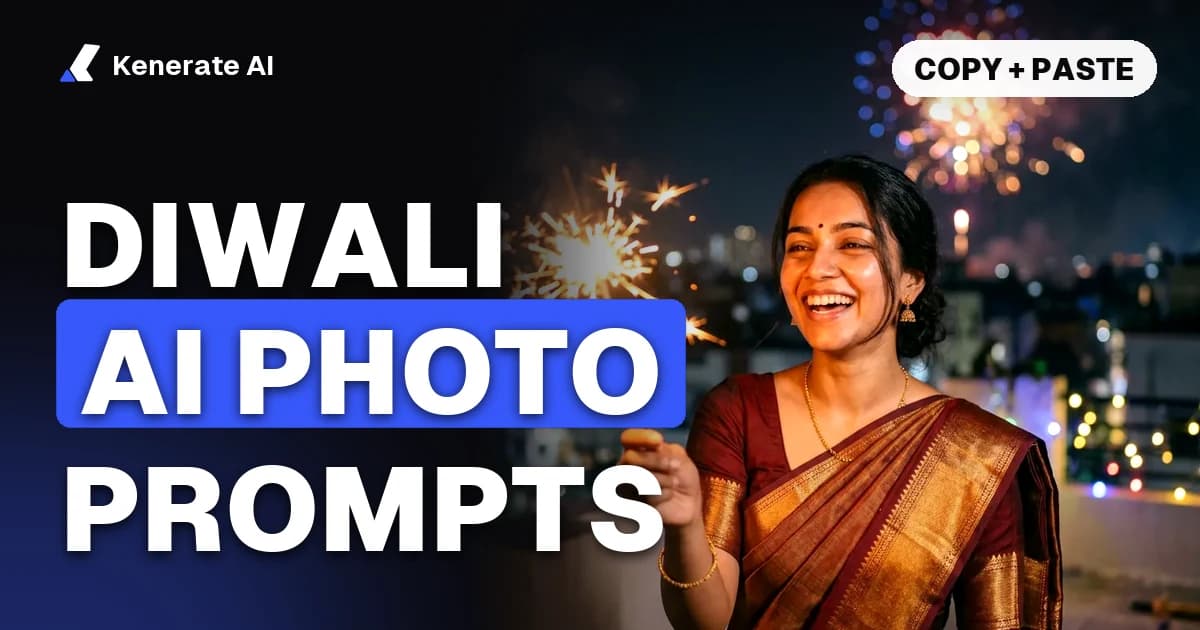
The best Diwali AI photo prompts do three things: say what must stay the same ("same woman, same face and same saree"), describe one festive scene (diyas, rangoli, a phuljhadi, a puja corner), and name the light (dusk, warm string lights, golden sparks). Below are the exact prompts we used to turn one portrait into a whole Diwali photoshoot, plus a greeting card and a rangoli, and 20 more prompts you can copy. Diwali 2026 falls on Sunday 8 November, so as of 1 November 2026 there's a week to make yours.
Every picture in this post is a real, first-try output from Kenerate AI. The woman is an AI-generated portrait, not a real person. With your own photo you skip the first step and start straight at the scenes.
When is Diwali 2026?
Most panchangs put Lakshmi Puja on Sunday 8 November 2026, on the night of Kartika Amavasya. The five days run roughly like this (SmartPuja, Kissht, Dekho Panchang):
| Day | Date (2026) | Photo idea |
|---|---|---|
| Dhanteras | Friday 6 November | Brass diyas, a new silver coin, a shopping-bag portrait |
| Choti Diwali | Saturday 7 November | Making rangoli at the door, stringing marigold torans |
| Diwali / Lakshmi Puja | Sunday 8 November | Diyas on the balcony, the puja thali, phuljhadi on the roof |
| Govardhan Puja | Monday 9 November | Family lunch, annakut table |
| Bhai Dooj | Tuesday 10 November | Sibling tilak portrait, sweets box |
Some sources shift Govardhan Puja and Bhai Dooj by a day, and muhurat times differ by city, so check your local panchang.
What makes a good Diwali AI photo prompt?
A prompt that works has four parts, in this order:
- What stays. "Same woman, same face and same maroon and gold saree." Put it first, every time. Image models follow the start of a prompt most closely.
- One scene. "Lighting a row of clay diyas on a balcony railing at dusk." One action, one place. A list of ten decorations gives you clutter.
- Supporting detail. "Warm string lights and marigold garlands behind her, the city glowing softly in the background."
- Mood and light. "Candid smile, cinematic warm light."
You don't need "8K, ultra-detailed, masterpiece". Plain sentences work, so prompts written for Gemini or ChatGPT paste straight into other image tools.
The one-photo Diwali photoshoot: our exact prompts
We made one portrait with Nano Banana 2.1 (Google's image model), then used that same portrait as the only reference image for three new scenes. Each scene was one try. All three kept the face, the bindi, the gold jhumkas, the necklace and the saree's gold border.
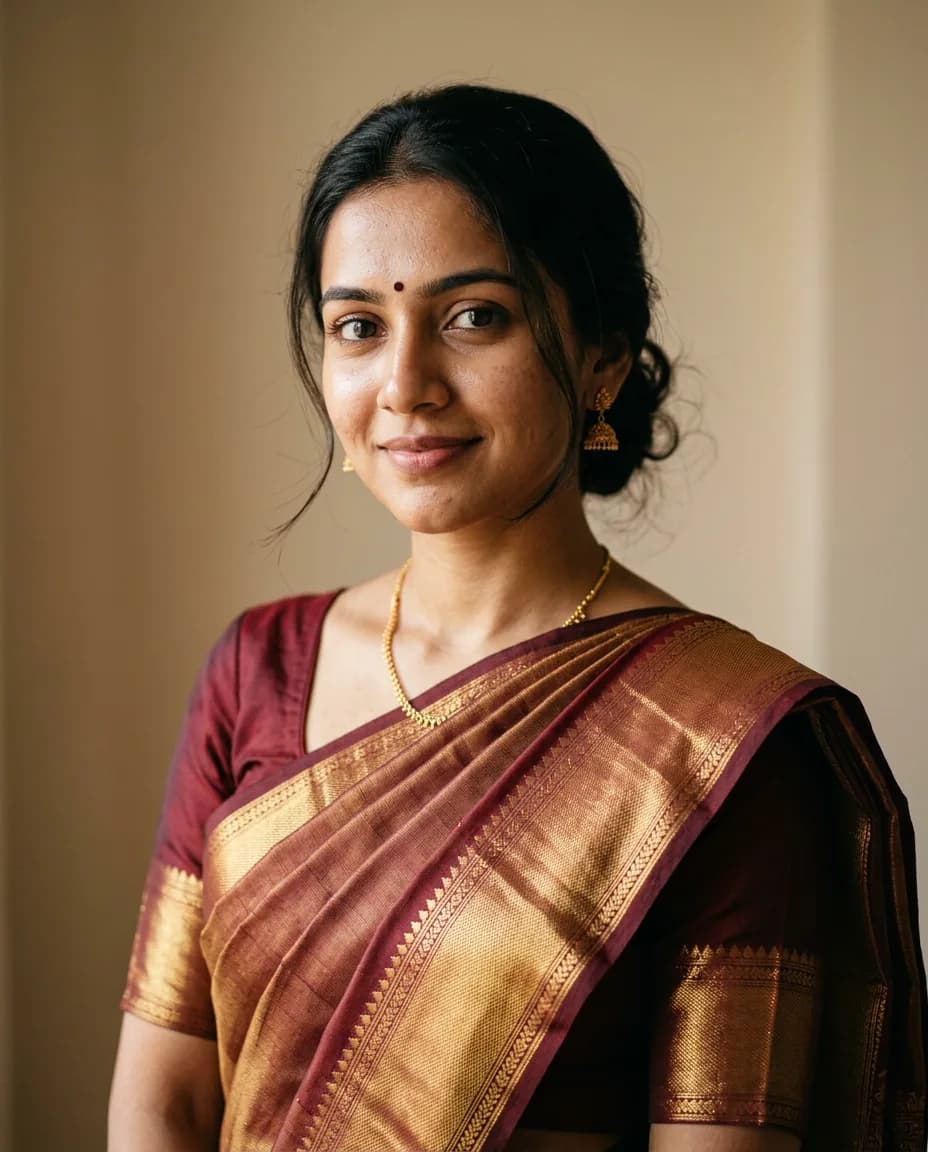
Prompt 1: the starting portrait (skip this with your own photo)
Warm portrait photo of a young Indian woman in her late twenties in an elegant maroon and gold silk saree with a small bindi, gentle smile, soft natural window light, plain warm beige background, shot on 85mm, realistic skin, upper body, looking at camera
A plain background helps: the model carries over only the person, so new scenes come out clean. With your own photo, pick one that's front-lit, with your face filling a good part of the frame.
Prompt 2: lighting diyas on the balcony
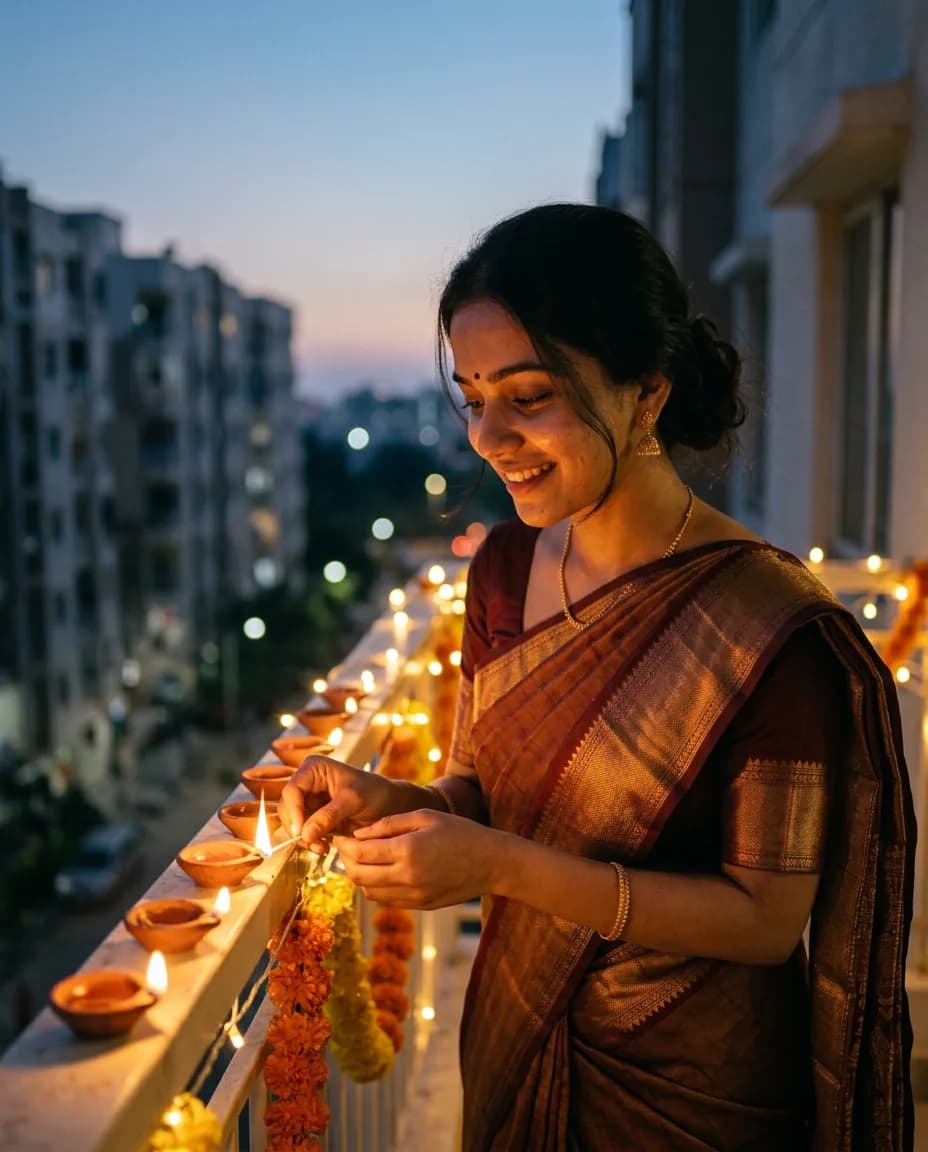
Same woman, same face and same maroon and gold saree. She is lighting a row of clay diyas on a balcony railing at dusk, warm string lights and marigold garlands behind her, the city glowing softly in the background, candid smile, cinematic warm light
This is the shot most people want for a Diwali DP. The model put a lit taper in her hand for the next diya and left the rest glowing along the railing, which reads as a real moment.
Prompt 3: rangoli at the doorstep
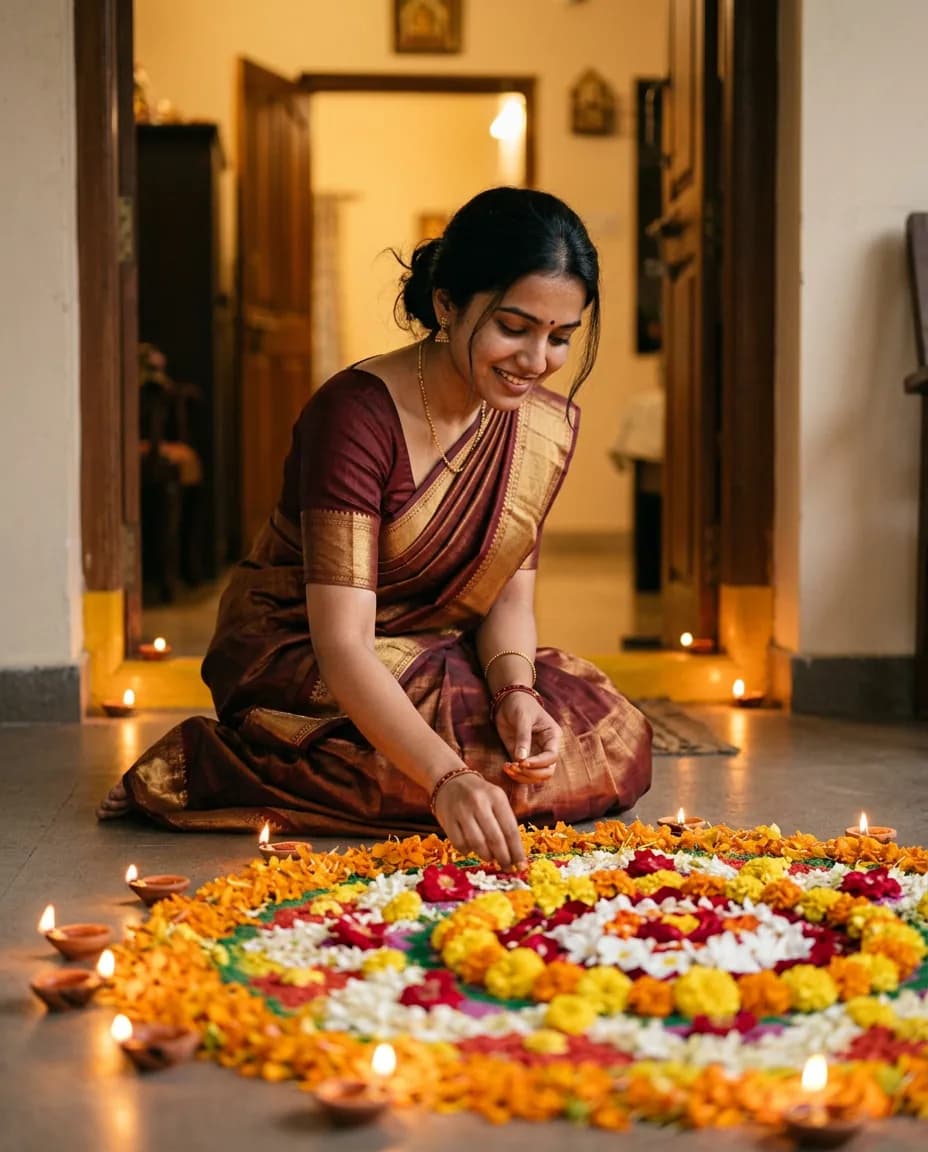
Same woman, same face and same maroon and gold saree. She is kneeling at her home's doorstep finishing a colourful flower rangoli with coloured powder in her fingers, diyas around the rangoli, warm evening light from the doorway, joyful and focused
One honest note: we asked for "flower rangoli with coloured powder" and got a marigold, rose and jasmine petal rangoli. It looks lovely, but if you want a powder rangoli, ask for "powder rangoli" alone and leave the flowers out.
Prompt 4: phuljhadi on the roof
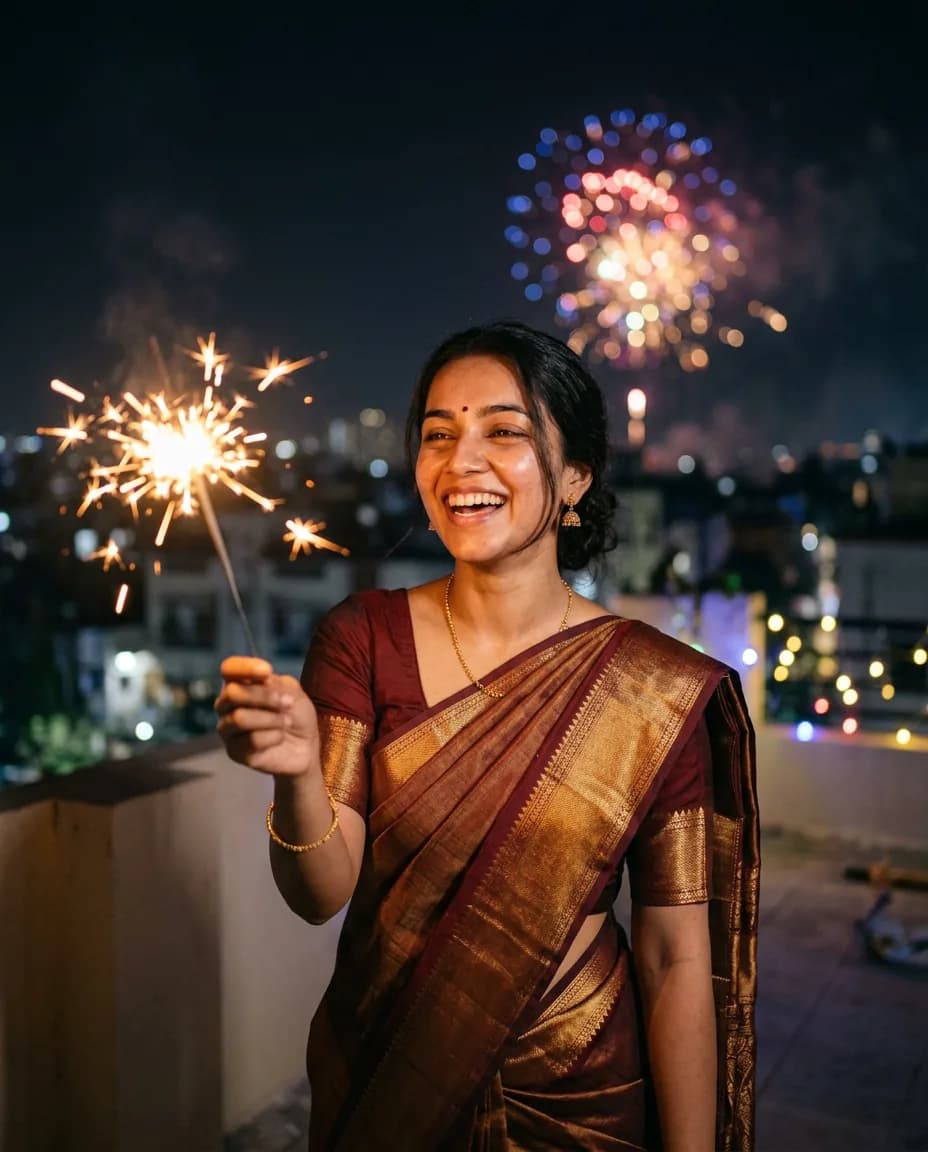
Same woman, same face and same maroon and gold saree. She is on a rooftop at night holding a sparkler (phuljhadi) safely at arm's length, laughing, golden sparks lighting her face, colourful fireworks blooming in the night sky behind her, festive and cinematic
"Safely at arm's length" does two jobs: it keeps the sparks away from the face, so the face stays sharp, and it gives a natural pose. Night scenes are where likeness most often slips, so look closely at the eyes and smile before you post.
Diwali greeting card prompt (with text in the image)
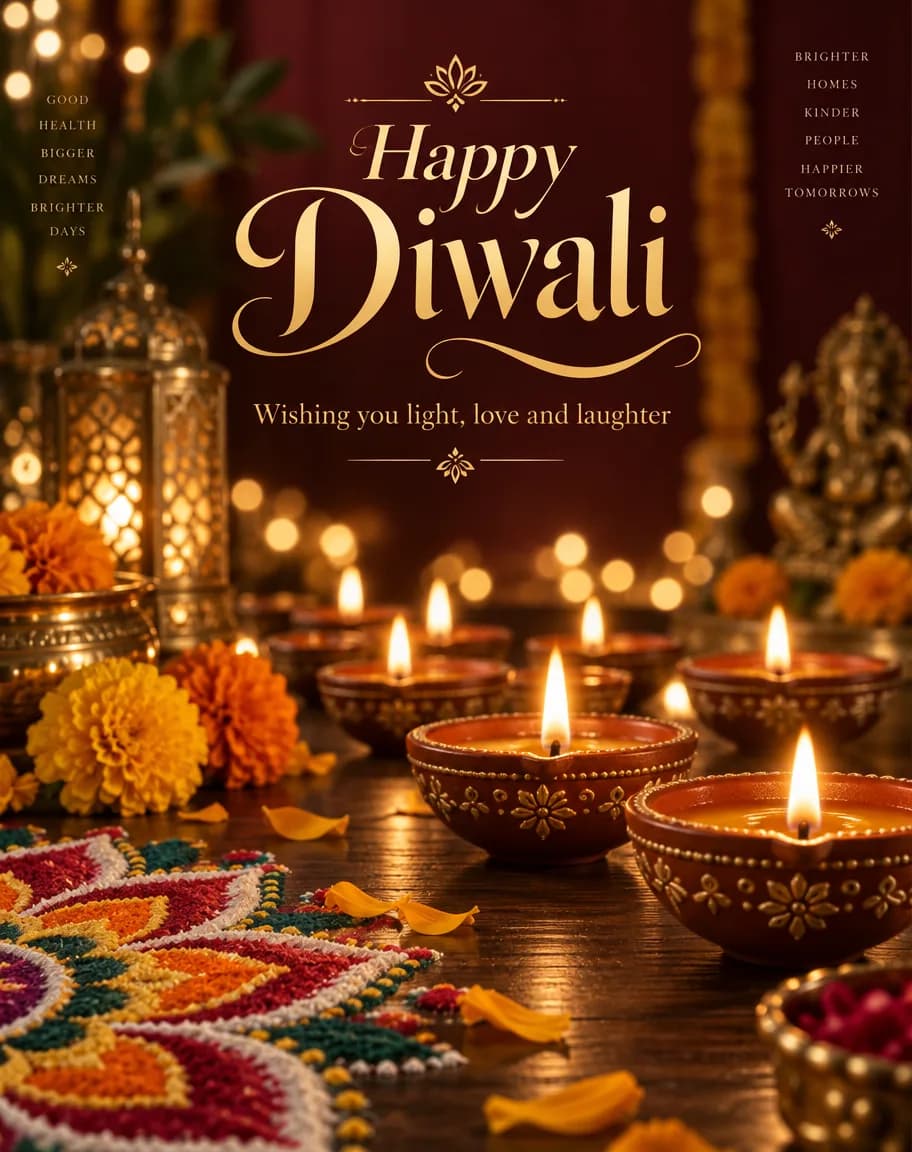
Festive Diwali greeting card poster: rows of glowing clay diyas on a dark wooden surface, marigold flowers and a small colourful rangoli in the corner, warm bokeh lights in the background, elegant gold calligraphy text "Happy Diwali" at the top and smaller text "Wishing you light, love and laughter" below, rich deep maroon and gold palette, premium print design
We made this one with GPT Image 2.5, which is the stronger choice when words must appear in the picture. It spelled both lines correctly. It also added two small columns of extra words at the top corners ("Good health, bigger dreams…" and "Brighter homes, kinder people…") that nobody asked for, plus a small Ganesha figure in the background. They read fine, but if you want only your words, add "no other text" to the end of the prompt.
Card tips:
- Put the exact words in double quotes.
- Keep the greeting short. Two lines is the sweet spot; long wishes are easier to add later in a card editor.
- Ask for 1:1 for a WhatsApp DP or Instagram post, 9:16 for a status or story.
- For Hindi greetings ("शुभ दीपावली"), check every character before you send it. Non-Latin text is easier to get wrong.
Looking for wording ideas to pair with the card? Our post on Diwali wishes images for 2026 has ready-made wishes.
Rangoli design prompt
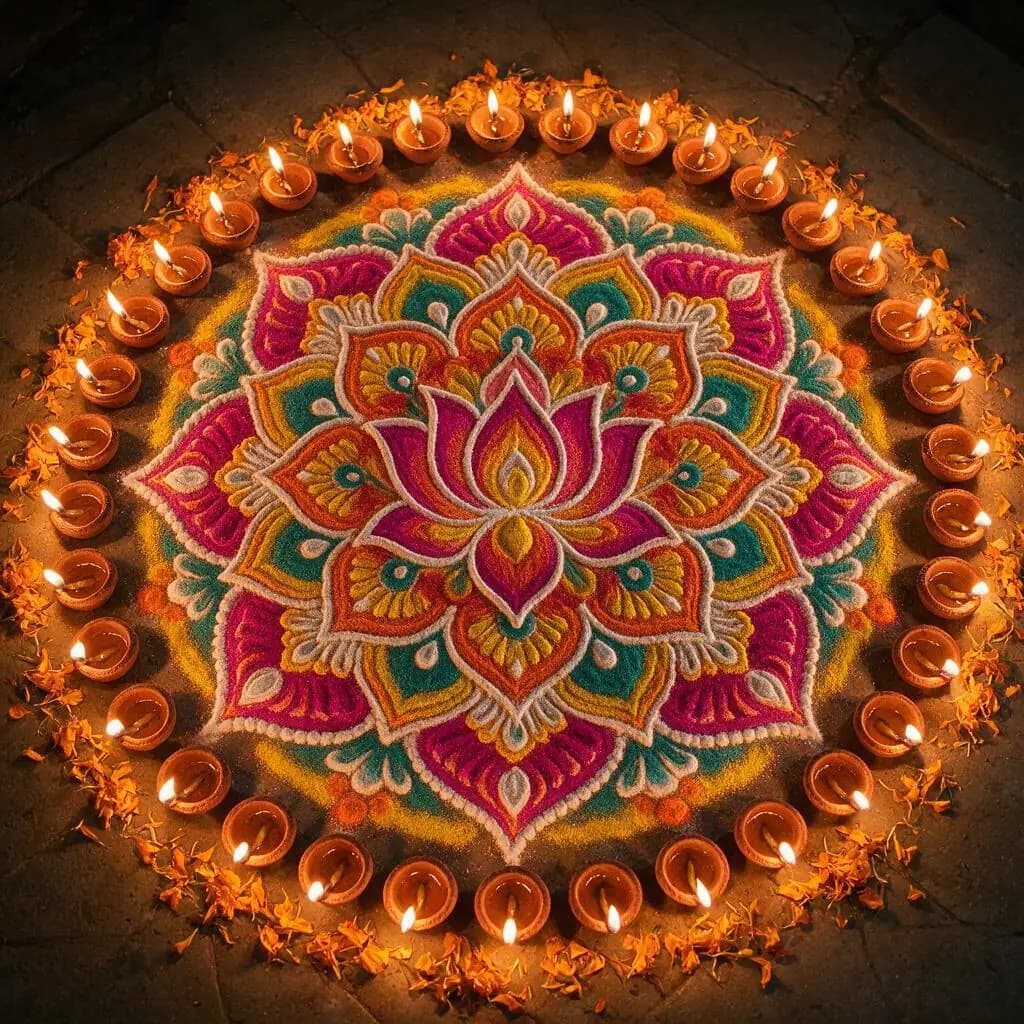
Top-down photo of a large, intricate traditional Diwali rangoli on a stone floor at night: symmetrical lotus mandala made of bright coloured powders in magenta, orange, yellow, turquoise and white, a ring of lit clay diyas around it, marigold petals, crisp detail, festive and peaceful
Made with Seedream 5.0 Pro at 1:1. "Top-down" and "symmetrical" are the two words that matter: without them you get an angled view with a lopsided pattern. People also use pictures like this as a reference to draw their own rangoli at the door.
Which model for which Diwali photo?
| What you want | Model we used | Why | Free plan? |
|---|---|---|---|
| Same person across several scenes | Nano Banana 2.1 | Kept face, jewellery and saree across all three edits; up to 14 reference images | No |
| Greeting card with words | GPT Image 2.5 | Wrote both lines correctly; up to 16 reference images | No |
| Rangoli or illustrated designs | Seedream 5.0 Pro | Clean symmetry and colour; up to 10 reference images | No |
| Trying it free with your own photo | Qwen Image 3.0, Flux 2 Dev | On the free plan and accept up to 3 reference photos | Yes |
Facts from Kenerate's model list as of 1 November 2026. A new account gets 25 credits on sign-up and starts on the free plan, which covers Qwen Image 3.0, Qwen Image 2.0 and 2.0 Pro, Flux 2 Dev, Flux 2 Klein, Flux 2 Turbo and Flux 2 Flash. Nano Banana 2.1, GPT Image 2.5 and Seedream 5.0 Pro need a paid plan. We didn't test the free models on this Diwali set, so expect a few more tries to get a close likeness.
20 more Diwali AI photo prompts to copy
Add "Same person, same face." (or "Keep my face, hair and expression exactly the same.") to the start of each when you upload a photo.
For women
- Red silk saree with a gold border, standing on steps lined with lit clay diyas, warm dusk light.
- Pink lehenga with mirror work, sitting beside a large flower rangoli, holding a brass diya.
- Green anarkali on a rooftop at night, a sparkler held at arm's length, city lights and fireworks behind.
- White chikankari suit, lighting diyas at a doorway with a marigold toran and fairy lights.
- Mustard saree in a courtyard of floating diyas in a brass urli, soft golden bokeh.
For men
- Cream silk kurta with a maroon Nehru jacket, balcony with hanging lanterns at dusk.
- Navy sherwani beside a rangoli and rows of diyas, warm string-light glow.
- White kurta-pyjama holding a sparkler on a terrace, fireworks in a deep blue sky.
- Black kurta lighting a diya at a home mandir, close-up, candlelit warmth.
For couples (upload one photo of each person)
- The woman from photo 1 and the man from photo 2 in matching maroon and gold outfits on steps lined with diyas, marigold garlands behind.
- The same couple on a rooftop at night with sparklers, city lights and fireworks, candid laugh.
- The couple lighting one diya together, hands close, soft warm light, shallow depth of field.
For families (upload one photo per person)
- Everyone from the photos in festive clothes around a rangoli at the front door, evening light.
- The family seated for Lakshmi Puja before a decorated home altar with diyas and flowers, soft light.
- Grandparents and grandchildren sharing mithai at a festive table with diyas and marigolds.
Scenes, styles and formats
- Your hands placing petals on a colourful rangoli, top-down shot.
- You at a lantern market at night holding a paper akash kandil, stalls glowing behind.
- Vintage 1970s Diwali photo look, warm film grain, brass lamps, patterned saree.
- Square WhatsApp DP: shoulders-up portrait with soft diya bokeh, face centred.
- 9:16 status image: full-length festive outfit on diya-lit steps, empty space at the top for text.
For couple and family pictures, describe who stands where, and expect to regenerate: group shots are harder than single portraits. Our AI couple photo generator and AI family portrait generator pages go deeper on combining photos. Want a new outfit rather than a new scene? The AI costume changer is built for saree, lehenga and sherwani swaps.
How to make your own Diwali photoshoot, step by step
- Pick one good photo. Front-lit, face clearly visible, no sunglasses. A plain background helps.
- Open the image studio on the Diwali AI photo generator page and upload the photo as a reference.
- Paste prompt 2 (balcony diyas), changing "woman" and "saree" to match your photo.
- Check the face before you move on. If something is off, regenerate rather than editing the prompt.
- Run prompts 3 and 4 with the same original photo, not the previous result. Chaining results drifts the face a little more each time.
- Download at the shape you need: 4:5 for an Instagram carousel, 1:1 for a DP, 9:16 for a status.
Respect and safety
Diwali imagery includes deities, puja altars and temple settings. Keep those scenes respectful: no deity faces swapped for real people, no jokes on altars, and check religious details (Lakshmi, Ganesha, the kalash) for odd AI mistakes before you share. Only upload photos of yourself, or of adults who have agreed. Never use photos of celebrities or strangers. If a picture looks realistic, say it's AI-made when you post it; Instagram and other platforms have AI labels for this.
Frequently asked questions
What are Diwali AI photo prompts?
They're text instructions that tell an image model to put your photo, or a new scene, into a Diwali setting: diyas, rangoli, marigolds, a phuljhadi, traditional clothes, or a greeting card with text. The best ones state what must stay the same first, then one scene, then the light.
How do I keep my face the same in AI Diwali photos?
Start every prompt with "same woman, same face and same saree" (or your version), upload one clear photo, and reuse that same photo as the reference for each scene. In our test, Nano Banana 2.1 kept the face, bindi, jhumkas and saree across three scenes on the first try. Still check every result.
How do I add "Happy Diwali" text to an AI image?
Put the exact words in double quotes in the prompt and say where they go: "elegant gold calligraphy text "Happy Diwali" at the top". Add "no other text" so the model doesn't invent extra lines, as GPT Image 2.5 did on our card.
Can I make a couple or family Diwali photo with AI?
Yes. Upload one photo per person and describe who stands where. Group pictures need more retries than solo portraits, so check every face. Only use photos of people who agreed.
Is there a free Diwali AI photo generator?
Kenerate's free plan includes Qwen Image 3.0, Flux 2 Dev and five other models, all of which accept a reference photo, and new accounts get 25 credits on sign-up. Nano Banana 2.1, the model behind our photoshoot set, isn't on the free plan.
When is Diwali 2026?
Sunday 8 November 2026 in most panchangs, with Dhanteras on Friday 6 November and Bhai Dooj on Tuesday 10 November. Check a local panchang for puja muhurat times.
Is the woman in these photos real?
No. She's an AI-generated portrait we made for this post with Nano Banana 2.1. She is not a real person.