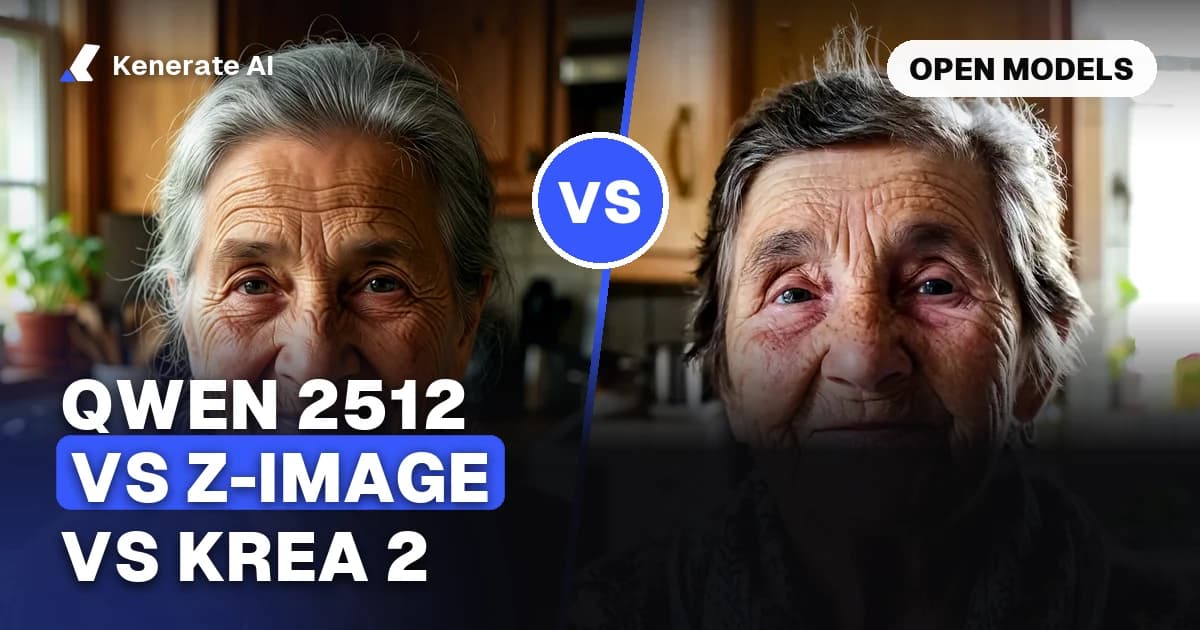
Short answer: Qwen Image 2512 is the pick when you need exact in-image text and dense detail; Z-Image Turbo is the pick when you want the fastest, lightest open model you can run on a 16 GB card; Krea 2 sits between them with the strongest "photographic" aesthetic and 2K output, but under a more restrictive licence. As of 20 October 2026, all three have open weights, and you can run Qwen Image 2512, Z Image Base and four Krea 2 versions in the browser on Kenerate AI without downloading anything.
This guide compares the three families on the things that actually decide the choice: size, licence, speed, text rendering, aspect ratios and cost per image. Where a fact comes from a model card or a vendor page, it is linked in the sources at the end.
What are Krea 2, Z-Image and Qwen Image 2512?
All three are diffusion-transformer image models with published weights, but they come from very different teams and aim at different jobs.
- Qwen Image 2512 is the December 2025 update of Alibaba's Qwen-Image (first released in August 2025). It is a 20-billion-parameter model under Apache-2.0. The Qwen team says the update reduces the "AI-generated" look on people, renders natural textures such as fur and landscapes better, and improves text accuracy and layout. It is paired with Qwen Image Edit 2511 for editing.
- Z-Image is a 6-billion-parameter family from Alibaba's Tongyi Lab, built on a single-stream diffusion transformer (S3-DiT). Z-Image Turbo is the distilled version: 8 function evaluations, no classifier-free guidance, and, per Tongyi, it "fits comfortably" on 16 GB consumer GPUs. Z-Image (Base) is the undistilled foundation model that runs around 50 steps with guidance and is easier to fine-tune. Both are Apache-2.0.
- Krea 2 is Krea's own model. Krea announced it in May 2026 and released two open checkpoints on 22 June 2026: Raw (the base for fine-tuning) and Turbo (distilled, 8 steps, guidance 0). The model card describes a 12-billion-parameter diffusion transformer under the Krea 2 Community License, with gated access and a requirement that anyone deploying it runs content filtering. Krea also sells Krea 2 Medium and Krea 2 Large through its API; Large is described by Krea as more than twice the size of Medium.
Which variant does Kenerate actually run?
This matters because the search "qwen image 2512 vs z image turbo" mixes a full model with a distilled one. Here is exactly what is in the Kenerate image studio as of 20 October 2026:
| Model on Kenerate | Family | Credits per image | Reference images | Sizes / ratios |
|---|---|---|---|---|
| Qwen Image 2512 | Qwen | 6 | Up to 3 (edits run on Qwen Image Edit 2511) | 7 native sizes, 1328×1328 default |
| Z Image Base | Z-Image | 3 | 1, with a strength slider | Sizes from 512 to 2048 px |
| Krea 2 Turbo | Krea 2 | 3.6 at 1K, 7.2 at 2K | 1, with a strength slider | 15 ratios, 1K or native 2K |
| Krea 2 Medium Turbo | Krea 2 | 4.5 (5.4 with references) | Up to 10 style references | 8 ratios incl. 2.35:1 |
| Krea 2 Medium | Krea 2 | 9 | None | 5 ratios, PNG or JPG |
| Krea 2 Large | Krea 2 | 18 (19.5 with references) | Up to 10 style references | 8 ratios incl. 2.35:1 |
Two honest notes. First, Kenerate runs Z-Image Base, not Z-Image Turbo. Everything this post says about Turbo comes from Tongyi's model card, not from our own runs. Second, the Krea 2 Medium and Large tiers are Krea's API models; the open-weights release is Raw and Turbo.
How do they compare on paper?
| Qwen Image 2512 | Z-Image Turbo | Z-Image Base | Krea 2 (Turbo) | |
|---|---|---|---|---|
| Maker | Alibaba Qwen | Alibaba Tongyi Lab | Alibaba Tongyi Lab | Krea |
| Parameters | 20B | 6B | 6B | 12B (per model card) |
| Licence | Apache-2.0 | Apache-2.0 | Apache-2.0 | Krea 2 Community License |
| Steps in the official example | 50, true CFG 4.0 | 8 NFEs, guidance 0 | ~50 with CFG | 8, guidance 0 |
| In-image text | English and Chinese, a headline strength | Bilingual English/Chinese | Bilingual English/Chinese | Not a headline focus in Krea's docs |
| Native resolution | ~1.3–1.7 MP, 7 sizes | 1024×1024 in the example | 1024×1024 in the example | 1K to 2K (2048×2048 example) |
| Best known for | Text, dense detail, realistic people | Speed and low VRAM | Fine-tuning, diversity | Photographic aesthetic, film looks |
The parameter count tells you most of the hardware story. A 20B model like Qwen Image 2512 needs quantised files (fp8 or smaller) to fit on most consumer GPUs, while a 6B model like Z-Image Turbo runs comfortably on 16 GB. Krea 2 is in between at 12B.
Qwen Image 2512 vs Z-Image Turbo: which is better?
They are not really competing for the same job.
Qwen Image 2512 wins on precision. In a published five-prompt A/B test with identical seeds at 720×1280, the author found Qwen Image 2512 spelled a requested sign string exactly, punctuation included, and packed more background detail into a complex steampunk scene. Z-Image Turbo rendered legible text too, but smoothed skin texture and simplified busy backgrounds. That matches what Qwen claims for the 2512 update: more natural people and more accurate text layout.
Z-Image Turbo wins on speed and footprint. Tongyi reports sub-second latency on H800 GPUs and 16 GB consumer-card support. At 8 evaluations with no guidance, it does roughly a sixth of the work of a 50-step, CFG-guided run. One hosted service even recommends iterating on Z-Image Turbo and rendering finals with Qwen Image 2512.
The trade-off: distilled Turbo models are less varied. Tongyi's own model zoo rates Turbo's output diversity as "Low" and Base's as "Medium". If you run the same prompt five times, Turbo tends to give you five similar images. That is good for consistency and less good for exploring ideas.
So: for a poster, menu, product label or anything where the words must be right, use Qwen Image 2512. For fast drafts on your own GPU, use Z-Image Turbo. On Kenerate, where the GPU isn't your problem, Z Image Base at 3 credits fills the cheap-draft role and is the better base for an image-to-image remix.
Krea 2 vs Z-Image: what is the difference?
The second common search, "krea2 vs zimage", is really a question about look and licence.
Look. Krea built its brand on the photographic, less "plastic" aesthetic, and Krea 2 continues that. Krea describes Large as rawer and more textured, strongest on photorealism, motion blur and grain, and Medium as more consistent and strongest on illustration, anime and painting. Z-Image is a clean, realistic all-rounder that favours balanced compositions.
Control. Krea 2 on Kenerate gives you things Z-Image doesn't: a Creativity setting (raw, low, medium, high) on Large and Medium Turbo, up to 10 style references, wider ratios including 2.35:1 anamorphic, and native 2K on Turbo. Z Image Base gives you one reference with a strength slider and free pixel sizes up to 2048 px.
Licence. This is the big one if you plan to self-host. Z-Image is Apache-2.0: use it, fine-tune it, ship it. Krea 2's weights are gated behind the Krea 2 Community License, with an Acceptable Use Policy and a requirement to run content filtering. Third-party write-ups describe a seat threshold for larger organisations, so read the licence itself before building a product on Krea 2. If you only use the models through a hosted app, the licence question moves to the host.
Cost on Kenerate. Z Image Base is 3 credits. Krea 2 Turbo is 3.6 at 1K, so the two are near-equal for drafts. Krea 2 Large costs 18 credits, six times as much, and is the one to use when the image is the final deliverable.
Which model should you pick for your use case?
| You want to make | Pick | Why |
|---|---|---|
| A poster, ad or label with exact words | Qwen Image 2512 | Most precise text of the three |
| A realistic portrait with skin texture | Qwen Image 2512 or Krea 2 Large | Both are tuned against the "AI look" |
| Moody film stills, grain, motion blur | Krea 2 Large | Krea's stated strength |
| Anime, painting, illustration | Krea 2 Medium / Medium Turbo | Krea's stated strength for Medium |
| 50 quick drafts to find an idea | Z Image Base or Krea 2 Turbo | 3–3.6 credits each |
| Remix a sketch or photo with a strength slider | Z Image Base or Krea 2 Turbo | Both take one source image + strength |
| Match a house style from reference images | Krea 2 Medium Turbo or Large | Up to 10 style references |
| Edit a photo while keeping the face | Qwen Image 2512 (Edit 2511) | Built for consistent edits, up to 3 references |
| A model to fine-tune and ship yourself | Z-Image Base | Apache-2.0 and rated "easy" to fine-tune |
| An ultra-wide cinematic frame | Krea 2 Large / Medium Turbo | 2.35:1 ratio |
How do you compare them yourself in 5 minutes?
The fastest way to settle the argument is one prompt across all three.
- Open the Kenerate image studio and sign in.
- Pick Qwen Image 2512 and paste a prompt that tests text and people, for example: "Photorealistic portrait of a baker holding a chalkboard that reads 'FRESH BREAD 7AM', warm morning light, 85mm."
- Generate once, then switch the model to Z Image Base and Krea 2 Turbo and run the same prompt. Set the same ratio where both models offer it (Qwen uses fixed sizes; Krea and Z-Image take ratios or free sizes).
- Compare three things: is the chalkboard text spelled right, does the skin look natural, and how busy is the background?
- Run your winner a second time on Krea 2 Large if you want the most textured, photographic finish, or use the reference upload to remix the best draft.
Total cost for one round: 6 + 3 + 3.6 = 12.6 credits, or about 30 credits if you add Krea 2 Large.
What about running them locally?
All three have downloadable weights, and ComfyUI has official workflows for Qwen Image 2512 (including a Lightning LoRA for 4-step runs) and Krea 2.
- Z-Image Turbo is the easiest: 6B, about 16 GB of VRAM, 8 steps.
- Krea 2 Turbo is 12B, so plan on fp8 files and a 16–24 GB card; you also need to accept the gated licence on Hugging Face.
- Qwen Image 2512 is 20B; the bf16 weights are large, so most people use fp8 or GGUF quantisations and a Lightning LoRA to cut the 50 steps down.
If you don't have the hardware, our guide to the open-source AI image generator lists the open models you can run in the browser instead.
Verdict
There is no single winner, and anyone who tells you otherwise is comparing different variants. For text and realistic detail, Qwen Image 2512. For speed, small hardware and a permissive licence, Z-Image Turbo locally or Z Image Base on Kenerate. For photographic or cinematic style with references, Krea 2, with Large for finals and Turbo for drafts. Read more on each model page: Qwen Image 2512, Z-Image, Krea 2 Turbo and the Krea family.
Sources
- Qwen/Qwen-Image-2512 model card, Hugging Face
- Tongyi-MAI/Z-Image-Turbo model card, Hugging Face
- krea/Krea-2-Turbo model card, Hugging Face
- Krea 2 API overview, Krea docs
- Qwen-Image-2512 vs Z-Image Turbo: 5-prompt benchmark, DEV Community
Updated 20 October 2026. Credit prices are from the Kenerate image studio on that date.