The best Flux prompts are plain sentences that put the most important thing first: subject, then action, then style, then context, which is the order Black Forest Labs (BFL) recommends for FLUX.2. Aim for 30–80 words, put any text that must appear in the image inside quotes, and describe what you want instead of what you don't, because FLUX.2 has no negative prompt. On Kenerate, 11 Flux image models run from 0.9 credits (FLUX.1 Schnell) to 21 credits (FLUX.2 Max) per image, and four of them, FLUX.2 Dev, Klein 4B, Turbo and Flash, are on the free plan.
Below: how Flux reads a prompt, the rules from BFL's own docs, how FLUX.2 differs from FLUX.1, every Flux model on Kenerate with credits, and 40 Flux prompts to copy. Checked 23 October 2026.
How do you write a good Flux prompt?
BFL's FLUX.2 prompting guide gives one structure: Subject + Action + Style + Context. Word order matters, so the main subject and the key action go first, then the critical style, then the essential context, then secondary details.
| Part | What to write | Example |
|---|---|---|
| Subject | Who or what, with 2–3 concrete traits | "a red-haired cyclist in a yellow rain jacket" |
| Action | What they're doing | "riding through a puddle" |
| Style | Medium, era or camera | "street photograph, shot on a 35mm lens, 2000s digicam look" |
| Context | Place, time, light, mood | "on a cobbled street in Amsterdam at dusk, wet reflections, cool blue light" |
| Details | Text, colors, secondary objects | "a shop sign reading "FIETS" in white letters" |
Put together: A red-haired cyclist in a yellow rain jacket riding through a puddle, street photograph shot on a 35mm lens, on a cobbled street in Amsterdam at dusk with wet reflections and cool blue light, a shop sign reading "FIETS" in white letters behind her.
How long should a Flux prompt be?
BFL's guide gives three ranges:
| Length | Words | Use it for |
|---|---|---|
| Short | 10–30 | Quick exploration, testing a style |
| Medium | 30–80 | "Usually ideal for most projects" |
| Long | 80+ | Complex scenes with several subjects or exact layouts |
Longer is not automatically better. Every extra clause is one more thing the model has to balance, so add detail only for things you want to control.
Does Flux support negative prompts?
No. BFL's guide says FLUX.2 does not support negative prompts and tells you to focus on "what you want, not what you don't want". On Kenerate, all 11 Flux models have no negative-prompt field (
in the model config). Rewrite exclusions as positive descriptions:| Instead of | Write |
|---|---|
| "no blur" | "sharp focus throughout" (BFL's own example) |
| "no people" | "an empty street at dawn" |
| "no text, no watermark" | "a clean, unmarked surface" / "blank label" |
| "no extra fingers" | "one hand resting flat on the table, five fingers visible" |
| "not cartoon" | "photograph, natural skin texture, 50mm lens" |
If you need a separate negative field, see the negative prompts guide for the models that have one.
How do you get text right in a Flux image?
BFL's guide says to put the exact words in quotation marks and to say where they go, in what font style, size and color. Its example: The text 'OPEN' appears in red neon letters above the door. Practical rules:
- Quote the exact text.
a poster with the headline "NIGHT MARKET". - Keep it short. A headline and one line of detail works far better than a paragraph.
- Say where and how. "centered at the top, bold condensed sans-serif, white".
- Use hex codes for brand colors. BFL recommends tying each code to an object: "the headline in color #FF5A1F".
- Pick FLUX.2 Flex for typography. On Kenerate, Flex is the Flux model tuned for typography and fine detail.
How is FLUX.2 prompting different from FLUX.1?
| FLUX.1 (Dev, Schnell) | FLUX.2 (Max, Pro, Flex, Dev, Turbo, Flash) | FLUX.2 [klein] | |
|---|---|---|---|
| Prompt style | Natural language | Natural language or structured JSON | Prose, not keyword lists |
| Prompt length | Schnell is capped at 256 T5 tokens; Dev has no such cap (default 512) | 30–80 words usually ideal | Short to medium |
| Negative prompt | None on Kenerate | Not supported | Not supported |
| Text in image | Works for short words | Quote the text, set font and place | Quote the text |
| Extra tips | Schnell is distilled for few steps: use it for drafts | Hex colors, camera and film-stock names | End with a "Style:" and a "Mood:" line |
The token limits come from the Hugging Face Diffusers FLUX reference; the klein tip comes from BFL's Prompt Reference, which says klein receives the prompt as written, so write prose rather than keyword lists. The practical difference: a prompt that works on FLUX.1 Schnell will usually work on FLUX.2, but long FLUX.2 prompts can get cut off on Schnell.
BFL's docs now also cover FLUX 3 Image, which keeps prompts short because the model expands them itself. Kenerate does not run FLUX 3 Image; it runs FLUX 3 Video.
Which Flux models does Kenerate run, and what do they cost?
Credits are per image, from the app's model config and credit calculator on 23 October 2026. Edit prices apply when you add reference images.
| Model | Credits (text to image) | Credits (edit) | Max references | Max size | Free plan |
|---|---|---|---|---|---|
| FLUX.2 Max | 21 | 21 | 3 | 2048 × 2048 | No |
| FLUX.2 Flex | 18 | 36 | 3 | 2048 × 2048 | No |
| FLUX.2 Pro | 9 | 18 | 3 | 2048 × 2048 | No |
| FLUX.2 Dev | 3 | 3 | 3 | 2048 × 2048 | Yes |
| FLUX.2 Turbo | 12 | 14.4 (+2.4 per extra ref) | 4 | 1536 × 1536 | Yes |
| FLUX.2 Flash | 7.5 | 9 (+1.5 per extra ref) | 4 | 1536 × 1536 | Yes |
| FLUX.2 Klein Base 9B | 4.5 | 6.3 | 3 | 1536 × 1536 | No |
| FLUX.2 Klein Base 4B | 3 | 4.5 | 3 | 1536 × 1536 | No |
| FLUX.2 Klein 4B | 3 | 3 | 3 | 1536 × 1536 | Yes |
| FLUX.1 Dev | 3.6 | 3.6 (1-image remix, strength slider) | 1 | 1536 × 1536 | No |
| FLUX.1 Schnell | 0.9 | 0.9 (1-image remix, strength slider) | 1 | 1536 × 1536 | No |
New accounts get 25 sign-up credits, enough for eight FLUX.2 Dev images. All 11 models accept a fixed seed, which is the cleanest way to test prompt changes: keep the seed, change one phrase, compare. See every version side by side on the FLUX.2 model page, or open the Flux AI image generator.
How do you write a Flux prompt step by step?
- Open the image studio and pick a Flux model. FLUX.2 Dev (3 credits, free plan) is a good default for drafts; move to Pro or Max for finals.
- Write the subject and action in the first clause. BFL's guide says word order matters, so lead with what matters most.
- Add one style. A medium ("oil painting"), a camera ("Shot on Fujifilm X-T5, 35mm f/1.4", BFL's example) or an era ("80s vintage").
- Add context: place, time, light, mood.
- Quote any text and give it a place and a font style.
- Turn exclusions into positives (see the table above).
- Fix the seed and iterate. Change one phrase per run.
- For edits, name each reference's role: "the person from image 1, the jacket from image 2".
40 Flux prompts you can copy
All are written for FLUX.2 (they also work on FLUX.1, keeping Schnell's shorter limit in mind).
Photorealistic people
- A fisherman in his seventies with a white beard mending a net on a wooden dock, early morning fog, shot on Fujifilm X-T5, 35mm f/1.4, muted blues and browns.
- A young chef plating a dessert in a busy restaurant kitchen, steam and motion around her, warm tungsten light, 50mm, shallow depth of field.
- A cyclist in a yellow rain jacket riding through a puddle on a cobbled street at dusk, splash frozen mid-air, wet reflections, 2000s digicam look.
- Close-up portrait of a woman with silver braids and gold hoop earrings, soft window light from the left, natural skin texture, 85mm, neutral grey backdrop.
- A street musician playing violin in a subway station, commuters blurred behind him, cool fluorescent light, sharp focus on his hands and bow.
- Two climbers resting on a granite ledge high above a valley at sunrise, ropes and gear visible, golden light on the rock, wide shot.
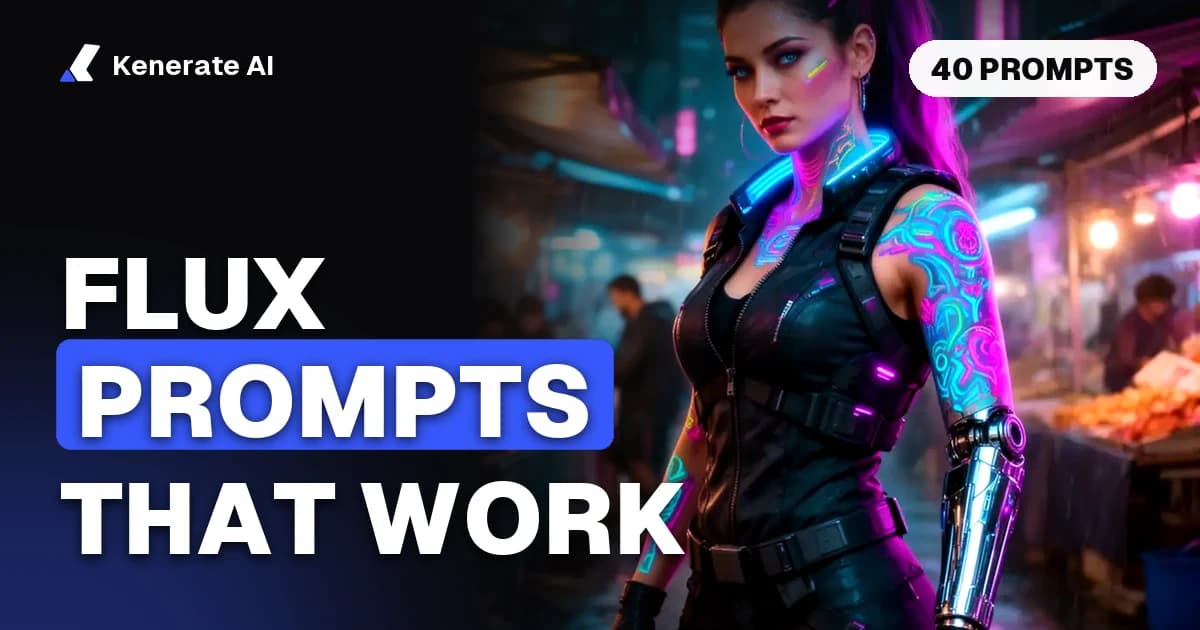
- A cyberpunk mercenary woman with neon tattoos and a chrome arm in a rainy night market, cinematic.
- A grandfather and granddaughter flying a red kite on a windy hill, overcast sky, candid, 35mm film grain.
Prompt 7 is the real prompt behind this post's cover, generated with FLUX.2 Dev on Kenerate.
Products and food
- A matte black coffee grinder on a concrete counter beside a glass jar of beans, morning side light, crisp shadows, minimal product photography.
- A bottle of cold-pressed orange juice with the label reading "SUNRISE" in color #FF8A00, on a bed of crushed ice, bright studio light.
- Top-down view of a breakfast table: avocado toast, a soft-boiled egg, a cup of black coffee, linen napkin, pale oak, soft daylight.
- A luxury watch with a deep green dial on a slab of dark marble, single spotlight, sharp focus throughout, reflections on the crystal.
- A stack of three fluffy pancakes with blueberries and maple syrup dripping down the side, warm diner light, 45-degree angle.
- A pair of white sneakers mid-air against a seamless color #B8E3D0 background, soft shadow below, centered.
- A handmade ceramic mug with a speckled glaze on a windowsill, steam rising, rain on the glass behind, cozy mood.
- A skincare serum bottle surrounded by sliced cucumbers and water droplets, clean white background, high-key light.
Posters, logos and typography
- A retro travel poster with the headline "KYOTO" in bold cream letters at the top, a red pagoda among autumn maples, flat mid-century illustration.
- A neon sign reading "OPEN LATE" in pink cursive letters on a dark brick wall, glow reflecting on a wet sidewalk.
- A minimalist logo for a coffee roaster called "Ember", a single flame inside a circle, flat vector, color #2B2B2B on cream.
- A concert poster with "NIGHT MARKET" in large condensed sans-serif at the top and "SAT 9 PM" below, risograph texture, orange and blue.
- A book cover titled "The Salt Road" in elegant serif, a lone camel caravan crossing dunes at dusk, deep purple sky.
- A clean infographic titled "How Coffee Is Made" with four numbered steps and simple icons, flat design, brown and cream palette.
- A storefront with the text "FRESH BREAD" painted in gold on the window, a baker visible inside, early morning light.
- A vintage enamel badge reading "TRAIL CLUB" with crossed pine trees, forest green and cream, slight wear on the edges.
Places and architecture
- A Scandinavian cabin on a frozen lake under the northern lights, warm light in the windows, long exposure stars, wide angle.
- A narrow street in Lisbon with a yellow tram climbing the hill, laundry hanging between buildings, afternoon sun.
- Brutalist concrete library interior with a tall skylight, a single reader at a long table, shafts of light, symmetrical composition.
- A terraced vineyard in Tuscany at golden hour, cypress trees along a winding road, soft haze in the valley.
- A modern glass house on a cliff above a stormy sea, dramatic clouds, architectural photography, 24mm.
- A quiet Tokyo alley at night with lantern-lit izakayas, light rain, reflections on stone, a single cat sitting on a doorstep.
Illustration, fantasy and sci-fi
- A watercolor of a hedgehog reading under a mushroom during a light rain, loose washes, visible paper texture.
- An isometric 3D illustration of a tiny bookstore on a floating island, clay-like materials, warm pastel palette.
- A knight in dented armor resting beside a campfire in a snowy forest, oil painting, visible brushstrokes, warm firelight.
- A giant whale swimming through clouds above a small village at sunset, dreamy fantasy art, soft pink and gold sky.
- A retro-futuristic space station cafeteria with astronauts eating, 1970s sci-fi illustration style, orange and teal.
- A ukiyo-e woodblock print of a fox spirit crossing a moonlit bridge, flat colors, fine black outlines.
- A cozy anime-style bedroom at night with a desk lamp, posters on the wall and rain on the window, soft cel shading.
- A steampunk airship docking at a clock tower above a foggy Victorian city, brass and copper tones, cinematic.
Structured and editing prompts
- A JSON prompt (BFL documents FLUX.2 as handling JSON as well as prose):
{"scene": "a rooftop garden cafe at sunset", "subjects": [{"description": "a barista in a green apron", "action": "pouring latte art"}], "style": "lifestyle photography", "lighting": "warm golden hour, backlit", "color_palette": ["#F4A261", "#2A9D8F"], "camera": "50mm, shallow depth of field"} - An edit with two references: "Put the person from image 1 in the jacket from image 2. Keep their face, pose and the original background exactly the same; match the jacket's lighting to the scene."
For general prompt craft that works across models, see how to write AI image prompts and the AI prompt enhancer, which expands a short idea into a fuller prompt. For local runs, the FLUX.2 klein 9B workflow covers ComfyUI settings.
Which Flux model should you use for which prompt?
| Prompt type | Model | Why |
|---|---|---|
| Fast drafts and style tests | FLUX.1 Schnell (0.9) or FLUX.2 Dev (3, free plan) | Cheapest per image |
| Posters, logos, signs | FLUX.2 Flex (18) | Tuned for typography and fine detail |
| Final photoreal images | FLUX.2 Pro (9) or Max (21) | Higher fidelity, up to 2048 × 2048 |
| Edits with up to 4 references | FLUX.2 Turbo or Flash (free plan) | 4 references instead of 3 |
| Cheap prose-only prompts | FLUX.2 Klein 4B (3, free plan) | Small, fast model |
FAQ
What is the best prompt format for Flux?
Natural-language sentences in the order subject, action, style, context. BFL's FLUX.2 guide recommends this structure and says word order matters, so put the most important element first.
Does Flux use negative prompts?
No. FLUX.2 does not support negative prompts, and none of the 11 Flux models on Kenerate has a negative field. Describe the result you want, for example "sharp focus throughout" instead of "no blur".
How long should a Flux prompt be?
BFL says 30–80 words is usually ideal. Use 10–30 words for quick exploration and 80+ only for complex scenes. FLUX.1 Schnell caps prompts at 256 T5 tokens, so keep Schnell prompts shorter.
How do I put text in a Flux image?
Put the exact words in quotes and say where they go, in what font style and color: a poster with the headline "NIGHT MARKET" in bold condensed letters at the top. FLUX.2 Flex is the Flux model on Kenerate tuned for typography.
Can I use hex color codes in Flux prompts?
Yes, on FLUX.2. BFL recommends writing "color" or "hex" before the code and tying it to a specific object, such as "the label in color #FF8A00". Vague instructions like "use #FF0000 somewhere" give inconsistent results.
Which Flux models are free on Kenerate?
FLUX.2 Dev, FLUX.2 Klein 4B, FLUX.2 Turbo and FLUX.2 Flash are on the free plan. New accounts get 25 sign-up credits; FLUX.2 Dev costs 3 credits per image.
Do keyword-style prompts work on Flux?
They work, but less well. Flux reads full sentences, and BFL's Prompt Reference says klein in particular should get prose rather than keyword lists. Tag-style prompts suit SDXL and Pony models better.
Is FLUX 3 available for images on Kenerate?
No. Kenerate runs FLUX 3 Video, but not FLUX 3 Image. For images, the newest Flux models on Kenerate are the FLUX.2 family, from Klein 4B up to Max.
Sources
- Black Forest Labs: Prompting Guide, FLUX.2 [pro] & [max]
- Black Forest Labs: Prompt Reference
- Black Forest Labs: Prompting Basics
- Hugging Face: Diffusers FLUX pipeline documentation