Is GPT Image 2.6 free? Partly. In ChatGPT, OpenAI made Images 2.6 available on all subscription tiers when it launched on 4 November 2026, so you can make some images without paying extra — within your plan's usage limits, which are lowest on the free tier. The API has no free tier: every image is billed by tokens. On Kenerate AI, new accounts get 25 free credits, but those run the free models (Flux 2 and Qwen Image); GPT Image 2.6 itself needs a one-time credit pack, from $15 for 1,300 credits — about 86 medium-quality images. Here's each option and its limits.
Updated 12 November 2026.
Can you use GPT Image 2.6 free in ChatGPT?
Yes, within limits. OpenAI's launch post says Images 2.6 is "available globally today in ChatGPT and Codex across all subscription tiers on desktop, mobile, and web". What "free" gets you is a small allowance that OpenAI can change at any time; once you hit it, ChatGPT asks you to wait or upgrade. Paid plans raise the limit.
Two caveats from third-party summaries of OpenAI's help pages: images with thinking is reported to be limited to paid plans, and GIF creation was still rolling out to some accounts in the first days after launch.
Good for: trying the model, the odd image for a post. Not good for: batches, exact sizes or formats, or anything you need on a deadline.
Is the GPT Image 2.6 API free?
No. OpenAI bills GPT-Image-2.6 Sunburst and Flare by tokens. Third-party guides list $5 per million text-input tokens, $8 per million image-input tokens and $30 per million image-output tokens — one calculator estimates about $0.04 for a medium-quality 1024 × 1024 image. There's no free monthly allowance, so even tests cost a little.
Is GPT Image 2.6 free on Kenerate?
Not on the free plan. Every new Kenerate account gets 25 free credits with no card, which run the free image models — Flux 2 and Qwen Image — plus some tools. GPT Image 2.6 Sunburst and Flare need a one-time credit pack:
- $15 for 1,300 credits — about 86 GPT Image 2.6 images at medium quality and 1K (15 credits each).
- Low quality costs 9 credits at 1K, so the same pack covers about 144 drafts.
- Credits never expire and there's no subscription.
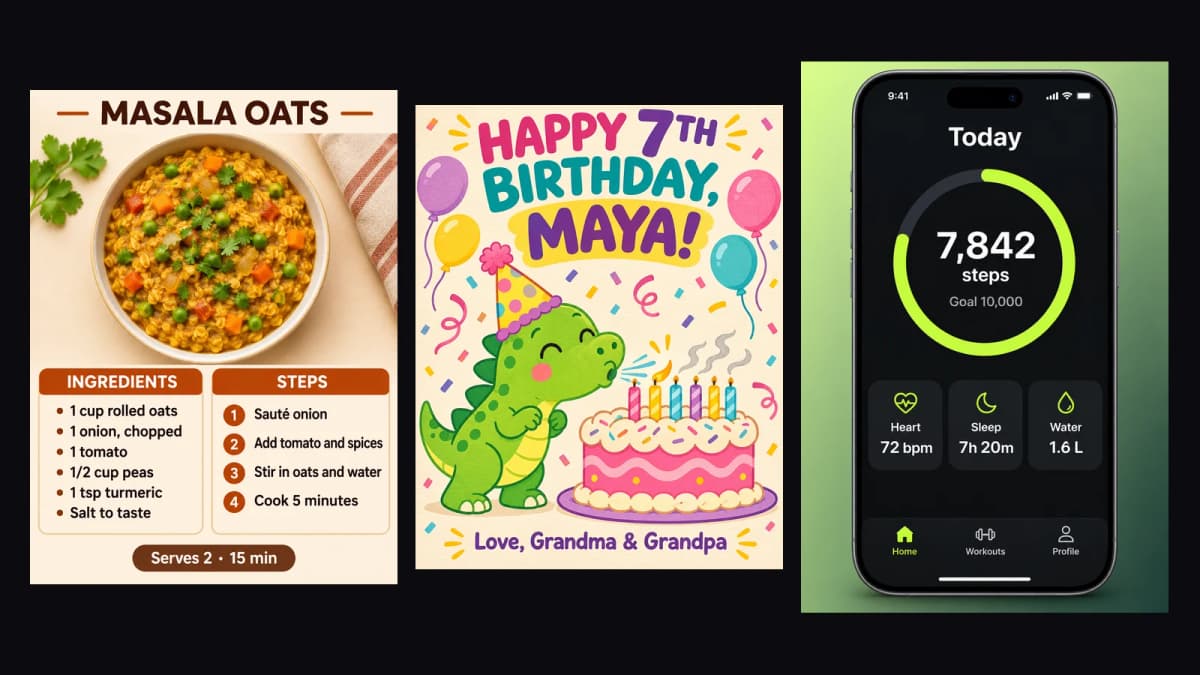
What 15 credits buys: one medium 1K image each — the recipe card, the birthday card and the app screen.
Every way to use GPT Image 2.6, compared
| Option | Free? | Limits | Best for |
|---|---|---|---|
| ChatGPT free tier | Yes, small allowance | Low usage cap; some features on paid plans only | Trying the model |
| ChatGPT paid plans | Included in the plan | Higher cap; settings mostly automatic | People who already pay for ChatGPT |
| OpenAI API | No — pay per token | Needs code and an API key | Apps and automations |
| Kenerate | Free credits run other models; GPT Image 2.6 from a $15 pack | Pay per image, credits never expire | Many images without code, full control of settings |
Free alternatives to GPT Image 2.6
If you need text in images and want to spend nothing, Kenerate's free plan includes Qwen Image 3.0, which handles short text well, and Flux 2 models for general images. They won't output GIF or SVG and aren't as reliable on long text as GPT Image 2.6, but they're good for drafts. When a draft works, re-run the final version on GPT Image 2.6.
How to get the most out of a small budget
- Draft at low quality — 9 credits at 1K on Kenerate — and only render the keeper at medium or high.
- Stay at 1K until the final image; 4K at max quality costs 17 times as much as medium 1K.
- Quote every word and add "no other text", so the first try is usable.
- Use fewer references when editing; each adds 4.5 credits.
- Use GPT Image 2.5 for volume work — 7.2 credits at medium 1K — when you don't need GIF, SVG or 2.6's edit consistency.
So GPT Image 2.6 is free to try in ChatGPT, never free in the API, and on Kenerate it costs about 17 cents an image on the smallest pack, with free credits for other models to practise on. For the full price table, see GPT Image 2.6 pricing; to get started, read how to use GPT Image 2.6.