Krea 2 regional prompting means giving different parts of one image their own prompt, so a single generation follows a layout instead of one long description. As of October 18, 2026, Krea offers it in three forms: Annotations in Krea Edit (draw rectangles, write a prompt per box), regional edits in the Krea 3 API, and, for the open-weights Krea 2 models, a community ComfyUI extension that adds per-region prompts and per-region LoRAs. Krea 2 itself has no "regions" parameter in its API, so on hosted Krea 2 the practical tool is positional wording in the prompt.
That distinction trips people up. Search results mix Krea's hosted editing features, the Krea 2 model family and third-party ComfyUI nodes as if they were one thing. This guide separates them, shows how each one works, gives prompt patterns you can copy, and explains which route fits which job.
What is Krea 2 regional prompting?
Regional prompting is a way to control where things appear. Instead of writing "a red car on the left, a woman in a yellow coat on the right, neon signs at the top" and hoping the model gets the layout right, you mark each area and attach a prompt to it. The model then generates the picture so each area follows its own instruction while the rest of the image stays coherent.
Krea 2 is Krea's first foundation image model. Krea's release notes record the launch on May 12, 2026, wider availability on May 18, a faster Krea 2 Turbo on June 4, and open weights for Krea 2 Raw and Krea 2 Turbo on June 23, 2026. Krea describes the open model as a 12B diffusion transformer with a Qwen3-VL text encoder and the Qwen Image VAE. That encoder matters for regional work, because it is good at reading spatial language such as "in the lower right corner".
When people search "Krea 2 regional prompting" they usually mean one of these:
| What people call it | Where it lives | How you mark regions | Works with |
|---|---|---|---|
| Annotations | Krea Edit (krea.ai web app) | Draw rectangles; each gets a numbered badge and its own prompt card | Krea's hosted edit model (Krea's post doesn't name it) |
| Regional edits | Krea 3 API, regional_edit: true | Send the source image; the model regenerates only the parts that need to change | Krea 3 (API in early access) |
| Change Region | Krea Edit, carries over to Krea 3 | Brush strokes become regions (October 16, 2026 update) | Krea 3 in Krea Edit |
| Krea2 Regional (community) | ComfyUI extension by januspluto | Rectangles or lassos on a canvas node, a prompt and optional LoRA per region | Krea 2 open weights (Raw / Turbo) |
| Positional prompting | Any Krea 2 prompt | Words: "left third", "foreground", "top edge" | Every Krea 2 variant |
Is regional prompting a Krea 2 feature or a Krea Edit feature?
Mostly an editing feature. Krea published "Annotations" on its blog on March 26, 2026, about seven weeks before Krea 2 launched, and the post talks about "the model" without naming one. So Annotations is a Krea Edit workflow, not a switch inside Krea 2.
The Krea 2 API exposes style references, moodboards, LoRAs, a creativity setting and (from June 13, 2026) generative sliders for intensity, complexity and movement. None of those is a region parameter. The newest regional tooling from Krea sits on Krea 3: the release notes list regional edits in the Krea 3 API on October 15, 2026, and Change Region brush strokes carrying over to Krea 3 as regions on October 16.
The only place Krea 2 itself gets true mask-based regional prompting is the open-weights route, through ComfyUI.
How do you use Annotations in Krea Edit?
Annotations is the easiest way to change several parts of one image at once. Based on Krea's own description, the flow is:
- Open the image in Krea Edit. Upload a picture or start from one you generated.
- Draw a rectangle over the first area you want to change. It gets a numbered, colour-coded badge.
- Write the prompt in the card under the box, for example "replace the sky with a pink dusk sky".
- Optionally attach a reference image to that box. The reference only guides that region.
- Repeat for every other change: an outfit in box 2, a new object in box 3, and so on. The sidebar lists every annotation so you can jump between them.
- Generate once. The model applies each prompt to its own area and keeps the untouched parts of the picture intact.
Krea's pitch is "one generation, all your edits": five fixes become one pass instead of five rounds. Its post does not state a maximum number of regions, plan limits or a price, so check the app for those before you plan a big batch. For a single change, the normal brush and selection tools still work.
How do you do regional prompting with Krea 2 in ComfyUI?
If you run Krea 2 locally, the open-source ComfyUI-Krea2-Regional extension (MIT licence, marked beta) adds real regional prompting. Its documentation says it renders the whole image in a single model pass per step: all region prompts are joined into one text sequence and an attention mask makes each region's image tokens listen mainly to their own prompt plus a shared base prompt.
A typical setup:
- Install the extension (the docs ask for ComfyUI v0.26 or newer; it was tested on 0.29–0.30) and load Krea 2 Raw or Turbo with its text encoder and VAE.
- Add the Krea2 Regional Builder canvas node. Write a base prompt (overall scene and style), then draw regions as rectangles or editable lassos.
- Give each region its own prompt, and optionally its own LoRA. Region LoRAs only act inside their mask; the docs note they often need a higher strength (around 1.3–1.6) than when used globally.
- Order the regions. The list sets front-to-back depth; where masks overlap, the top region wins.
- Connect Krea2 Apply Regional to your sampler. Keep the default "position hints" for
layout_in_base, which also writes each region's placement into the base prompt in words. - Tune bleed. Settings like
restrict_end_percent(about 0.4–0.6 suggested), small grow/feather values and gutters between boxes keep regions separate while letting seams blend. - Optional: run the Regional Detailer (denoise around 0.2–0.3) to resample each subject at higher resolution and fix identity drift.
The author is open about the trade-off: because every region shares one base prompt, a little bleed between regions is inherent. For strict separation, ComfyUI's multi-pass ConditioningSetMask approach still works, at roughly N times the step cost for N regions.
Can you get regional control with prompt wording alone?
Yes, and on hosted Krea 2 it's the only option. The ComfyUI extension's own docs explain why it works: Krea 2's Qwen3-VL encoder reads positional phrases as layout guidance, which is exactly why the extension also writes region positions into the base prompt as text. fal's Krea 2 prompting guide (May 25, 2026) uses the same habit in its examples, with phrases such as "vertical green stem on right edge".
Write the layout like a set designer, from the frame inwards:
- Name the frame first: format and camera ("wide 16:9 shot, eye level, 35mm").
- Place each element with one positional phrase: left third, centre, right edge, foreground, background, top of frame, lower right.
- Keep each subject's attributes next to its position so they don't leak to the neighbour: "on the left, a man in a green raincoat" rather than "a man and a woman, green raincoat, yellow dress".
- Finish with shared style and lighting that applies to the whole image.
Example prompts:
| Goal | Positional prompt |
|---|---|
| Two characters, no colour mix-up | "Wide 16:9 street scene at dusk. On the left third, an old man in a green raincoat holding a black umbrella. On the right third, a young woman in a yellow dress laughing. Wet asphalt in the foreground, neon shop signs across the top of the frame. Soft film grain." |
| Product layout | "Top-down flat lay on pale oak. Centre: a white ceramic mug of black coffee. Upper left: an open notebook with a pencil. Lower right corner: three almond biscuits on a linen napkin. Empty space along the right edge for text." |
| Poster with headline space | "Vertical 2:3 travel poster. Top quarter: plain sky gradient, no objects. Middle: a red funicular climbing a green hillside. Bottom edge: a small lakeside town. Flat gouache illustration." |
On Krea 2 Large and Medium Turbo, a lower creativity setting usually keeps the model closer to a literal layout; higher creativity adds interpretation, which can move things around.
How do you write good per-region prompts?
Whether you are filling Annotation cards or ComfyUI regions, the same rules apply:
- Describe only what belongs in that box. The base prompt (or the untouched image) handles the rest. Repeating the whole scene in every region causes duplicates.
- Size the box to the subject. A small box for a large object forces the model to squash or crop it.
- Leave gutters between boxes when subjects shouldn't touch; overlapping regions compete.
- Match the lighting words. If the scene is "golden hour from the left", say so in the base prompt, not differently in each region.
- Use a reference image for a region when words aren't enough: a fabric swatch for an outfit, a logo for a sign.
- Change one thing per region. "Replace the jacket with a denim jacket" beats "make it denim, add a scarf and change the hair".
Which regional method should you use?
| You want to… | Best route | Why |
|---|---|---|
| Fix several things in an existing image | Krea Edit Annotations | One pass, one reference per region, no setup |
| Change part of an image and keep the rest pixel-exact via API | Krea 3 regional_edit | Built for partial changes; early-access API |
| Compose a new image with precise layout and per-region LoRAs | Krea 2 open weights + ComfyUI-Krea2-Regional | Real attention masks, local control, free to run on your GPU |
| Rough layout on hosted Krea 2 | Positional prompting | Works everywhere, no masks needed |
| Repaint one painted area in a browser, no install | A brush-mask editor such as Kenerate's Change Region | Paint, prompt, done |
Can you do regional prompting on Kenerate AI?
Partly, and it's worth being exact about it. Kenerate does not have a Krea-style annotation canvas with several numbered boxes generated in one pass. What it does have, as of October 18, 2026:
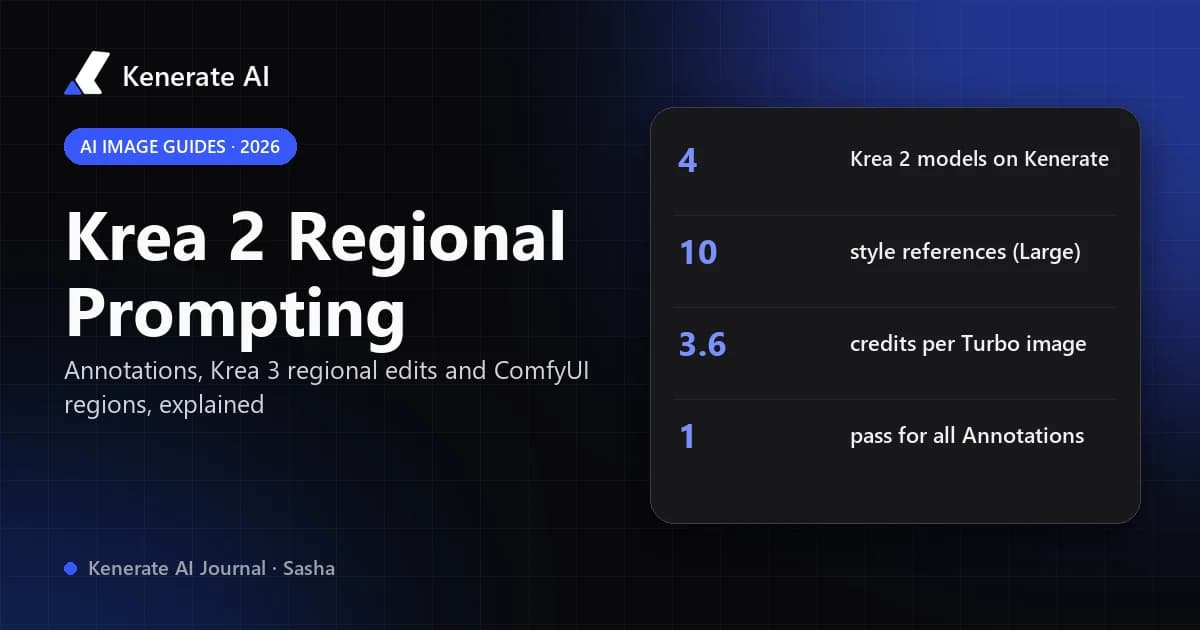
- All four Krea 2 models in the AI image generator: Krea 2 Large, Krea 2 Medium, Krea 2 Medium Turbo and Krea 2 Turbo. Positional prompting works with all of them.
- Style references: Krea 2 Large and Medium Turbo accept up to 10 style reference images and have a Creativity control with four steps (raw, low, medium, high). Krea 2 Turbo takes one source image with a strength slider and renders at 1K or native 2K.
- Change Region in the AI image editor: paint over an area, describe what should appear there, and only the painted area is regenerated. Its default model is Seedream 5.0 Pro, which Kenerate's model list describes as having regional control; GPT Image 2 and Nano Banana 2.1 are also available for this tool. For several areas, run one region at a time.
Credit prices from Kenerate's pricing code:
| Model / tool | Credits per image | Regional-relevant feature |
|---|---|---|
| Krea 2 Turbo | 3.6 at 1K, 7.2 at 2K | 15 aspect ratios, 1 source image + strength |
| Krea 2 Medium Turbo | 4.5 (5.4 with references) | Up to 10 style refs, Creativity |
| Krea 2 Medium | 9 | 5 ratios, PNG or JPG |
| Krea 2 Large | 18 (19.5 with references) | Up to 10 style refs, Creativity, 2.35:1 anamorphic |
| Change Region (Seedream 5.0 Pro) | from 13.5 | Brush mask, repaints only the painted area |
New accounts get 25 free credits, enough for six Krea 2 Turbo images at 1K, and the smallest credit pack is $15 for 1,300 credits. Model details are on the Krea 2 Turbo, Krea and Seedream pages. If your layout prompts come out vague, the prompt enhancer can restructure them into the frame → positions → style order described above.
A workflow that gets close to annotations: generate the base composition with Krea 2 using positional prompting, then open it in Change Region and repaint each area that's off, one at a time.
What are the limits of regional prompting?
- Bleed. Colours and attributes can leak across region borders, especially when boxes touch or share one base prompt.
- Scale mismatch. A region prompt that describes something bigger than its box produces cropped or squashed subjects.
- Hosted Krea 2 has no masks. Positional words guide the layout but don't guarantee it; expect a few rerolls.
- Feature churn. Krea shipped Annotations in March, Krea 2 in May, open weights in June and Krea 3 regional edits in October 2026. Check the current release notes before you build a pipeline around one of them.
- Rights. Only edit images you own or have permission to use, and don't use regional edits to alter photos of real people without their consent.
The bottom line
"Krea 2 regional prompting" is really three things: Annotations in Krea Edit for multi-area edits, regional edits on Krea 3, and a community ComfyUI extension that brings true per-region prompts and LoRAs to the open-weights Krea 2. On hosted Krea 2, your control is the prompt itself, so write the layout in clear positional language. If you just want Krea 2 output plus a brush to repaint one area at a time in the browser, Kenerate covers that without the annotation canvas.
Sources: Krea blog, "Annotations" (March 26, 2026); Krea release notes (Krea 2 dates May–June 2026; Krea 3 regional edits October 15–16, 2026); Krea 3 API overview docs; fal, "Krea 2 Prompting Guide" (May 25, 2026); ComfyUI-Krea2-Regional extension documentation (comfy.icu). Kenerate model specs and credit prices are from the app's model and pricing code as of October 18, 2026.