

Luma · Ray 3.2 · June 2026 · 5 or 10 s · up to 1080p
Luma Ray 3.2 — text and image to video, online
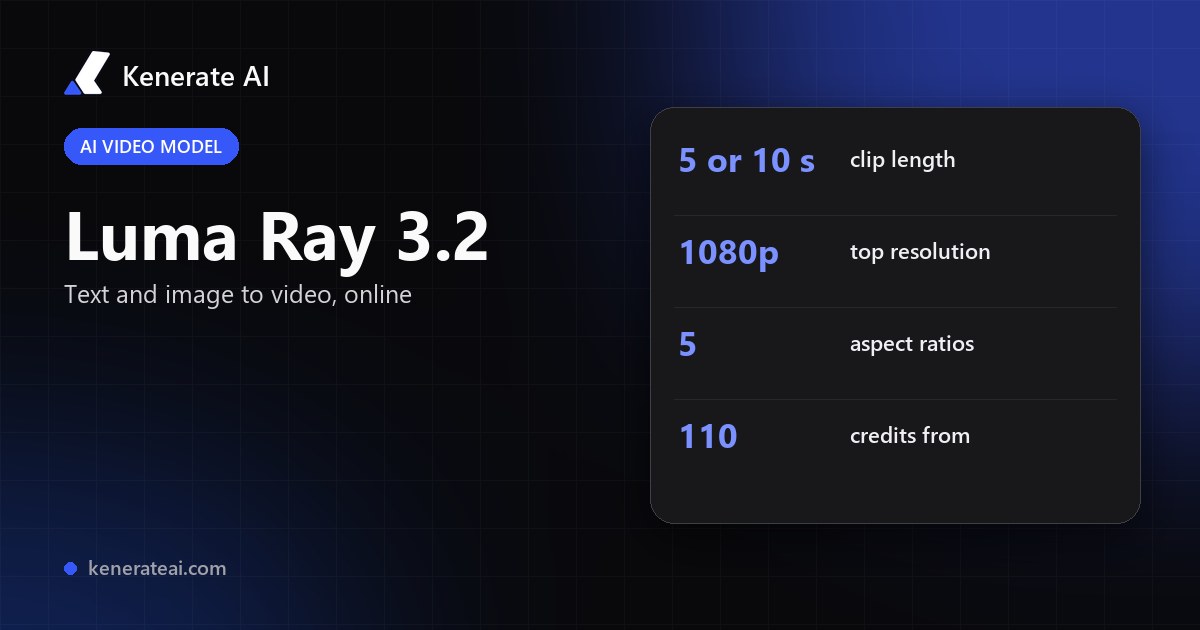
Run Luma's Ray 3.2 in Kenerate's video studio: type a prompt or add a start image, pick 5 or 10 seconds at 540p, 720p or 1080p, and pay per clip in credits — no Luma subscription.
- Text or image to video
- 5 or 10 s clips
- 540p, 720p or 1080p
- 5 aspect ratios
Updated by the Kenerate AI team
On this page
Quick answer
What is Luma Ray 3.2?
Luma Ray 3.2 is Luma AI's video model, released on 9 June 2026, known for smooth, cinematic camera motion. Luma's own platform adds up to 16 keyframes, native HDR with 16-bit EXR export and Reframe. On Kenerate AI you can run Ray 3.2 from text or a start image: 5 or 10 s, 540p to 1080p, from 110 credits per clip. Clips are silent.
Key facts
- Released
- 9 June 2026 (Luma)
- Modes on Kenerate
- Text to video, image to video
- Length
- 5 or 10 s
- Resolution
- 540p, 720p, 1080p
- Aspect ratios
- 16:9, 9:16, 1:1, 4:3, 3:4
- Credits
- 22 / 44 / 88 per second
- Audio
- None — silent clips
How to
How to use Kenerate Luma Ray 3.2
- Time needed
- Steps
- 4 steps
Step 1
Open the video studio
Pick Luma Ray 3.2 Text, or Ray 3.2 Image to start from a picture.
Step 2
Write the shot
Subject, camera move and light: 'the camera glides up the staircase through sun beams'.
Step 3
Choose length and size
5 or 10 s; 540p, 720p or 1080p; 16:9, 9:16, 1:1, 4:3 or 3:4.
Step 4
Generate and add sound
Ray 3.2 clips are silent — add music or a voice-over with Kenerate's audio tools.
See it in the app

Open Video Studio in Text to Video mode and write the shot — subject, action, camera move and light.


Watch the tour · 1:19
Text, image & reference to video, models, edit, extend & chat
Chapters
Checked 18 October 2026
Ray 3.2 on Luma vs on Kenerate
Luma's figures are from its 9 June 2026 announcement; Kenerate's from our video studio, 17 Oct 2026. Kenerate is our product.
| Kenerate AI | Luma (own platform / API) | |
|---|---|---|
| Modes | Text to video, image to video (start frame) | Text and image to video, Modify, Reframe |
| Length | 5 or 10 s | Up to 20 s at 1080p (announcement) |
| Resolution | 540p, 720p, 1080p | Up to 1080p |
| Keyframes | Start image only | Up to 16 keyframes per clip |
| HDR / EXR | Standard MP4 | Native HDR, 16-bit EXR export |
| Audio | Silent; add audio with other tools | Not mentioned in the announcement |
| Pricing | 22 / 44 / 88 credits per second (540p / 720p / 1080p) | Luma plans or API pricing — see Luma |
| Other models | Same studio as Veo 3.1, Kling 3.0, Seedance 2.5, Wan 3 | Luma's Ray family |
Plans and features change often — check Luma's site. Where Luma's page didn't state something, we say so.
Sources: Luma — Introducing Ray3.2 (9 Jun 2026) · Luma — Ray · Luma — API · Picsart — Luma Ray 3.2 in AI Playground · IT Brief — Luma launches Ray3.2 · Kenerate video studio
Engines
Ray 3.2 vs Kling 3.0, Veo 3.1 and Wan 3
How Ray 3.2 sits next to other models in the same studio.
- This page
Luma
Luma Ray 3.2
- Input
- Text or 1 start image
- Output
- 5 or 10 s · up to 1080p · silent
Open Luma Ray 3.2Best for
Smooth, dreamy camera motion
Kuaishou
Kling 3.0
- Input
- Text or image
- Output
- Up to 15 s · 1080p · sound
Open Kling 3.0Best for
Expressive motion, martial arts, dance
Google
Veo 3.1
- Input
- Text, image or 3 references
- Output
- 4–8 s · up to 4K · sound
Open Veo 3.1Best for
Dialogue and cinematic sound
Alibaba
Wan 3
- Input
- Text, image or 10 references
- Output
- 2–30 s · up to 1080p · sound
Open Wan 3Best for
Long clips; edit and extend
ByteDance
Seedance 2.5
- Input
- Text, image or 30 references
- Output
- Up to 30 s · up to 4K · sound
Open Seedance 2.5Best for
Multi-shot action and references
Specs from Kenerate's video model list.
Tips
Ray 3.2 prompt tips
What to put in the prompt, and when to pick another model.
Name one clear camera move per clip: push-in, orbit, crane up, fly-through.
Draft at 540p (110 credits for 5 s), then re-run the keeper at 1080p.
For image to video, make the start frame at the aspect ratio you want.
Describe light and atmosphere — dust, mist, steam read well in slow moves.
Need dialogue or sound? Use Veo 3.1, Kling 3.0 or Wan 3 instead.
Real people need their permission; Kenerate blocks minors.
FAQ
Luma Ray 3.2 questions
9 questions
What is Luma Ray 3.2?
Luma AI's video model, released 9 June 2026. It makes clips from text or an image, and on Luma's own platform adds up to 16 keyframes, native HDR with 16-bit EXR export, face tracking for up to eight faces and Reframe.
Link to this answerHow much does Luma Ray 3.2 cost on Kenerate?
Credits per second: 22 at 540p, 44 at 720p, 88 at 1080p. A 5 s clip is 110, 220 or 440 credits; a 10 s clip is 220, 440 or 880. Text and image to video cost the same.
Link to this answerIs Luma Ray 3.2 free?
Not on Kenerate — video needs a paid credit pack. Kenerate's free sign-up credits work on images and tools. Luma runs its own free plan on its site; check Luma for what it includes.
Link to this answerCan Ray 3.2 do image to video?
Yes. Pick Luma Ray 3.2 Image in the studio and add one start image; the prompt describes the motion. 5 or 10 s, up to 1080p.
Link to this answerDoes Luma Ray 3.2 make sound?
Not on Kenerate — Ray 3.2 clips come out silent. Add music or a voice-over with Kenerate's audio tools, or pick a model with native sound such as Veo 3.1, Kling 3.0 or Wan 3.
Link to this answerHow long can Ray 3.2 videos be?
On Kenerate, 5 or 10 seconds. Luma's announcement says up to 20 seconds at 1080p on its own platform.
Link to this answerCan I use Ray 3.2's 16 keyframes on Kenerate?
No — Kenerate exposes text to video and a single start image. Multi-keyframe control, HDR/EXR export and Reframe are on Luma's platform and API.
Link to this answerWhich aspect ratios does Ray 3.2 support?
16:9, 9:16, 1:1, 4:3 and 3:4 in Kenerate's studio — landscape, vertical for Reels and TikTok, square, and two classic ratios.
Link to this answerRay 3.2 or Kling 3.0?
Ray 3.2 for slow, smooth camera moves without sound; Kling 3.0 for expressive character motion up to 15 s with native audio. Both run in the same studio, so you can try one prompt on each.
Link to this answerIn depth
Luma Ray 3.2, explained
On this page
What changed in Ray 3.2
Luma announced Ray3.2 on 9 June 2026 as an update to its Ray3 video models, built with teams in entertainment, advertising and gaming. The headline is control: up to 16 keyframes inside one clip to set how the action moves from start to finish, body and facial performance tracking for up to eight faces at once, and Reframe to change aspect ratio or extend the frame while keeping the original lighting.
It keeps Luma's native HDR generation and exports 16-bit EXR for colour grading, and it is the first Ray model offered as an API. The announcement doesn't mention audio.
What you get on Kenerate
Kenerate runs Ray 3.2 as two studio models: Luma Ray 3.2 Text and Luma Ray 3.2 Image. Both make 5 or 10 second clips at 540p, 720p or 1080p in five aspect ratios. The image model takes one start image. Keyframe sequences, EXR export and Reframe are not exposed — use Luma directly if your pipeline needs them.
- 540p: 22 credits/s — 110 for 5 s, 220 for 10 s
- 720p: 44 credits/s — 220 for 5 s, 440 for 10 s
- 1080p: 88 credits/s — 440 for 5 s, 880 for 10 s
Camera-move prompts to try in Ray 3.2
We haven't published Ray 3.2 test clips yet, so here are text prompts to paste into the studio. Each names one subject, one camera move and the light — the kind of slow, flowing shot Luma's models are known for.
- Canyon flight: the camera flies low through a winding red rock canyon above the river at golden hour, sweeping aerial shot
- Jellyfish glow (9:16): glowing jellyfish pulse and drift slowly through dark aquarium water, blue and pink bioluminescence
- Spiral library: the camera glides up a spiral staircase in a grand old library through sun beams as dust floats
- Lava meets ocean: glowing lava pours into the ocean at night and huge clouds of steam rise, slow push-in
When to pick another model
Ray 3.2 is a good fit for slow, atmospheric camera moves: fly-throughs, glides, push-ins. If the clip needs dialogue or sound effects, Veo 3.1, Kling 3.0, Wan 3 and Seedance 2.5 generate audio with the video. For clips longer than 10 seconds on Kenerate, Wan 3 and Seedance 2.5 go to 30 seconds; for 4K, Veo 3.1 or Seedance 2.5.
Luma Ray 3.2 free
Kenerate's free credits don't cover video; the cheapest Ray 3.2 clip is 110 credits (5 s, 540p). Luma's own site has its own free plan.
Ray 3.2 image to video
Choose Luma Ray 3.2 Image, upload one start frame, and describe the motion. The frame sets the look; the prompt sets the camera move.
Luma AI video generator
Luma's video generator is Dream Machine, powered by the Ray models. On Kenerate you can run Ray 3.2 next to Veo, Kling, Seedance and Wan with one credit balance.
Explore
Every Kenerate video tool
Generators, tools, models and guides — all in one studio.