A good Pony XL prompt is a Danbooru-style tag list with three extra tag families in front: the score chain (score_9, score_8_up, score_7_up…), a source tag such as source_anime, and a rating tag such as rating_safe. After those come ordinary booru tags (subject count, character traits, outfit, pose, setting, style), comma-separated, most important first. A "Danbooru Pony prompt generator" is simply a tool that assembles that list for you, either from a form or from tags pulled off booru posts.
This guide explains each tag family, the order that works, how weighting and negative prompts behave, how to turn an image into tags, and which tags you should never use. It is written for adults making adult or general anime art, and it stays non-graphic. Facts are as of 17 October 2026.
What is a Danbooru Pony prompt?
Danbooru is a long-running anime image board where every post is described by community-maintained tags. Those tags fall into a few broad categories: general tags that describe what is in the picture, artist tags, character tags, copyright tags for the series a picture comes from (with original for pictures not based on any work), and meta tags about the file itself, such as resolution or medium [3]. Tags use underscores instead of spaces (long_hair, looking_at_viewer), and count tags like 1girl, 2boys or no_humans say how many people are in the frame.
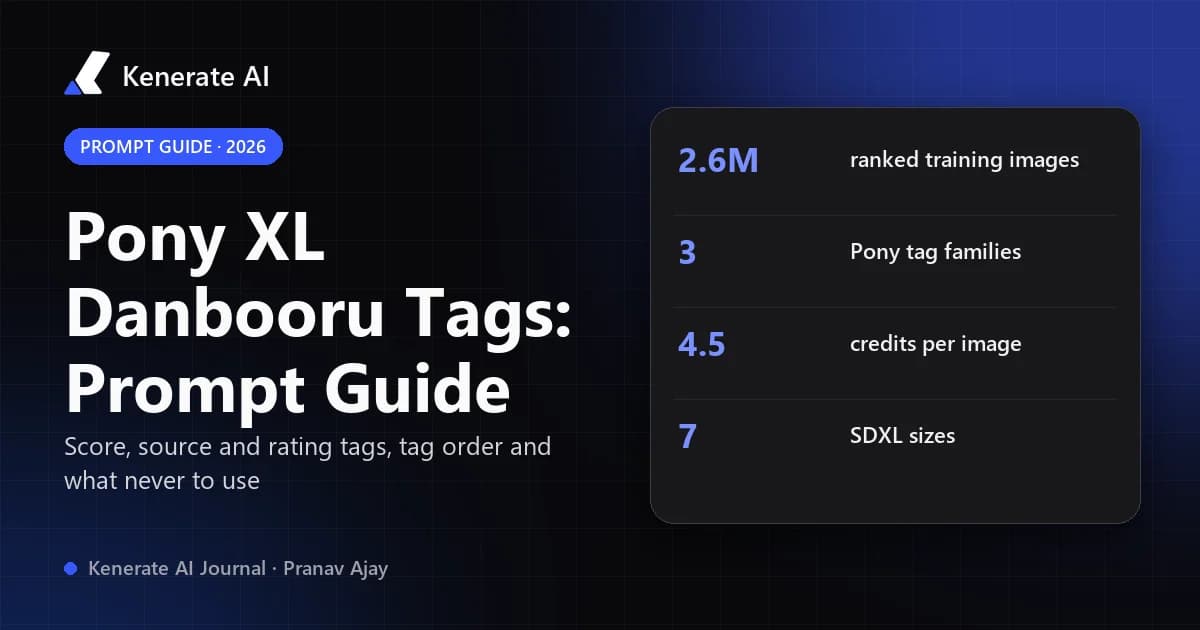
Pony Diffusion V6 XL, the SDXL fine-tune by PurpleSmartAI that most "Pony" checkpoints are built on, was trained on about 2.6 million aesthetically ranked images split roughly evenly across anime, cartoon, furry and pony sets, with a mix of natural-language captions and booru-style tags [1]. That is why booru tags work so well as prompts: the model saw them during training. Pony then added its own control tags on top, which is what makes a "Pony prompt" different from a plain Danbooru tag string.
Which tags does Pony XL add on top of Danbooru tags?
Pony uses three families of special tags. None of them exist on Danbooru itself; they came from the way Pony's training data was labelled.
| Tag family | Values | What it controls | Where it goes |
|---|---|---|---|
| Score tags | score_9, score_8_up, score_7_up, score_6_up, score_5_up, score_4_up | Aesthetic quality, from the ranking of training images | Very start of the prompt |
| Source tags | source_anime, source_cartoon, source_furry, source_pony | Which style "lane" of the training data to draw from | Right after the score chain |
| Rating tags | rating_safe, rating_questionable, rating_explicit | How mature the image may be | After the source tag |
| Danbooru general tags | 1girl, solo, long_hair, armor, night, city… | Subject, appearance, outfit, pose, place, light | The body of the prompt |
| Natural language | "a knight resting by a campfire at dusk" | Overall scene, when tags are awkward | Before or among the tags |
Do I need the full score chain?
The Pony V6 XL model card recommends the full chain, score_9, score_8_up, score_7_up, score_6_up, score_5_up, score_4_up, and says using only score_9 has a much weaker effect [1]. Many guides and merged checkpoints use the shorter score_9, score_8_up, score_7_up, and it works well on checkpoints like Prefect Pony XL. If your images look flat or muddy, try the full chain before anything else. The card also says Pony does not need generic quality words such as "masterpiece" or "hd" [1].
Which source tag should I pick?
Pick the one that matches the look you want: source_anime for Japanese anime and manga styles, source_cartoon for western cartoon looks, source_furry for anthropomorphic characters, and source_pony for the pony style the model is named after [1]. If you leave it out, the model blends lanes, which is why unprompted Pony images sometimes drift between anime and cartoon.
What do rating tags do?
Rating tags set how mature the result may be. rating_safe asks for general-audience images, rating_questionable allows suggestive images, and rating_explicit allows adult content. Pony's training data was split roughly evenly across those three ratings [1]. Danbooru itself uses four ratings (general, sensitive, questionable, explicit) [3]; Pony collapsed them into three. Use rating_safe whenever you want a clean image, because Pony leans mature more readily than most anime models.
What order should Pony XL tags go in?
Earlier tags tend to carry more weight in SDXL-style prompting, so put control tags first and the most important content next. A dependable order:
- Score chain –
score_9, score_8_up, score_7_up - Source tag –
source_anime - Rating tag –
rating_safe - Count and subject –
1girl, solo, adult womanor1boy, solo, adult man - Character traits – hair colour and length, eye colour, build, expression
- Outfit and props –
silver armor, red cape, holding sword - Pose and framing –
standing, full body, looking at viewer, from side - Setting and light –
castle, sunset, detailed background, rim lighting - Style tags –
anime coloring, cel shading, orwestern cartoon style
Here is a full SFW example built that way:
score_9, score_8_up, score_7_up, source_anime, rating_safe, 1girl, solo, adult woman, long red hair, green eyes, silver armor, red cape, holding sword, standing, full body, castle courtyard, sunset, detailed background, cel shading
And a scenery prompt with no people:
score_9, score_8_up, score_7_up, source_anime, rating_safe, no humans, scenery, cyberpunk city, neon lights, night, rain, reflections, skyscrapers, anime background
Both use the same structure Kenerate's own Pony XL model page uses for its example outputs.
Should I write tags with underscores or spaces?
Either usually works, because the tokenizer reads long_hair and long hair similarly. Spaces are easier to read and are what most Pony example prompts use. Keep the score, source and rating tags exactly as written, with underscores (score_8_up, source_anime), since those are fixed strings the model learned.
Does Pony understand natural language?
Yes. The model card says describing what you want in plain language works in most cases, and you can add tags after the description to push specific details [1]. A practical mix is one short sentence for the scene followed by tags for the details the model tends to miss, such as hair colour, outfit pieces and camera angle.
How do weighting and negative prompts work with Pony?
Prompt weighting
Local interfaces such as AUTOMATIC1111, Forge and ComfyUI read weights like (red cape:1.3) to strengthen a tag or (cape:0.8) to soften it. Keep weights between about 0.8 and 1.4; higher values tend to distort the image. Hosted generators do not all parse this syntax, and Kenerate's Pony XL prompt field does not document weight support, so on Kenerate the dependable controls are tag order, repeating a key detail once in different words, and removing tags that compete with it.
Negative prompts
Pony V6 XL was designed to produce good results without a negative prompt in most cases [1]. Many local users still add source_cartoon, source_furry, source_pony as negatives when they want pure anime, plus a few tags against text, watermarks and extra limbs. On Kenerate, Prefect Pony XL has no negative-prompt field, so do the same job positively: pick one source tag, describe hands and framing clearly, and choose rating_safe when you want clean output. Our guide to negative prompts in 2026 covers which current models still use them.
What about clip skip and samplers?
The Pony model card asks local users to run it with clip skip 2 and suggests Euler a at 25 steps around 1024 px [1]. Those settings matter if you download the checkpoint. On Kenerate there is no clip-skip, sampler or step field for Pony XL; you control the prompt, one of seven SDXL sizes and the seed.
How does a Danbooru prompt generator turn an image into tags?
There are two kinds of "prompt generator" people mean by this keyword.
Booru-sampling generators pull tags from real posts. The best known is Lazy Pony Prompter, an MIT-licensed extension for AUTOMATIC1111, Forge and ComfyUI that queries Derpibooru, E621 or Danbooru with the site's own search syntax, prunes meta tags that are useless in a prompt, moves character names forward and randomly samples one prompt from the results [2]. It also has a rating filter and custom tag filters, so you can exclude anything you never want in a prompt [2].
Image taggers (interrogators) look at a picture and predict Danbooru tags for it. They are useful when you have a reference image and want a starting tag list. Always read the output before using it: taggers produce tags for the artist, series and rating they think they see, and you should remove anything you do not have the rights to use or that breaks the rules below.
Form-based builders skip both and assemble a prompt from choices you make. Kenerate's NSFW prompt generator has an "Anime (Pony tags)" style that writes the score chain and source_anime for you and sends the result to Pony XL.
A quick workflow for image → tags → Pony
- Run your reference image through a tagger, or copy the tag list from a booru post you are allowed to reference.
- Delete meta tags (
highres,absurdres, file-format tags) and any artist names. - Keep the count tag, then the strongest five to ten appearance, outfit and setting tags.
- Add
score_9, score_8_up, score_7_up, a source tag and a rating tag at the front. - Generate, then change one or two tags at a time with a fixed seed to see what each does.
Which tags should never go in a Pony prompt?
Pony models were trained on mature ratings, which makes the rules matter more, not less. Kenerate is for adults (18+), and on Pony XL it adds no content filter beyond a hard block on prompts involving minors. Never use, and remove from any tagger or booru output:
- Any youth-coded tag, including
loli,shota,child,teen,young, school-uniform-plus-age combinations and anything describing a character as a minor. Addadult woman,adult man,mature femaleormature maleto every character prompt instead. - Real people: celebrity names, streamers, cosplayers or anyone identifiable. Pony's training removed artist names, and the same principle applies to people [1].
- Non-consent themes of any kind.
- Tags that imitate a living artist by name, which is both a style-ethics issue and something many communities ban.
If a booru search or tagger returns any of these, drop the whole tag list rather than trying to clean it.
Pony XL vs other anime models: when do Danbooru tags matter most?
| Model on Kenerate | Best prompt style | Credits per image | Negative prompt field | Notes |
|---|---|---|---|---|
| Prefect Pony XL | Danbooru tags + score/source/rating tags | 4.5 | No | Anime and western cartoon characters, 7 SDXL sizes |
| Neta Lumina | Natural sentences (tags also work) | 3 | No | Lumina-based anime model, same 7 SDXL sizes |
Credit prices are from Kenerate's model list as of 17 October 2026. Pick Pony XL when you like tag control and the huge Pony ecosystem of tags and examples; pick Neta Lumina when you would rather write a sentence. On the $15 Starter pack (1,300 credits), one Pony XL image at 4.5 credits works out to roughly 288 images; see pricing for current packs.
How do I run a Pony tag prompt on Kenerate?
- Open the image app and pick Prefect Pony XL. It is not on the free plan; any credit pack unlocks it.
- Paste a prompt that starts with
score_9, score_8_up, score_7_up, source_anime, rating_safe, then your tags. - Choose a size: square 1024×1024, portrait 832×1216 or 896×1152, landscape 1216×832 or 1152×896, or 768×1344 / 1344×768 for 9:16 and 16:9.
- Set a seed if you want to compare tag changes fairly.
- Generate. Outputs are about 1 megapixel, so upscale afterwards if you need print size.
Adults who want mature anime art can use the same structure on the NSFW anime AI image generator page (18+), with the same rules about adult characters.
Common Pony prompt mistakes
- Starting with the subject instead of the score chain. The control tags lose strength when buried mid-prompt.
- Mixing source tags.
source_anime, source_cartoontogether gives an in-between look; pick one. - Too many tags. SDXL reads prompts in chunks of about 75 tokens, and very long lists dilute every tag. Cut the weak ones.
- Trusting count tags exactly.
2girlssometimes gives three people; describe positions ("standing side by side") to help. - Leaving
rating_safeoff for SFW work. Pony's training mix leans mature; state the rating you want every time.
Sources
- PurpleSmartAI — Pony Diffusion V6 XL model card (Civitai)
- Siberpone — Lazy Pony Prompter (GitHub, MIT)
- Gwern Branwen et al. — Danbooru2021: a large-scale crowdsourced and tagged anime illustration dataset
- Goofy_Ai — Prefect Pony XL (Civitai)