

Neta.art Lab
Neta Lumina — Neta.art's open anime model, online
Neta Lumina is an open anime image model from Neta.art Lab, built on Lumina-Image-2.0. On Kenerate it runs in the browser from a plain sentence, a tag list or a mix of both.
- Base model
- Lumina-Image-2.0 by Alpha-VLLM — a 2-billion-parameter flow-based diffusion transformer
- Training data
- More than 13 million anime-style images, plus hundreds of thousands of hand-picked images for aesthetics
- Prompting
- Natural language (Chinese, English and Japanese prioritised) with Danbooru tag support
- Weights
- Open (Apache 2.0)
- On Kenerate
- Neta Lumina — text to image, 7 SDXL sizes from 1024×1024 to 1344×768, seed control

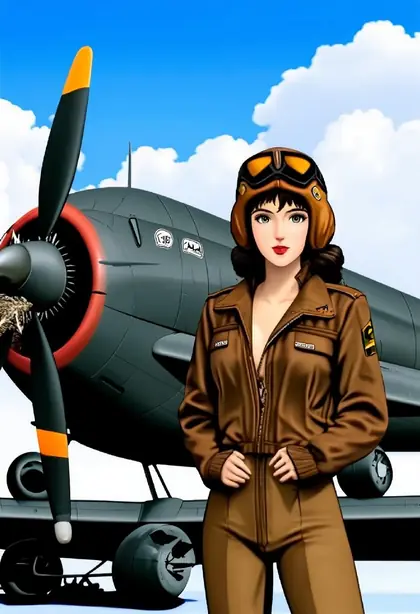

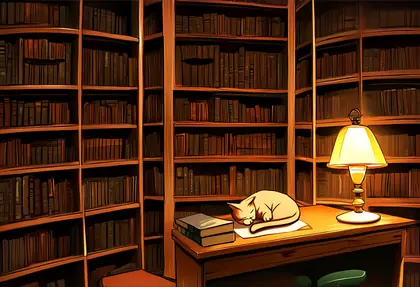
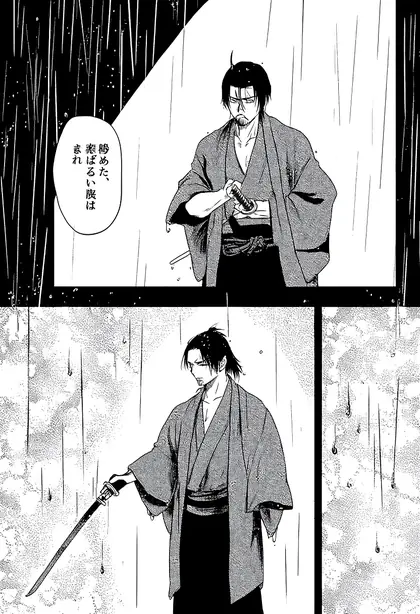
- Real outputs
- Official sources
- Free to start
- No watermark
Updated by the Kenerate AI team




Made with Kenerate

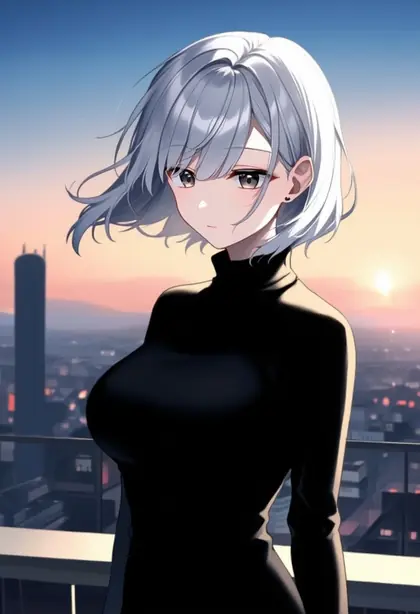
On this page
What is Neta Lumina?

What is Neta Lumina?
Neta Lumina is an open anime image model from Neta.art Lab, fine-tuned from Alpha-VLLM's Lumina-Image-2.0 on more than 13 million anime-style images and released under Apache 2.0. It reads natural language and Danbooru-style tags. On Kenerate AI it runs in the browser at seven SDXL-style sizes.
Key facts
- Maker
- Neta.art Lab
- Based on
- Lumina-Image-2.0 (Alpha-VLLM)
- Base size
- 2B-parameter diffusion transformer
- Text encoder
- Gemma 2B
- Training set
- 13M+ anime-style images
- Weights
- Open · Apache 2.0
- Prompts
- Sentences or Danbooru tags
- On Kenerate
- Text to image · 7 sizes
Gallery
Neta Lumina examples
Real outputs made on Kenerate. Open any image to copy its prompt and run it yourself.
Models
Neta Lumina on Kenerate
Every version in the generator, and what each is good at.
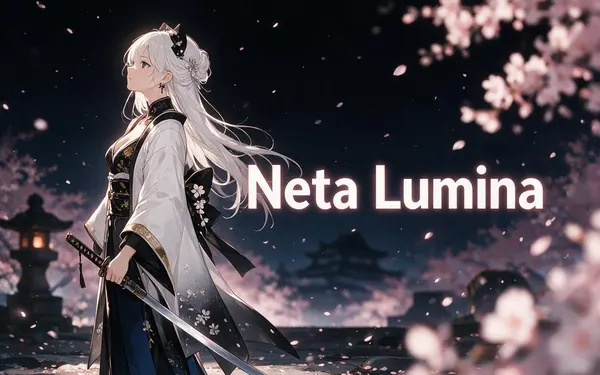
Neta.art Lab
Neta Lumina
- Output
- 7 SDXL sizes
Open Neta LuminaBest for
Anime characters, scenery and manga
From our tests
Strengths and limits
Good at
- Rich anime backgrounds — the autumn shrine and the library with a sleeping cat are typical.
- Follows plain sentences as well as tags: the chef and pilot prompts were ordinary sentences.
- Can switch to black-and-white manga with screentone.
- One of the lower-cost models on Kenerate.
Limits
- “Manga panel” gave a two-panel page with a speech bubble — say “single panel” if you want one image.
- Simple character prompts can come out flat (see the rooftop); add light, setting and detail.
- SDXL sizes only, about 1 megapixel, and text to image only, with no negative-prompt field.
- Not on the free plan — any credit pack unlocks it.
How to
How to use Neta Lumina on Kenerate
Step 1
Open Neta Lumina
Pick it in /app/image. Any credit pack unlocks it.
Step 2
Describe the scene
A sentence, a tag list or both — e.g. “anime illustration of a chef cooking ramen, steam, warm light”.
Step 3
Pick a size
Square, portrait 2:3 or 3:4, landscape 3:2 or 4:3, 9:16 or 16:9.
Step 4
Download
No watermark. Reuse the seed to make close variations.
See it in the app

Open Image Studio and type what you want to see — subject, style, lighting and mood.


Watch the tour · 1:23
Prompts, styles, references, edit, Arena & chat
Chapters
FAQ
Neta Lumina questions

What is Neta Lumina?
Neta Lumina is an open anime image model from Neta.art Lab. It is fine-tuned from Lumina-Image-2.0, Alpha-VLLM's 2-billion-parameter flow-based diffusion transformer, on more than 13 million anime-style images, with a Gemma 2B text encoder. Its weights are released under Apache 2.0, and on Kenerate it runs in the browser.
Link to this answerWho makes Neta Lumina — what is Neta Art?
Neta Lumina comes from Neta.art Lab, which publishes the model on Hugging Face as neta-art/Neta-Lumina under the Apache 2.0 licence. The base model, Lumina-Image-2.0, is from Alpha-VLLM. Neta.art fine-tuned it on anime images and hand-picked aesthetic data to make it an anime specialist.
Link to this answerHow do I prompt Neta Lumina?
Neta Lumina reads natural language, with Chinese, English and Japanese prioritised, and also understands Danbooru-style tags, so you can write a sentence, a tag list or both. Name the subject, setting, light and style. Kenerate has no negative-prompt field for it, so describe what you want, and say “single panel” for one manga image.
Link to this answerCan I use Neta Lumina online?
Yes. On Kenerate, Neta Lumina runs in the browser: open /app/image, pick Neta Lumina, write a prompt and choose one of seven sizes, from 1024×1024 square to 1344×768 widescreen. There is no download, no GPU and no watermark. It is text to image only, so you cannot upload a reference image.
Link to this answerIs Neta Lumina free on Kenerate?
Neta Lumina is not on the Kenerate free plan, but it is one of the lower-cost models. Generations are credit-based, the cost of each image is shown before you generate, and credits come in one-time packs that never expire, with no subscription; see /pricing. Any credit pack unlocks it.
Link to this answerNeta Lumina vs Pony XL — which should I use?
Pick Neta Lumina if you like writing sentences, want detailed anime scenery or want a newer Lumina-based model. Pick Pony XL if you prefer score tags and Danbooru-style tag lists, or want a western cartoon look. Both run on Kenerate at the same seven sizes, so you can test one prompt on each.
Link to this answerIn depth
Neta Lumina, in depth
Background, how to prompt it, and when to pick something else.
What makes Neta Lumina different
Many popular anime models, such as Pony, are SDXL fine-tunes. Neta Lumina starts instead from Lumina-Image-2.0, a 2-billion-parameter flow-based diffusion transformer [2], and Neta.art Lab fine-tuned it on more than 13 million anime-style images [1].
It uses a Gemma 2B text encoder, and its maker says it follows natural language, with Chinese, English and Japanese prioritised, while keeping Danbooru tag support [1]. Its maker also lists furry, Guofeng (traditional Chinese style) and pets among its strengths.
When to pick Neta Lumina
Pick it for anime characters and scenery from plain sentences at a low cost. For tag-style prompting with score tags, use Pony XL; for photoreal images, Chroma or Flux 2.
By the Kenerate AI teamLast updated and reviewed
We run these models in the Kenerate generator. Model facts come from the makers' own pages; specs and limits were checked against our code; the examples are our own outputs.
Sources: Neta.art Lab — Neta Lumina (Hugging Face) · Alpha-VLLM — Lumina-Image-2.0 (Hugging Face)
