AI Video Generator from Text • Seedance 2.5
Free AI Video Generator from Text 30-Second Clips in Up to 4K
Looking for a free AI video generator from text? Kenerate AI is free to start, and video generation runs on a one-time credit pack. Seedance 2.5, ByteDance's latest video model, generates continuous clips up to 30 seconds in up to 4K, accepts multimodal references, and can generate synchronized audio in the same pass.
- 4K Native Output
- 30-Second Clips
- 30 Image References
- Synced Audio
Updated by the Kenerate AI team




On this page
Real results
AI Video Generator Gallery — Explore Stills from our text to video AI generator.
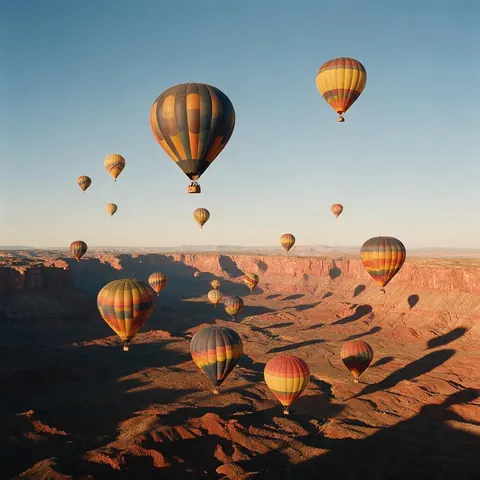
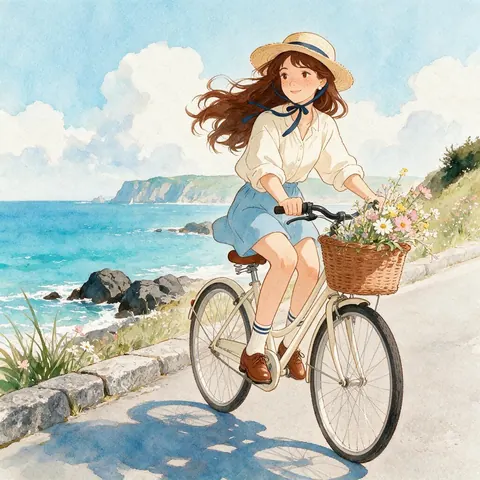
Explore stills made on Kenerate AI and copy the prompts into the text to video AI generator.
[ 02 / Capabilities ]
AI Video Generator Gallery — Explore Stills from our text to video AI generator.
Explore stills made on Kenerate AI and copy the prompts into the text to video AI generator.
Cyberpunk City · AI Image
A neon-lit cyberpunk city at night with flying cars and tall skyscrapers in 4k resolution.
Omni Flash Robot · 4K Render
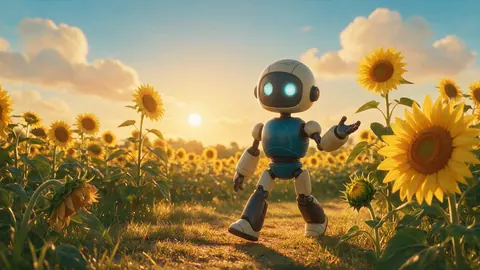
A cute futuristic robot assistant helping in a smart home, cinematic lighting, ultra-detailed.
Astronaut on Mars · Photoreal
An astronaut walking on the surface of Mars during sunset, dust blowing, highly realistic.
Fantasy Portrait · Concept Art
A fantasy portrait of an elf warrior with glowing eyes and intricate armor.
More prompts (1)
Abstract Waves · 3D Art
Abstract colorful waves of light intersecting in a dark void.
[ 03 / Engineering ]
A generational leap in video synthesis.
Native 30s Continuous
Generate a shot of up to 30 seconds in a single pass, with no stitching of short clips. 00:00:30:00
4K AI Video Capabilities
Up to 4K detail straight from the model. No external upscalers required.
Multi-Reference Consistency
Input up to 30 images, 3 video clips and 10 audio files to control characters and scenes.
Synced Audio
Seedance 2.5 can generate audio in the same pass — dialogue, footsteps and ambience matched to the action — or you can switch audio off.
Video Edit & Extend
Change an existing clip with a prompt in video-edit mode, or continue it with video-extend.
[ 04 / Comparison ]
Seedance 2.5 vs Seedance 2.0 — What Changed
Seedance 2.5 doubles the clip length to 30 seconds and takes far larger reference sets. Both models run on Kenerate AI.
| Feature | Seedance 2.0 | Seedance 2.5 (Latest Model) |
|---|---|---|
| Max Duration | 4–15 seconds | 4–30 seconds continuous |
| Resolution | 480p, 720p, 1080p or 4K | 480p, 720p, 1080p or 4K |
| Reference Inputs | Up to 9 images, 3 videos (15 s), 3 audio (15 s) | Up to 30 images, 3 videos (30 s), 10 audio (30 s) |
| Audio Generation | Generated in the same pass (can be switched off) | Generated in the same pass (can be switched off) |
| Editing | Video edit & extend | Video edit & extend |
| Ideal Use Case | Short scenes, B-roll | Full narrative arcs, TV commercials, Cinematic Shorts |
[ 05 / Applications ]
Built for Production Workflows
Seedance 2.5 moves AI video from short social clips toward long-form production work.
Narrative Short Films
Generate continuous 30-second dramatic shots with audio generated in the same pass as the visual action. No need to stitch multiple 5-second clips together. 30-Second Continuity Synced Audio Consistent Characters Ambient Sound 4K 30s
[ 06 / Workflow ]
How to Generate 4K AI Video from Text in 3 Steps
Add Your References
Upload up to 30 images, 3 video clips and 10 audio files (a rendered 3D block-out works as an image or clip). Assign each a role (character, scene, motion, audio) so the model knows what to lock in place.
Write Your Prompt
Describe the full 30-second arc: subject, action, camera movement, lighting, and mood. Plan the sequence rather than just a single beat.
Generate in Up to 4K
Draft at 480p or 720p, then render your continuous clip at 1080p or 4K with synced audio. Use video edit to change details afterwards.
Seedance 2.5 Prompt Architecture
Because Seedance 2.5 can generate up to 30 seconds of video instead of 5, your prompts need to describe a full sequence rather than a single shot. Tell the model how the scene evolves over time, what the camera does, and what the audio should sound like. The Winning Formula Setting & Setup + Main Action (Seconds 0-10) + Evolving Action (Seconds 10-20) + Resolution (Seconds 20-30) + Camera Movement + Audio Description Example 1 A barista pulls an espresso shot, steam rising under warm pendant lighting. Seconds 0-10: She places the cup down and looks up. Seconds 10-20: Camera arcs around the counter as a customer approaches. Seconds 20-30: They exchange a smile and the customer walks out. Soft café ambience and clinking cups sync naturally. Example 2 Using the attached product reference and brand color reference, generate a 30-second shot of a sneaker rotating on a pedestal that dissolves into a runner lacing it up on a city street at dawn. Camera pushes in throughout. Synced footstep audio on contact. Premium sportswear commercial style, native 4K.
Free AI Video Generator from Text: 5 Features to Look For
Introduction
Overview of AI Video Generators The landscape of digital creation has been revolutionized by artificial intelligence. Today, a robust free ai video generator from text allows creators, marketers, and hobbyists to transform written concepts into stunning visual narratives. Unlike traditional video editing which requires hours of rendering and complex timelines, these modern platforms interpret natural language directly. Importance of Text to Video AI Generators Why has the text to video ai generator become so crucial? Video content tends to earn more engagement than static posts. By utilizing a reliable ai video generator from text, brands can rapidly prototype ideas and scale their content strategy without exorbitant production budgets.
Feature 1: High-Quality Video Output
4K AI Video Generator Capabilities Resolution matters. The best platforms render up to 4K, so your final output is crisp enough for large displays and professional broadcasting. On Kenerate AI, Seedance 2.5 renders at up to 4K directly, with cinematic lighting and high-fidelity textures. No Watermark Free Options Many tools force intrusive logos on free tiers. However, a top-tier ai video generator no watermark free service respects your brand identity. By allowing you to export clean, unmarked videos, these platforms ensure that your content remains professional and ready for immediate deployment on social media or client presentations.
Feature 2: User-Friendly Interface
Simplified Text to Video Process The ideal ai video generator text to video workflow should be as simple as typing a message. By eliminating complex parameters and focusing on natural language understanding, these tools allow you to describe a scene—"a cinematic pan across a neon-lit cyberpunk city"—and watch it come to life. AI Video Maker from Text Accessibility Accessibility is key. A modern ai video maker from text runs entirely in the cloud. You do not need a powerful GPU or massive storage drives. Whether you call it an ai vido maker or a text-to-video studio, the core benefit remains: democratized access to high-end video production from any standard web browser.
Feature 3: Variety of Video Styles
AI Animation Video Generator from Text Visual storytelling requires versatility. Sometimes you need an ai animation video generator from text to create stylized, 2D vector-style motion graphics or anime-inspired sequences. This flexibility allows content creators to match their brand tone perfectly without hiring specialized animators. Options for 3D Video AI Generation For more immersive projects, a 3D-style video AI generator provides photorealistic depth and complex camera movements. Models such as Veo 3.1 and Seedance 2.5, both on Kenerate AI, can generate 3D spatial environments with cinematic depth.
Feature 4: Customization Options
Free AI Video Generator with Text Customization Beyond just visuals, a versatile free AI video generator with text lets you add on-screen text through the prompt and subtitles with the Subtitles tool, which reduces the time spent bouncing between different software suites. AI Video Clip Generator Features Need B-roll fast? An efficient ai video clip generator lets you produce 5 to 10-second contextual snippets to insert into larger projects. This is highly effective for YouTube creators and documentary filmmakers looking to fill visual gaps without purchasing expensive stock footage.
Feature 5: Speed and Efficiency
Quick AI Video Generator from Text Processes In digital marketing, speed is a competitive advantage. The ability to use an ai create video from text workflow means campaigns can be ideated, generated, and published in the same afternoon. A text to ai video generator free tool dramatically reduces the iteration cycle, allowing teams to A/B test multiple visual hooks quickly. Case Studies: Text to AI Video Generator Free in Action Marketing teams that bring these tools into their workflow can shorten production timelines considerably. Generating clips straight from text keeps creative control in-house and skips traditional rendering bottlenecks, so more ad variations reach social media for the same budget.
Conclusion
Summary of Key Features The evolution of the ai animated video generator from text has reached a tipping point. With features encompassing 4K resolution, watermark-free exports, versatile styling, deep customization, and speed, these platforms are no longer just novelties—they are essential tools for modern storytelling. Encouragement to Explore AI Video Generators If you haven't yet integrated a text to video ai generator into your workflow, now is the time. With generative AI breaking down the technical barriers to high-quality video production, anyone with an idea can now bring it to life visually. Start exploring these tools today and unlock a new dimension of creative freedom.
How it works
How it works in the app
Step 1
Describe the scene
Open Video Studio in Text to Video mode and write the shot — subject, action, camera move and light.
Step 2
Or start from an image
Switch to Image to Video and add a start frame; an end frame is optional.
Step 3
Pick a video model
Open the model card to choose the video model and version that fits your shot.
Step 4
Set ratio and length, then Create
Pick the aspect ratio and clip length, turn audio on or off, and press Create.
See it in the app

Open Video Studio in Text to Video mode and write the shot — subject, action, camera move and light.


FAQ
Frequently Asked Questions
16 questions

What is the best free ai video generator from text?
One strong option is Seedance 2.5, ByteDance's latest AI video model, which powers this AI video generator from text on Kenerate AI. It generates continuous clips up to 30 seconds long in up to 4K, with synchronized audio and multimodal references. Kenerate is free to start, but Seedance 2.5 and the other video models need a one-time credit pack.
Link to this answerCan I use this text to video ai generator free?
Free to start, but video needs a one-time credit pack. New accounts get free credits on sign-up for images and tools; Seedance 2.5 and the other video models run on one-time credit packs that never expire. There is no subscription required and no watermark on downloads.
Link to this answerHow is Seedance 2.5 different from Seedance 2.0?
Seedance 2.5 extends clip length from 15 to 30 seconds and takes far more references: up to 30 images, 3 videos and 10 audio clips per generation, against 9 images, 3 videos and 3 audio clips on Seedance 2.0. Both run on Kenerate AI at up to 4K.
Link to this answerDoes Seedance 2.5 generate audio?
Yes. Seedance 2.5 can generate audio in the same pass as the video — dialogue, footsteps and ambience matched to the on-screen action — and you can switch audio off when you only need visuals.
Link to this answerHow many reference images can I use with Seedance 2.5?
You can add up to 30 reference images, 3 video clips (30 seconds in total) and 10 audio files (30 seconds in total) to a single Seedance 2.5 generation on Kenerate AI.
Link to this answerWhat resolution does Seedance 2.5 support?
Seedance 2.5 renders at 480p, 720p, 1080p or 4K, so you can draft quickly at a lower resolution and deliver production-grade quality straight from the prompt.
Link to this answerCan I edit just one part of a Seedance 2.5 video?
Yes, with a prompt. Seedance 2.5's video-edit mode changes an existing clip — clothing, a background detail, a product — from your instructions, and video-extend continues a clip you already have.
Link to this answerWhat generation modes does Seedance 2.5 support?
Seedance 2.5 supports text-to-video, image-to-video and reference-to-video (images, clips and audio as references), plus video edit and video extend for clips you already have.
Link to this answerDo I need video editing skills to use this text to video generator?
No. Prompts, reference uploads and video edits are handled directly in Kenerate AI's web interface. No timeline or editing software is required.
Link to this answerHow long can Seedance 2.5 videos be?
Seedance 2.5 generates continuous clips from 4 to 30 seconds long in a single pass. This removes the need to stitch multiple 5-second generations together.
Link to this answerCan I use 3D models with Seedance 2.5?
Not as a 3D file. Seedance 2.5 on Kenerate AI takes images, videos and audio as references, so render your 3D block-out or white-model as a still or a short clip and add it as a reference; the model then applies textures, cinematic lighting and physical detail on top.
Link to this answerWhat kind of prompts work best for a 30-second text to video clip?
Because the model generates 30 seconds of footage, prompts should describe a full scene sequence. Specify the setting, the initial action, how the action evolves over time, the camera movement, and the audio description.
Link to this answerIs Seedance 2.5 good for making music videos?
It works well for short performance clips: add your track as an audio reference (up to 10 files, 30 seconds in total) to guide a 30-second clip. For a full song, the Director's Music Video mode paces a 15-second to 4-minute video to your track.
Link to this answerHow much does it cost to generate a Seedance 2.5 video?
Seedance 2.5 is available on Kenerate AI via a credit system: video runs on one-time credit packs (see the pricing page), while the free sign-up credits cover images and tools. 4K 30-second generations consume more credits than standard 5-second drafts.
Link to this answerCan I use Seedance 2.5 videos for commercial projects?
Yes. You own the videos you generate with Seedance 2.5 on Kenerate AI and can use them commercially, including television advertisements, client pitch decks, and monetized YouTube channels.
Link to this answerHow does Seedance 2.5 compare to OpenAI Sora and Kling AI v3?
Seedance 2.5 stands out with clips up to 30 seconds, up to 4K output, large multimodal reference sets and audio generated in the same pass. On Kenerate AI you can run Sora 2 Pro and Kling AI v3 in the same account and compare them on your own prompts.
Link to this answerBy the Kenerate AI teamLast updated and reviewed

Ready to render with Seedance 2.5?
Generate 30-second clips in up to 4K with synced audio and multi-reference control. ✓ Free to start ✓ 30s Continuous Output ✓ Up to 4K ✓ Synced Audio ✓ No subscription required
Tried it? Tell us how it went