Tested AI Background Prompts • 3D Studios & Scenery Environments
Best AI Background Generation Prompts — 3D Studios & Scenery Environments
Generate clean, subject-free 3D interior studios, futuristic cyberpunk penthouses, and serene Japanese Zen gardens with architectural depth of field. Copy our tested prompt engineering formulas for Flux, Midjourney, and Stable Diffusion.
- Subject-Free
- Clean, subject-free plates
- Depth of Field
- 3D Vanishing Point
- Generation Speed
- Fast cloud GPUs
Updated by the Kenerate AI team
On this page
Prompts
Curated AI Background Generation Showcases
Compare minimalist concrete studios, cyberpunk penthouses, Japanese Zen gardens, and blueprints.
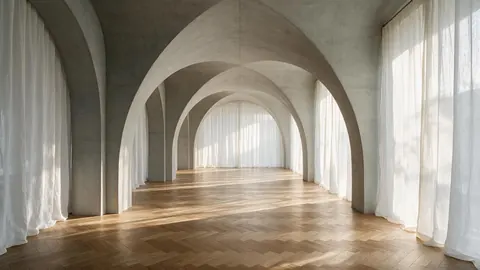
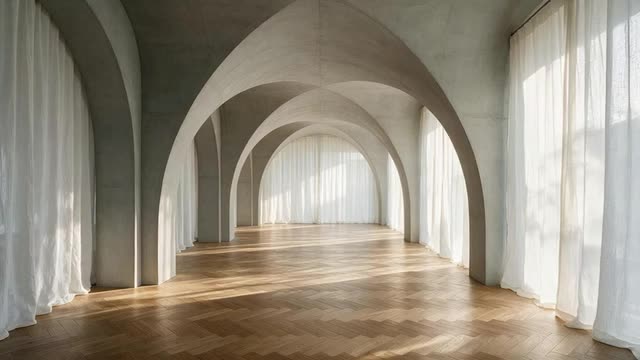
Minimalist Concrete Archways Sunlit Studio
Ultra-clean 3D modern minimalist interior studio background with arched concrete doorways, warm oak wood flooring, and sunlit white drapery, 16:9.
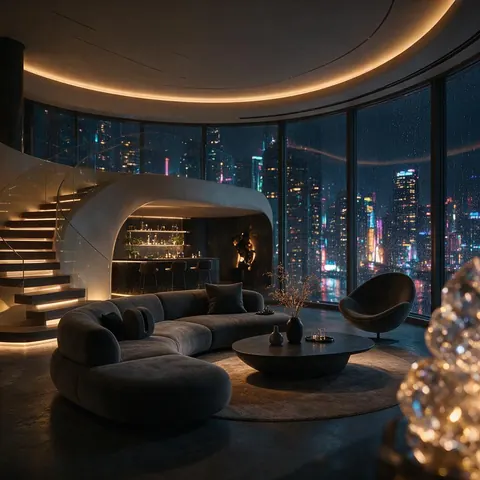
Cyberpunk Penthouse Neon Metropolis Skyline
Atmospheric futuristic cyberpunk penthouse living room background with floor-to-ceiling glass windows overlooking neon metropolis skyline at night, 16:9.
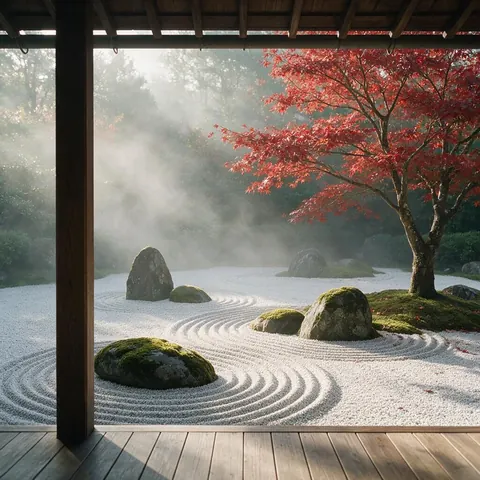
Japanese Zen Garden Raked Gravel & Maple
Serene Japanese Zen garden outdoor background with smooth river stones, raked gravel ripples, and red maple bonsai tree, 16:9.
Depth of Field & Subject Relighting Guide
Prompt breakdown guide showing background depth of field, perspective vanishing points, and lighting integration, 16:9.
Prompts
Tested AI Background Generation Prompt Formulas
Copy and paste these environment formulas directly into the studio.
Minimalist Concrete Archway Sunlit Studio · Studio / Interior
ultra-clean modern architectural photoshoot background, empty minimalist interior with smooth curved poured concrete archways, warm light herringbone oak wood floor, translucent floor-to-ceiling white linen drapes filtering soft morning sunlight, no people, clean perspective vanishing point, architectural digest 8k
Cyberpunk Penthouse Neon Metropolis Skyline · Cyberpunk / Penthouse
luxurious futuristic cyberpunk penthouse living room backdrop with no people, massive curved floor-to-ceiling glass panoramic windows overlooking glowing rain-slicked Tokyo neon skyscraper skyline at night, sleek dark charcoal minimalist furniture, soft warm ambient strip lighting, shallow depth of field
Japanese Zen Rock Garden Maple Bonsai Serenity · Scenery / Nature
peaceful traditional Kyoto Japanese Zen garden outdoor background with no people, pristine raked white gravel ripples surrounding mossy volcanic river stones, weeping Japanese red maple bonsai tree with crimson leaves, wooden engawa porch in foreground, soft morning mist, Hasselblad medium format
Luxury Parisian Haussmann Apartment Interior · Luxury / Architecture
high-ceilinged classic Parisian Haussmann apartment interior backdrop with no people, ornate white wall molding and boiserie, grand marble fireplace with antique gilded gold mirror, chevron parquet wood floors, tall French balcony windows overlooking Paris rooftops, soft overcast daylight
More prompts (2)
Moody Nordic Pine Forest & Misty Lake Scenery · Scenery / Nordic
breathtaking moody Scandinavian outdoor nature background, dense foggy evergreen pine forest surrounding calm reflective mountain lake, rocky shoreline with green moss, drifting low-hanging morning mist, cold atmospheric blue-grey cinematic lighting, National Geographic quality
Sleek Tech Podcast Studio Acoustic Slat Wall · Podcast / Studio
professional modern YouTube podcast studio interior background with no people, dark acoustic vertical walnut wood slat wall with warm amber vertical LED strip lights, dark industrial concrete floor, soft purple neon rim lighting, blurred bokeh background for virtual meetings and streams
The 4 Pillars of Realistic AI Backgrounds
How our prompt formulas produce subject-free environments, realistic depth, and lighting.
1. Explicit Negative Anchoring for Empty Plates
Generic Mistake: AI tools often hallucinate unwanted people, mannequins, or random clutter in empty rooms. Kenerate Solution: Enforce 'no people, empty background plate, clean architectural vanishing point'.
2. Tangible Materials & Surface Textures
Generic Mistake: Generic room prompts look flat, plastic, and artificial like low-poly games. Kenerate Solution: Define 'poured concrete archways', 'herringbone oak wood floor', and 'linen drapery'.
3. Optical Depth of Field & Bokeh Blur
Generic Mistake: Sharp backgrounds clash with foreground portrait subjects during compositing. Kenerate Solution: Specify 'shallow depth of field', '85mm f/1.8 lens blur', and 'soft ambient lighting'.
4. Integrated Moving Video Loops
Generic Mistake: Static backdrops look stiff on Zoom calls, live streams, and video productions. Kenerate Solution: Animate any background with Wan 3.0 to render moving fog, rain, and light loops.
Comparison
AI Background Generation vs Stock Photo Platforms
Side-by-side comparison of how each option works and what it costs.
| Platform | Approach | Starting Price |
|---|---|---|
| Kenerate AI (Image Studio) | Subject-free backdrops, upscaled up to 8K — plus image-to-video with Wan 3.0 and Seedance 2.5 | ✅ Free to start |
| Midjourney v6 | Stylized images via Discord bot or web app | $10.00 to $120.00/mo |
| Shutterstock / Adobe Stock | Stock photo library | $29.00 to $199.00/mo |
| Civitai LoRAs | Community LoRAs run locally in ComfyUI | Free software; needs a capable local GPU |
| ZenCreator | Web UI presets | $19.99/mo |
| Photoroom | Background swap tool | $12.99/mo |
Real results
Curated AI Background Generation Showcases
Compare minimalist concrete studios, cyberpunk penthouses, Japanese Zen gardens, and blueprints.
Real results
Put your own subject on a new background
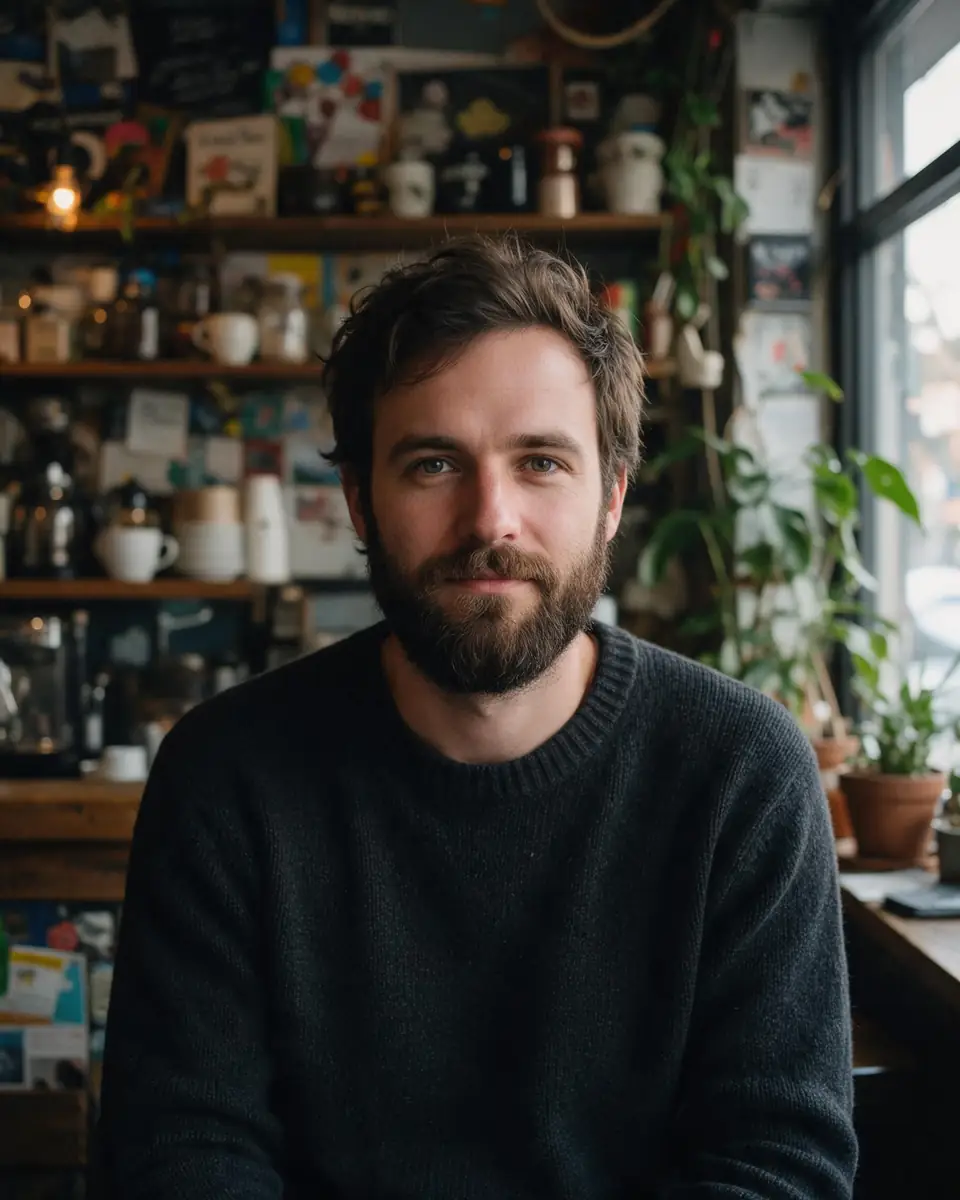
Generate the backdrop with the prompts above, then cut your subject out so it can sit on top. Real Kenerate cut-outs on black, white and transparent.
 BeforeAfter

Black background
Busy café to studio black
A portrait cut out with Cutout HD and placed on pure black for an editorial look.
Kenerate Cutout HD
 BeforeAfter
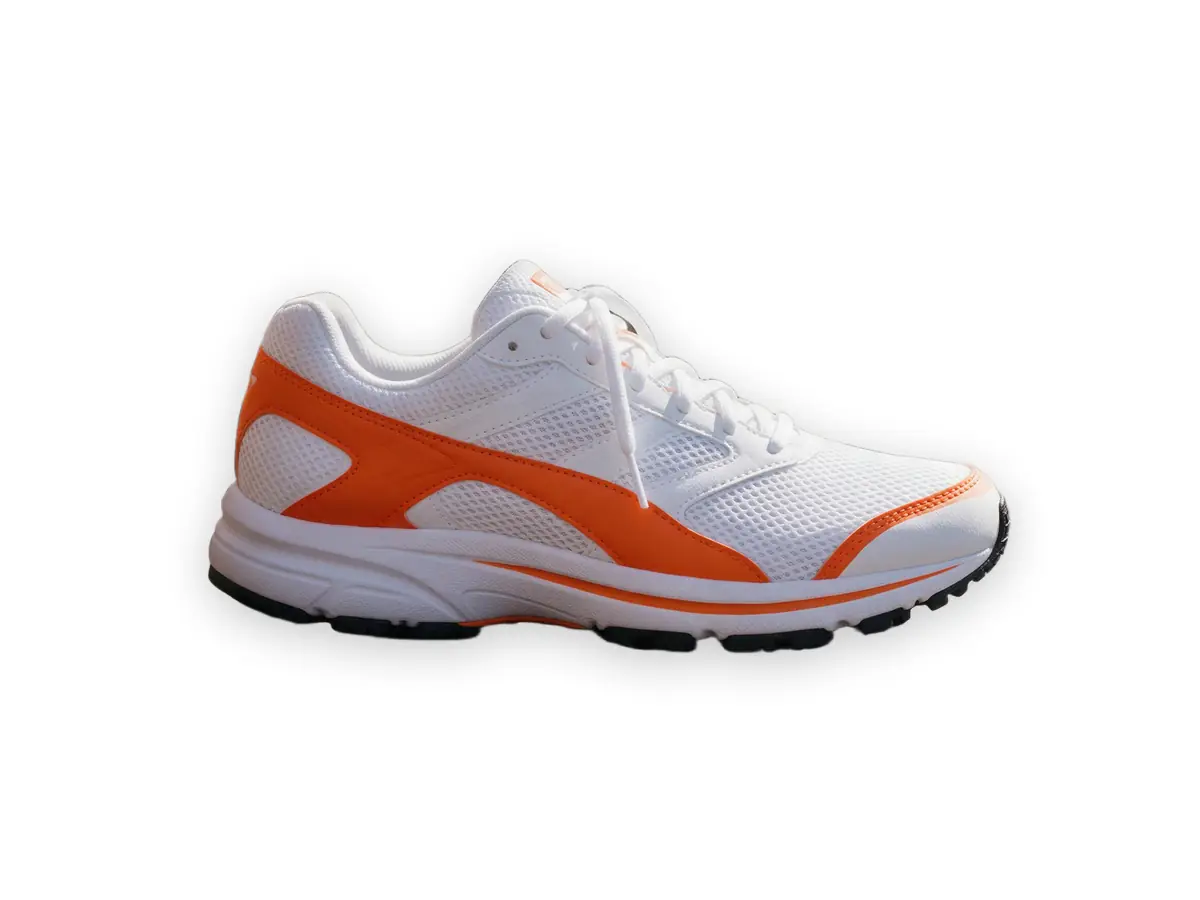
White background
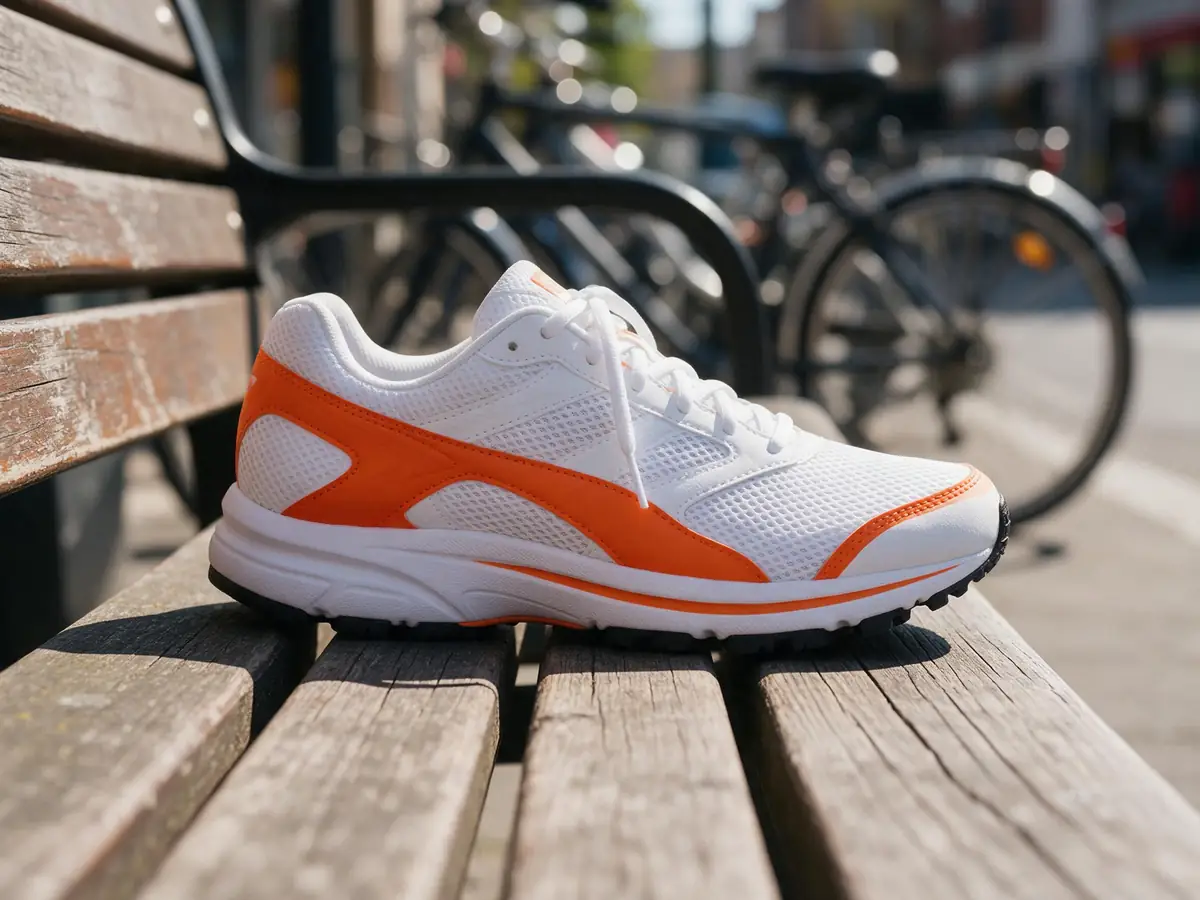
Wooden bench to clean white
A sneaker lifted off its bench onto white — ready for any backdrop you generate next.
Kenerate Cutout
 BeforeAfter

Transparent
Glass kept see-through
A glass bottle cut out with its transparency intact — drop it onto any generated scene.
Kenerate Cutout HD
How it works
How it works in the app
Step 1
Add your image
Open Remove & Erase and drop in a photo — products, people and pets all work.
Step 2
Choose what should happen
Pick Cutout for a fast transparent PNG, HD for hair and fur, Pick for one object or Erase to remove something.
Step 3
Click Remove background
Press the button and the cut-out lands in your results in seconds.
Step 4
Compare and download the PNG
Drag the slider to compare, add a new background if you like, then download the transparent PNG.
See it in the app

Open Remove & Erase and drop in a photo — products, people and pets all work.


FAQ
Frequently Asked Questions
7 questions
How do I make sure AI generates an empty background without any people?
To prevent diffusion models from inserting random characters: 1) Include negative prompts like 'no people, empty room, no characters'; 2) Describe architectural materials in detail (e.g. 'herringbone oak wood floor, curved concrete archway'); 3) Use terms like 'empty interior backdrop', 'scenery environment', and 'architectural establishing plate'.
Link to this answerHow do I prompt for realistic depth of field for portrait composites?
Specify camera optics and blur characteristics: 'shallow depth of field with soft bokeh background', '85mm f/1.8 optical blur', and 'sharp foreground with smooth gradient blur toward distant horizon'.
Link to this answerCan I animate my background environments into moving video loops?
Yes! In Kenerate AI, you can take any generated 3D background or scenery environment and generate a moving video loop with drifting mist, moving neon reflections, and ambient light shifts using Wan 3.0.
Link to this answerAre these AI background generation prompt formulas free to copy and use?
Yes! All prompt formulas on this page are free to copy and use in Kenerate AI, Flux, Midjourney, and Stable Diffusion.
Link to this answerDo credits on Kenerate AI expire at the end of the month?
No! All credits purchased on Kenerate AI remain permanently in your balance with zero expiration dates.
Link to this answerCan I use these backgrounds for virtual Zoom meetings, OBS streams, and commercial films?
Yes. You own all scenery and studio backgrounds you create on Kenerate AI and can use them commercially for virtual backgrounds, streaming sets, YouTube videos, and VFX plates.
Link to this answerIs there a free trial available?
Yes. Kenerate AI is free to start: sign up and you get free credits to test our background generation studio before you buy anything. After that, one-time credit packs never expire, and there is no subscription required.
Link to this answerStart Generating AI Background Environments Free
Free to start. No watermark, no subscription required, and credits that never expire.
Tried it? Tell us how it went