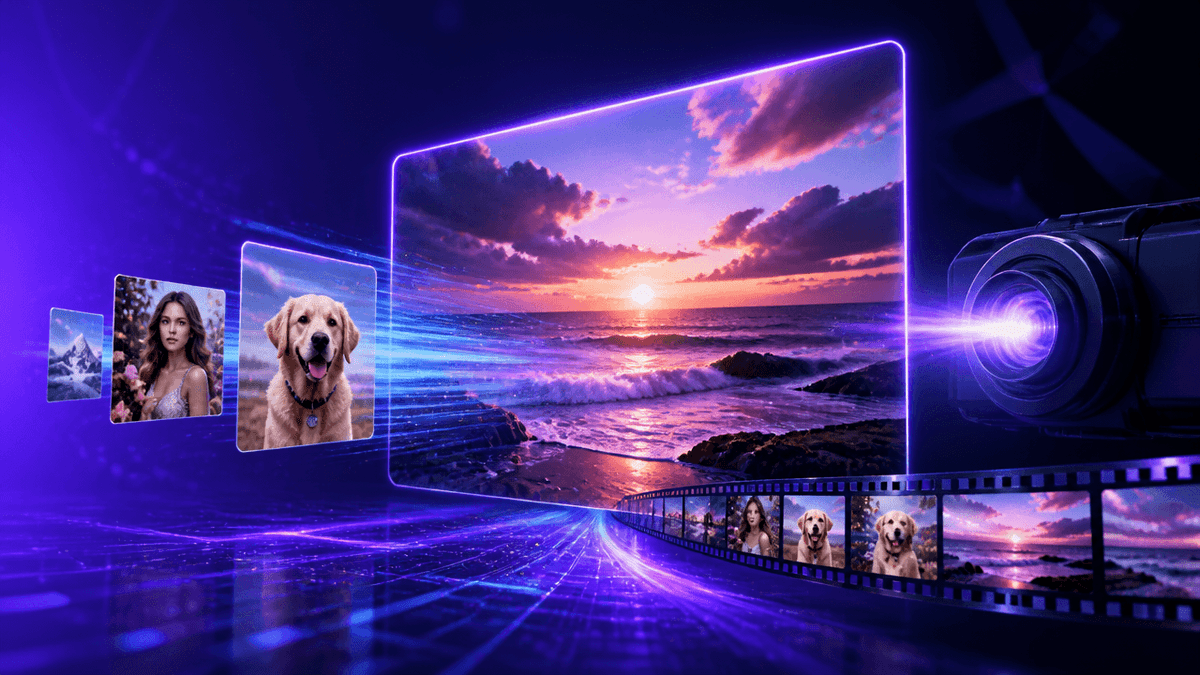
Turning a single still photo into a moving, cinematic clip used to require a full VFX pipeline. In 2026, it takes one prompt and a free account. Image-to-video AI has quietly become the most reliable branch of generative video — because giving the model a real photo to work from produces far more predictable, controllable results than pure text-to-video.
This is a complete, honest guide to the best free image-to-video AI generators in 2026: what's actually free, what resolution and length limits to expect, and how to turn one photo into a scroll-stopping clip without spending a rupee.
A quick warning: "Free" image-to-video tiers are usually the most heavily rationed of all AI video categories, because animating a real photo is computationally expensive. Daily credit caps, 3–5 second limits, and visible watermarks are the norm, not the exception — and they shift often. Always check current limits before planning a shoot around a free plan.
🚀 Turn a Photo Into a Video Free
Why Image-to-Video Is the Smartest Free AI Video Workflow
Before the tool list, it helps to understand why image-to-video outperforms text-to-video on free tiers specifically:
- Less for the model to invent. A strong starting image locks in the subject, lighting, and composition — the AI only has to figure out motion, not the entire scene from scratch.
- Fewer wasted credits. Text-to-video often needs 3–4 attempts to get a coherent result. Image-to-video usually nails it in one or two, which matters a lot when your daily free credits are capped.
- More predictable output. If you already like the photo, you already know 80% of what the final clip will look like.
- Works with real product or brand photos. You can animate an actual product shot instead of hoping the AI generates something on-brand from text alone.
What "Free" Actually Gets You
- Credit-Metered Generations: Free tiers give a fixed daily or monthly pool of image-to-video credits, not unlimited runs.
- Short Clip Lengths: Expect 3 to 5 second outputs on free plans versus 8–10+ seconds on paid tiers.
- Capped Resolution: 480p–720p is standard for free image-to-video; 1080p and up is usually paywalled.
- Watermarks: Most (not all) free image-to-video outputs carry a visible watermark.
- Slower Queues: Free-tier renders sit behind paid users during high-traffic hours.
The Best Free Image-to-Video AI Generators in 2026
1. Kenerate AI — Best Free Starting Point for Multiple Image-to-Video Models
Instead of testing one image-to-video engine at a time across five different sign-ups, Kenerate AI puts the leading image-to-video models — Seedance 2.0, Google Veo 3.1, Kling 3.0, and the Wan family — behind a single free account.
You upload one photo, run it through several different models with your free starter credits, and simply keep whichever result animates it best. No need to guess which engine handles motion, faces, or product shots better — you compare them directly in one unified studio alongside 500+ other generative models.
Upgrading later doesn't lock you into a subscription either — Kenerate AI Pricing is a one-time payment, not a recurring drain on your card.
✨ Try Image-to-Video Free on Kenerate AI
2. Seedance 2.0 (ByteDance) — Best Free Motion Quality
Seedance's image-to-video mode produces unusually smooth, physically consistent motion from a still photo, with daily resetting free credits and fast render times. For product shots or portraits where natural movement matters most, this is the free engine to try first. (Access it inside Kenerate AI.)
3. Google Veo 3.1 — Most Realistic Physics From a Still Image
Veo 3.1's free monthly allowance is small, but the image-to-video results are worth saving credits for — realistic depth, lighting continuity, and native audio that most free tools can't match. Best used on your most important shot of the month, not casual experiments. (Available inside Kenerate AI.)
4. Kling 3.0 (Kuaishou) — Best for High-Volume Practice
Kling's generous daily free credits make it ideal for animating dozens of photos while you learn what kind of images convert best into good motion. Free outputs are typically watermarked and resolution-capped, so treat them as drafts rather than final exports. (Available inside Kenerate AI.)
5. The Wan Family (Open-Source) — Best Watermark-Free Image-to-Video
Wan 2.5 and 2.6, run through open hosting, remain one of the few genuinely watermark-free image-to-video options with no account required. Resolution is capped on shared public infrastructure, but for casual or personal use, it's hard to beat. (Kenerate AI includes Wan so you skip the manual setup entirely.)
6. Hailuo (MiniMax) — Fastest Everyday Image-to-Video
Hailuo turns a photo into a clip in seconds, backed by generous starter credits and a handful of free daily generations after that. It won't win on fidelity, but for quick social clips from a single photo, speed wins.
⚡ Compare Image-to-Video Models Free
How to Get the Best Results From a Free Image-to-Video Credit
- Start With a Clean, High-Resolution Photo. Blurry or low-res source images produce blurry, unstable motion — garbage in, garbage out applies directly here.
- Describe Motion, Not the Scene. The image already defines the scene. Your prompt should only describe how things move — "hair blows gently in the wind," not a full scene re-description.
- Avoid Complex Multi-Subject Photos. A single clear subject animates far more reliably than a busy photo with several people or objects competing for motion.
- Generate Low-Res First, Then Commit. Confirm the motion looks right at a lower setting before spending a higher-cost credit on the final resolution pass.
What You Can Realistically Make for Free
Free image-to-video tiers comfortably handle product reveals from a single photo, subtle portrait animation, looping background visuals, and short before/after style clips. This is genuinely one of the strongest free use cases in all of generative AI right now.
Where it breaks down: multi-shot continuity across several photos, long-form storytelling, and any client deliverable that can't carry a watermark. Those jobs need a paid tier.
Free vs. Paid Image-to-Video: When to Upgrade
It's time to move past free when:
- You're re-running the same photo daily because your credits reset too slowly.
- The watermark rules out publishing on a client or brand account.
- 720p isn't enough for where the clip is actually going (ads, broadcast, high-res feeds).
Rather than a $30/month subscription that bills you even in months you don't create, Kenerate AI charges a one-time $15 to unlock the same top image-to-video models you already tested for free — no recurring charge, ever.
🚀 Upgrade Image-to-Video Access for $15
Frequently Asked Questions
Which AI is best for image to video?
For free quality, Seedance 2.0 and Google Veo 3.1 currently lead. For access to all the top image-to-video models from one account without juggling sign-ups, Kenerate AI is the best overall starting point.
Is there a free image-to-video AI generator without a watermark?
Yes — the open-source Wan family is watermark-free through public hosting, and Seedance 2.0's free tier keeps watermarks minimal. Limits change frequently, so verify before using for client work.
How do image-to-video AI generators actually work?
The model analyzes the depth, subject, and composition of your source photo, then predicts a sequence of frames that plausibly extend it into motion, guided by your text prompt for direction and style.
Can I turn any photo into an AI video for free?
Most platforms allow it, though clear, single-subject, high-resolution photos animate far more reliably than busy or low-quality images. You can test this directly and for free on Kenerate AI's image-to-video studio.
What's the difference between text-to-video and image-to-video AI?
Text-to-video generates the entire scene — subject, lighting, and motion — from a written prompt alone. Image-to-video starts from a real photo, so only the motion needs to be generated, which produces more predictable and controllable results.