GPT Image 2.6 is OpenAI's image model released on 4 November 2026. It powers Images 2.6 in ChatGPT and Codex, and comes to the API as two models: Sunburst, for higher quality and edits that stay consistent, and Flare, built for speed. It is the first GPT Image that can output animated GIFs and SVG vector files, and it adds a new complexity setting next to quality. We ran it on 26 real jobs on Kenerate — posters, menus, a manga page, product edits, GIF loops and vector logos — and below is what held up and what didn't.
Updated 12 November 2026.
What's new in GPT Image 2.6?
OpenAI's launch post is short on numbers and long on workflow. The changes that matter:
- Speed. OpenAI says Images 2.6 "generates images 50% faster than before". At low quality, Flare can return an image in as little as six seconds.
- Consistency across edits. At medium or high quality, Sunburst keeps characters, products and brand details more consistent from one edit to the next.
- GIFs. Animated output for mascots, reactions, memes and storyboards. Third-party guides to the API report 2 to 16 frames at 20 to 2,000 ms each, with 9 frames at 200 ms as the default.
- SVG export. Vector files ready for websites, apps and print — from text to image only, not from an uploaded photo.
- Complexity. A new setting for how much planning the model does before it draws. OpenAI suggests low for quick edits and medium or high for scenes with many elements.
- Image markup in the API. Already in ChatGPT; developers can now point at exactly where a change goes.
Images 2.6 is in ChatGPT and Codex on every subscription tier, and Picsart, fal, Higgsfield and OpenArt were among the early API partners named at launch.
Sunburst vs Flare: which GPT Image 2.6 should you use?
Both versions take the same inputs, formats and quality tiers, and on Kenerate they cost the same — 15 credits at medium quality and 1K. The choice is time versus finish.
| GPT Image 2.6 Sunburst | GPT Image 2.6 Flare | |
|---|---|---|
| OpenAI's pitch | Higher quality, more consistent edits at medium/high | Speed; better layouts for posters and product shots |
| Fastest case | — | As little as ~6 s at low quality |
| GIF and SVG output | Yes | Yes |
| References on Kenerate | Up to 16 | Up to 16 |
| Medium 1K on Kenerate | 15 credits | 15 credits |
We ran one photo prompt on both — a young man reading in a rainy Paris café. Both came back as convincing photographs. Sunburst's light was deeper and it added the Eiffel Tower through the window; Flare's was flatter and it added a chalk menu board and a glass of water. Neither was asked for.
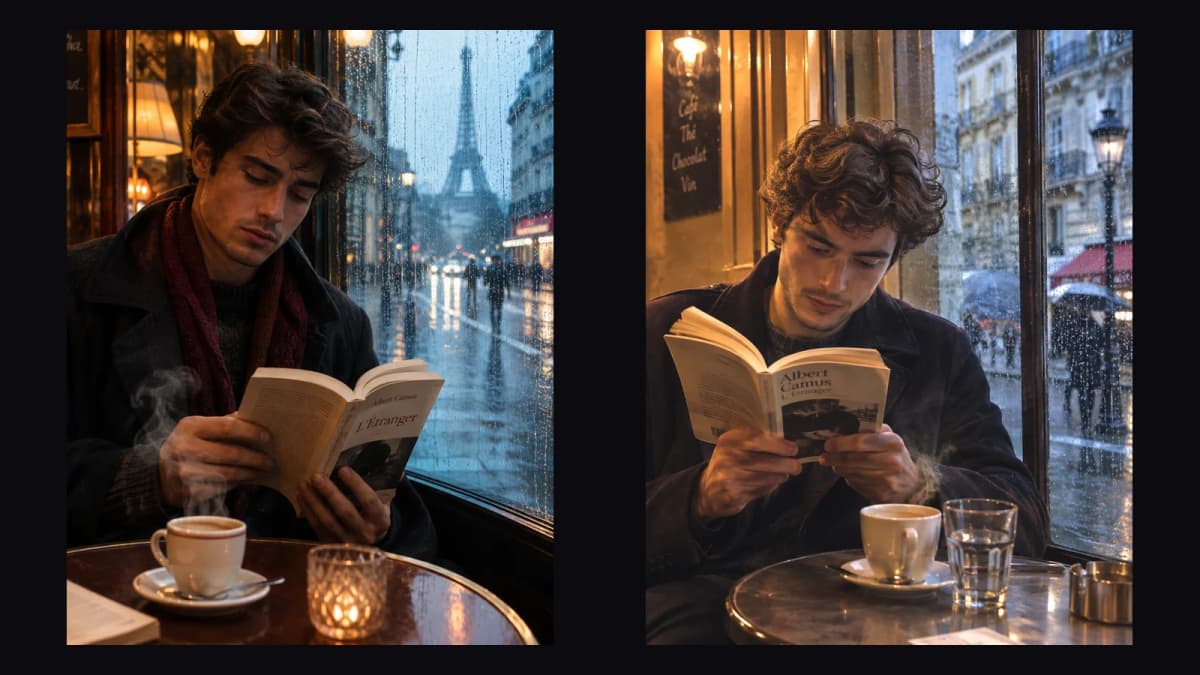
Our rule: draft on Flare, render the keeper and run multi-step edits on Sunburst.
How good is GPT Image 2.6 at text in images?
Very good — every word we put in quotes came out spelled right on the first try:
- Movie poster — "NIGHT SHIFT AT THE OBSERVATORY", the spaced-caps tagline and the release line, all right.
- Infographic — the title and all five step labels, in the case we asked for.
- Fitness app screen — "7,842 steps", "Goal 10,000", three stat cards and the tab bar. It also added a "9:41" status bar on its own.
- Four-panel manga — every speech bubble, the "SHHK" sound effect and a cat holding a "NEXT TRAIN 7 MIN" sign.
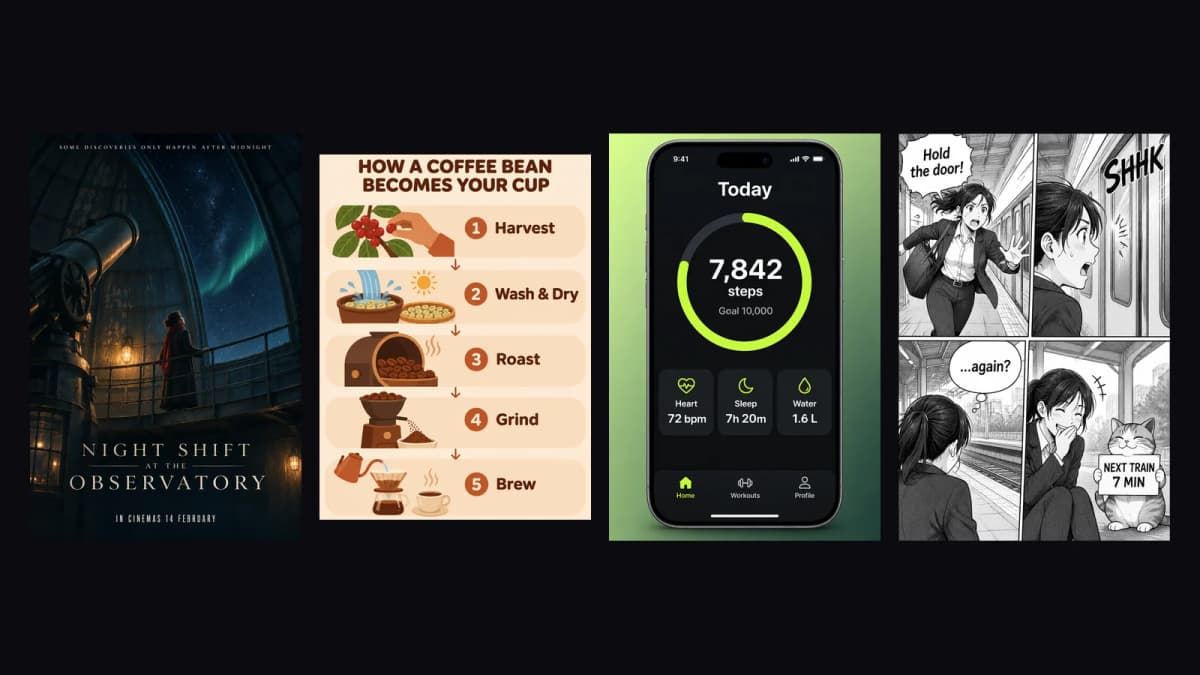
Left to right: poster, infographic, app screen, manga — one try each, nothing retouched.
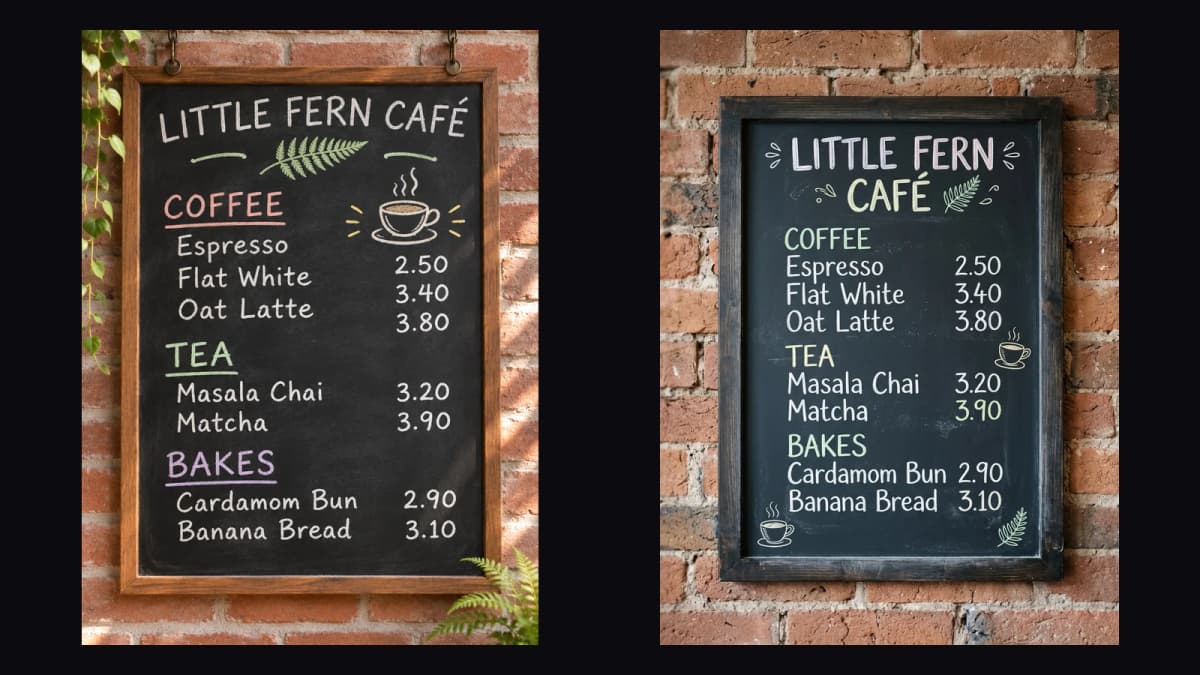
The weak spot was layout on a long list. On a café chalkboard menu every item and price was right, but the three coffee prices slid down one row. Nano Banana 2.1 kept the same menu perfectly aligned.
Can GPT Image 2.6 edit a photo and keep the product?
Yes — this is where Sunburst earns its name. We took our AURELIA perfume shot and asked it to move "this exact bottle" onto a snowy mountain ledge at blue hour, keep the cap, facets and lettering, and swap the orange blossom for frosted pine. The bottle came back unchanged, both lines of etched text intact; the scene, light and props were all new.
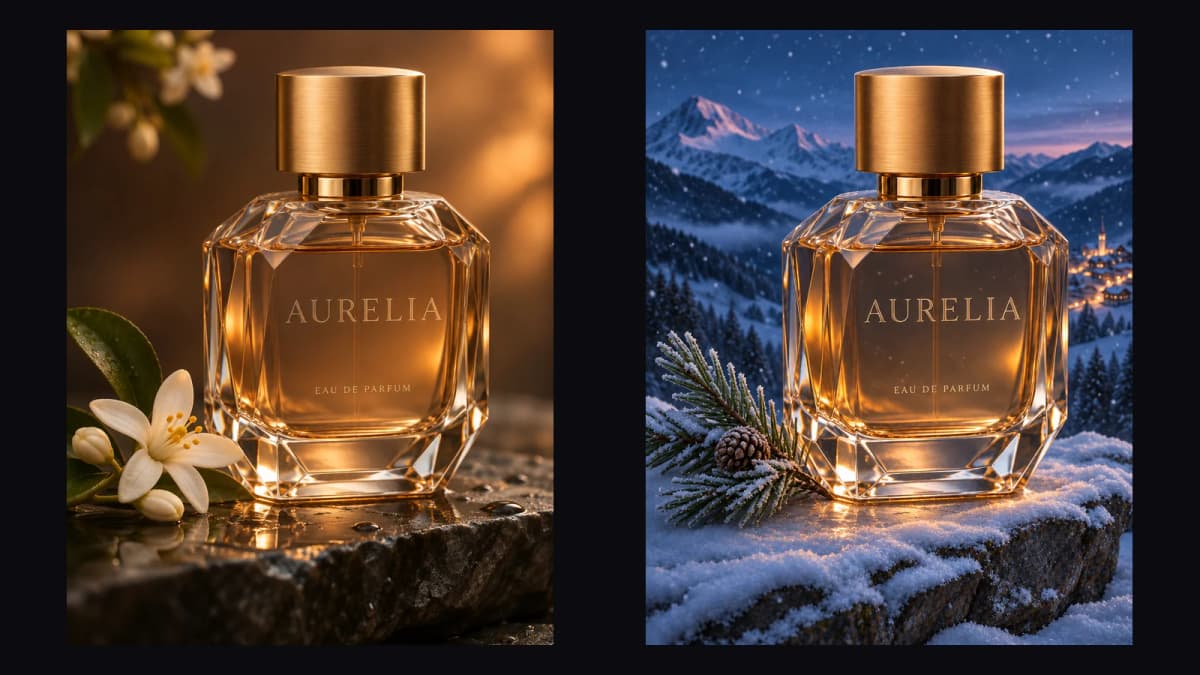
One reference cost 4.5 credits on top of the 15, so the edit was 19.5 credits.
GPT Image 2.6 GIFs and SVGs in practice
GIFs. We made eight short loops — a thumbs-up cat sticker, a waving robot mascot, a spinning shiba meme, a swinging SALE tag, a coffee steam loop, a pixel heart, a rocket and a growing seedling. Simple characters on flat backgrounds held together best, and "SALE" stayed spelled right in all six frames. Two of the rocket's frames came out nearly identical, so the lift-off looks short. The full set, with prompts and timings, is on our AI GIF generator page, and the GIF guide walks through prompting frame by frame.
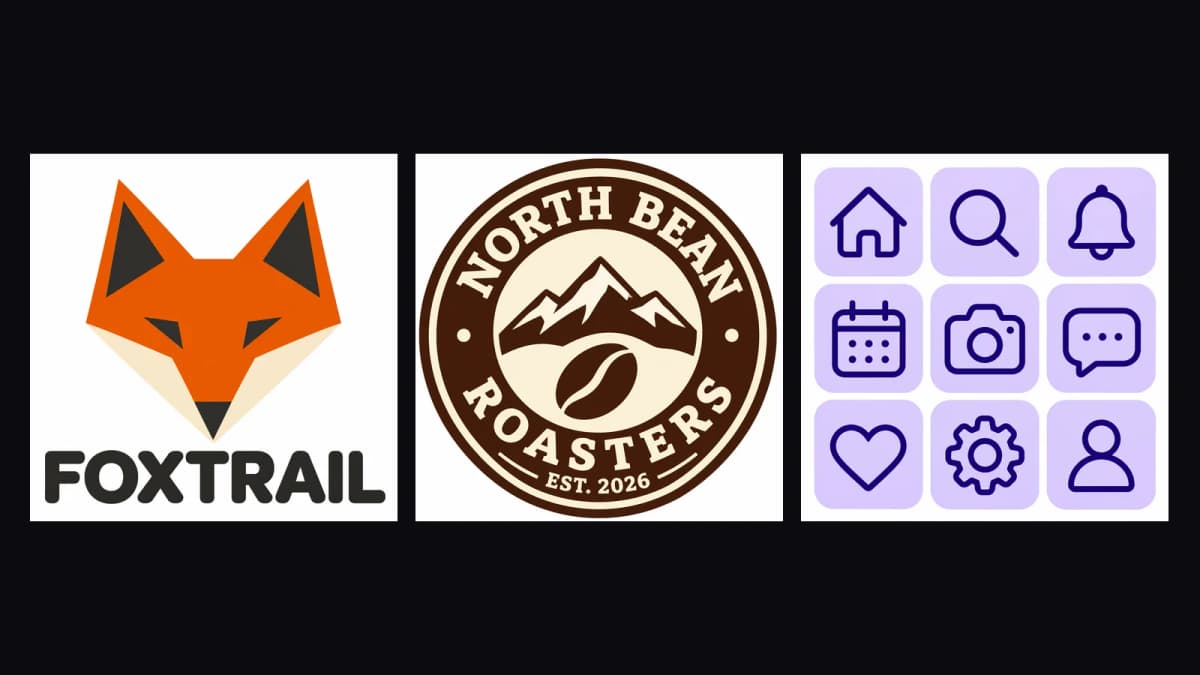
SVGs. Flat designs are what vectors are for. Prompted as flat vector art, Sunburst spelled FOXTRAIL, NORTH BEAN ROASTERS and EST. 2026 correctly — including text set around a circle — and kept one stroke weight across a nine-icon set. It didn't follow "single continuous line" literally on a line-art logo. More examples are on the AI SVG generator page.
GPT Image 2.6 vs GPT Image 2.5 vs Nano Banana 2.1
| GPT Image 2.6 | GPT Image 2.5 | Nano Banana 2.1 | |
|---|---|---|---|
| Released | 4 Nov 2026 | 8 Sep 2026 | 6 Oct 2026 |
| Versions | Sunburst · Flare | Sunburst · Flare | One |
| GIF / SVG output | Yes / Yes | No / No | No / No |
| References | 16 | 16 | 14 |
| Widest ratio | 3:1 | 3:1 | 8:1 |
| Medium 1K on Kenerate | 15 credits | 7.2 credits | 21 credits (1K) |
| Best at | Posters, products, edits, motion, vectors | Cheaper drafts with the same 16 references | Long lists, wide banners, web-grounded subjects |
On public leaderboards, third-party trackers report Sunburst first on Rapidata's text-to-image board and on Artificial Analysis, and second on Arena's preliminary board. In our five same-prompt tests against Nano Banana 2.1, GPT Image 2.6 won three, lost one and tied one — the full side-by-side is on our GPT Image 2.6 vs Nano Banana 2.1 page.
How to get the most out of GPT Image 2.6
- Quote every word you want in the image and add "no other text". It still adds props now and then, so check before you publish.
- Say where things go — "tagline at the top in small caps", "three stat cards in a row".
- Keep long lists short or split them; dense tables are where it drifted.
- For edits, say what must stay — "keep the bottle, cap and lettering exactly the same".
- Use complexity on purpose — low for quick fixes, medium or high for busy scenes.
- Draft cheap, finish sharp — low quality is 9 credits at 1K; re-run only the keeper at a higher tier.
How to use GPT Image 2.6 on Kenerate
- Open the Image Studio and pick GPT Image 2.6 Sunburst or Flare.
- Write the prompt, with any text in quotes. Add up to 16 reference images if you're editing.
- Choose the ratio (15 options), 1K/2K/4K, the quality tier and the format — PNG, JPG, WEBP, GIF or SVG.
- Generate and download. There's no watermark, and no ChatGPT plan or API key is involved.
GPT Image 2.6 is the most capable GPT Image yet for lettering, product work and edits, and the GIF and SVG outputs make it useful for jobs a still image never covered. It costs about twice as much as 2.5 per image, so keep 2.5 for drafts and reach for 2.6 when the output has to be right. Specs, prices and every output above are on the GPT Image 2.6 model page.