

GPT Image 2.6 · text to vector
AI SVG Generator
Describe a logo, icon or illustration and get it as an SVG — a vector file that stays sharp at any size and opens in Figma, Illustrator or Inkscape. GPT Image 2.6 is the first GPT Image model that can export SVG.
- Text to SVG
- Scales to any size
- Edit in Figma or Illustrator
- No watermark
Updated by the Kenerate AI team




Made with Kenerate


On this page
Quick answer

What is an AI SVG generator?
An AI SVG generator turns a text description into a scalable vector graphic — shapes and paths instead of pixels, so the file stays sharp from a favicon to a billboard and can be edited in any vector app. On Kenerate AI it runs on GPT Image 2.6, OpenAI's November 2026 model, which can export SVG from text to image. It works best for logos, icons, badges, stickers and flat illustrations with a few solid colours.
Key facts
- Model
- GPT Image 2.6 Sunburst · Flare
- Output
- SVG (text to image)
- From a photo
- Not supported
- Best for
- Logos · icons · flat art
- Opens in
- Figma · Illustrator · Inkscape
- Watermark
- None
Gallery
Vector-style art from GPT Image 2.6
Real GPT Image 2.6 Sunburst outputs, one try each, prompted as flat vector art and shown here as image previews. Run the same prompt in /app/image with SVG as the format to get the vector file.
How to
How to use the AI SVG generator
- Time needed
- Steps
- 4 steps
Step 1
Open GPT Image 2.6
Go to /app/image and pick GPT Image 2.6 Sunburst or Flare. It needs a one-time credit pack.
Step 2
Describe the design
Logo, icon, badge or illustration; the colours; "flat vector, no gradients"; any text in quotes.
Step 3
Choose SVG
Set the output format to SVG. SVG is text to image only, so don't add reference images.
Step 4
Download and edit
Open the .svg in Figma, Illustrator or Inkscape to change colours, move shapes or tweak the type.
See it in the app

Open Image Studio and type what you want to see — subject, style, lighting and mood.


Watch the tour · 1:23
Prompts, styles, references, edit, Arena & chat
Chapters
Tips
How to write an SVG prompt
SVG rewards simple shapes. The flatter the design, the cleaner the paths.
Say "flat vector" and list the colours — two to five solid colours give the cleanest file.
Rule out what vectors handle badly: "no gradients, no shadows, no texture".
Ask for a plain white background so the artwork is easy to separate.
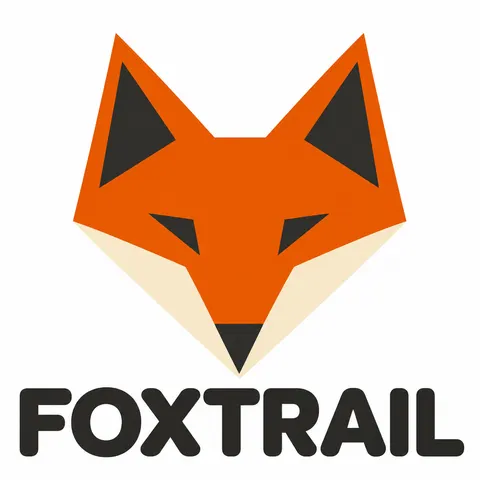
For logos, put the name in quotes and say "spell exactly, no other text" — FOXTRAIL, NORTH BEAN ROASTERS and HIGH ROAD all came out right.
For icon sets, fix the rules once: "same stroke weight, same corner radius, same padding".
Photoreal scenes make huge, messy SVGs — keep those as PNG or WEBP.
Models
Vector and logo tools on Kenerate
What each model is good at. Open any one straight in the generator.
OpenAI
GPT Image 2.6 Sunburst
- Reference images
- None for SVG
- Output
- SVG · PNG · WEBP
Open GPT Image 2.6 SunburstBest for
Cleanest detail and lettering
OpenAI
GPT Image 2.6 Flare
Kenerate
AI logo generator
FAQ
AI SVG Generator questions
8 questions

What is an AI SVG generator?
An AI SVG generator makes a scalable vector graphic from a text description. Instead of pixels, an SVG stores shapes and paths, so it stays sharp at any size and can be edited in Figma, Illustrator or Inkscape. On Kenerate it runs on GPT Image 2.6, which can export SVG from text to image.
Link to this answerCan ChatGPT make SVG files?
Yes, with Images 2.6. OpenAI's 4 November 2026 announcement added SVG exports to GPT Image 2.6 so designs are ready for websites, apps and print. On Kenerate you can use the same model without a ChatGPT plan: pick GPT Image 2.6 in /app/image and choose SVG as the format.
Link to this answerCan I convert a photo or PNG to SVG with GPT Image 2.6?
No. SVG output is text to image only — the edit endpoint, which takes uploaded images, does not return SVG. Describe the design in words instead, or redraw the logo from scratch with a prompt.
Link to this answerIs the SVG editable?
Yes. It is a standard vector file, so you can open it in Figma, Illustrator, Inkscape or a code editor and change colours, move shapes or resize without losing quality. Flat designs with few colours give the cleanest, smallest files.
Link to this answerWhat kinds of images work best as SVG?
Logos, icons, badges, stickers, line art and flat illustrations with a handful of solid colours. Photos, soft gradients and heavy textures turn into very large, messy SVGs, so keep those as PNG or WEBP.
Link to this answerHow much does an AI SVG cost on Kenerate?
GPT Image 2.6 costs 15 credits at medium quality and 1K, and SVG output adds 6, so a typical SVG is 21 credits. New accounts get 25 free credits for the free models; GPT Image 2.6 needs a one-time credit pack, and credits never expire.
Link to this answerCan the AI spell my brand name correctly?
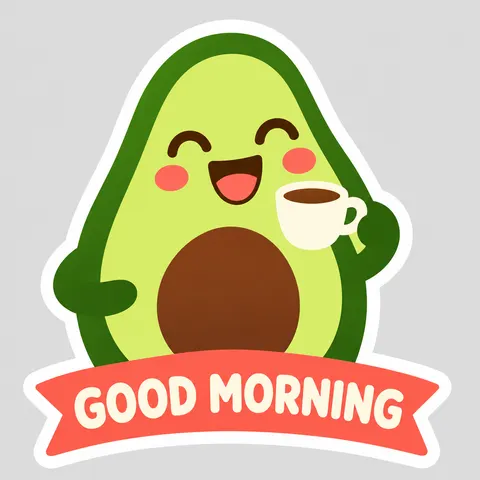
Usually. Put the name in quotes and add "spell exactly, no other text". In our tests FOXTRAIL, NORTH BEAN ROASTERS, EST. 2026, HIGH ROAD and GOOD MORNING all came out right on the first try. Always check before you print.
Link to this answerCan I use the SVGs commercially?
Yes — Kenerate downloads carry no watermark and include commercial use. For a logo you plan to trademark, check that the design doesn't resemble an existing mark.
Link to this answerIn depth
AI SVG Generator, explained
What works, what to avoid, and how to pick a model.
On this page
SVG vs PNG: which to download
Pick by where the image is going:
- SVG — logos, icons and badges that must stay sharp at every size, or that you'll recolour or tweak later in a vector app.
- PNG — artwork with transparency that will only ever be used at one size, or anything with soft shading.
- WEBP or JPG — photos and detailed scenes for the web, where file size matters more than editability.
What GPT Image 2.6 can and can't do with SVG
OpenAI added SVG export with Images 2.6 so designs are ready for websites, apps and print [1]. Third-party guides to the API report that SVG comes only from the generation endpoint, one image per request, with no reference images [2][3] — so it suits new designs, not converting an existing photo. On Kenerate the edit mode accordingly offers PNG, JPG, WEBP or GIF, not SVG.
From our tests
All seven examples above were first tries on Sunburst:
- Every brand name was spelled right, including text set around the circular coffee badge.
- The nine icons kept one stroke weight, corner radius and padding.
- Flat palettes stayed flat — no stray gradients or shadows crept in.
- "Single continuous line" wasn't followed literally: the HIGH ROAD mountains are separate strokes.
By the Kenerate AI teamLast updated and reviewed
We build and run the Kenerate generator. Every example is a real output of the model named under it; models and presets were checked against the app's code.
Sources: Introducing Images 2.6 — OpenAI · ChatGPT Images 2.6: SVG output and limits — Kingy AI · GPT Image 2.6 guide: GIFs, SVG and API features — Hugging Face community blog
