
Yes, you can run an AI image generator locally: install ComfyUI (or Diffusers, or a WebUI such as Forge), download an open-weight model such as FLUX.2 [klein] 4B, Z-Image or Stable Diffusion 3.5, and generate on your own GPU. The deciding factor is video memory: model makers quote about 10 to 16 GB of VRAM for the small open models and about 29 GB for FLUX.2 [klein] 9B at full precision. Closed models such as GPT Image 2.5, Nano Banana 2.1 and Seedream 5.0 Pro don't come as downloads, so those only run online.
Updated 2 November 2026. Hardware figures come from each tool's or model's own documentation; Kenerate prices come from the app's model settings.
This guide answers the questions people actually ask before they buy a GPU or install anything: can my computer run it, which local tool should I use, how much VRAM each model needs, and when an online generator is simply the better deal.
Can you run an AI image generator locally?
Yes, if three things line up:
- Open weights. The model's maker has published the files. FLUX.2 [klein], Z-Image, Qwen-Image and Stable Diffusion 3.5 all have downloadable weights on Hugging Face, each under its own licence.
- A local runner. ComfyUI is the most common. Diffusers (a Python library) is what most model cards use in their own examples. WebUIs such as Forge put a simpler form in front of the same idea.
- Enough hardware. Mainly GPU memory (VRAM). Plenty of system RAM and disk space help, because model files are large.
What you can't run locally is any model whose maker keeps the weights private. OpenAI's GPT Image models, Google's Nano Banana models and ByteDance's Seedream models are offered through apps and APIs, not as downloads. No local setup will get you those.
What hardware does ComfyUI support?
ComfyUI's system requirements page (checked 2 November 2026) lists:
| Platform | Support | Notes from the docs |
|---|---|---|
| NVIDIA GPUs | Yes | PyTorch built for CUDA 13.0; cu130 or newer needed on 20-series and newer cards |
| AMD GPUs | Yes | ROCm 7.2 on Linux; AMD's multi-architecture PyTorch packages on Windows (RDNA 2 to RDNA 4) |
| Intel GPUs | Yes | Arc series through PyTorch's native XPU support |
| Apple Silicon | Yes | M1 to M4 through Metal (MPS) |
| CPU only | Yes, with --cpu | The docs call it "slower" |
| Desktop app | Windows 10+, macOS (Apple Silicon only), Linux | NVIDIA or AMD GPU recommended on Windows |
The page recommends Python 3.13 and PyTorch 2.7 or newer. It doesn't set a minimum VRAM or RAM figure, because that depends on the model you load, which is the next question.
How much VRAM does each local model need?
Every figure below is quoted from the model maker's own page. Where a maker publishes no number, the table says so instead of guessing.
| Model | Parameters | VRAM stated by the maker | Licence | Source |
|---|---|---|---|---|
| FLUX.2 [klein] 4B | 4B | "Fits in ~13GB VRAM (RTX 3090/4070 and above)" | Apache 2.0 | Black Forest Labs launch post |
| FLUX.2 [klein] 9B Base | 9B | "Fits in ~29GB VRAM", "RTX 4090 and above" | FLUX Non-Commercial | Hugging Face model card |
| Z-Image-Turbo | 6B | "Fits comfortably within 16G VRAM consumer devices" | Apache 2.0 | Hugging Face model card |
| Stable Diffusion 3.5 Medium | 2.5B | 9.9 GB, excluding text encoders | Stability AI Community License | Stability AI announcement |
| Stable Diffusion 3.5 Large | 8.1B | Not stated | Stability AI Community License | Stability AI announcement |
| Qwen-Image | 20B | Not stated | Apache 2.0 | Hugging Face model card |
Three things shrink those numbers in practice:
- FP8 and NVFP4 files. Black Forest Labs says the FP8 versions of FLUX.2 [klein] use up to 40% less VRAM and run up to 1.6× faster, and the NVFP4 versions up to 55% less VRAM and up to 2.7× faster, benchmarked on RTX 5080 and 5090 cards at 1024×1024. ComfyUI's official FLUX.2 [klein] templates download FP8 files by default.
- CPU offload. The Diffusers examples on the FLUX.2 [klein] card include
enable_model_cpu_offload(), which moves parts of the model to system RAM. It lowers peak VRAM at the cost of speed. - Smaller resolutions. Most model cards test at 1024×1024. Going bigger needs more memory.
How fast is local generation?
The only official consumer timing we found is in ComfyUI's FLUX.2 [klein] tutorial: on an RTX 5090, the distilled 4B took about 1.2 seconds using 8.4 GB of VRAM, and the 4B Base about 17 seconds using 9.2 GB. The difference is steps: the distilled model runs in 4, the Base model in many more. ComfyUI's page lists no 9B timing, and we don't publish our own benchmarks, so treat any other number you see as someone's specific setup.
How do you run Stable Diffusion or FLUX locally, step by step?
The quickest route on Windows or a Mac with Apple Silicon is the ComfyUI desktop app and an official template.
- Check your GPU memory. On Windows, Task Manager shows "Dedicated GPU memory" under Performance. Compare it with the table above.
- Install ComfyUI. Use the desktop app for Windows 10+ or Apple Silicon, or the portable or manual install if you want the latest commits (the desktop app tracks the stable release).
- Open the template browser and pick a template for your model, for example the FLUX.2 [klein] 4B text-to-image template.
- Download the model files. Templates name the files and folders. For FLUX.2 [klein] 4B that's the diffusion model, the
qwen_3_4btext encoder and the FLUX.2 VAE. Gated models need you to accept the licence on Hugging Face first. - Keep the template's settings for your first run: the distilled 4B uses 4 steps. Generate at 1024×1024.
- Fix the seed once you like a composition, so you can change the prompt and compare like for like.
- Out of memory? Switch to FP8 files, lower the resolution, or pick a smaller model.
If you want a full walkthrough for the bigger model, our FLUX.2 klein 9B workflow guide covers the files, the Base vs distilled settings and multi-reference edits.
Local vs online: which is better for you?
| Local (your GPU) | Online (a hosted generator) | |
|---|---|---|
| Upfront cost | A capable GPU, plus electricity | None; pay per image or per plan |
| Cost per image | Close to zero after the hardware | Fixed credits per image |
| Models available | Open-weight models only | Open and closed models, including GPT Image 2.5, Nano Banana 2.1, Seedream 5.0 Pro |
| Custom LoRAs, ControlNets, nodes | Yes, anything ComfyUI can load | Usually limited to what the site offers |
| Setup | Install, download, update, troubleshoot | Sign in and type |
| Privacy | Files never leave your machine | Your prompt and image go to the provider |
| Works on a laptop without a GPU | Only in slow CPU mode | Yes, in the browser |
| Licences | You must follow each model's licence (for example, FLUX.2 [klein] 9B is non-commercial) | You use the host's terms |
When does buying a GPU pay off?
Do the maths with your own numbers rather than a benchmark. On Kenerate AI, the largest credit pack is $999 for 100,000 credits, about 1 cent per credit. Some per-image prices from the app's model settings, as of 2 November 2026:
| Model on Kenerate | Credits per image | Open weights? |
|---|---|---|
| Flux 2 Klein (4B) | 3 (free plan) | Yes |
| Flux 2 Dev | 3 (free plan) | Yes |
| Z Image Base | 3 | Yes |
| Flux 2 Klein Base 9B | 4.5 | Yes |
| Qwen Image | 6 | Yes |
| GPT Image 2.5 (medium, 1K) | 7.2 | No |
| Seedream 5.0 Pro (1K) | 13.5 | No |
| Nano Banana 2.1 (1K) | 21 | No |
So every $1,000 you'd spend on hardware buys roughly 33,000 images at 3 credits, or 22,000 at 4.5 credits, on the $999 pack. If you'll generate far more than that, need custom LoRAs, or must keep images on your own machine, local wins. If you generate in bursts, want closed models too, or work from a laptop, online is cheaper and quicker to start. New Kenerate accounts get 25 free credits that work on the free-plan models, such as Flux 2 Klein and Flux 2 Dev.
What do open models produce? Real outputs
These are real, unedited outputs from open-weight models running on Kenerate, labelled with the model that made each one. The same weights are the ones you'd download to run locally.
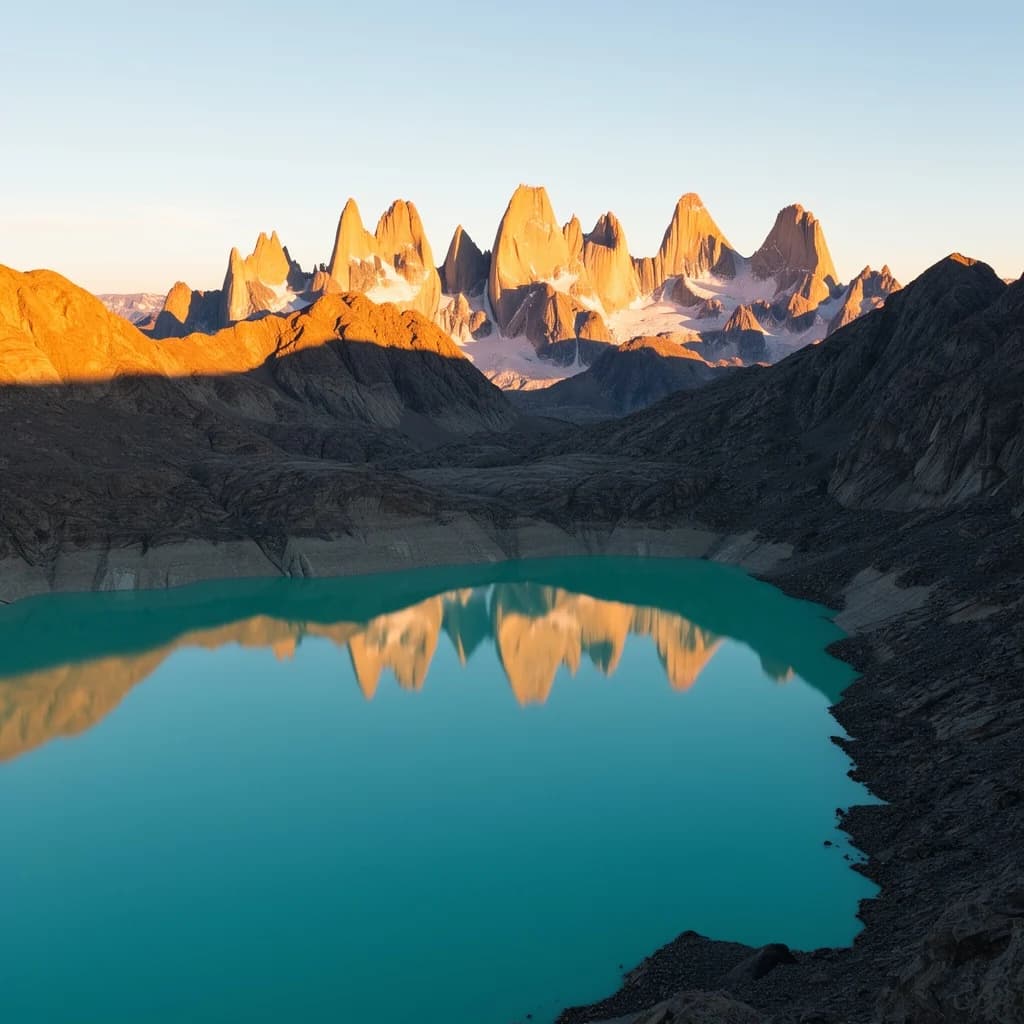
Flux 2 Klein Base 9B, 4.5 credits. Prompt: "Wide landscape photo of a glacier lake in Patagonia at sunrise, jagged granite peaks reflected in turquoise water, golden light".
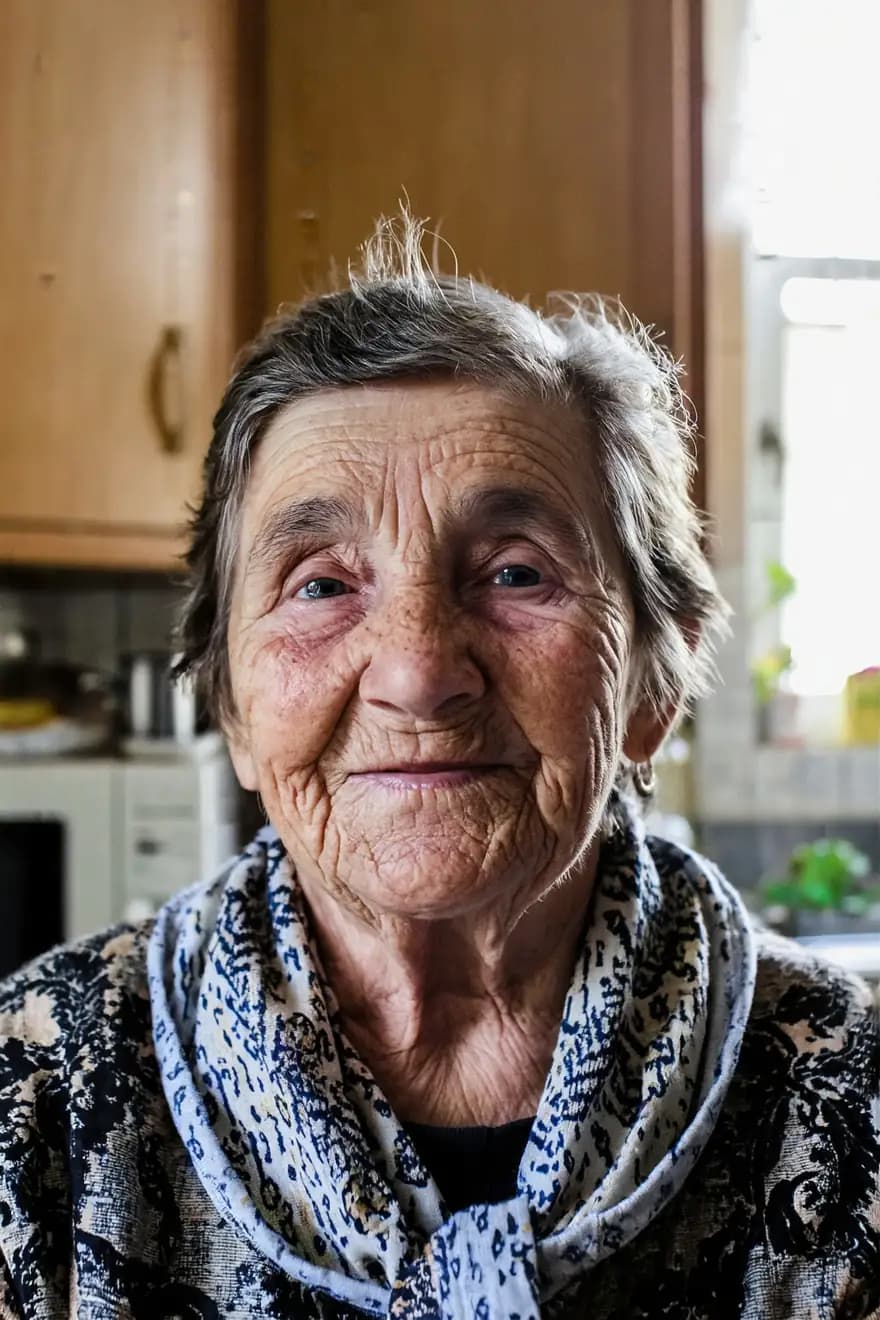
Z Image Base, 3 credits. Prompt: "Photorealistic portrait of an old woman with deep wrinkles and a warm smile in a sunlit kitchen, natural light, 85mm".
More outputs and the full spec are on the FLUX.2 [klein] 9B Base model page, and our open-source AI image generator page lists the open models you can run in the browser.
What is the best local AI image generator?
There isn't one winner, because "generator" mixes up two things: the runner and the model.
- Best runner for most people: ComfyUI. It supports NVIDIA, AMD, Intel and Apple Silicon, ships official templates for new models, and loads LoRAs, ControlNets and custom nodes. The trade-off is the node graph, which takes time to learn.
- Simplest code path: Diffusers. If you write Python, the model cards' own examples run as-is.
- Simpler UI: Forge and similar WebUIs. A form instead of a graph, at the cost of slower support for brand-new models.
For the model, pick by VRAM and licence first. Under 16 GB, start with FLUX.2 [klein] 4B (Apache 2.0) or Stable Diffusion 3.5 Medium. With 24 GB or more and no commercial plans, FLUX.2 [klein] 9B Base gives more detail and variety. If ComfyUI's graph puts you off, our ComfyUI alternative page covers browser options that skip the setup.
What are the common mistakes when running locally?
- Ignoring the licence. Open weights aren't always free for business use. FLUX.2 [klein] 9B uses the FLUX Non-Commercial License; Stable Diffusion 3.5's Community License allows commercial use for organisations under $1M in annual revenue, per Stability AI.
- Loading full-precision files on a small card. Use the FP8 versions the templates suggest.
- Mixing text encoders. The FLUX.2 [klein] 4B and 9B use different Qwen text encoders.
- Running a distilled model with many steps. Distilled models are built for few steps; more mostly costs time.
- Outdated ComfyUI. Missing nodes usually mean you need to update.
The bottom line
You can run an AI image generator locally in 2026 with ComfyUI and an open model, and a GPU with about 10 to 16 GB of VRAM is enough for the small ones, according to their makers. Local makes sense for heavy use, custom LoRAs and privacy. Online makes sense for occasional use, laptops and closed models like GPT Image 2.5, Nano Banana 2.1 and Seedream 5.0 Pro, which you can't download at all. Many people end up doing both: drafts and custom work locally, closed-model finals online.