
Seedream 5.5 is ByteDance Seed's image model released on 9 November 2026. It is built around four promises: photos that look photographed rather than rendered, cleaner small text, edits that leave everything you didn't touch exactly as it was — for up to 100 rounds — and native transparent PNGs. We ran 27 real jobs on Kenerate the week it landed: posters, a menu, a nutrition label, portraits, product shots, three-round edits and cut-outs. Here is what held up and what didn't.
Updated 15 November 2026.
What's new in Seedream 5.5?
ByteDance's announcement — "More Realistic Images, More Stable Editing Across 100 Rounds" — lists four changes:
- Realism. Lighting, materials and skin render more naturally, with less of the glossy, overexposed look AI portraits are known for.
- Small text. Densely packed small text and complex characters come out more accurately, in English and Chinese.
- Multi-round editing. Unedited regions are preserved at the pixel level, without colour shifts, so you can keep editing the same image for up to 100 rounds.
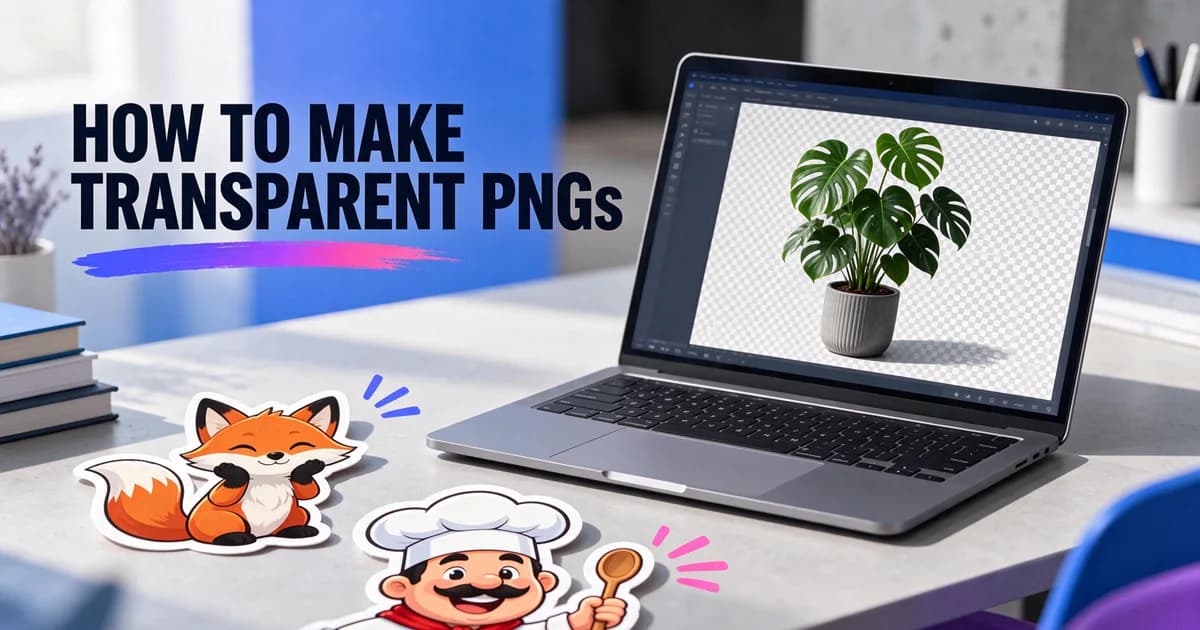
- Native RGBA. The model can output an alpha channel — full and partial transparency — so a sticker, logo or product comes out with no background at all.
ByteDance tested it on its MagicArena platform across six use cases — e-commerce, marketing, film and TV, gaming, office work and fashion — and reports higher quality and usability than Seedream 5.0 Pro in all six, with usability more than twice as high in film and TV and in office work. These are ByteDance's own evaluations, so we ran our own.
How realistic is Seedream 5.5?
Very. Our window-light headshot of a bearded man in a charcoal sweater has visible pores, fine hairs and no plastic sheen, and the street portrait of a flower seller in Mumbai kept her silver nose stud, the fine wrinkles and the texture of the cotton saree.
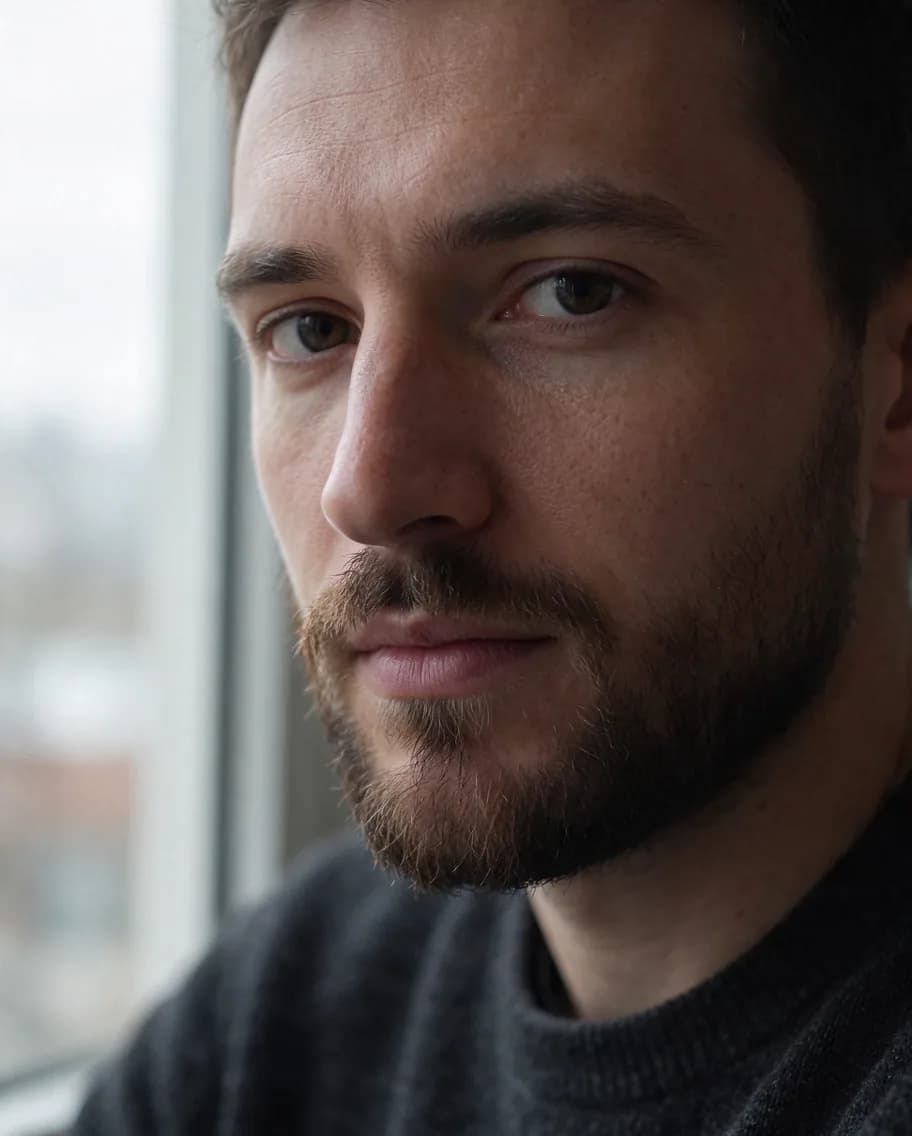
Product and food shots held up the same way: a matte ramen bowl with steam that reads as steam, and a faceted perfume bottle with an amber backlight and crisp etched lettering. A Scandinavian living room came out with real material textures and no blown-out windows — exactly the overexposure ByteDance says it trained out.
How good is Seedream 5.5 at text?
Every word we put in quotes was spelled right on the first try:
- Movie poster — "NIGHT SHIFT AT THE OBSERVATORY", the spaced-caps tagline and "IN CINEMAS 14 FEBRUARY".
- Chalkboard menu — seven items and seven prices, each on its own row, in the pastel chalk we asked for.
- Infographic — five steps, labels exactly as written.
- Nutrition label — every word right, including the small-print ingredients line.
The label also showed the limit. Next to "Calories 190" it added a column of percentages we didn't ask for, and it printed "85mg" twice in the sodium row. Dense tables are better than before, not perfect — check them before you print.
Multi-round editing: does the rest really stay the same?
This is the headline feature, so we tested it as a chain. We took the perfume shot and edited it three times, each time on the result of the last:
- Move the bottle to a snowy mountain ledge at blue hour.
- Change only the cap to matte black.
- Add a small "FOR YOU" gift tag on a red ribbon.
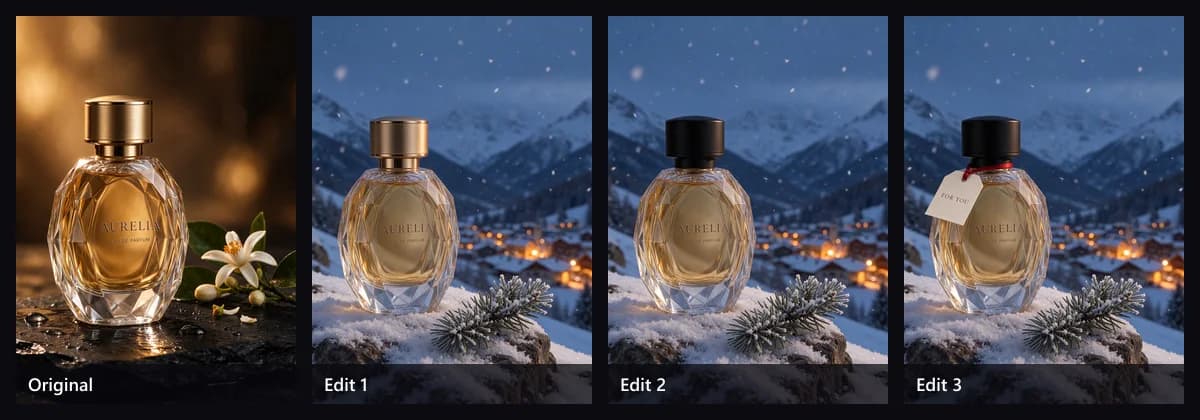
The facets, the liquid, the AURELIA and EAU DE PARFUM lettering, the snow, the pine and the distant village stayed put in rounds two and three; only the cap and then the tag changed. Single edits behaved the same way: a man's sweater became a denim jacket with his face, beard and freckles untouched; a living room went from winter day to night with the same furniture and camera angle; and a watercolor caption was translated to French — "Lisbonne, tram 28" — without repainting the picture.
Transparent PNGs
Seedream 5.5 can generate the alpha channel itself. On Kenerate that's one switch: pick Seedream 5.5 in the Image Studio, open Advanced and turn on Transparent background. The output is a PNG you can drop onto a slide, a site or a print file. Our step-by-step guide covers how to make a transparent PNG with Seedream 5.5, and the Seedream 5.5 transparent background page shows stickers, logos and product cut-outs.
Seedream 5.5 vs Seedream 5.0 Pro
We ran five identical prompts on both. 5.5 won three and two were ties; 5.0 Pro won none. The clearest difference was the perfume: 5.5 kept the faceted glass and amber backlight from the prompt, while 5.0 Pro made a smooth rectangular bottle on a pale backdrop.
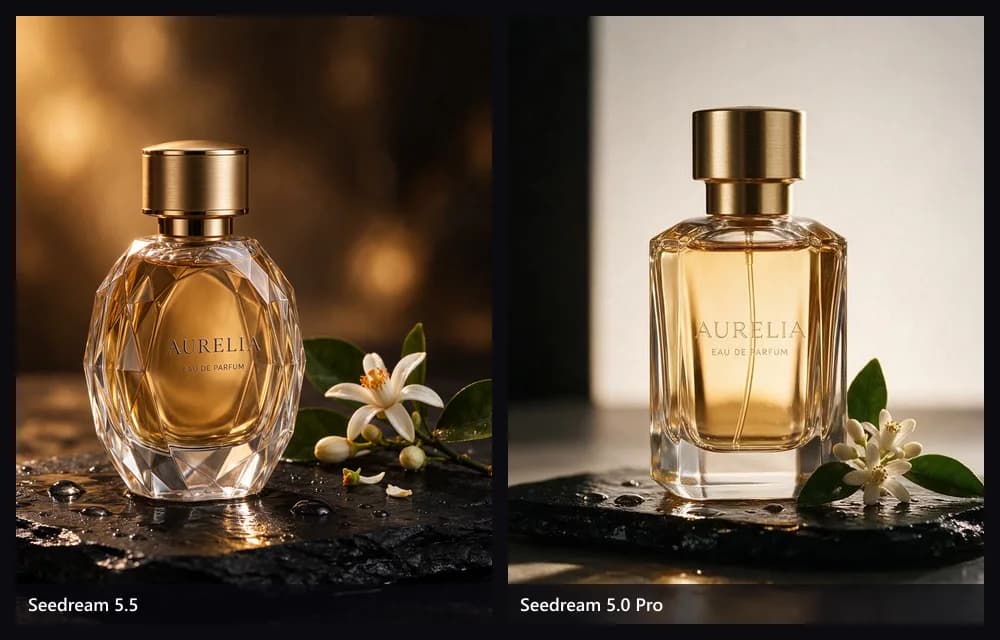
| Seedream 5.5 | Seedream 5.0 Pro | |
|---|---|---|
| Released | 9 Nov 2026 | 8 Jul 2026 |
| Transparent PNG | Yes | No |
| Multi-round edits | Unedited areas kept, up to 100 rounds | Point, lasso and box editing |
| Layer separation | No | Yes |
| Sizes on Kenerate | 1K, 1.5K, 2K | 1K, 1.5K, 2K |
| References | Up to 10 | Up to 10 |
| 1K on Kenerate | 6 credits | 13.5 credits |
Keep 5.0 Pro for layer separation and Seedream 5.0 Lite for 4K. For everything else, 5.5 is better and cheaper. The full side-by-side is on our Seedream 5.5 vs 5.0 page.
Seedream 5.5 vs GPT Image 2.6 and Nano Banana 2.1
We reused the five prompts from our GPT Image 2.6 and Nano Banana 2.1 tests:
- vs GPT Image 2.6: Seedream 5.5 won two (it kept the menu prices aligned and set clearer product lettering) and three were ties. GPT Image 2.6 still has 4K, five quality tiers, 16 references and GIF and SVG output. Full comparison.
- vs Nano Banana 2.1: Seedream 5.5 won four and one was a tie. Nano Banana 2.1 still has 4K, 14 references, 8:1 banners and web search. Full comparison.
On price, Seedream 5.5 is the cheapest of the three on Kenerate: 6 credits at 1K, against 15 for GPT Image 2.6 at medium and 21 for Nano Banana 2.1.
What Seedream 5.5 costs
- On Kenerate: 6 credits at 1K or 1.5K, 10.5 at 2K; edits add 2.4 credits per input image. 300 credits cost $1, so a 1K image is about two cents. It needs a one-time credit pack; credits never expire.
- Through APIs: ByteDance had not published an official price when we wrote this. Third-party hosts list about $0.02 per image at 1K or 1.5K and $0.035 at 2K. Our Seedream 5.5 API guide covers the parameters.
Limits worth knowing
- 2K is the top size on Kenerate. Use Seedream 5.0 Lite for 4K.
- It adds props. Hills and coffee branches on the infographic, a "Lisbon" sign on the tram. Add "nothing else" when it matters.
- Dense tables can slip — the nutrition label grew an extra column.
- No animation or vectors. For GIF or SVG, use GPT Image 2.6.
- No Pro version yet. ByteDance says a 5.5 Pro is coming, with no date.
How to use Seedream 5.5 on Kenerate
- Open the Image Studio and pick Seedream 5.5.
- Write the prompt; put any words that must appear in quotes.
- Choose 1K, 1.5K or 2K and one of 15 ratios. Turn on Transparent background under Advanced for a cut-out.
- To edit, upload up to 10 references and describe only the change. Then edit the result again.
Seedream 5.5 is the best Seedream yet and, on Kenerate, the cheapest. It looks more like a camera took the picture, it gets short text right, and its edit chains are the steadiest we've tested. Specs, prices and every output above are on the Seedream 5.5 model page.