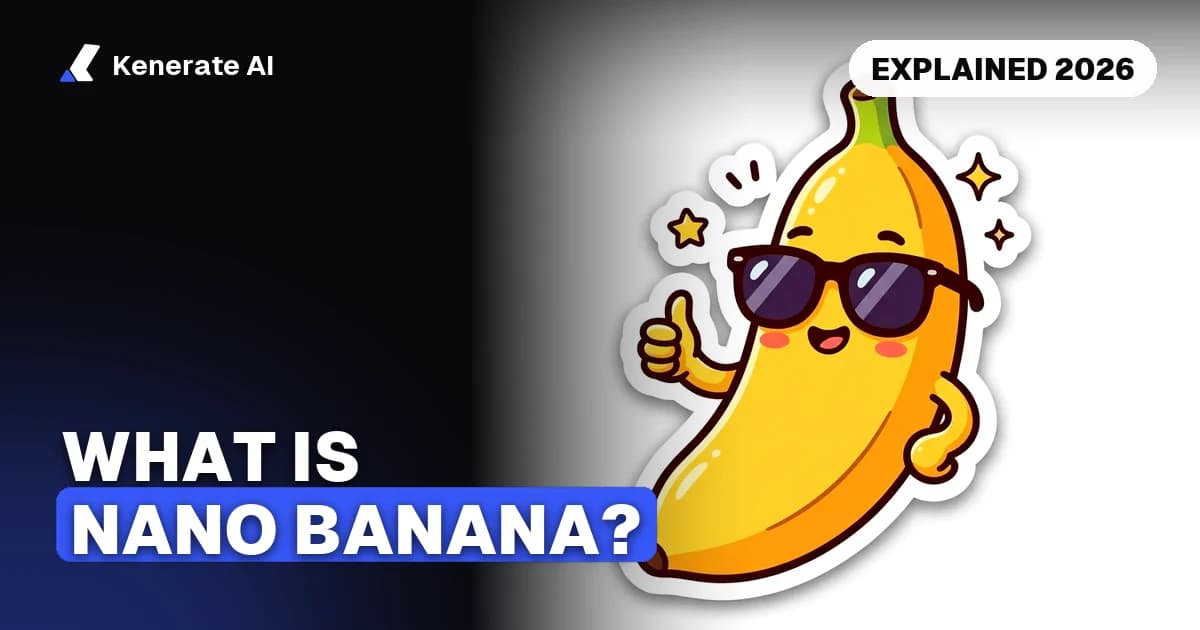
Nano Banana is the nickname for Google's Gemini image generation and editing models. It started as the codename of Gemini 2.5 Flash Image in August 2025, and as of 31 October 2026 it covers a whole family: Nano Banana, Nano Banana Pro, Nano Banana 2, Nano Banana 2 Lite and Nano Banana 2.1. You can use it in the Gemini app, in Google AI Studio, through the Gemini API, and on third-party platforms such as Kenerate AI.
That's the short answer. The rest of this guide explains where the odd name came from, how the versions differ, whether Nano Banana is the same thing as Gemini, whether it's open source, and where you can actually use it today. Everything about Google's models comes from Google's own blog posts and developer docs, linked at the end.
What is Nano Banana in simple terms?
Nano Banana is an AI model that turns text into images and edits existing images when you describe the change in plain language. You can type "a cosy cabin in the snow at dusk" and get a new picture, or upload a photo and write "make the jacket red, keep everything else the same" and get an edited version.
Three things made it popular when it first appeared:
- Conversational editing. You edit by talking to it, one change at a time, instead of using masks and layers.
- Consistency. It keeps a person, pet or product recognisable across several edits and new scenes.
- Multi-image blending. You can give it more than one picture (a product, a background, a style) and ask it to combine them.
When Google announced it on 26 August 2025, it described "Gemini 2.5 Flash Image (aka nano-banana)" as its "state-of-the-art image generation and editing model". Later versions added sharper text in images, 2K and 4K output, and the option to look things up with Google Search before drawing.
Why is it called Nano Banana?
The name was never meant to be public. According to Google's own post on the subject (published 15 January 2026), the team needed a codename to submit the model to LMArena, a site where people compare AI models side by side without knowing which is which. Product manager Naina Raisinghani suggested "Nano Banana" late at night, combining two of her nicknames, and felt it suited a small, fast "Flash" model.
The model appeared on LMArena under that codename in early August 2025, before Google confirmed it was behind it. People started calling it Nano Banana, the name stuck, and Google leaned into it: banana emoji, the "Nano Banana Pro" brand and every later version kept it.
What are the Nano Banana versions?
Here is the family as Google lists it, with the official Gemini model name behind each nickname. Dates come from Google's announcement posts and docs; for the full story of each release, see our Nano Banana release dates timeline.
| Nickname | Official model (API ID) | Announced | What Google says it is for |
|---|---|---|---|
| Nano Banana | Gemini 2.5 Flash Image (gemini-2.5-flash-image) | 26 Aug 2025 | The original; now deprecated on the Gemini API |
| Nano Banana Pro | Gemini 3 Pro Image (gemini-3-pro-image) | 20 Nov 2025 | Premium model for the most complex visual tasks |
| Nano Banana 2 | Gemini 3.1 Flash Image (gemini-3.1-flash-image) | 26 Feb 2026 | Previous-generation fast, high-efficiency model |
| Nano Banana 2 Lite | Gemini 3.1 Flash Lite Image (gemini-3.1-flash-lite-image) | 30 Jun 2026 | Fastest and cheapest, 1K only, for high volume |
| Nano Banana 2.1 | gemini-nano-banana-2.1 | 6 Oct 2026 | Current main high-efficiency model for generation and editing |
A few notes on that table, all as of 31 October 2026:
- Google recommends Nano Banana 2.1 for new projects. Its image-generation docs call 2.1 the successor to Nano Banana 2. We compared the two in Nano Banana 2.1 vs Nano Banana 2.
- The original is being retired on the API. Google's Gemini API pricing page (last updated 30 October 2026) marks
gemini-2.5-flash-imageas deprecated with a shutdown date of 15 March 2027. - Pro is the "thinking" model. Nano Banana Pro reasons before it draws and is Google's pick for dense text, infographics and complex layouts. It costs more per image. The trade-offs are in Nano Banana vs Nano Banana Pro.
- Resolutions differ by model. Google's docs list 1K, 2K and 4K for Nano Banana 2.1 and Pro, 512px to 4K for Nano Banana 2, and 1K only for Nano Banana 2 Lite.
Is Nano Banana the same as Gemini?
Not exactly. Gemini is the name of Google's family of AI models and of its chatbot app. Nano Banana is the nickname for the image models inside that family.
Think of it like this:
- The Gemini app is the chat assistant. When you ask it to create or edit an image, it hands the job to a Nano Banana model.
- Gemini 3.1 Flash Image, Gemini 3 Pro Image and the others are the official model names developers use in code.
- Nano Banana is the friendly name Google uses for those image models in its marketing and in the Gemini app.
So "Gemini image generator", "Google Nano Banana" and "Gemini 3.1 Flash Image" often point at the same thing. The difference is whether you're talking about the app, the model, or the nickname.
Is Nano Banana open source?
No. Nano Banana is a closed, hosted model. Google runs it on its own servers and offers it through its products (the Gemini app, Search, Google AI Studio and others) and through paid APIs (the Gemini API and Vertex AI). We found no download of the model weights on any of Google's pages, and Google's docs describe it only as a service you call.
That has two practical consequences:
- You can't run it on your own computer or fine-tune it the way you can with open-weight models such as Flux or Qwen Image.
- Every image carries a watermark. Google's image-generation docs state that "All generated images include a SynthID watermark", an invisible marker that Google's tools can detect.
If you specifically need an open model you can run locally, Nano Banana is the wrong choice. If you want strong editing and consistent characters without running hardware, it's one of the best options.
What can you do with Nano Banana?
The common uses, in rough order of how often people ask about them:
- Photo edits. Change a background, a colour, the lighting or the season; remove or add an object; restore an old photo.
- Product shots. Put a product photo into a new scene and keep the label, shape and colours the same.
- Consistent characters. Keep one person or mascot recognisable across a series of images.
- Posters, thumbnails and infographics. Newer versions (2, 2.1 and especially Pro) handle readable text much better than the original.
- Fact-aware images. Nano Banana 2 and 2.1 can use Google Search grounding, so an image of a real landmark or "the planets in order" can be checked against the web first.
- Style changes. Turn a photo into a watercolour, a 3D figurine, an anime frame or a sticker.
For copy-paste prompts with real outputs, see our Nano Banana prompts library.
Where can you use Nano Banana?
There are four main routes, each with different costs and limits. Here's what each one offers as of 31 October 2026:
| Where | What you get | Cost |
|---|---|---|
| Gemini app (web and mobile) | Nano Banana 2 for everyone; "Redo images with Nano Banana Pro" on paid Google AI plans | Free at "standard limits"; paid plans raise limits |
| Google AI Studio | Try the models in the browser, get an API key | Google says AI Studio usage is free of charge in all available regions |
| Gemini API / Vertex AI | Call the models from your own code | Pay per image; no free tier for image models |
| Kenerate AI | Nano Banana, Nano Banana 2, 2 Fast and 2.1 next to other image and video models | Credits per image; needs a one-time credit pack |
In the Gemini app
Google's Gemini Apps limits page ticks "Image generation with Nano Banana 2" for people without a paid plan, at "standard limits". Paid plans raise those limits (AI Plus to 2x and AI Pro to 4x the standard limits, AI Ultra to 5x or 20x the AI Pro limits) and add "Redo images with Nano Banana Pro". Google doesn't publish a fixed number of free images per day and says limits "may change without notice". For a step-by-step walkthrough, read how to use Nano Banana.
In Google AI Studio and the Gemini API
Developers get a key from Google AI Studio and call the model by its ID, for example gemini-nano-banana-2.1. Google's pricing page lists each image model's free tier as "Not available", so API calls are billed per image. Nano Banana 2.1 is $0.0336 per 1K image on the standard tier, for example, and Nano Banana Pro $0.134. We cover keys, model IDs and per-image prices in our Nano Banana API guide.
On Kenerate AI
Kenerate runs four Nano Banana models in its image studio, for both new images and edits:
| Model on Kenerate | Credits per image | Reference images |
|---|---|---|
| Nano Banana | 8 | Up to 10 |
| Nano Banana 2 Fast | 8 at 1024×1024 | Up to 14 |
| Nano Banana 2 | 14 at 1024×1024 (2K ×2, 4K ×4) | Up to 14 |
| Nano Banana 2.1 | 21 at 1K, 31.5 at 2K, 42 at 4K (+4.2 with web search) | Up to 14 |
Kenerate does not run Nano Banana Pro. Nano Banana models aren't on the free plan: they unlock with any one-time credit pack, and credits never expire. Every new account gets 25 free credits for the free-plan models (Qwen Image and Flux 2). The honest breakdown of every free option is on our Is Nano Banana free? page, and the full specs for the newest version are on the Nano Banana 2.1 model page.
How do you try Nano Banana for the first time?
The quickest path, whichever platform you choose:
- Pick the place. The Gemini app if you want it free and simple; AI Studio if you're a developer; Kenerate if you want Nano Banana next to other image and video models.
- Start with an edit. Upload a photo and ask for one clear change, such as "turn the sky into a sunset, keep the people unchanged". Edits show what Nano Banana does best.
- Say what must stay the same. Naming the parts to keep (face, logo, product shape) is the single biggest quality lever.
- Iterate in small steps. Make one change per message instead of five at once.
- Go bigger only at the end. Draft at 1K, then re-render the image you like at 2K or 4K if your platform supports it.
Which Nano Banana should you use?
- For most people: Nano Banana 2.1, or Nano Banana 2 in the Gemini app. It's the everyday model, it's fast, and it handles edits and text well.
- For text-heavy, client-facing finals: Nano Banana Pro, if you have access. It's the quality ceiling and the most expensive.
- For huge batches of simple 1K images through the API: Nano Banana 2 Lite.
- Avoid building on the original: Google lists it as deprecated on the API.
The bottom line
Nano Banana is Google's nickname for its Gemini image models, born as an LMArena codename in August 2025. As of 31 October 2026 it's a five-model family led by Nano Banana 2.1 for everyday work and Nano Banana Pro for the hardest jobs. It isn't open source, every image carries a SynthID watermark, and you can use it free (with limits) in the Gemini app, pay per image through the Gemini API, or run it with credits on Kenerate. Versions change every few months, so check the date on anything you read about it, including this page.
Updated 31 October 2026. Google facts come from Google's own blog posts and developer docs on that date; Kenerate credit costs come from the app's model configuration. Both can change.