

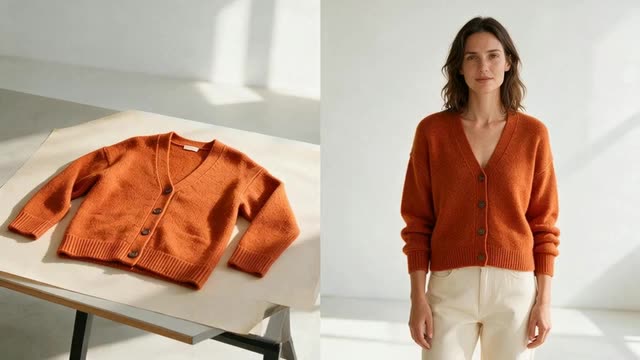
Marketing Studio · Full body · Try-on · Editorial try-on
AI Virtual Try-On — your clothes on AI models, in photos and ads
Upload a photo of your garment and get marketing content of a model wearing it: full-body stills, creator try-on clips and campaign-style fashion films. For brands and sellers making product images and ads, not a try-on widget for shoppers.
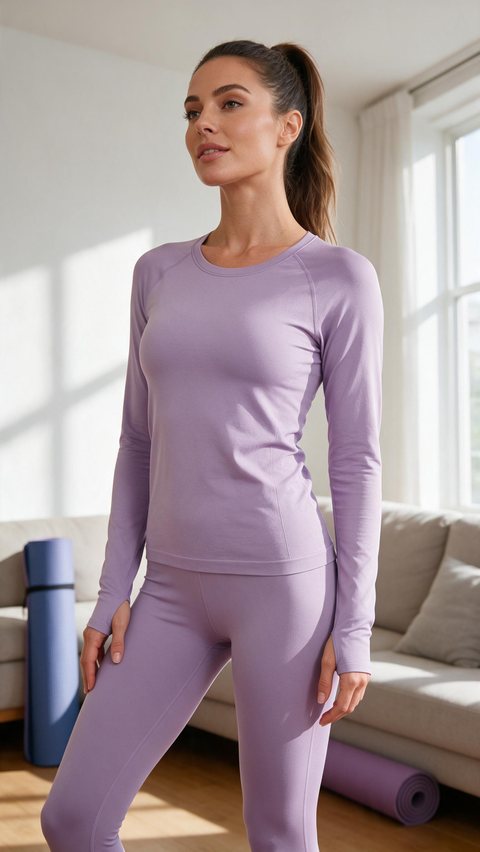
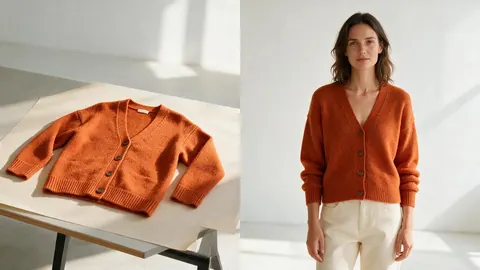
- Seamless sports set try-on
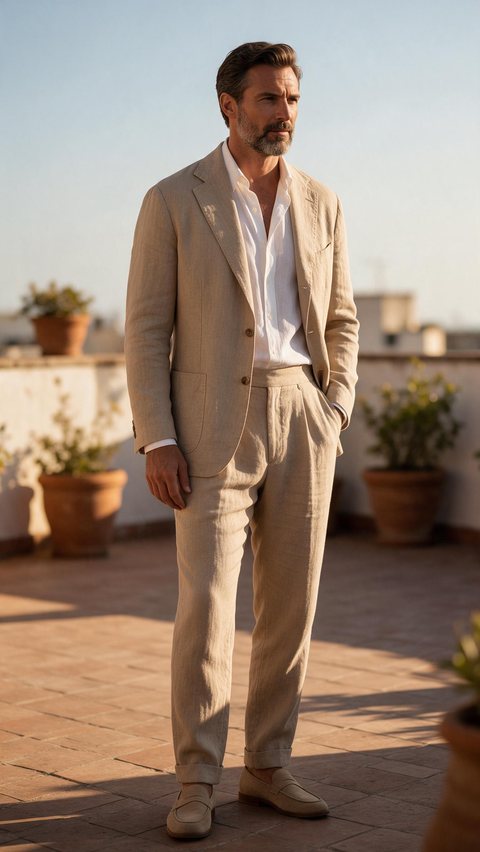
- Linen suit editorial try-on
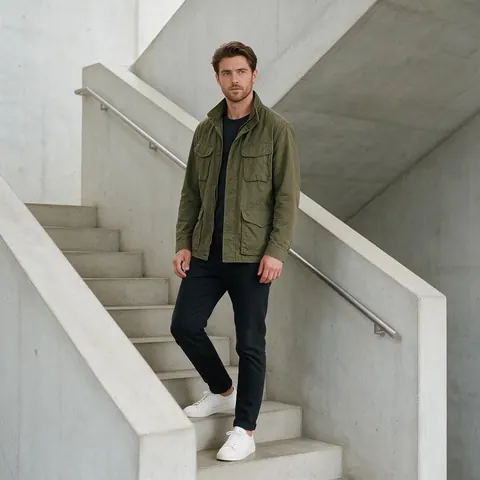
- Corduroy shacket try-on
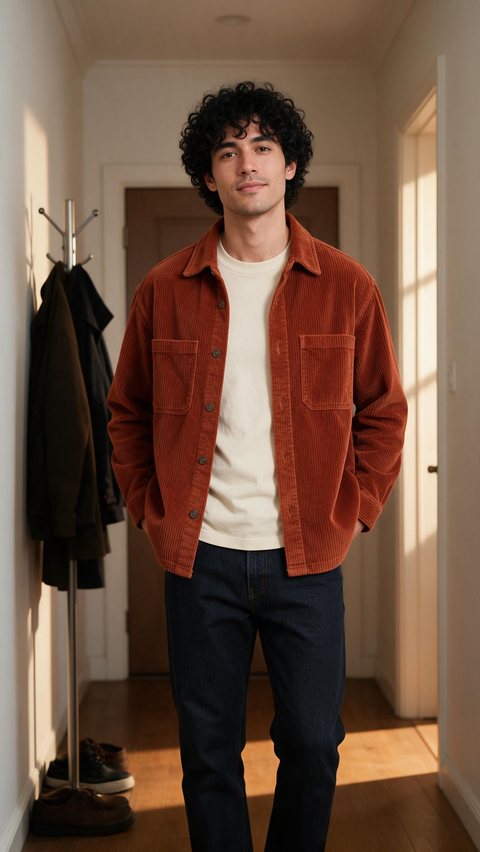
Made in Marketing Studio · Seedream 5.0 Pro + Wan 3.0
- Your garment, unchanged
- AI models or your own avatar
- Photos and 9:16 videos
- No watermark
Updated by the Kenerate AI team
On this page
Quick answer
Updated
What is AI virtual try-on?
AI virtual try-on shows a garment on a person in a generated photo or video, from a photo of the garment. In Kenerate AI's Marketing Studio, brands put their clothes on AI models with the Full body, Try-on and Editorial try-on styles, then post the results as product images and ads. It is not a shopper-facing widget.
Key facts
- Input
- A photo of the garment (flat lay, hanger or packshot)
- Model
- An AI creator, or your own avatar with consent
- Styles
- Full body · Try-on · Editorial try-on
- Templates
- Try-On Haul · Editorial Fit
- Not included
- Store widget, dressing room, Shopify app
- Access
- Paid plan or one-time pack · no subscription required
Ad showcase
5 ad videos made with Kenerate AI
Short ads of fictional, unbranded products: each starts as a Seedream 5.0 Pro frame and is animated with Wan 3.0. Open one to see the prompt and the Marketing Studio style it matches.
Real results
Made with Kenerate AI
Which style to use
Virtual try on clothes: which Marketing Studio style to use
Pick the style by where the content will run.
Full body
Head-to-toe fashion photo with the piece worn or carried, for product pages and lookbooks.
Try-on
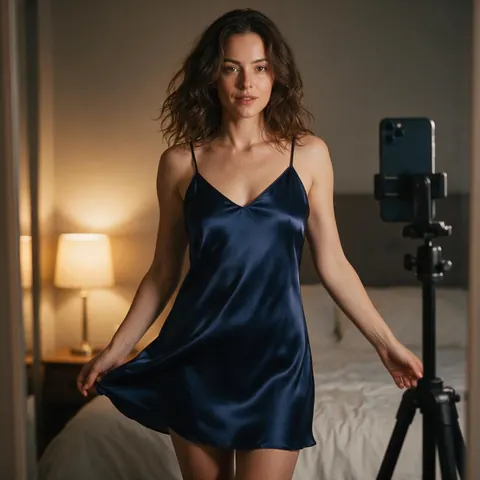
An AI creator pulls the piece from the bag, puts it on at a mirror, turns and calls out the fit and fabric. The Try-On Haul template starts here.
Editorial try-on
A campaign-style fashion film with the piece on the model; locations, light and lens come from your brief. Start from Editorial Fit.
Faceless
Hands and body with the product, face out of frame, for accessories, bags and jewellery.
How to
How to make AI virtual try-on content in 4 steps
From a garment photo to an on-model image or video.
- Time needed
- Steps
- 4 steps
Step 1
Add the garment
Upload a clear photo of the piece, with true colours and clean edges, as the product.
Step 2
Pick the model
Choose an AI creator, or upload your own avatar photo of someone who agreed to appear.
Step 3
Choose the style
Full body for a still, Try-on for a creator clip, Editorial try-on for a fashion film.
Step 4
Check and download
Compare seams, prints and logos with the real garment, then download without a watermark.
See it in the app

Open Marketing Studio and pick Image for product shots and posters, or Video for UGC and motion ads.


Watch the tour · 2:10
75 templates, your product, styles, image & video ads, every format, CTA & chat
Chapters
AI virtual try on clothes and shoes: what it is good for
Marketing content around a garment you already have.
Product page images
Show a new colour or drop on a model without booking a shoot for every variant.
Try-on haul ads
9:16 creator-style clips for Reels, Shorts and TikTok, with the creator clearly AI-generated.
Lookbooks
Several full-body looks in one consistent setting for a seasonal lookbook.
Shoes and accessories
Full body and Usage shots put shoes, bags and hats in context.
FAQ
AI virtual try-on questions
What is AI virtual try-on?
AI virtual try-on is a tool that shows a garment on a person in a generated photo or video, from a photo of the garment. On Kenerate AI it is for brands: the Marketing Studio puts your clothes on an AI model in Full body shots, Try-on creator clips and Editorial try-on films you post as ads or product images.
Link to this answerIs this a virtual try-on widget for my online store?
No. Kenerate AI does not add a live try-on button, dressing room or Shopify app where shoppers upload their own photo. It makes marketing content: images and videos of a model wearing your garment, which you download and use on product pages, social posts and ads. For a shopper-facing widget, you need a dedicated storefront app.
Link to this answerCan I do a virtual try on of clothes with AI for free, with no sign up?
Not without an account. Making images needs a free Kenerate account, and the free image models are free to start, so you can test a garment on a model in the Image Studio. The Marketing Studio's try-on styles need a paid plan or a one-time credit pack; free accounts can't run them, and no subscription is required.
Link to this answerDoes AI virtual try-on work for shoes?
Yes, for marketing shots. Upload a clear photo of the shoe as the product and pick Full body for a head-to-toe look, Usage for a mid-step shot, or the Try-on creator clip for a mirror turn. Small details such as laces, stitching and logos can drift, so compare each result with the real shoe before you publish it.
Link to this answerCan I try clothes on my own photo or a customer's photo?
Only with the person's permission. In the Marketing Studio you can upload your own avatar photo instead of picking an AI creator, and edit-capable image models in the Image Studio take a person and a garment as references. Never use someone's photo without consent, and don't present an AI model as a real customer.
Link to this answerWhich AI powered virtual try on tools does Kenerate have?
Three Marketing Studio styles: Product shot › Full body for stills, UGC › Try-on, where an AI creator puts the piece on, turns and calls out the fit, and Ads › Editorial try-on for a campaign-style fashion film. Stills run on Seedream 5.0 Pro by default and videos on Seedance 2.0. Garment edits also work in the Image Studio.
Link to this answerIn depth
AI Virtual Try-On, explained
Virtual outfit try-on AI, honestly
The model is generated, so the result shows how a garment could look, not how it fits a specific shopper. Check prints, seams and logos against the real piece, and don't present an AI model as a real customer.
Use only your own garments and photos of people who gave permission. The studio never adds ratings, reviews or claims you didn't write.
Put your next drop on a model
Marketing Studio needs a paid plan or a one-time credit pack. No subscription required, no watermark.
Tried it? Tell us how it went