13 Best AI Image, Video, and Audio Generators in 2026
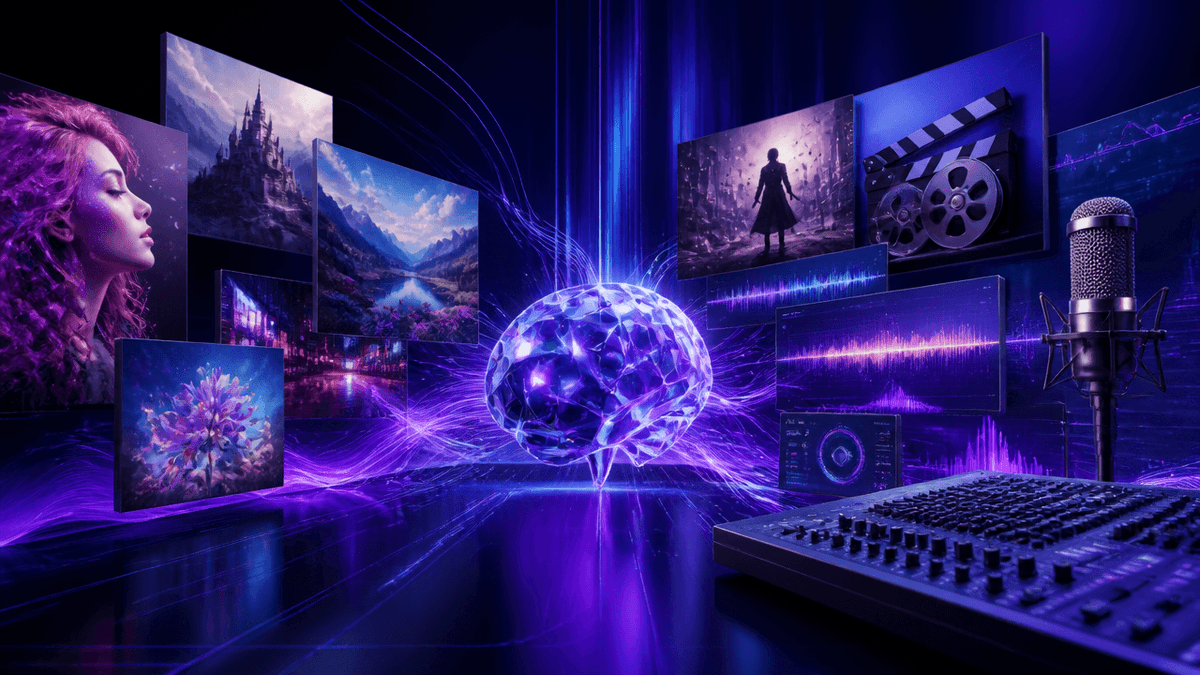
Picking an AI generator in 2026 usually comes down to one question: do you want one tool that does a lot, or several tools that each do one thing well? Most of the platforms below cover image, video, or audio — a smaller group cover all three in a single workspace, which matters once your workflow moves past a single generation.
This guide compares 13 leading AI image, video, and audio platforms on what they generate, which models they support, and how their workflow tools fit together.
A quick warning: Model access, pricing tiers, and credit costs on every platform in this list change often — sometimes month to month. Treat the model lists and plan names below as a snapshot, and check each platform's current pricing page before committing to an annual plan.
🎨 Try Kenerate AI Free — 500+ Models, One Login
Why the Number of Modalities Matters
- Fewer re-uploads. A platform that generates image, video, and audio in one workspace lets you carry a single asset from a still image through animation and sound without exporting and re-importing between apps.
- Model access adds up fast. Most platforms license the same handful of underlying models — GPT Image 2, Nano Banana, Seedream, Seedance, Veo, Kling, Flux — so the real differentiator is how many of them sit behind one login, not whether a given model exists elsewhere.
- Credits, tokens, and Buzz are all the same idea. Every platform uses its own name for its in-app currency, but the mechanic is identical: a generation deducts a set amount based on model and settings. What actually matters is how far your money goes per generation, not the unit name.
- Commercial licensing terms vary by tier. Some platforms gate commercial use behind a specific paid plan; others include it from the first paid tier. Worth checking before you build client work on a free account.
- Annual discounts are steep almost everywhere. Most tools on this list offer meaningful savings for yearly billing, but that also means picking upfront rather than testing month to month.
Best AI Generators in 2026
1. Kenerate AI — Best All-in-One AI Image, Video, and Audio Platform
Best for: anyone who wants image, video, music, and 3D generation without paying for four separate subscriptions.
Kenerate AI puts 500+ AI models and 50+ tools behind a single login — image generation, video generation, AI music, 3D, an ads studio, and a story-format tool, with upscaling and background removal built in for finishing touches. Instead of a recurring monthly plan, it runs on a one-time $15 payment for full access. See Kenerate AI Pricing for current plan details.
🖼️ Generate Images on Kenerate AI 🎥 Create AI Video on Kenerate AI
2. OpenArt — Best for Combined Image, Video, and Audio Workflows
Best for: creators who want image, video, audio, and character generation under one roof with a credit-based free tier.
OpenArt covers image, video, voice, music, sound effects, and character consistency in a single workspace, with access to models like GPT Image 2, Nano Banana, Seedream, Seedance, and Veo. It's one of the more complete single-platform options if your workflow spans multiple formats regularly.
3. Magnific — Best for Stock-Library-Backed Generation
Best for: teams that want AI generation paired with a large licensed stock catalog.
Magnific (rebranded from Freepik in early 2026) combines image, video, and audio generation with a stock library reported in the hundreds of millions of assets, plus a node-based canvas for building multi-step workflows. It suits teams that mix original generation with licensed stock in the same project.
🚀 Compare Models on Kenerate AI
4. ImagineArt — Best for Production-Focused Studios
Best for: creators building ad campaigns or short films rather than one-off generations.
ImagineArt is built around dedicated Film Studio and Ad Studio modes, alongside standard image, video, and AI music tools. It's a solid fit for repeatable production work rather than exploratory generation.
5. Higgsfield — Best for Cinematic Video Presets
Best for: short-form creators who want viral-style camera movement without manual setup.
Higgsfield focuses on cinematic AI video with preset camera movements, a photo model with fashion and aesthetic controls, and an AI agent layer for automating repeat tasks. Its free tier was removed in a late-2025 pricing restructure, so testing it now means picking a paid plan up front.
6. Krea — Best for Real-Time Visual Exploration
Best for: designers who want to iterate on an image live rather than regenerating from scratch each time.
Krea's real-time canvas updates as you adjust a prompt, paired with its own image model, LoRA fine-tuning, and high-resolution upscaling. It leans toward visual exploration and iteration more than finished, production-ready output.
Also Worth Considering
- Invideo — video-first, with a long-form AI agent that builds extended videos from a single prompt and stock footage integration.
- Artlist — pairs AI generation with a music, sound effects, and stock footage library, aimed at teams that need licensed audio alongside generated visuals.
- Luma — its own video models plus a team-focused workspace with shared credit pools, suited to collaborative video projects.
- Leonardo.Ai — image and video generation with its own proprietary models and SOC 2 security accreditation, geared toward teams with compliance requirements.
- Recraft — image generation with native vector output, useful specifically for logos and scalable graphics rather than photoreal work.
- NightCafe — a community-driven art platform with daily challenges and social features, best for casual creators rather than production teams.
- Civitai — a marketplace for community-uploaded open-source models and LoRAs, best for creators who want fine-tuned or niche model variants.
How to Get the Most Out of an All-in-One Platform
- Generate the image first, then animate it. Starting with a refined still and converting it to video usually gives more control than generating video directly from a text prompt.
- Use built-in finishing tools before exporting. Upscaling and background removal inside the same platform save a round trip through a separate editor.
- Keep a character or brand asset saved and reused. If the platform supports saved characters, build a subject once and carry it across image, video, and ad formats instead of recreating it each time.
- Match the tool to the format you're producing most. A dedicated ads studio or story-format tool is usually faster for recurring campaign work than assembling one-off generations by hand.
What You Can Realistically Create for Free
Most platforms on this list, Kenerate AI included, give you enough free or low-cost credits to test image generation, a short video conversion, and basic edits like background removal before deciding on a plan. What you generally can't expect from a free tier anywhere is unlimited high-resolution renders or commercial usage rights — those are gated behind paid tiers industry-wide.
Free vs. Paid: When to Upgrade
- You're regularly hitting a credit wall on a free tier across image or video generation.
- You need 3D, story-format, or ads-studio tools alongside standard image and video output.
- You want access to premium models without stacking a separate monthly subscription per tool.
Most platforms in this comparison run on recurring monthly billing, even with a yearly discount applied. Kenerate AI runs on a one-time $15 payment for its full 500+ model library and 50+ tools — no renewal to track as your workflow grows.
Frequently Asked Questions
Which AI generator is best for video? Kenerate AI and OpenArt both give access to the leading video models (Veo, Kling, Seedance) inside a broader workspace that also covers image and audio, so you're not limited to video alone.
Is there a free AI generator? Most platforms in this comparison, including Kenerate AI, OpenArt, ImagineArt, Krea, and Leonardo.Ai, offer a free tier or daily free credits to test the workflow before paying.
Can I use AI-generated images commercially? Commercial usage terms vary by platform and tier — check each one's current terms before client work. Kenerate AI's one-time payment plan is built for ongoing commercial use without a recurring per-seat fee.
Do these platforms support music and voiceover generation? Several platforms, including Kenerate AI, OpenArt, ImagineArt, Invideo, Artlist, and Luma, support native voice and music generation inside the same workspace as image and video.
Which AI generator gives access to the most models without separate subscriptions? Kenerate AI's 500+ model library sits behind a single one-time payment, compared to platforms that charge per-tool or per-seat as you add more model access.