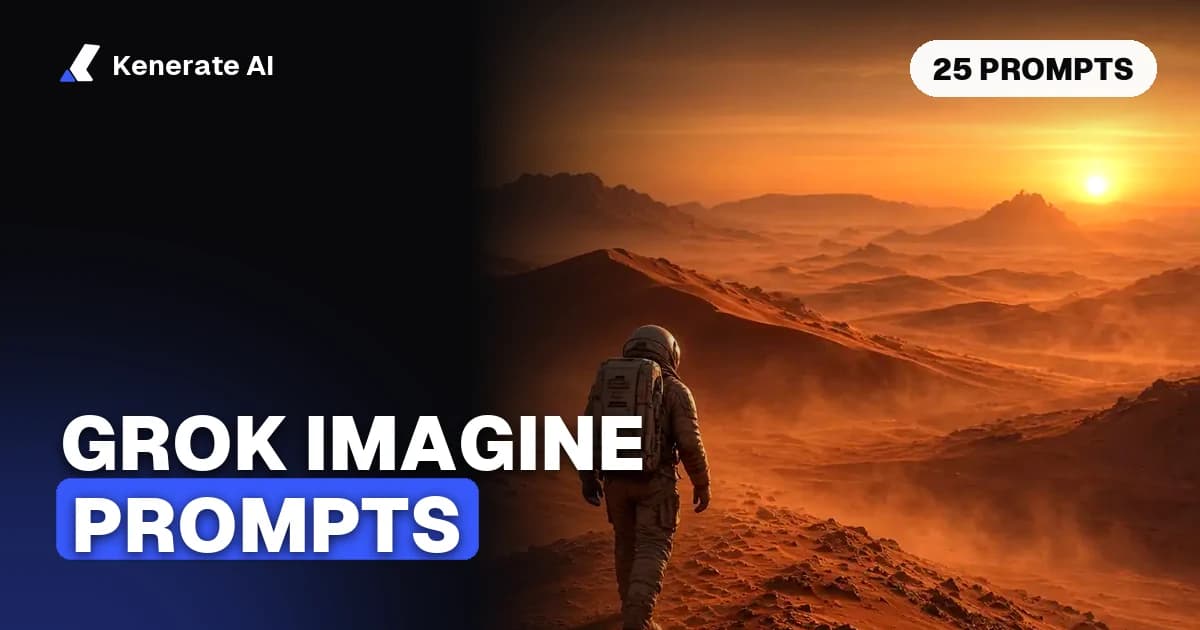
The best Grok Imagine prompts are short, plain sentences that say what happens, the style, the mood, the light and the camera, and for video, the motion and the sound you want. Below are 25 copy-ready Grok Imagine prompts for images and video: 12 are the exact prompts behind real Grok Imagine outputs we made on Kenerate AI, and 13 are templates built on the same pattern. Updated 1 November 2026.
Grok Imagine is xAI's image and video generation family. On grok.com/imagine and in the Grok apps it sits inside Grok; developers reach it through the xAI API; and on Kenerate you can run Grok Imagine Image 2.0, Grok Imagine Video 1.5 and the original Grok Imagine models in the browser without a Grok subscription. The prompts work in all three places, but settings such as clip length and resolution differ by where you run them, so we note those as we go.
How do you write a good Grok Imagine prompt?
xAI's own documentation has very little formal prompting advice. Its examples are telling, though: an image example reads "A collage of London landmarks in a stenciled street-art style" (subject plus style), and the video example reads "Make the water crash down and slowly pan out the camera" (action plus camera move), from the xAI video generation guide. xAI's Grok Imagine Video 1.5 announcement also pairs a slow camera push-in with drifting embers and wind, so camera motion and environmental motion go together.
A guide shared by Elon Musk in January 2026, reported by Storyboard18, puts the same idea into five parts: the action, the visual style, the mood, the lighting and the camera view. That is the structure we use for every prompt in this post.
| Part | What to write | Example words |
|---|---|---|
| Subject and action | Who or what, doing what | "a lone astronaut walking across red dunes" |
| Style | Photo, anime, concept art, film look | "cinematic photo", "anime illustration" |
| Mood | The feeling of the shot | "playful", "quiet", "dramatic" |
| Lighting | Time of day and light source | "golden hour", "neon in the rain", "soft window light" |
| Camera | Shot type and, for video, the move | "wide shot", "close-up", "slow push-in", "tracking shot" |
| Sound (video only) | Effects, ambience or a spoken line | "waves and gulls", "a robot says 'Welcome back'" |
A reusable image formula:
AI Prompt RecipeFlux.1 Pro16:9“[Shot type] of [subject] [doing what] in [place], [style], [mood], [lighting]”
And a reusable video formula for image-to-video, where the picture you upload is the first frame:
AI Prompt RecipeFlux.1 Pro16:9“[Subject] [does the main action], [what the environment does], [camera move], [sound you want to hear]”
What should you leave out?
- Negative prompts. The Grok Imagine image models on Kenerate have no negative-prompt field, so write what you want ("clear blue sky") instead of what you don't ("no clouds").
- Long paragraphs. One to three sentences is enough. Add one detail per retry instead of ten at once.
- Real people and brands. Use invented characters. Grok Imagine applies xAI's content rules, and Kenerate blocks prompts involving minors and images of real people without their consent.
- Long text. Image 2.0 handles short text in quotation marks well; keep it to a few words.
How are image prompts and video prompts different?
| Image prompt | Video prompt (image-to-video) | |
|---|---|---|
| Main job | Describe the whole picture | Describe what changes over time |
| Subject detail | Full: looks, clothes, place | Short: the image already shows it |
| Camera | Shot type and lens feel | Camera move (push-in, pan, orbit) |
| Sound | None | Effects, ambience or a quoted line |
| Length | 1–2 sentences | 1 sentence of action, 1 of camera and sound |
The most common video mistake is re-describing the whole picture. If you start from an image, the model already has the subject, the outfit and the lighting; spend the words on motion.
Which Grok Imagine image prompts produced real results?
These seven are the exact prompts behind the Grok Imagine Image 2.0 outputs on our Grok Imagine model page. Each was generated at 1K for 15 credits; the edit cost 18 credits.
| # | Use | Prompt |
|---|---|---|
| 1 | Cinematic | Cinematic wide shot of a lone astronaut walking across red Martian dunes at sunset, dust haze |
| 2 | City photo | Neon-lit street at night in the rain with reflections and taxis, cinematic photo |
| 3 | Fantasy | Giant ancient tree city with glowing lanterns and rope bridges at dusk, fantasy concept art |
| 4 | Pets | Close-up photo of a golden retriever puppy wearing tiny sunglasses at the beach, shallow depth of field |
| 5 | Anime | Anime illustration of a samurai woman standing on a bamboo bridge in the rain, dramatic lighting |
| 6 | Character | Portrait of a female knight in ornate silver armor holding a sword, castle background, detailed, soft light |
| 7 | Edit | Turn this into a warm colour photograph at golden hour, keep the man, the suit, the fedora and the street lamp. |
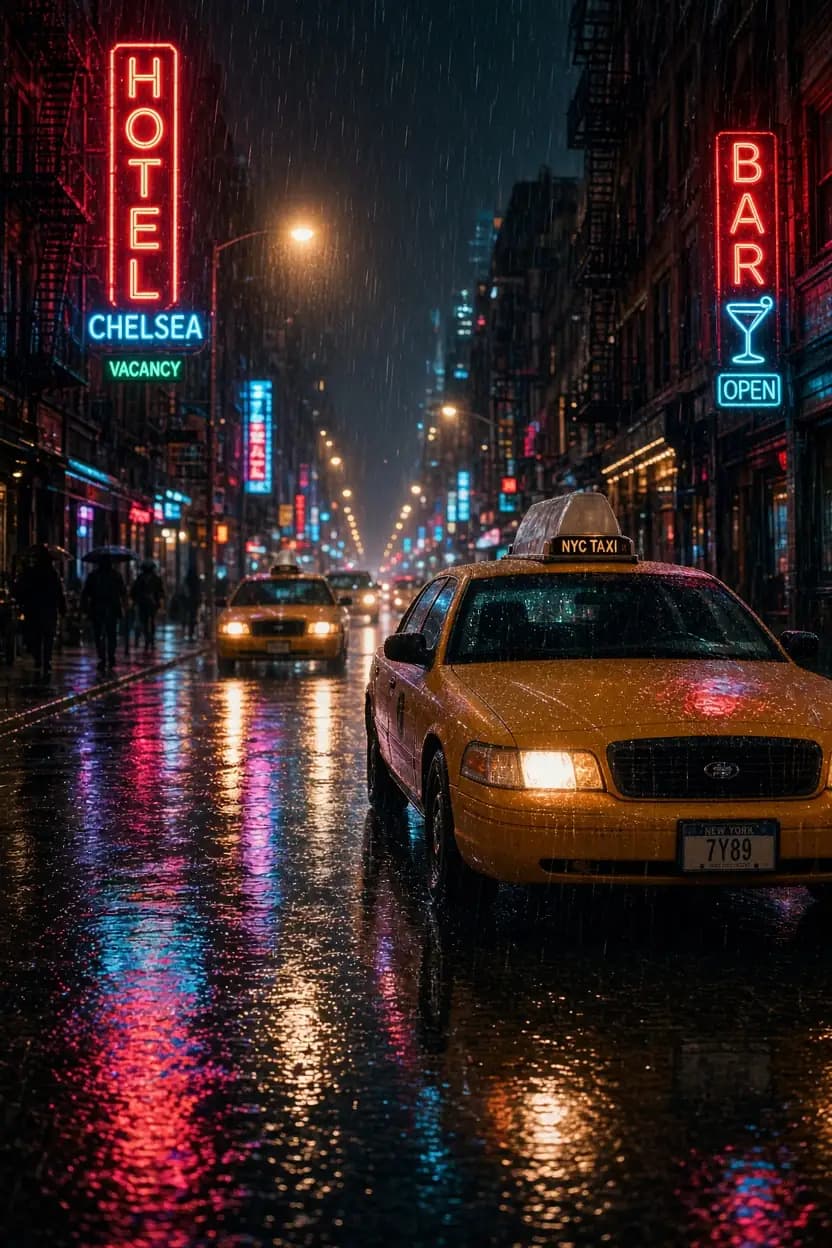
Notice the pattern: shot type first, subject and place next, then light and style. Prompt 7 shows the edit rule that matters most: name what must stay the same. We ran prompt 1 on all three Grok image models on Kenerate (Grok Imagine Image, Image 2.0 and Quality) so you can compare them on the model page.
Which Grok Imagine video prompts produced real clips?
These five clips were made in two steps. The start image came from Seedream 5.0 Pro (an image model, not Grok), and Grok Imagine 1.5 animated it: image-to-video, 5 seconds, 720p, with sound. So the motion and sound are Grok's; the first frame is not. Each line below gives the motion prompt we sent to Grok, with the start image in brackets.
| # | Clip | Motion prompt (start image) |
|---|---|---|
| 8 | Pool cat | The cat slowly lowers its sunglasses with a paw and looks at the camera as the float drifts across the pool (orange cat in tiny sunglasses on a pool float) |
| 9 | Desert drift | The red car drifts around the bend in a huge cloud of dust and speeds off toward the sunset (red retro sports car on a desert road at sunset) |
| 10 | Moon skater | The astronaut kicks off and glides across the lunar surface on the skateboard, dust floating in low gravity (astronaut on a skateboard, Earth in the sky) |
| 11 | Holo koi | The holographic koi swim slowly through the rainy neon street as people walk beneath them (cyberpunk street with holographic koi in the rain) |
| 12 | Breakfast dino | The toy dinosaur comes to life, sniffs the cereal bowl and happily munches a spoonful (green toy dinosaur next to a cereal bowl) |
All five motion prompts follow one shape: one clear action, one thing the world does around it, and an ending beat ("speeds off toward the sunset", "looks at the camera"). That ending beat gives a 5-second clip somewhere to go. You can watch all five, plus a Grok vs Wan 3 comparison on the same start image, on the Grok Imagine video generator page.
More Grok Imagine video prompts to copy
These are templates written in the same pattern. We have not run them, so treat them as starting points; results vary run to run.
Text-to-video
- Storm lighthouse: Waves smash against a lonely lighthouse on a rocky cliff during a storm at dusk, spray flying into the wind, slow drone push-in toward the lamp, sound of crashing waves and howling wind.
- Café close-up: A barista pours latte art into a white cup on a wooden counter, steam rising in morning window light, macro close-up that pulls back slightly, soft café chatter and a steaming milk jug.
- Paper boat: A small paper boat floats down a rain-filled gutter past glowing shop windows at night, low tracking shot at water level following the boat, sound of steady rain and distant traffic.
Dialogue and sound
- Robot shopkeeper: A friendly round robot behind the counter of a tiny repair shop looks up, waves and says "Welcome back, your radio is ready", warm lamp light, medium shot, gentle shop ambience.
- Forest dawn: Mist drifts between tall pine trees at dawn as sunbeams break through, a deer steps into a clearing and lifts its head, slow pan right, birdsong and a quiet stream.
Put a spoken line in quotation marks and keep it short. xAI says Video 1.5 generates sound effects, ambience and dialogue in the same pass as the picture, with clearer, better-synced speech.
Extend and edit (Grok Imagine 1.0 on Kenerate)
- Extend: The car slows down at the end of the road, the dust settles and the camera rises into a wide aerial view of the empty desert at sunset.
- Video edit: Turn the daytime street into a rainy night with glowing neon signs, keep the people, their movement and the camera path the same.
For an extend prompt, describe what happens next, starting from the last frame. For an edit, say what changes and what stays, just like an image edit.
More Grok Imagine image prompts to copy
Also untested templates, using the five-part structure. They lean on what Image 2.0 is good at: cinematic light, warm photos, short text and tall phone ratios.
- Food photo: Overhead photo of a steaming bowl of ramen with a soft-boiled egg and spring onions on a dark wooden table, moody side light, shallow depth of field.
- Storybook: Storybook illustration of a small red fox reading a book under a mushroom during a light rain, soft watercolour textures, cosy and calm.
- Shop sign: Photo of a small bookshop window at night with a hand-painted sign that says "OPEN LATE", warm yellow light inside, wet pavement reflections.
- Sneaker ad: Low-angle product photo of a white running shoe on wet black asphalt, splash of water frozen mid-air, hard rim light, dark background.
- Phone wallpaper (9:20): Tall phone wallpaper of a snowy log cabin under green northern lights, lots of empty sky at the top, calm and quiet.
- Pixel art scene: Pixel art of a cosy ramen stall on a rainy night street, lanterns glowing, 16-bit game style, side view.
What settings go with these prompts?
The same prompt behaves differently with different settings. Here is what each Grok Imagine model takes on Kenerate as of 1 November 2026, from our model config.
| Model on Kenerate | Inputs | Length / size | Ratios | Credits |
|---|---|---|---|---|
| Grok Imagine Image 2.0 | Text, or 1 image to edit | 1K or 2K | 13, down to 9:20 | 15 per image (edit 18) |
| Grok Imagine Quality | Text, or up to 3 images | 1K or 2K | 7 | 18 (24 at 2K) |
| Grok Imagine Image | Text, or 1 image to edit | Default size | 11 | 6.6 (edit 7.5) |
| Grok Imagine 1.5 (video) | Text, 1 start image or up to 7 references | 1–15 s, 480p / 720p / 1080p (references up to 720p) | 16:9, 9:16, 1:1, 3:2, 2:3 | 24 / 42 / 75 per second, +3 per input image |
| Grok Imagine 1.0 (video) | Text, image, references, edit, extend | 6 or 10 s, 480p / 720p | 16:9, 9:16, 1:1 | 15 per second; edit 19.5 per second of input (up to 8 s) |
So a 5-second, 720p image-to-video clip on Grok Imagine 1.5, like prompts 8 to 12, costs 5 × 42 + 3 = 213 credits. Through the xAI API, the image guide lists up to 5 source images per edit and up to 10 images per request, and the video guide lists clips up to 15 seconds and reference-to-video with up to 14 reference images; Kenerate's studio takes up to 7.
How do you use these prompts step by step?
- Pick the model. Images: Grok Imagine Image 2.0 for most jobs. Video: Grok Imagine 1.5 for new clips, 1.0 for edit and extend.
- For video, make the first frame first. Generate or upload a still you like. Image-to-video keeps the look far more reliably than text alone.
- Paste a prompt and change one thing: the subject, the place or the style.
- Set ratio, length and resolution. Draft video at 480p or 720p and short lengths, then re-run the keeper at 1080p.
- Iterate one detail at a time. If the motion is wrong, change the action verb; if the mood is wrong, change the light.
Where can you run Grok Imagine prompts?
- grok.com/imagine and the Grok apps. Access and limits depend on your X or SuperGrok plan; we break them down in Is Grok Imagine free?.
- The xAI API, as
grok-imagine-image-2.0for images andgrok-imagine-video-1.5for video, if you are building your own app. - Kenerate AI, where the Grok Imagine Video 1.5 model page and the image models run on credits with no Grok plan. If you mainly want Grok-style results without SuperGrok, see our Grok Imagine alternative page.
For a deeper look at the image side, including how Image 2.0 compares with Nano Banana 2.1 and GPT Image 2.5, read our Grok Imagine 2.0 review.
Bottom line
Good Grok Imagine prompts are short and specific: action, style, mood, light, camera, and for video, motion and sound. Start from the 12 prompts above that produced real outputs, swap in your own subject, and change one detail per run. For video, make the first frame you want, then spend your words on what moves.