Alibaba Qwen · open weights, December 2025
Qwen Image 2512 and Edit 2511 — Alibaba's open image pair, online
Qwen Image 2512 is the December 2025 update of Alibaba's open Qwen-Image model, with more natural people and cleaner text. On Kenerate, uploading a picture switches it to Qwen Image Edit 2511 for edits that keep the face and scene.
- What it is
- The December 2025 update of Alibaba's open Qwen-Image text-to-image model (first released August 2025)
- What changed
- More realistic people with less of an "AI look", finer natural detail (landscapes, water, fur), better text accuracy and layout
- Open weights
- Hugging Face Qwen/Qwen-Image-2512, Apache 2.0, 20B parameters; ComfyUI ships fp8 and bf16 files plus a 4-step Lightning LoRA
- Edit 2511
- Successor of Edit 2509: less drift in areas you didn't ask to change, steadier characters and group shots, built-in lighting-style LoRA effects
- On Kenerate
- Text to image at 7 native sizes (1328×1328 default) or edits with up to 3 uploaded images; optional seed
- Not here
- No negative prompt, strength slider or step control in the hosted version

- Real outputs
- Official sources
- Free to start
- No watermark
Updated by the Kenerate AI team
On this page
What is Qwen Image 2512?
What is Qwen Image 2512?
Qwen Image 2512 is the December 2025 update of Qwen-Image, Alibaba's open 20B-parameter text-to-image model, released under Apache 2.0. Compared with the August 2025 original it makes more natural people, finer landscapes and fur, and more accurate text. Its editing partner, Qwen Image Edit 2511, keeps faces and scenes steadier between edits. On Kenerate AI both run in the browser: write a prompt for 2512, or upload up to 3 images to edit with 2511.
Key facts
- Maker
- Alibaba Qwen
- Released
- December 2025
- Size
- 20B parameters
- Weights
- Open · Apache 2.0
- Native sizes
- 7, from 928×1664 to 1664×928
- Edit model
- Qwen Image Edit 2511
- References on Kenerate
- Up to 3
- Seed
- Yes, for repeatable runs
Gallery
Qwen Image 2512 examples
Real outputs made on Kenerate. Open any image to copy its prompt and run it yourself.
Same prompt
Qwen Image 2512 vs Z Image Base, same prompt
One portrait prompt on two open models. 2512 renders the deeper wrinkles and stray hairs its makers point to; Z Image Base is the cheaper draft.
PromptPhotorealistic portrait of an old woman with deep wrinkles and a warm smile in a sunlit kitchen, natural light, 85mm
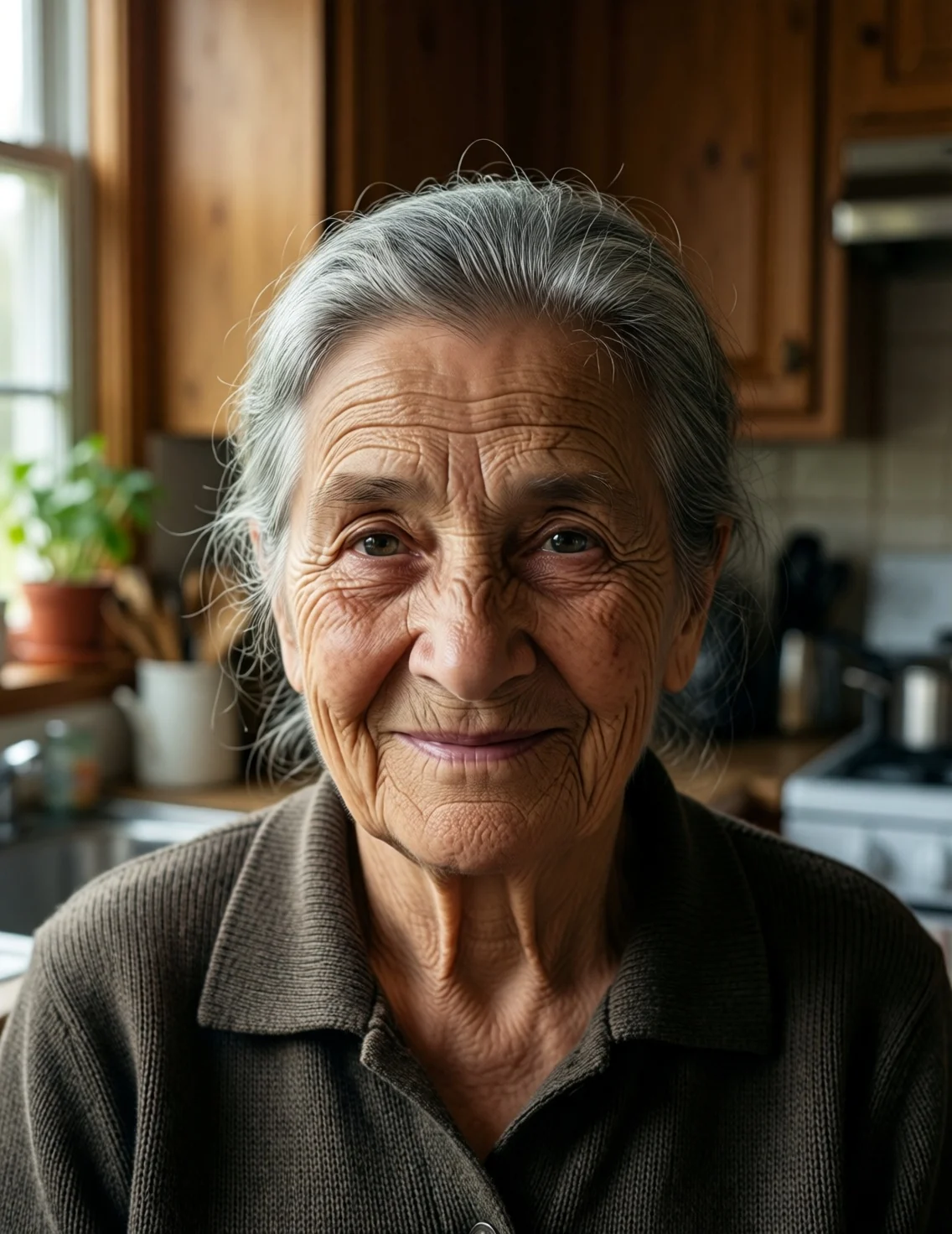 Qwen Image 2512Finer skin and hair
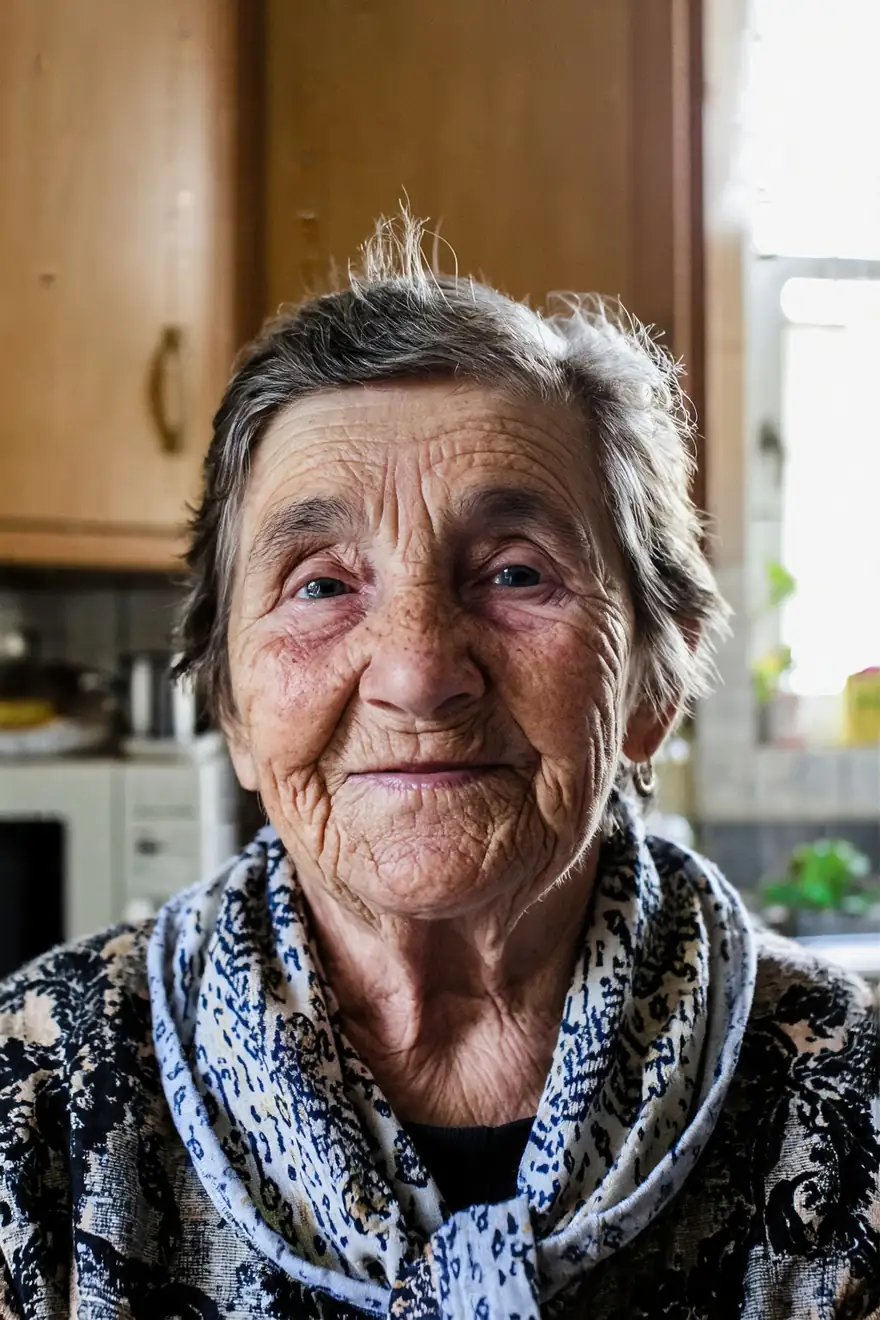 Z Image BaseCheaper, softer
Models
Qwen Image 2512 on Kenerate
Every version in the generator, and what each is good at.
Alibaba
Qwen Image 2512
- Reference images
- Up to 3 (Edit 2511)
- Output
- 7 native sizes
Open Qwen Image 2512Best for
This page — open weights, December 2025
- Free plan

Alibaba
Qwen Image 3.0
- Reference images
- Up to 3
- Output
- 1K or 2K
Open Qwen Image 3.0Best for
Newest, on the free plan, API only
From our tests
Strengths and limits
Good at
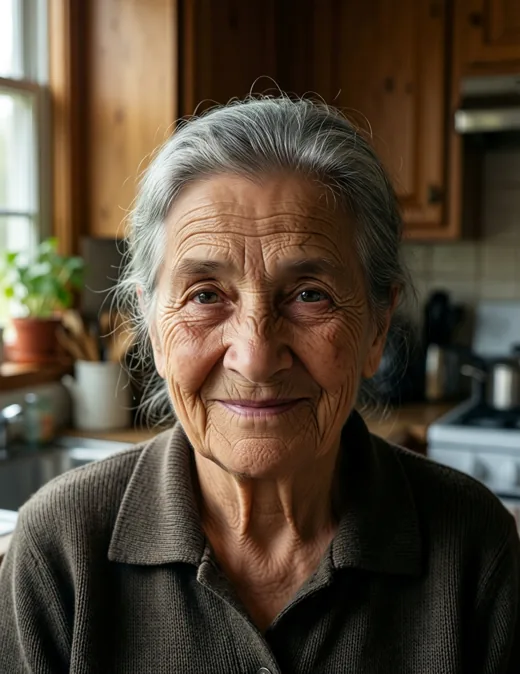
- Faces look lived-in: the kitchen portrait kept deep wrinkles, age spots and stray grey hairs without a plastic sheen.
- Text came out right first time: both lines of the travel poster, including the · and "9AM", are spelled correctly.
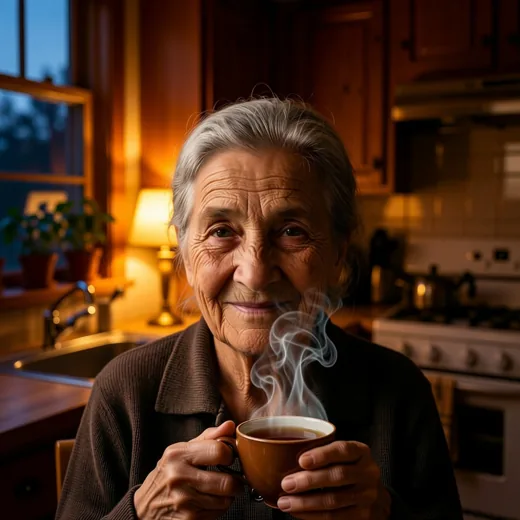
- Edit 2511 changed the light and added the tea while keeping her face, hair and cardigan recognisable.
- Open Apache 2.0 weights, so the look you get here matches what you'd get running it yourself.
Limits
- The poster asked for a flat retro print but came back closer to a painted photo — style words are followed loosely.
- Our edit came back square (1328×1328) from a 3:4 portrait, and the framing moved closer; crop or regenerate if the shape matters.
- No negative prompt or strength slider in the hosted version; for a strength-controlled remix use Z Image Base or Krea 2 Turbo.
- Not on the free plan — Qwen Image 3.0 is the free Qwen.
How to
How to use Qwen Image 2512 on Kenerate
Step 1
Open Qwen Image 2512
Pick Qwen Image 2512 in /app/image. Any one-time credit pack unlocks it.
Step 2
Write the prompt
Put exact words in quotes and say where they go. Choose one of 7 native sizes, from 9:16 to 16:9.
Step 3
Edit with Edit 2511 (optional)
Upload up to 3 images, describe only the change, and list what must stay the same.
Step 4
Lock the seed and refine
Fix the seed to compare prompt tweaks, then download without a watermark.
See it in the app

Open Image Studio and type what you want to see — subject, style, lighting and mood.


Watch the tour · 1:23
Prompts, styles, references, edit, Arena & chat
Chapters
FAQ
Qwen Image 2512 questions
9 questions
What is Qwen Image 2512?
Qwen Image 2512 is the December 2025 update of Qwen-Image, Alibaba's open text-to-image model first released in August 2025. The name refers to the release month (2025-12). Alibaba says it reduces the "AI-generated" look of people, renders landscapes, water and animal fur in finer detail, and lays out text more accurately. It is a 20B-parameter model with open weights under Apache 2.0.
Link to this answerWhat is Qwen Image Edit 2511?
Qwen Image Edit 2511 is Alibaba's image-editing model from December 2025, the successor of Edit 2509. Its model card lists less image drift in areas you didn't ask to change, better character consistency including group photos, popular community LoRA effects such as lighting control built in, stronger industrial design work and better geometric reasoning. On Kenerate it runs when you upload images to Qwen Image 2512.
Link to this answerIs Qwen Image 2512 open source?
Yes. The weights are published on Hugging Face as Qwen/Qwen-Image-2512 under the Apache 2.0 licence, which allows commercial use with the licence notice. ComfyUI provides fp8 and bf16 checkpoint files, the Qwen2.5-VL 7B text encoder, the Qwen Image VAE and an optional 4-step Lightning LoRA. You need a large GPU to run the 20B model yourself; on Kenerate there is nothing to install.
Link to this answerQwen Image 2512 vs Qwen Image 3.0 — which should I use?
Qwen Image 3.0 is newer (announced July 2026), handles very long layout prompts, offers 1K or 2K, and is on Kenerate's free plan, but its weights are not open. Qwen Image 2512 is the latest open-weights Qwen-Image, costs less per image on Kenerate, and pairs with Edit 2511 for consistent edits. Use 3.0 for long text layouts; use 2512 for natural portraits, open-model parity or cheap edits.
Link to this answerWhat sizes does Qwen Image 2512 support?
It is trained on seven native sizes: 1328×1328 (1:1), 1140×1472 (3:4), 1472×1140 (4:3), 1056×1584 (2:3), 1584×1056 (3:2), 928×1664 (9:16) and 1664×928 (16:9). Kenerate offers exactly these. For larger prints, run the result through the image upscaler afterwards.
Link to this answerIs Qwen Image 2512 good at text?
Yes, that is one of its stated improvements. In our test a travel poster with a two-line headline and a footer reading "SUMMER FERRY · DAILY 9AM" came back spelled correctly first time. Alibaba also highlights Chinese text. For dense infographics or very long copy, Qwen Image 3.0 or GPT Image 2 are stronger choices.
Link to this answerHow do I edit a photo with Qwen Image Edit 2511?
Open Qwen Image 2512 in the image studio, upload one to three images, and describe only the change, for example "make it evening and add a cup of tea; keep her face and the kitchen unchanged". Naming what must stay helps. In our test the face and clothes held, but the output came back square and framed closer, so check the shape before you download.
Link to this answerIs Qwen Image 2512 free on Kenerate?
Not on the free plan. It uses credits from a one-time pack, with no subscription required, and an edit costs the same as a new image. New accounts can try Qwen Image 3.0, 2.0 and 2.0 Pro, Flux 2 Dev and Flux 2 Klein free first. Downloads carry no watermark.
Link to this answerDoes Qwen Image 2512 support LoRAs or negative prompts?
The open checkpoint does when you run it locally in ComfyUI or Diffusers, including the 4-step Lightning LoRA and a negative prompt. The hosted version on Kenerate doesn't load LoRAs and has no negative-prompt field, so describe what you want positively and use the seed to iterate.
Link to this answerIn depth
Qwen Image 2512, in depth
Background, how to prompt it, and when to pick something else.
On this page
What 2512 changed from the original Qwen-Image
Alibaba's model card lists three upgrades over the August 2025 base model: people look less artificial, with more accurate ageing cues such as wrinkles; natural textures such as water, foliage and animal fur are finer; and text is more accurate in layout and in how it sits with the image [1]. Qwen says over 10,000 blind rounds on its AI Arena put it first among open-source models — that is the maker's own evaluation, so test it on your prompts.
When to reach for Edit 2511
Edit 2511 is built to change one thing without disturbing the rest [2]. That suits:
- Relighting a portrait or product shot while keeping the subject.
- Putting the same character into a new scene.
- Combining two people from separate photos into one group shot.
- Product and industrial design variations.
Running it yourself vs on Kenerate
Locally, ComfyUI loads 2512 as fp8 or bf16 with a Qwen2.5-VL 7B text encoder, with a standard 50-step graph and a 4-step Lightning option [3]. On Kenerate you skip the 20B download: choose one of the seven native sizes, write the prompt, and upload images when you want Edit 2511 instead.