

GLB · FBX · OBJ → Roblox Studio
Roblox 3D model generator blocky props and characters for Studio
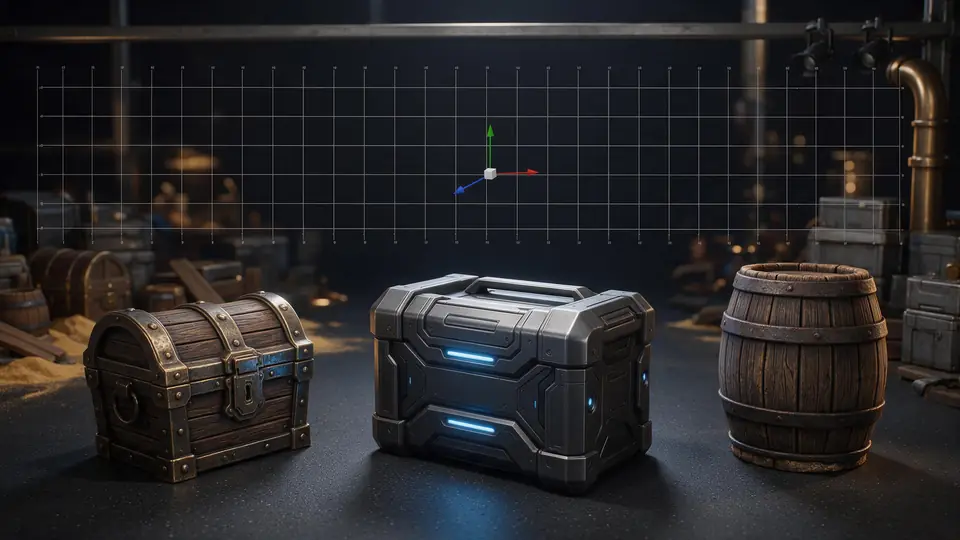
Describe a sword, a pet, a house or a character — or start from a concept image — and get a textured 3D model in the blocky style Roblox games use, ready to bring into Studio through the 3D Importer.
- Blocky, game-ready look
- GLB, FBX or OBJ
- PBR textures
- Polygon budgets
Updated by the Kenerate AI team




Made with Kenerate

On this page
Quick answer

How do you make Roblox models with AI?
To make a Roblox model with AI, describe one object — or upload a concept image of it — in Kenerate AI's 3D Studio, download the model as GLB or FBX, and bring it into Roblox Studio with the 3D Importer (File → Import), which reads .fbx, .obj and .gltf/.glb. Roblox caps each mesh at 20,000 triangles, so pick a polygon budget when you generate or decimate the mesh before importing. In our test, four blocky models from Tripo H3.1 came out at about 1.4 million triangles each and still looked the same at 19,000.
Key facts
- Roblox imports
- .fbx · .obj · .gltf / .glb (3D Importer)
- Mesh limit
- 20,000 triangles per mesh (Roblox docs)
- Our test
- 4 models · Tripo H3.1 · about 1.4M triangles each
- After decimating
- 19,000 triangles, nearly identical look
- Textures
- PBR: colour, normal, roughness, metalness
- Budgets at generation
- Meshy polygon target · Rodin face budgets · Tripo P2 face limit
- Access
- paid plans and credit packs
Start from a picture
Start from a game prop
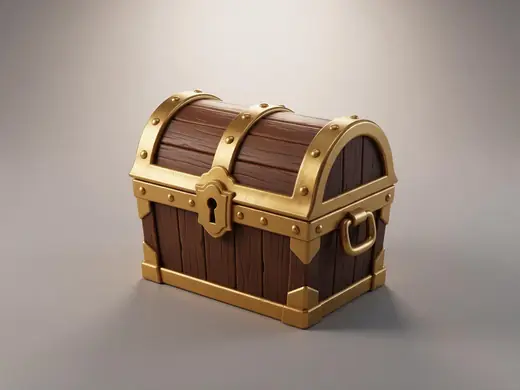
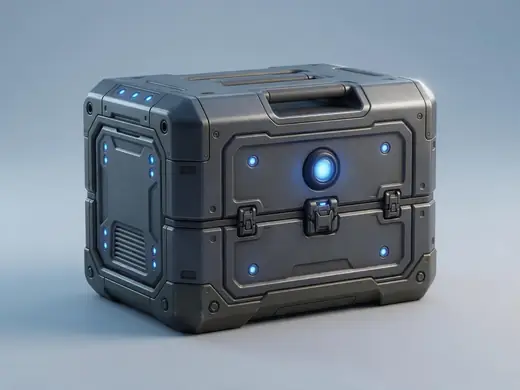
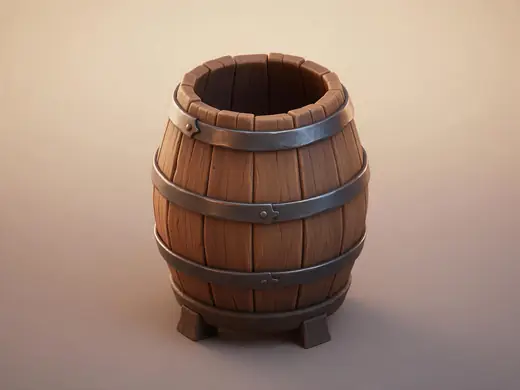
Chests, potions, crates and props — one object per picture. Turn any of them into a model, then cut it to Roblox's budget.
Reference images made with Seedream 5.0 Pro. “To 3D” opens Image to 3D in the 3D Studio with that picture.
Why Kenerate
Four Roblox-style models we made
One concept image per object from GPT Image 2.6, then Tripo H3.1 image to 3D, one try each. These are renders of the downloaded GLB files.
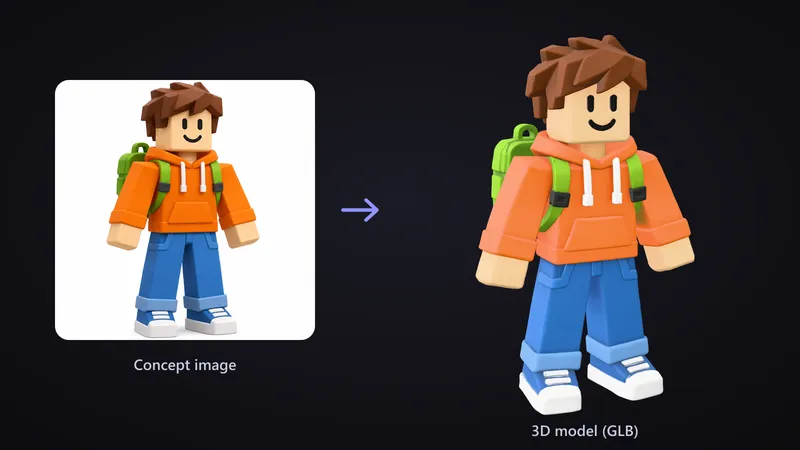
A blocky character
The cube head, hoodie strings, backpack straps and rolled-up jeans all carried over from the concept image. It came back as one solid mesh — good as an NPC or a statue, but not split into the body parts a wearable Roblox avatar needs.
Try it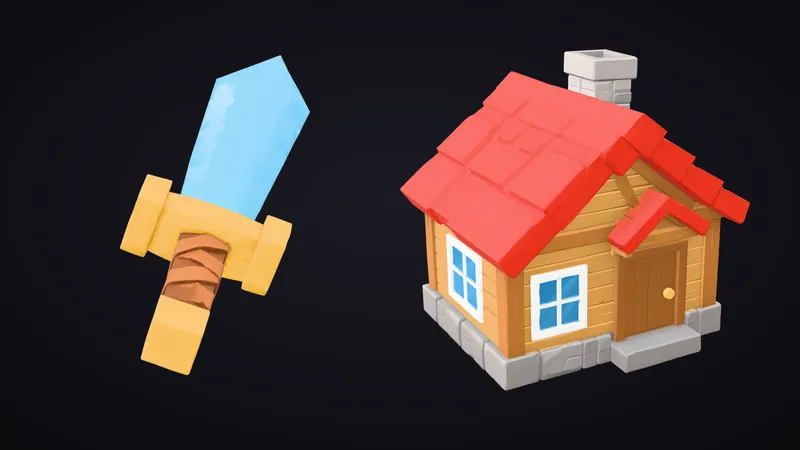
Props: a crystal sword and a cottage
Hard-edged shapes like a faceted blade, a gold crossguard, roof tiles and a stone base are where image to 3D does best. The sword shown here is already decimated to 19,000 triangles.
Try it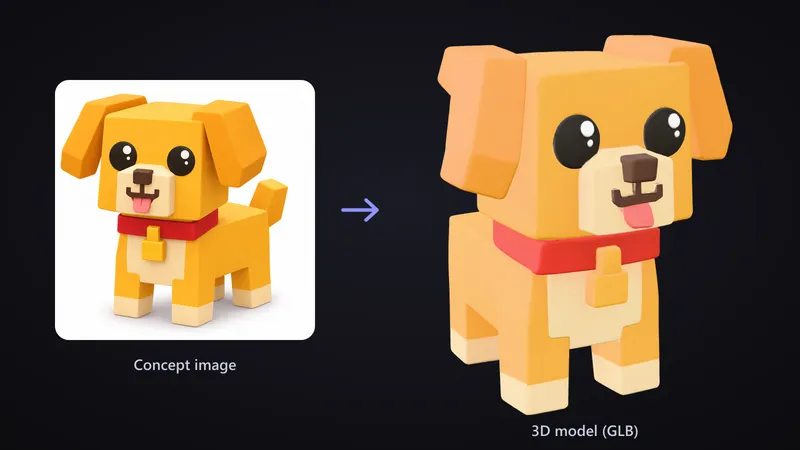
A pet for a pet-collecting game
Big round eyes, the tongue, the collar tag, the cream paws and the boxy legs all survived the jump from one picture to a full 3D model.
Try it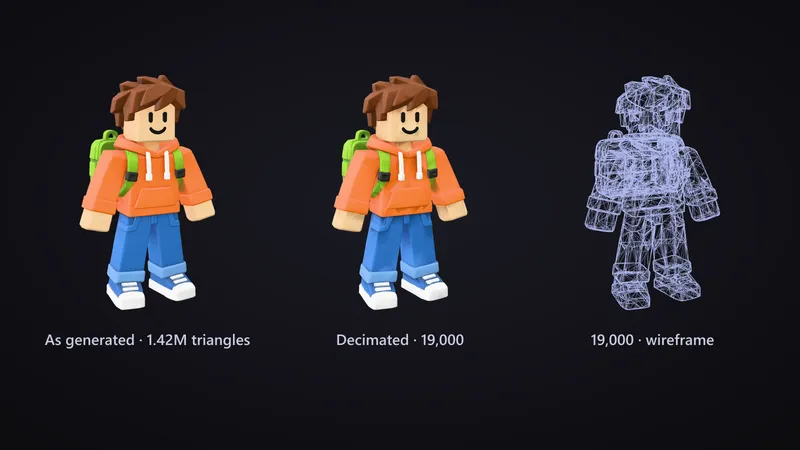
Under Roblox's 20,000-triangle limit
Every model came out at about 1.4 million triangles — 70 times Roblox's per-mesh cap. Decimated to 19,000, the character kept its look because the normal map carries the small detail.
Try it
Also
What else it does
Budgets at generation time
Skip the decimation step: Meshy takes a polygon target and has a low-poly mode, Rodin takes exact face budgets, and Tripo P2 takes a face limit.
FBX when you want it
Meshy, Tripo P2 and Rodin also export FBX; every engine exports GLB, which the Roblox Importer reads too.
Engines
Nine engines in one 3D Studio
Pick per job — draft fast, then rebuild your favourite on a stronger engine.
- This page
Tripo
Tripo P2
- Inputs
- Text · Photo
- Files
- GLB, FBX
- Typical time
- about 3–4 min
Open Tripo P2Best for
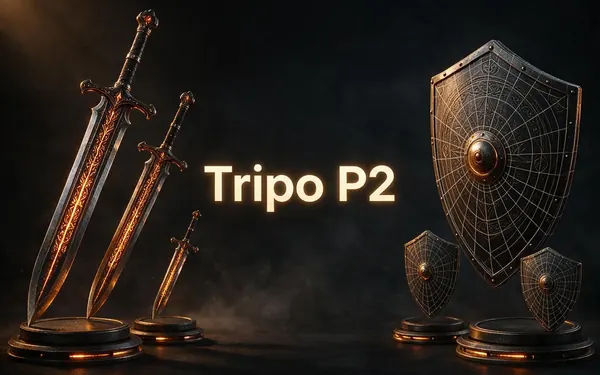
Crisp, game-ready meshes with pro texture tiers up to Extreme and clean quad remeshing.
- This page
Tripo
Tripo H3.1
- Inputs
- Text · Photo · Multi-view (up to 4 views)
- Files
- GLB
- Typical time
- about 4–5 min
Open Tripo H3.1Best for
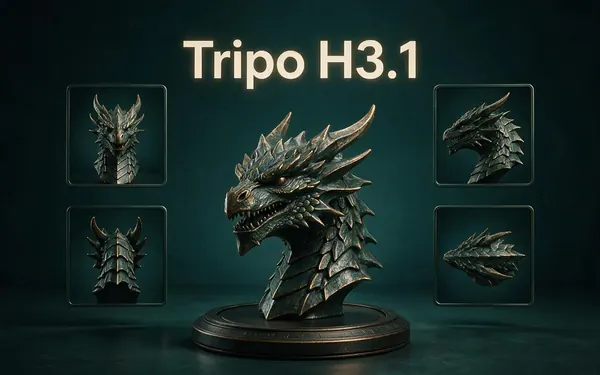
High-quality meshes, with detailed geometry and a four-view mode for exact shapes.
Meshy
Meshy 7.1
- Inputs
- Text · Photo · Multi-view (up to 4 views)
- Files
- GLB, FBX, OBJ, USDZ
- Typical time
- about 3–4 min
Open Meshy 7.1Best for
Production assets with the finest Meshy geometry (2K / 4K), smart topology, rigging and animation.
Meshy
Meshy 7
- Inputs
- Text · Photo · Multi-view (up to 4 views)
- Files
- GLB, FBX, OBJ, USDZ
- Typical time
- about 3–4 min
Open Meshy 7Best for
Detailed game and product assets, with an Ultra detail switch, low-poly mode and auto-rigging.
Meshy
Meshy 6
- Inputs
- Text · Photo
- Files
- GLB, FBX, OBJ, USDZ
- Typical time
- about 3–4 min
Open Meshy 6Best for
Reliable textured meshes with a polygon budget you control — the engine 3D Studio started on.

OpenAI
GPT-6 Astra
- Inputs
- Text · Photo · Multi-view (up to 10 views)
- Files
- GLB
- Typical time
- about 5–6 min
Open GPT-6 AstraBest for
OpenAI's general GPT-6 Astra model run as a 3D job — follows long, detailed briefs and up to 10 reference photos, returns a GLB with PBR textures at real-world size. The slowest engine.
All models (9)
Hyper3D
Rodin 2.5
- Inputs
- Text · Photo · Multi-view (up to 5 views)
- Files
- GLB, FBX, OBJ, USDZ, STL
- Typical time
- about 2–3 min
Open Rodin 2.5Best for
Studio-grade meshes from 2K to 500K faces, quad or triangle, with a HighPack for 4K textures.
Hyper3D
Rodin 2
- Inputs
- Text · Photo · Multi-view (up to 5 views)
- Files
- GLB, FBX, OBJ, USDZ, STL
- Typical time
- about 2–3 min
Open Rodin 2Best for
Clean, detailed meshes — the first photo drives the materials.
Tencent
Hunyuan 3D 3.1 Rapid
- Inputs
- Text · Photo
- Files
- GLB (untextured)
- Typical time
- about 1 min
Open Hunyuan 3D 3.1 RapidBest for
The fastest geometry — an untextured (clay) GLB for quick blockouts, drafts and ideas.
Typical times are the studio’s own estimates; real runs vary with load and settings. Formats are what each engine returns — GLB previews in the browser, other formats download.
How it works
From prompt to Roblox Studio
The route we used for the four models.
Concept
Make one image of the object on a plain background, or just describe it.
Generate
Image or text to 3D in the 3D Studio; set a polygon budget if the engine has one.
Fit the budget
Get each mesh under 20,000 triangles (Decimate in Blender, or a budget at generation).
Import
Roblox Studio → File → Import → your .glb or .fbx, then check scale and textures.
How to
How to use the Roblox 3D Model Generator
- Time needed
- Steps
- 4 steps
Step 1
Describe or upload one object
A single prop or character, in a blocky low-poly style, on a plain background.
Step 2
Pick an engine and budget
Meshy or Rodin for a polygon budget under 20,000; Tripo H3.1 for detail you'll decimate.
Step 3
Download GLB or FBX
Check the model in the viewer first, then download.
Step 4
Import into Roblox Studio
File → Import, set the scale unit, then check the mesh and its SurfaceAppearance.
Watch the tour · 1:48
Text, photo or multi-view to a textured GLB, nine engines, the viewer & lighting, compare engines, gallery, download & chat
Chapters
Use cases
What Roblox creators make with AI models
Obby and tycoon props
Houses, crates, signs, trees and furniture to fill a map.
Tools and weapons
Swords, wands and pickups for a Tool.
Pets and NPCs
Collectible pets and shopkeepers as static models.
Prototypes
Real shapes for a greybox before an artist finishes them.
Tips
Tips for Roblox-ready models
Ask for "blocky, low-poly, flat colours" — chunky shapes survive decimation best.
One object per prompt or concept image, on a plain white background.
Keep every mesh under 20,000 triangles; split big builds into several meshes.
Decimate in Blender (Decimate modifier) and keep the normal map for small detail.
Check the scale unit in the Importer — AI models often come in at about one unit tall.
For a wearable avatar, start from Roblox's own body specifications, not a single generated mesh.
Prompt guide
Prompts that make good 3D models
A blocky low-poly game char…
A blocky low-poly game character with a cube head, orange hoodie, blue jeans and a small green backpack
A chunky low-poly crystal s…
A chunky low-poly crystal sword with a square gold crossguard, blocky game style
A small blocky cottage with…
A small blocky cottage with a red roof, square chimney and stone base, low-poly game asset
A cute blocky pet dog with…
A cute blocky pet dog with a cube head, floppy square ears and a red collar, toy style
Compare
Roblox's own AI or an outside generator?
Roblox has its own text-to-3D model, Cube. An outside generator adds image to 3D, more engines and files you keep.
| Kenerate 3D Studio | Roblox's built-in generation | |
|---|---|---|
| Input | Text, one image or several views | Text prompts |
| Where it runs | In the browser, then import | Inside Roblox |
| Files | GLB for all engines; FBX, OBJ, USDZ on some | Generated inside Roblox |
| Use elsewhere | Blender, Unity, Unreal, Godot, the web | Built for Roblox experiences |
| Triangle budget | Set on Meshy, Rodin, Tripo P2, or decimate | Roblox's own limits apply |
FAQ
Roblox 3D Model Generator questions
9 questions

Can AI make Roblox models?
Yes. Describe an object or upload a concept image in Kenerate's 3D Studio, download a GLB or FBX and import it into Roblox Studio with the 3D Importer. We made a blocky character, a crystal sword, a cottage and a pet dog this way; each needed decimating to fit Roblox's 20,000-triangle mesh limit.
Link to this answerWhat file format does Roblox Studio import?
Roblox's Importer takes .fbx, .obj and .gltf meshes, and its docs describe .glb files importing alongside glTF. FBX and glTF carry multiple meshes, PBR textures, rigs and animation; OBJ is mesh-only. Every Kenerate engine exports GLB, and Meshy, Tripo P2 and Rodin also export FBX.
Link to this answerHow many triangles can a Roblox mesh have?
Roblox's mesh specifications say individual meshes can't exceed 20,000 triangles. Our Tripo H3.1 models came out at about 1.4 million triangles each, so we decimated them to 19,000. Avatar bodies and accessories have their own, separate budgets.
Link to this answerHow do I import an AI model into Roblox Studio?
Open Roblox Studio, choose File → Import and pick the .glb or .fbx file. In the Importer, set the Scale Unit (it defaults to studs) and the up and forward axes if the model comes in rotated, then import. We didn't run this step ourselves, so check the mesh, its size and its SurfaceAppearance after import.
Link to this answerIs there a Roblox AI modeler built into Studio?
Roblox has its own generative model, Cube, which makes 3D meshes from text prompts inside Roblox. An outside generator like Kenerate's 3D Studio adds image to 3D, several engines and files you can also use in Blender, Unity or Unreal.
Link to this answerCan I make a Roblox avatar or UGC item with AI?
Not in one step. Wearable avatar bodies and accessories have to follow Roblox's own specifications and budgets, with rigs and separate parts. Our AI character came back as one solid mesh, which works as an NPC or statue in your game but not as an avatar body.
Link to this answerWill the textures come into Roblox?
Our GLB files each had a PBR material with base colour, normal, roughness and metalness maps at 2048×2048. Roblox's Importer supports basic and PBR textures for FBX and glTF, and Roblox lists textures up to 4096×4096. Check the SurfaceAppearance after import and re-add the maps if any are missing.
Link to this answerWhich engine is best for Roblox models?
For a model that fits the limit straight away, use Meshy (low-poly mode or a polygon target) or Rodin (exact face budgets). For the most detail from a concept image, Tripo H3.1 — then decimate. We used Tripo H3.1 for all four test models.
Link to this answerIs the Roblox 3D model generator free?
3D generation needs a paid plan or a credit pack. Each of our image-to-3D runs on Tripo H3.1 used 108 credits (72 from a text prompt), and each GPT Image 2.6 concept image 15. The free 3D tools — GLB viewer, converters — need no account.
Link to this answerIn depth
Roblox 3D Model Generator, explained
What Roblox Studio accepts, what AI models need before they fit, and what we saw in our own four tests.
On this page
What Roblox Studio imports
The 20,000-triangle rule
Roblox's mesh specifications are short and strict: individual meshes can't exceed 20,000 triangles, should be watertight, and shouldn't have zero thickness [37]. AI engines tuned for detail ignore that unless you ask: all four of our Tripo H3.1 models came out between 1.42 and 1.45 million triangles.
Two fixes work. Set a budget when you generate — a polygon target on Meshy, an exact face budget on Rodin, a face limit on Tripo P2 — or decimate afterwards. We decimated copies to 19,000 triangles; because the normal map holds the fine detail, the blocky shapes looked the same at preview size.
Textures and PBR
From our tests
Four concept images from GPT Image 2.6 Sunburst, each turned into a model with Tripo H3.1, one try each:
- Shapes and colours carried over closely: the character's hoodie strings, the sword's faceted blade, the cottage's roof tiles, the dog's tongue and collar tag.
- Hard-edged props (the sword, the cottage) kept crisp, flat faces and hard edges, which is what makes them decimate so well.
- Every model was a single mesh with one material, roughly 1.4 million triangles, and about one unit on its longest side.
- The character was not split into head, torso and limbs, so it can't be rigged as a Roblox avatar without rework.
- We rendered and decimated the GLB files ourselves but did not import them into Roblox Studio.
Roblox's own AI
Roblox has its own generative model, Cube, which creates 3D meshes from text prompts for creators on Roblox [39]. It's convenient inside Studio; an outside generator is the choice when you want to start from a concept image, try several engines, or reuse the same file in Blender, Unity or a web game.
By the Kenerate AI teamLast updated and reviewed
We build and run the Kenerate 3D Studio. Images on this page are made with Seedream 5.0 Pro and loops with Wan 3 Prime; engine facts come from the studio's engine list and the makers' own pages.
Sources: Roblox Creator Hub — Importer · Roblox Creator Hub — Mesh specifications · Roblox Creator Hub — Texture specifications · Roblox — Introducing Roblox Cube (March 2025) · Tripo Developer Docs — Tripo H3.1

Try the Roblox 3D Model Generator
3D generation is part of every paid plan and credit pack. The free 3D tools — viewers, converters, image to STL — need no account.
Tried it? Tell us how it went