

Text to game · 3D browser games · no coding
AI Game Generator — describe a game, then play it
Write one sentence and Kenerate Game Studio plans the 3D models and art, writes the code and gives you a game you can play in the browser, change by chatting and share with a link.


- No coding
- Real 3D models
- Edit by chatting
- Plays on phone and laptop
Updated by the Kenerate AI team




Made with Kenerate
On this page
Quick answer

What is an AI game generator?
An AI game generator turns a written idea into a game you can play. In Kenerate Game Studio you describe the game, the studio plans and makes its 3D models and art, and a chat model such as GPT-6 Sol, Gemini or Claude writes the code as one Three.js web page. You then change it by chatting and share it with a link. New games are 3D browser games and need a paid plan or credit pack for the 3D models. It suits short arcade games and prototypes, not full commercial titles.
Key facts
- Output
- A 3D browser game in one HTML file
- Engine
- Three.js r170
- Genre starters
- 10, or write your own idea
- Coding models
- 7 from OpenAI, Google and Anthropic
- Code pass
- About 40 s on GPT-6 Sol; 2–5 min on Claude Sonnet 5
- Game assets
- 3D models, images, sprites, sprite sheets, video, sound effects, music
- Sharing
- Private, anyone with the link, or public in Discover
- Access
- 3D models need a paid plan or credit pack
Gallery
Five genres to start from
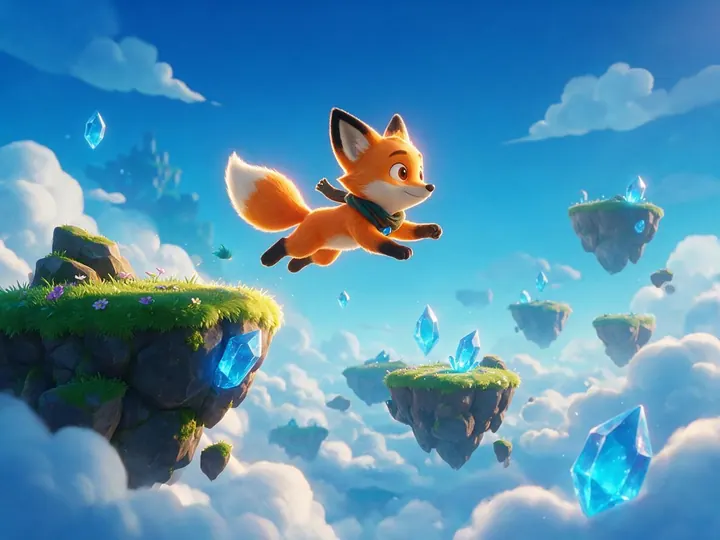
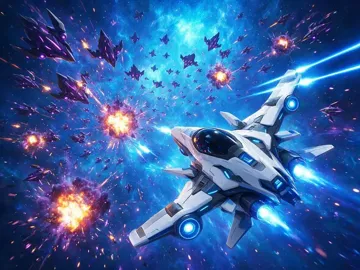
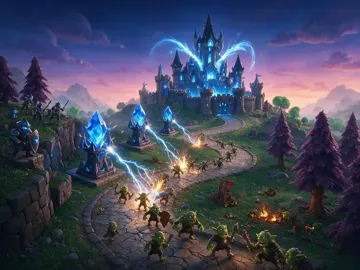
These pictures are the studio's genre cards, not gameplay screenshots. The text with each one is the starter prompt the studio fills in when you pick that genre.
How to
How to make a game with AI
- Time needed
- Steps
- 4 steps
Step 1

Describe your game
Open Game Studio and write your idea, or pick a genre to load a starter prompt. You can attach up to 4 reference images.
Step 2

Make the assets
The studio plans the art your game needs. A new game needs at least one 3D model before its first build.
Step 3
Build and play
A chat model writes the game, and it runs in the player beside the chat. GPT-6 Sol is the default and takes about 40 seconds.
Step 4

Change it by chatting
Ask for changes, or tap the thing you want changed on the game screen. Restore an earlier version if an edit goes wrong.
Tips
Write a prompt that builds a better game
The studio's own starter prompts all name these things.
Name the genre and the camera: “third-person 3D adventure”, “3D endless runner”.
Say what the player does and with which controls: “swipe or arrow keys to switch lanes”.
Give a win or lose rule: “knock down all targets in 3 shots”, “10 waves, lives counter”.
Use real numbers for size: 3 levels, 3 laps, 10 questions. Small scopes build more reliably.
Describe the look in a few words: neon city rooftop, low-poly island, looping desert track.
Attach a picture of your character, and the studio turns it into a 3D model.
After the first build, change one thing per message so it's easy to undo.
Models
Models that build your game
Who writes the code, and who makes the assets. The studio's menus have more.
OpenAI
GPT-6 Sol
Google
Gemini 3.6 Flash
Anthropic
Claude Sonnet 5
ByteDance
Seedream 5 Pro
- Output
- Art and sprites
Open Seedream 5 ProBest for
The default for game art and sprites
All models (8)
Google
Nano Banana 2.1

FAQ
AI Game Generator questions
10 questions

What is an AI game generator?
It's a tool that turns a written description into a playable game. It writes the game code and makes or plans the art, so you don't program anything yourself. Kenerate Game Studio builds a 3D game that runs in the browser as one web page, using Three.js for the 3D.
Link to this answerCan I make a game with AI without coding?
Yes. You write what you want in plain language, and you change the game the same way: “make the jumps higher”, “add a second enemy”. You can also tap something on the game screen and say what should change. The code is there to read and copy if you want it, but you never have to touch it.
Link to this answerIs the AI game generator free?
Not for a new game. A new game needs at least one 3D model, and 3D models need a paid plan or credit pack. The 25 credits on a new account can't cover one. Playing shared games costs nothing, and those credits can pay for chat edits on a remix of a public game. Credit packs are one-time, with no subscription.
Link to this answerHow many credits does a game cost?
It depends on what you add. A 3D model made with Rodin 2.5 costs 145 credits from text or about 200 from a front, side and back design. Meshy 7.1 costs more. A sprite costs 17.5, a 30-second Ken Music 1 track costs 13, and sound effects start at 2. Each build or edit is billed on the tokens the coding model uses, plus 1 credit. The studio shows the price of each asset before it makes it.
Link to this answerCan it make 2D games?
New games are 3D only. Older 2D games built on Phaser 3 still open, and you can remix them. If you want 2D art for your own engine, the AI sprite sheet generator makes characters and animation frames.
Link to this answerWhat kinds of games can it make?
The ten starters are a 3D platformer, endless runner, space shooter, racing game, 3D puzzle, quiz show, tower defense, 3D explore, physics game and an arcade classic. You can also write any other idea. Short, single-screen or few-level games come out best, because the whole game has to fit in one file.
Link to this answerWhich AI model should I pick to write the game?
Start with GPT-6 Sol, the default, which takes about 40 seconds. Gemini 3.6 Flash is the fastest and cheapest at about 30 seconds, and GPT-6 Luna suits quick small edits. The Claude models think at length first: Claude Sonnet 5 takes 2–5 minutes, and Opus 5.5 and Fable 5.1 are slower.
Link to this answerWill my game work on a phone?
Games run in a normal web page, so they open on phones and laptops, and the studio's runtime sets the page up for touch play. Ask for touch controls in your prompt, as the endless runner starter does with “swipe or arrow keys”. The studio itself also works on a phone, with Chat, Game and Assets tabs.
Link to this answerCan I download or export the game?
You can copy the code or download it as one .html file. It isn't a standalone export: the file loads its engine from a public CDN, and attached art and models load through Kenerate paths, so they won't appear in a downloaded copy until you host them yourself and change those paths. To share a finished game, use the link. There's no export to Unity, Unreal or Godot, or to app stores.
Link to this answerCan I sell a game I made with it?
Kenerate claims no ownership of what you generate, and its terms allow commercial use, including gaming projects. You're responsible for making sure the game doesn't copy someone else's characters, names or music. Copyright rules for AI-made work differ by country, so check them before you rely on a game commercially.
Link to this answerIn depth
AI Game Generator, explained
What works, what to avoid, and how to pick a model.
On this page
How text becomes a game
The game is one web page. A chat model writes its HTML and JavaScript, and Three.js draws the 3D scene in the browser. The studio tells the model which assets exist, so the code loads your real models, sprites and sounds and doesn't draw stand-in shapes.
That's why a new game starts with assets. The first build waits for at least one 3D model, then the code is written around it. Later messages patch the same file, and each build is saved as a version you can go back to.
What you can add to a game
The Assets panel makes everything through the same models as the rest of Kenerate, and each item can be attached to the game:
- 3D models from text, one design image, or a front, side and back design sheet.
- Auto-rigged characters with walk and run clips.
- Images and sprites with clean cut-out edges.
- Sprite sheets in 8 actions: idle, run, walk, jump, attack, hurt, fly and death.
- Sound effects from 10 presets, such as jump, coin, explosion and win.
- Background music, plus short video for an intro or cutscene.
Ten starter prompts by genre
Pick a genre in the studio and its prompt loads into the box, ready to edit:
- 3D Platformer: A colourful 3D platformer where a fox hero runs and double-jumps across floating islands, collects gems and stomps spiky slimes. 3 levels, a timer and a glowing goal flag.
- Endless runner: A 3D endless runner on a neon city rooftop: three lanes, swipe or arrow keys to switch lanes, jump over barriers, collect coins, speed rises over time.
- Space shooter: A 3D space shooter: fly a starfighter through an asteroid field, auto-fire at alien drones, power-ups for triple shot and shield, a boss every 5 waves.
- Racing: A 3D arcade racing game on a looping desert track against 3 AI cars, drift boost on tight turns, 3 laps, lap timer and position.
- 3D Puzzle: A 3D puzzle game: roll a glowing cube across floating tiles to reach the exit, switches open bridges, 10 short levels with a move counter.
- Quiz show: A 3D TV quiz show about space: a host character on a glowing stage, 10 questions, a 10-second timer, streak bonus and confetti on the results screen.
- Tower defense: A 3D tower defense game: monsters march along a winding canyon path, place and upgrade 3 tower types with coins, 10 waves, lives counter.
- 3D explore: A third-person 3D adventure on a low-poly island: walk, jump, collect 10 glowing crystals hidden around, day-night sky.
- Physics: A 3D physics game: drag to launch a ball at towers of wooden blocks, knock down all targets in 3 shots, slow-motion on the last hit.
- Arcade classic: A 3D neon snake on a floating grid: smooth turns, power-ups, the camera follows from above, and a high-score table.
Browser game or engine project?
AI game generators split into two kinds. Browser generators like this one give you something playable and shareable straight away, with nothing to install. Engine-based tools build a project you open in a desktop editor, which takes longer to set up but suits a game you plan to ship on PC or console.
Use a browser generator to test an idea, make a game for a class or a friend, or build a small arcade game. If you already work in Unity, Unreal or Godot, you're better off making assets here and building the game in your engine. The AI game asset generator exports FBX and GLB for that.
Limits to know before you start
These come from how the studio works today:
- New games are 3D. 2D remains only for older games and their remixes.
- A very large game can be too long for one model reply. If that happens, ask for a simpler version or a smaller change.
- Each game holds up to 40 assets and keeps its latest 30 versions.
- An account can hold up to 200 games.
- There's no multiplayer server or engine export.
- A downloaded .html file doesn't include your attached assets.
By the Kenerate AI teamLast updated and reviewed
We build and run Kenerate Game Studio. Models, limits and prices on this page were checked against the app's code.
Sources: Kenerate Game Studio · Kenerate terms of service · Three.js documentation

Make your first game
Describe it in one sentence, then play it in your browser.
Tried it? Tell us how it went