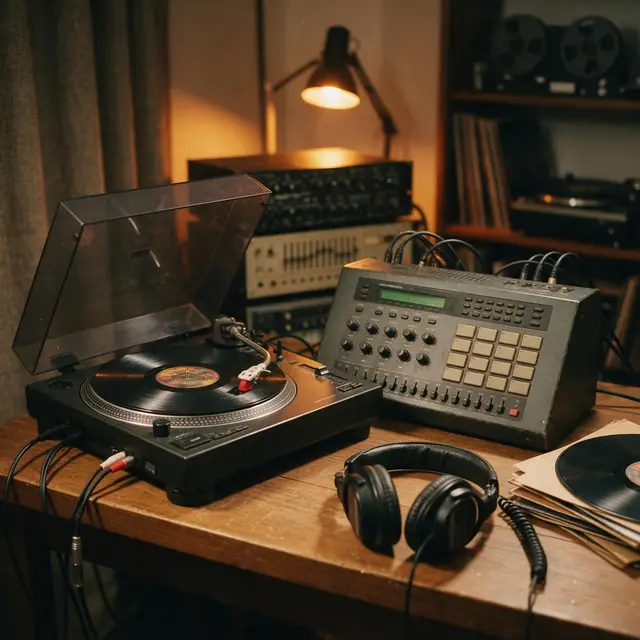
Boom-bapInstrumental90 BPM
Crate Digger
Made with MiniMax Music 3.0 · Cut a four-bar loop
—
PromptClassic boom-bap hip-hop beat, dusty kick and snare, chopped soul sample, deep bass, head-nod groove, 90 bpm


Free · no upload · WAV export
Load an audio file, drag the two handles on the waveform, add a fade if you want one, and download the clip as a WAV. Your file stays on your device the whole time.
Your waveform appears here
Trimmed on your device, never uploaded
Updated by the Kenerate AI team
On this page
Quick answer
To trim an audio file online, load it into the tool above, drag the start and end handles on the waveform (or type the times), press Preview, then Download WAV. The cut runs in your browser, so the file is never uploaded. It's free with no account. Files can be up to 60 MB, about an hour of 128 kbps MP3, and the download is always a WAV, not an MP3.
Listen first
Real AI generations from the Music Studio. Download one and cut your own intro, loop or ringtone from it.
Made with MiniMax Music 3.0 · Cut a four-bar loop
PromptClassic boom-bap hip-hop beat, dusty kick and snare, chopped soul sample, deep bass, head-nod groove, 90 bpm
Made with Ken Music 1.5 · Cut a soft podcast bed
PromptBossa nova, nylon-string guitar, soft brushes, flute melody, warm and breezy, Rio beach afternoon, 124 bpm
Made with MiniMax Music 3.0 · Cut the drop for a short video
PromptBig-room EDM festival track, huge build-up, massive drop with punchy kick and lead synth, crowd energy, 128 bpm
How to
Step 1
MP3, WAV, M4A or OGG, up to 60 MB. It opens on your device.
Step 2
Drag the handles on the waveform, or type the times in seconds.
Step 3
Fade in and fade out each run up to 10 seconds.
Step 4
Preview plays the clip with its fades. Last 3 s checks the ending.
See it in the app

Open Music Studio and pick a song from a prompt, a song from your lyrics, or an instrumental.
Prompt & lyrics to song, instrumentals, models, your tracks & chat
Chapters
Engines
Facts from the app's engine list. ElevenLabs Music sets an exact length, so there's less to trim.
ElevenLabs
Best for
Set the exact duration; clean studio mix

Kenerate
Best for
Quick clips — hooks, jingles, intros

Kenerate
Best for
Default engine: full songs with vocals in any language; can take an image as inspiration

MiniMax
Best for
Follows [Verse]/[Chorus] section tags closely
Prompt recipe
Open any of these in the Music Studio, then trim the result here.
Podcast intro
Short warm podcast intro, soft electric piano, light drums, friendly and confident, clean ending
Ringtone hook
Bright marimba hook, starts straight on the melody, playful and clear, 120 bpm
Video bed
Gentle background music for a product video, soft plucked guitar, light percussion, steady and calm
Game loop
Cheerful 8-bit game loop, simple square-wave melody, steady beat, loops cleanly
Tips
Small habits that stop a clip sounding chopped.
Start the cut in a quiet moment between words or beats.
Use Last 3 s to hear the ending without playing the whole clip.
A fade of 0.1 to 0.3 seconds hides a click at the cut point.
On long files, drag close to the spot, then use the arrow keys for 0.1 s steps.
Only cut audio you have the right to use.
FAQ
10 questions
Load it into the trimmer at the top of this page, set the start and end, then press Download WAV. It's free, with no account and no watermark.
Link to this answerNo. Your browser decodes the file and cuts it on your device, so the audio never reaches our servers.
Link to this answerNo, not here. The trimmer only exports WAV, because browsers don't include an MP3 encoder and this tool doesn't add one. If you need an MP3, open the WAV in our M4A to MP3 converter, which reads WAV files up to 60 MB.
Link to this answerThe kept part isn't compressed again, because WAV is uncompressed. It's saved at 16-bit, and at your browser's audio rate, which is often 44.1 or 48 kHz. An MP3 opened here won't gain quality from becoming a WAV, though: it just becomes a bigger file.
Link to this answerWAV is uncompressed. A stereo clip at 44.1 kHz takes about 10.6 MB per minute, while a 128 kbps MP3 takes about 1 MB per minute.
Link to this answerMP3, WAV, M4A and OGG usually work. The browser does the decoding, so what opens depends on the browser you use. For audio inside a video, use the extract audio from video tool first.
Link to this answerYes for the cutting: an MP3 opens fine and you can cut any part of it. The result downloads as a WAV rather than an MP3.
Link to this answerPress 30 s clip to set a 30-second selection, move the handles to the part you want, add a short fade out and download. Apple's limit for iPhone ringtones is 30 seconds. Use only audio you have the right to use.
Link to this answerUp to 60 MB. On a Windows desktop in Edge, a one-hour 128 kbps MP3 of 57.6 MB opened in about 5 seconds. We haven't measured phones, which have less memory, so long files may fail there. If one does, try a shorter file.
Link to this answerNo. This tool keeps one continuous section, from the start handle to the end handle. To join two parts, use an audio editor such as Audacity.
Link to this answerIn depth
What works, what to avoid, and how the pieces fit.
When you choose a file, the browser reads it from your disk and decodes it into raw audio in memory, using the Web Audio API [1]. The waveform, preview and export all work from that decoded copy. No part of it is sent anywhere, and closing the tab clears it.
Decoding is also why there is a size limit. The tool holds uncompressed audio in memory, so a small MP3 can become a very large buffer: an hour of stereo takes well over 1 GB as decoded samples. The tool stops at 60 MB for that reason.
We timed the tool on 4 November 2026 in Edge on one Windows desktop, using generated test tones. Your times will differ, and we haven't measured phones or other browsers.
Browsers can decode MP3 but don't come with a way to write one, so an MP3 export would need an extra encoder inside the page. This tool doesn't have one, and it won't pretend to. WAV is plain uncompressed audio, which also means your cut isn't compressed a second time.
The catch is size: about 10.6 MB per minute for stereo at 44.1 kHz. That's fine for short clips, and the tool shows the size before you download.
Common lengths, and a button to start from:
By the Kenerate AI teamLast updated and reviewed
We build and run the Kenerate Music Studio. Every demo on this page is a real output of the engine named on it, made from the prompt shown; engine facts were checked against the app's code.
Sources: MDN — Web Audio API

Free to start. No watermark. Download every track.
Tried it? Tell us how it went