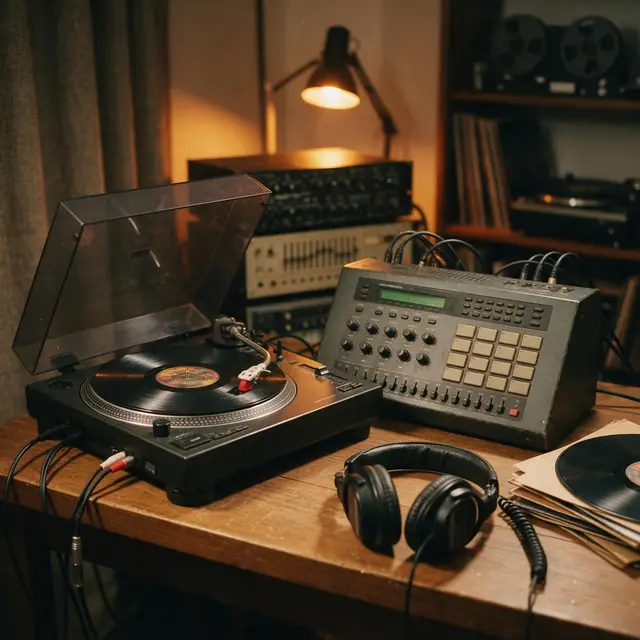
Boom-bapInstrumental90 BPM
Crate Digger
Made with MiniMax Music 3.0 · Listen to the kick and the deep bass
—
PromptClassic boom-bap hip-hop beat, dusty kick and snare, chopped soul sample, deep bass, head-nod groove, 90 bpm


Free · no download · left, right, sweep, volume
Press a test to hear beeps on the left, the right or both sides, a sweep from 20 Hz to 20 kHz, or five rising volume steps. The tones are made on your device.
Pick a test
The bars show what this page sends to your device, not what your speakers play.
Start quiet, then turn up. Tones are made on your device.
Updated by the Kenerate AI team
On this page
Quick answer
To test your sound online, turn your device volume down, press Left, Right and Both in the tool above, and check that each beep comes from the right place. If you hear nothing but the L and R bars move, the page is sending sound, so look at your device's output, volume or cable. It's free and there's nothing to install. This is a listening check: it can't measure decibels or test your hearing.
Listen first
Tones show that sound works. Real AI generations from the Music Studio show how music comes across on your speakers.
Made with MiniMax Music 3.0 · Listen to the kick and the deep bass
PromptClassic boom-bap hip-hop beat, dusty kick and snare, chopped soul sample, deep bass, head-nod groove, 90 bpm
Made with Ken Music 1.5 · Listen for clear guitar and soft brushes
PromptBossa nova, nylon-string guitar, soft brushes, flute melody, warm and breezy, Rio beach afternoon, 124 bpm
Made with MiniMax Music 3.0 · Listen for rattles when the drop hits
PromptBig-room EDM festival track, huge build-up, massive drop with punchy kick and lead synth, crowd energy, 128 bpm
How to
Step 1
Set your device volume low and leave the test volume at 40%. You can raise either one once you hear a tone.
Step 2
Each one beeps for 6 seconds on one side. Check that the sound comes from that side only.
Step 3
Both should sound centred. Balance should move across smoothly and come back.
Step 4
Sweep rises from 20 Hz to 20 kHz. Press Stop when you lose it to read the frequency. Volume plays five rising steps.
See it in the app

Open Music Studio and pick a song from a prompt, a song from your lyrics, or an instrumental.
Prompt & lyrics to song, instrumentals, models, your tracks & chat
Chapters
Engines
Facts from the app's engine list. ElevenLabs Music sets an exact length, which suits short test clips.
ElevenLabs
Best for
Set the exact duration; clean studio mix

Kenerate
Best for
Quick clips — hooks, jingles, intros

Kenerate
Best for
Default engine: full songs with vocals in any language; can take an image as inspiration

MiniMax
Best for
Follows [Verse]/[Chorus] section tags closely
Prompt recipe
Open any of these in the Music Studio, then play the result on the speakers you're checking.
Bass check
Slow electronic track with deep sustained sub bass notes, sparse kick drum, no vocals
Stereo check
Ambient synth track with sounds panning from left to right, wide stereo, slow tempo, no vocals
Detail check
Solo acoustic guitar and light percussion, clean close recording, quiet and detailed
Full mix check
Energetic rock instrumental with drums, bass, electric guitars and bright cymbals, full and punchy
Tips
Small habits that make the test easier to read.
Close other tabs and apps that are playing sound before you start.
Put headphones on the right way round: look for the L and R marks.
Stand in the middle of two speakers when you check the balance.
Test a Bluetooth device close to your computer or phone, so a weak link isn't the cause.
Turn the sound down if a tone is unpleasant, especially during the top of the sweep.
FAQ
10 questions
Press Both in the tool at the top of this page. If you hear beeps, your sound works. If you hear nothing, look at the L and R bars: moving bars mean the page is sending sound, so check your device's output, volume and cable.
Link to this answerThe most common causes are the wrong output device, a muted device or app, or a loose cable. On Windows, Microsoft's steps start there, then move to audio enhancements, the sound driver and the audio services. The fix list on this page goes through them in order.
Link to this answerPress Left and check the beeps come from the left side only, then press Right. If the sides are swapped, check how your headphones or cables are connected. If one side is silent, check its cable and your balance setting.
Link to this answerIt's usually the balance setting, a mono audio setting, a damaged cable or a dead speaker. Swap the two speakers or the two ear cups if you can. If the silence moves with the speaker, the speaker is fine and the cable or the output is at fault.
Link to this answerYes. It works with whatever your device plays through, including built-in speakers, wired headphones and Bluetooth. It only tests two channels, so it can't check each speaker in a 5.1 or 7.1 system.
Link to this answerNo. It only plays sound, so the browser never asks for your microphone. The tones are generated on your device, and no audio is uploaded.
Link to this answerBoth are normal. The commonly stated human range is 20 Hz to 20 kHz, and the top end falls with age. Small speakers also can't play very low notes, so laptop and phone speakers often stay quiet at the start of the sweep.
Link to this answerNo. It can't diagnose anything, because your device, your volume and your room all change what you hear. If you're worried about your hearing, see a hearing professional.
Link to this answerNot at a sensible volume, but any speaker can be hurt by long, loud tones. The tool starts at 40% and each test ends on its own, within 20 seconds at the longest. Keep your device volume moderate, and stop if you hear distortion.
Link to this answerIt should work in a current mobile browser, but we haven't measured phones. On an iPhone, also check the Ring/Silent switch, because it can silence sound played in a browser.
Link to this answerIn depth
What works, what to avoid, and how the pieces fit.
Press Both, watch the L and R bars, and work down this list. The first steps follow Microsoft's order for Windows [1], and the same ideas apply on other devices.
The bars show the signal this page hands to your browser. If they move, the tone exists and the page is working, so the problem is further along: your output choice, your volume, your cable or your speakers.
If you press a test and the bars stay still, the browser isn't processing audio. Reload the page, or try another browser. The bars can't show what your speakers really play, so moving bars with no sound never means your speakers are fine.
Run Left and Right one after the other, then compare them:
The sweep rises smoothly from 20 Hz to 20 kHz in 20 seconds, spending the same time on each octave. Press Stop when you can't hear it any more, and the tool keeps the frequency on screen.
The commonly stated human range is 20 Hz to 20 kHz, and it usually narrows with age, starting at the top [2]. So a low top figure can come from your speakers, your ears or your volume, and this test can't say which. Listen for buzzing or rattling on the way up: it often points to a loose part in the speaker or something vibrating nearby.
Volume plays a 1 kHz tone in five steps of 10 dB, from -40 dB to 0 dB. Those figures are relative to the test volume slider. They aren't the level in your room, which depends on your device and speakers.
Count how many steps you can hear. If the first steps vanish, background noise or a low device volume is covering them. If the last step sounds rough or buzzy, your speakers may be distorting, so turn your device down.
Start low and only turn up until you can hear the tone clearly. WHO advises keeping personal audio at or below 60% of maximum volume, and taking regular breaks [3]. High tones can be unpleasant at a level where you barely notice bass, so take care with the end of the sweep on headphones.
At 100%, the tool's top level is half of the digital maximum, and each test ends on its own. Your device volume still sets how loud that is.
Each tone comes from an oscillator in your browser's Web Audio API [4]. A stereo panner sends it left or right [5]. No sound file is loaded, nothing is recorded and no audio is uploaded.
We checked the output on 4 November 2026 in Edge on one Windows desktop at 48 kHz. With the tones rendered to a buffer, the opposite channel was exactly silent in the Left and Right tests, the beeps measured 440 Hz and the volume steps measured 10 dB apart. That checks what the page produces. We haven't measured real speakers, phones or other browsers.
By the Kenerate AI teamLast updated and reviewed
We build and run the Kenerate Music Studio. Every demo on this page is a real output of the engine named on it, made from the prompt shown; engine facts were checked against the app's code.
Sources: MDN — Web Audio API

Free to start. No watermark. Download every track.
Tried it? Tell us how it went